Speculative loading is moving from experimental performance trick to everyday website infrastructure. In plain terms, it lets a browser prefetch or prerender pages that a user is likely to visit next, so the next click can feel much faster. That sounds simple. The operational reality is more interesting: the same feature can touch WordPress, Drupal, Cloudflare, HTTP headers, cache rules, analytics, consent tools, server logs, and application routes that were never designed to be loaded in the background.
Articles
Post-load performance now matters more than many teams realize
Contact forms, quote requests, registrations, comments, and checkout flows are not just website features. They are business processes. When they are abused, the cost is not limited to inbox noise. The damage shows up in CRM records, sales follow-up time, campaign reporting, deliverability, and sometimes in public spam or account abuse. That is why form protection is no longer a minor plugin setting. It is operations work.
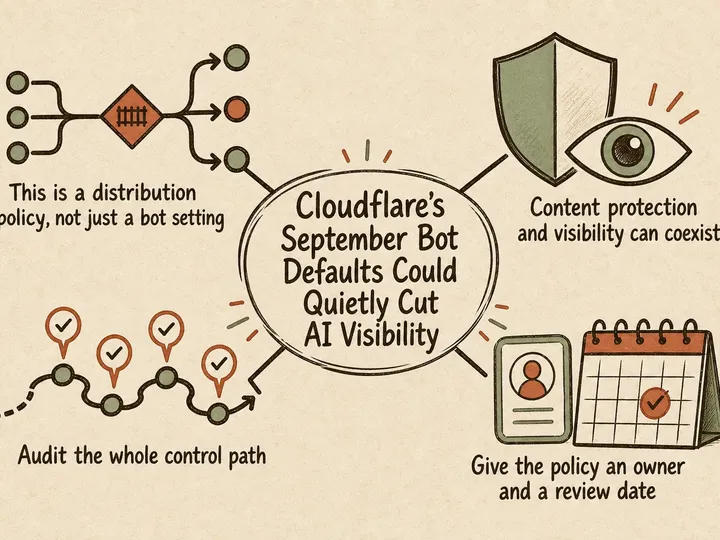
For many business websites, AI crawler control has moved from a theoretical policy question to an operational one. If you run WordPress, Drupal, or a custom marketing stack, your site may now be visited by a mix of traditional search crawlers, AI search bots, training crawlers, and user-triggered fetchers. Treat them all the same and you risk making a bad trade: either letting too much happen at your origin, or blocking traffic so broadly that your site becomes less visible where prospects increasingly discover information.
Here is a great reference how to compress and reduce the size of PDF files with Ghost Scrip (gs) in Linux: http://blog.virtualzone.de/2012/11/how-to-reduce-pdf-file-size-in-linux…
Example: "gs -dNOPAUSE -dBATCH -sDEVICE=pdfwrite -dCompatibilityLevel=1.4 -dPDFSETTINGS=/screen -sOutputFile=output.pdf input.pdf"
I used a couple of moments to figure out if I wanted to stay on Kubuntu 14.04 LTS (Long Term Support), but then I decided to go with the new version 15.10. I want the new KDEnLive, so I can create more bad videos no one watches on my Youtube Channel PlantSugar.
Initial Setup
Update 2022-12-22: Optimized and started to strike through old not needed info when using Windows 11 and Kubuntu 22.10 end of 2022.
Get the bootloader working with Windows 10
Terminal: xrandr -q | grep " connected"
Output: eDP-1 connected primary 1920x1080+0+0 (normal left inverted right x axis y axis) 309mm x 173mm
So my connected screen name is eDP-1
xrandr --output eDP-1 --brightness 0.5
0.5 = 50% of current brightness. Back to normal use:
xrandr --output eDP-1 --brightness 1
brightness 1 = 100%
Source and thanks to https://askubuntu.com/questions/149054/how-to-change-lcd-brightness-fro…
Possible fix:
Delete the cache: ~/.config/skypeforlinux/Cache/
Skype start command: nice -n 19 rm -r ~/.config/skypeforlinux/Cache/* ; nice -n 19 /usr/bin/skypeforlinux %U skypeforlinux --disable-accelerated-video-decode=true
Skype start command vanilla: /usr/bin/skypeforlinux %U
Quick instructions:
insert: "keycode 49 = less greater backslash backslash backslash" in "$HOME/.Xmodmap" and run "xmodmap .Xmodmap" - this will setup your keys on the system.
To make these keys persistent run: "xkbcomp $DISPLAY $HOME/.xkbmap"
Very interesting: https://medium.com/@saplos123456/persistent-keyboard-mapping-on-ubuntu-using-xmodmap-cd01ad828fcd
Update 2022-07-14: kill kiod or kiod5 and then do jmtpfs
Update 2021-07-10: sudo aptitude install gmtp
It can be a challenge to mount your Android phone (MTP device) in Linux if you have some strange files from your old Iphone. I needed to do it the hard way.
You need to install mtpfs and use this command: sudo mtpfs -o allow_other /media/android-device
In a lot of cases it is useful to convert bitmaps like jpg, png to vector graphics like SVG or AI.
Inkscape -> Path -> Trace Bitmap
BASH
convert file.png file.pnm
potrace file.pnm -s -o file.svg
find /[FOLDER_NAME]/* -mtime +[OLDER_THAN_DAYS] -exec rm -rf {} \;
Example deletes all files and folders in tmp folder that are older than 180 days: find /tmp/* -mtime +180 -exec rm -rf {} \;
Quick note: xinput map-to-output 11 eDP
I have a thinkpad laptop with a touchscreen. When I connect my external screen, then the touch sensor on my laptop screen moves the cursor on the external screen, which is not what I want. I want to keep my touch on my laptop screen.
I followed the instructions here: https://askubuntu.com/questions/51445/how-do-i-calibrate-a-touchscreen-…
First run:
xinput
Output:
TLP is an advanced power management tool I use for my laptop that runs Linux. I have not tested the different settings, but it seems that the battery time is increased compared to not running it. :-) I only use it in battery-mode. There are some extra features for Thinkpad laptops.
TLP settings file Ubuntu: /etc/tlp.conf
Reload config: sudo tlp start
Check TLP status: sudo tlp-stat
Check battery: upower -i /org/freedesktop/UPower/devices/battery_BAT0
Kick user from SSH server: sudo pkill -HUP -u [USERNAME]
There are many ways of debugging php. I will start creating a reference guide here.
One of the best references out there: https://phptherightway.com/
Activate showing php errors either in the application itself, cpanel or php.ini.
error_reporting(E_ERROR | E_WARNING);
Dumping variables
var_dump($variable_name);
file_put_contents("dump.txt", ob_get_contents());
ob_end_clean();
key words: debug
Missing icons on the login screen and everywhere else after upgrade to Kubuntu 21.04? You have come to the right place!
Easy fix: sudo apt install libqt5quick5
Source: https://askubuntu.com/questions/1288506/black-icons-after-reinstalling-…
I did not have any problems on my main machine, but my old machine which had not been updated for more than a year did not swallow the upgrade easily.
When you need to sign a PDF document, it's quite easy to do in Libreoffice Draw for instance. You can just insert an image of your signature and print to PDF afterwards. Sometimes LibreOffice will not do a great job with opening some types of PDF documents. In these cases you can try to use "Lumin PDF" which can be accessed directly from Google Drive when you open a PDF document. You will be asked to accept the Lumin PDF connection to your Google account. You will need to accept the conditions and you are ready to go.
Replace cartridge: Open access to printer, press stop 5 seconds and repeat. You don't need to replace the cartridge, you can clean it carefully with some soft tissue.
Youtube: How to remove the print head
To detach a process started in the terminal, you can always add & at the end. For example: npm run evaluation &
Or: nohup bash script.bash &
After that you can run "jobs", to see the running jobs for that user.
Otherwise you can use "htop" or "ps -ef |grep bash" to find all bash jobs for instance.
References:
https://www.dev2qa.com/how-to-run-node-js-server-in-background/