By Greg Nowak. Updated 11 October 2026.
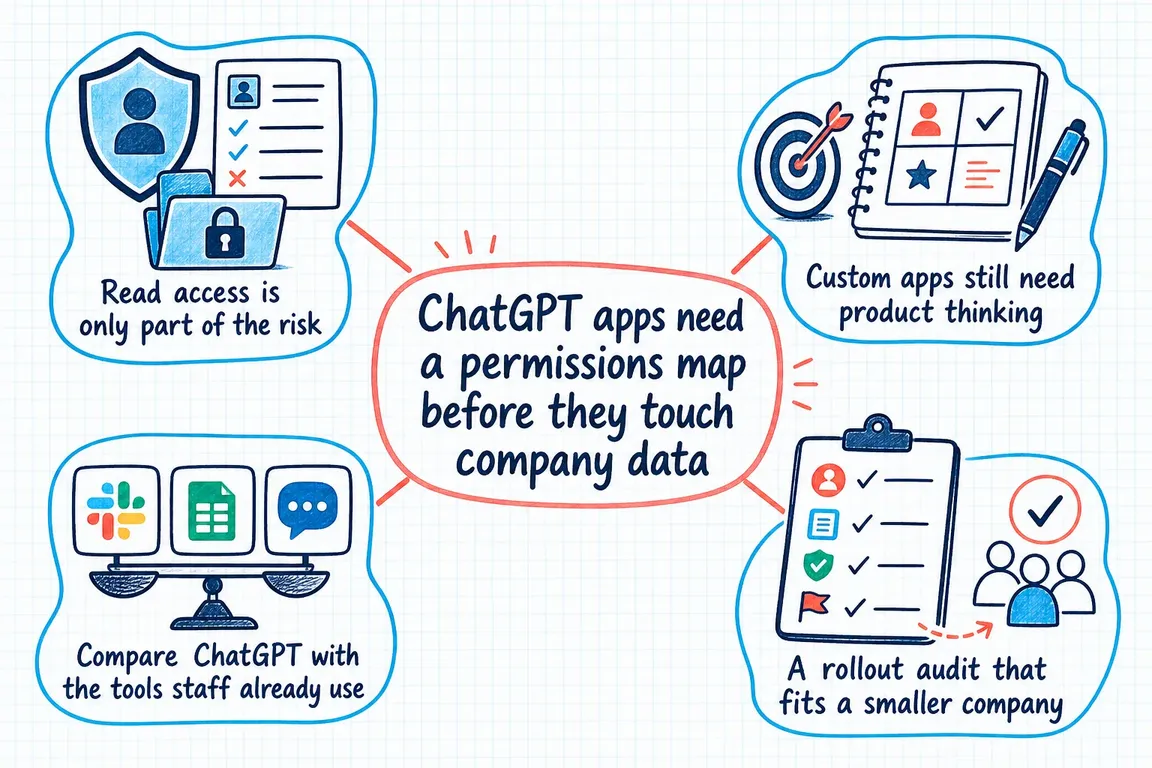
Connecting ChatGPT to a document library, CRM, inbox, calendar or project platform can remove hours of searching and copying. It also creates a new route into company information. That route is rarely controlled by one setting: workspace roles, app permissions, OAuth scopes, source-system access and approval rules all play a part.
This is why an OAuth consent screen is not a security review. Before a pilot begins, draw a simple permissions map showing who can use the connection, what it can reach, what it can change and who is responsible when something goes wrong.
Which ChatGPT permissions are we talking about?
"ChatGPT permissions" covers three different things, and it helps to know which one you are dealing with.
- Workspace app permissions. In a company workspace (Business, Enterprise or Edu), an admin decides which apps and connectors are available, to which users or groups, and whether they may only read or also take actions. Most of this page is about that layer.
- The access you grant when you connect an app. Connecting Google Drive, SharePoint, a CRM or a custom MCP server runs an OAuth sign-in. The scopes on that screen, plus whatever your own account can already reach in the source system, set what ChatGPT can fetch.
- Device permissions for the ChatGPT mobile app. On Android the app (package
com.openai.chatgpt) asks for the microphone for voice, the camera and photos when you attach images, notifications, and location only if you turn location sharing on. You can review or revoke them under Settings > Apps > ChatGPT > Permissions. On iPhone the same switches are under Settings > ChatGPT.
Device permissions decide what the phone hands to the app. They say nothing about which company systems ChatGPT can reach. That needs the map below.
Map a workflow, not an entire platform
“Connect ChatGPT to our CRM” is too broad to approve sensibly. A useful starting point sounds more like: “Allow five account managers to retrieve the latest approved account summary and draft a follow-up note.” That statement identifies the users, the data, the output and the boundary of the pilot.
OpenAI’s current product model contains several control layers. A plugin may package reusable instructions and one or more connected integrations. Availability in the workspace, permission to use the connection, allowed actions and authorization in the external service remain separate decisions. Enabling one layer does not automatically grant every user access to every record.
| Map this | Question to answer | Safe pilot position |
|---|---|---|
| Business purpose | What exact task should become easier? | Approve one named workflow |
| People and roles | Who can discover and use the connection? | Limit access to a pilot group |
| Source identity | Which user, shared account or service identity connects? | Use a named, company-managed identity |
| Reachable data | Which sites, folders, records and fields can it retrieve? | Remove unnecessary source access first |
| Actions | Can it search, create, edit, send, share or delete? | Start with retrieval and drafting |
| Data movement | Is content fetched when needed or indexed in advance? | Document retention and removal behaviour |
| Control owner | Who approves, reviews and disables it? | Name business and technical owners |
Separate reading, drafting and acting
Do not treat every capability as equivalent. Retrieval exposes information. Drafting creates a proposed output without changing the source. Acting can send a message, update a customer record, share a file or delete an item. Each step increases the possible business impact.
Begin with read-only actions and test whether the workflow is genuinely useful. If the team later needs write access, approve the necessary actions individually. Require a human confirmation for irreversible, externally visible or financially significant changes, and record how a mistaken action would be reversed.
For custom MCP integrations, enforce scopes and authorization on every tool call. The model should never be the security boundary. Validate inputs on the server, restrict the tools exposed to the workflow and keep secrets out of prompts and interface data.
Trace the real data path
OAuth scopes describe what an integration may request; they do not reveal everything the authenticated account can already see. A user might have inherited access to an old client folder, a shared mailbox or an overly broad knowledge base. That source permission can become part of the app’s practical reach.
Test with accounts representing different roles. Ask each account to find information it should see, then attempt to retrieve material it should not see. Include archived documents, private folders, recently restricted items and records owned by former employees. After changing a source permission, verify how quickly the change is reflected.
Also distinguish live retrieval from synchronization. OpenAI documents both non-synced use, where connected information is processed when requested, and synced connections that index selected content in advance. Microsoft makes a similar distinction between synced connectors, which ingest content into Microsoft Graph, and federated connectors, which query the source at runtime. The permission map should therefore record where information goes, how long it remains available and how removal is handled.
Test hostile content before real users do
A connected document or support ticket is data, but it may also contain instructions intended to manipulate the assistant. This prompt-injection risk matters more when the integration can perform actions.
Add adversarial cases to the pilot: a document telling the assistant to ignore policy, a malformed field, an unexpected URL and a request to use an unapproved tool. Confirm that authorization is enforced outside the model, sensitive actions still require approval and logs contain enough detail to investigate without unnecessarily storing personal data or raw prompts.
Third-party MCP servers deserve additional scrutiny. Confirm who operates the server, what information is sent to it, its retention and data-residency terms, and whether its tools can change without your review.
Make review part of normal operations
A smaller company does not need a fifty-page AI policy, but it does need a repeatable routine. Keep an inventory of enabled apps, plugins and MCP servers. Assign a business owner and a technical owner. Record the approved workflow, users, source identity, scopes, actions, logging location and next review date.
Review the map when an employee changes role, the vendor adds an action, a data source is reorganized or the business purpose changes. Treat a new write capability as a new approval decision—not a routine product update. Disable any connection that no longer has an active owner or a clear purpose.
When a custom integration is worth considering
A custom app can be the cleaner choice when the business needs a narrow workflow, predictable fields and tighter action controls. Custom does not automatically mean safer: your team becomes responsible for authorization, input validation, retention, logging and recovery.
The strongest designs are deliberately modest. Expose only the records needed for the task, return only the necessary fields and keep consequential actions behind explicit confirmation.
Make the map understandable outside IT
The finished document should make sense to the operations lead who owns the process. If that person cannot explain what the connection reads, what it can change and how to switch it off, the rollout is not ready.
If you are planning a ChatGPT, Microsoft 365 or cross-platform AI rollout, Greg can help you map the connections, test the risky paths and leave your team with controls they can maintain.
Quick answers
Can a ChatGPT app see everything in our Google Drive or SharePoint?
It can reach what the connected account can reach, within the scopes granted. If that account has inherited access to old folders, so does the app. Clean up source permissions before the pilot, not after.
Who controls which apps employees can use?
In a company workspace, the ChatGPT admin. On a personal plan each user decides for themselves, which is why company data should not be connected through personal accounts.
How do I remove an app's access?
Disconnect it in ChatGPT's app settings, then revoke the grant in the source system as well, for example on the Google account's third-party access page or the Microsoft Entra enterprise app. Removing it on one side only can leave a token or an index behind.
Does the Android permission list matter for company data?
Only indirectly. Microphone, camera and file access control what a user can hand to ChatGPT from the phone. Access to company systems is set by the workspace and the connected accounts.
Related on GrN.dk
- MCP 2026-07-28 Is an Auth Migration, Not a Version Bump
- The Riskiest Part of an AI Workflow Pilot Is Often the OAuth Screen
- ChatGPT Apps with Full MCP Access: Governance Comes First
- ChatGPT Disabled Personal Knowledge Sync. What Broke on Your Team?
Need help with this kind of work?
Plan your AI permissions review Get in touch with Greg.