By Greg Nowak. Last updated 2026-09-13.
An internal knowledge assistant should save people from hunting through folders or asking the same colleague again. But if it confidently quotes an obsolete policy or another client's instructions, someone still has to untangle the answer. The search may have worked perfectly; the business process has failed.
OpenAI File Search can be a useful foundation. The work that makes it dependable is deciding which documents belong in it, who may retrieve them, and how changes reach users. For business owners, operations leads and agencies, that means treating document governance as part of the implementation from day one.
What File Search handles—and what your team owns
OpenAI's hosted File Search tool searches uploaded knowledge through semantic and keyword search in the Responses API. Vector stores hold the searchable collection, with document processing handled by the platform. The File Search guide explains the setup and available controls.
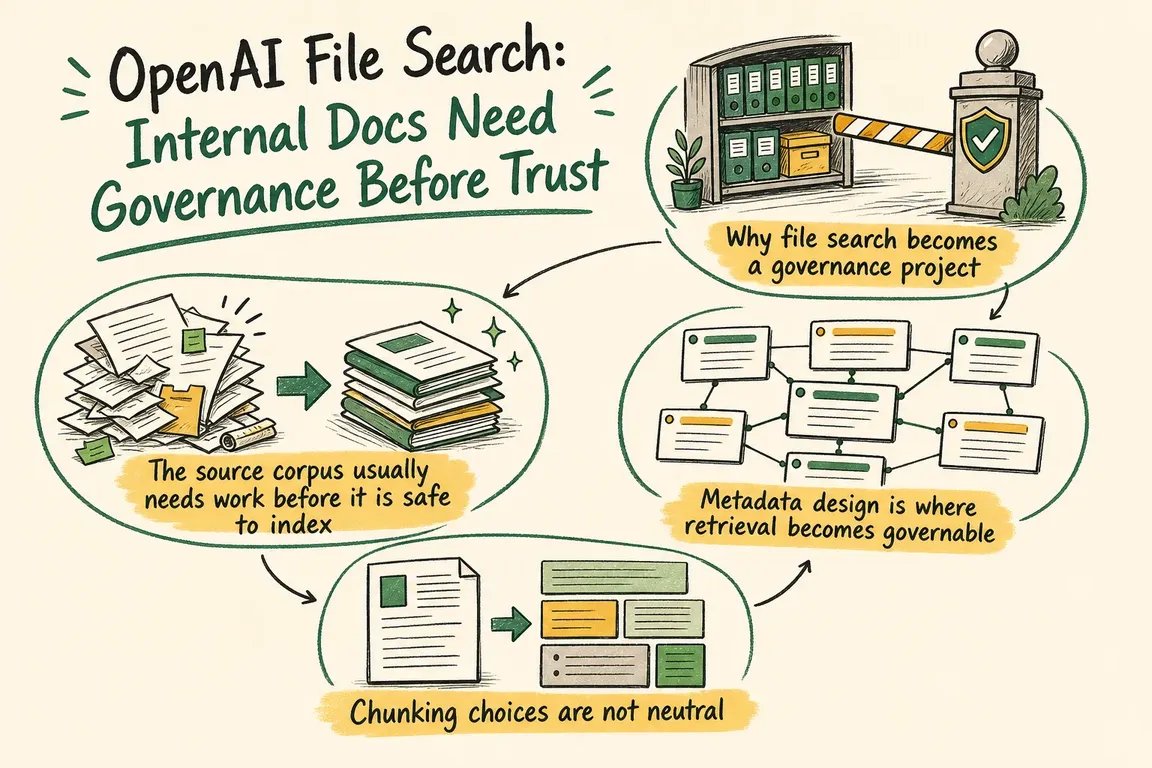
Your team still owns the meaning of that collection. A relevant passage may describe last year's procedure, an unapproved exception or a different market. A citation helps someone inspect an answer; it does not establish that the source is authoritative.
I would start with one bounded workflow, such as answering onboarding questions from approved operations documents. Agree who will use it, what a correct answer looks like, and when the assistant should send the question to a person.
Decide what deserves to be searchable
Give each document an owner, an approval status and a clear version. Remove duplicate exports, separate drafts from published guidance, and retain a link to the maintained original. Check whether extracted text preserves headings, tables and exceptions, particularly in PDFs and slide decks.
Use this checklist to turn a vague cleanup exercise into decisions someone can own:
| Decision | Practical rule | Suggested owner |
|---|---|---|
| Authority | Only approved versions answer operational questions. | Document owner |
| Audience | Client and staff permissions determine the searchable scope. | Application owner |
| Freshness | Publication triggers replacement and verification. | Content or operations lead |
| Evidence | Test answers against the passages actually retrieved. | Business reviewer |
| Maintenance | Assign review dates, cleanup rules and a running budget. | Service owner |
Use metadata to enforce the right scope
File attributes and filters let you restrict eligible documents. Useful fields might include client_id, region, status, language and version. OpenAI supports comparison filters and compound and/or conditions, described in its retrieval guide.
For example, an agency assistant answering a client delivery question should search that client's approved guidance. Build the permitted scope on the server from the authenticated user's access. A confidentiality label alone provides no protection, and the user or model should never be allowed to broaden that scope through a prompt.
My recommendation is to separate stores where clients, permissions or retention rules differ materially. Use attributes for useful distinctions within each collection. Whichever structure you choose, enforce authorisation before retrieval and on any links that open the original documents.
Make ingestion predictable before tuning search
Uploading a file does not mean indexing has finished. Use SDK helpers such as create_and_poll, inspect failures, and confirm completion before making a new collection available. OpenAI documents this asynchronous behaviour in the retrieval guide.
The default chunking strategy uses 800 tokens with 400 tokens of overlap. Static chunk sizes can range from 100 to 4096 tokens, with overlap no greater than half the chunk size, according to the vector store reference.
Start with the defaults and inspect actual failures. If a retrieved procedure loses its exception, improve the source structure or test different chunking. Smaller chunks can separate related instructions; larger ones can bring irrelevant material along. Change settings against a repeatable question set.
Test the evidence behind the answer
In Responses API testing, add include=["file_search_call.results"] to inspect retrieved passages alongside the answer. Search results are not returned by default, even when the output contains file citations. The File Search documentation shows this option.
Keep the interfaces distinct: direct vector store search returns up to 10 results by default and supports up to 50. File Search has its own max_num_results setting. Neither a larger result count nor a high relevance score proves an answer is correct.
Test ordinary questions, ambiguous requests, superseded policies and questions with no approved answer. Include attempts to retrieve another client's material. Have a business reviewer check whether the cited passage supports the conclusion. Define when the assistant should ask for clarification or say it cannot establish an answer, then rerun these checks after document or configuration changes.
Plan updates, retention and costs together
Document replacement needs a controlled handover: index the replacement, verify it, switch the permitted collection or version, and retire the old material. File removal is eventually consistent, so deleted content may briefly remain searchable. For urgent withdrawal, block access through the application immediately rather than relying solely on deletion.
Vector stores support expires_after anchored to last_active_at. Expiration removes associated vector-store file objects and stops their storage charges. This inactivity rule does not replace document review dates. Manage underlying uploaded files separately in your cleanup process.
OpenAI's data controls documentation also matters here: API data is not used for training unless you opt in, but files and vector stores retain application state and are not eligible for Zero Data Retention. Check these conditions before uploading sensitive business material.
At the time of review, published pricing lists storage at $0.10 per GB per day after the first free GB, and File Search calls at $2.50 per 1,000 calls. Budget for model tokens as well, and monitor indexed storage usage rather than estimating from original file sizes.
Start with a manageable implementation
A useful first project produces an approved document inventory, access rules, a working retrieval flow, test questions and a maintenance owner. Those deliverables make the assistant easier to evaluate and hand over.
Greg can help audit the source documents, design retrieval rules and connect updates to your CMS or internal workflow. If you have a promising demo or a collection of documents ready for review, talk to Greg about the next practical step.
Related on GrN.dk
- Agentic AI: What It Is, How It Works, and When to Use It
- OpenAI Computer Use: Browser Agents Need Credentials, Not Demos
- OpenAI's Guardrails and Run State Make Internal Agent Rollouts a Paid Approval-and-Audit Job
Need help with this kind of work?
Plan your internal knowledge assistant with Greg Get in touch with Greg.