By Greg Nowak. Updated 26 August 2026.
A long-lived TLS certificate can hide an unreliable process. Someone remembers the renewal, finds the right login and uploads a replacement. If the service keeps presenting the old certificate, there may still be time to notice and recover.
Shorter certificate lifetimes change that risk. Renewal becomes a routine production workflow, so manual DNS changes, undocumented credentials, fixed schedules and unreliable deployment hooks are exercised more frequently. The goal is not faster manual work. It is a renewal path that runs, proves its result and alerts the right owner without depending on memory.
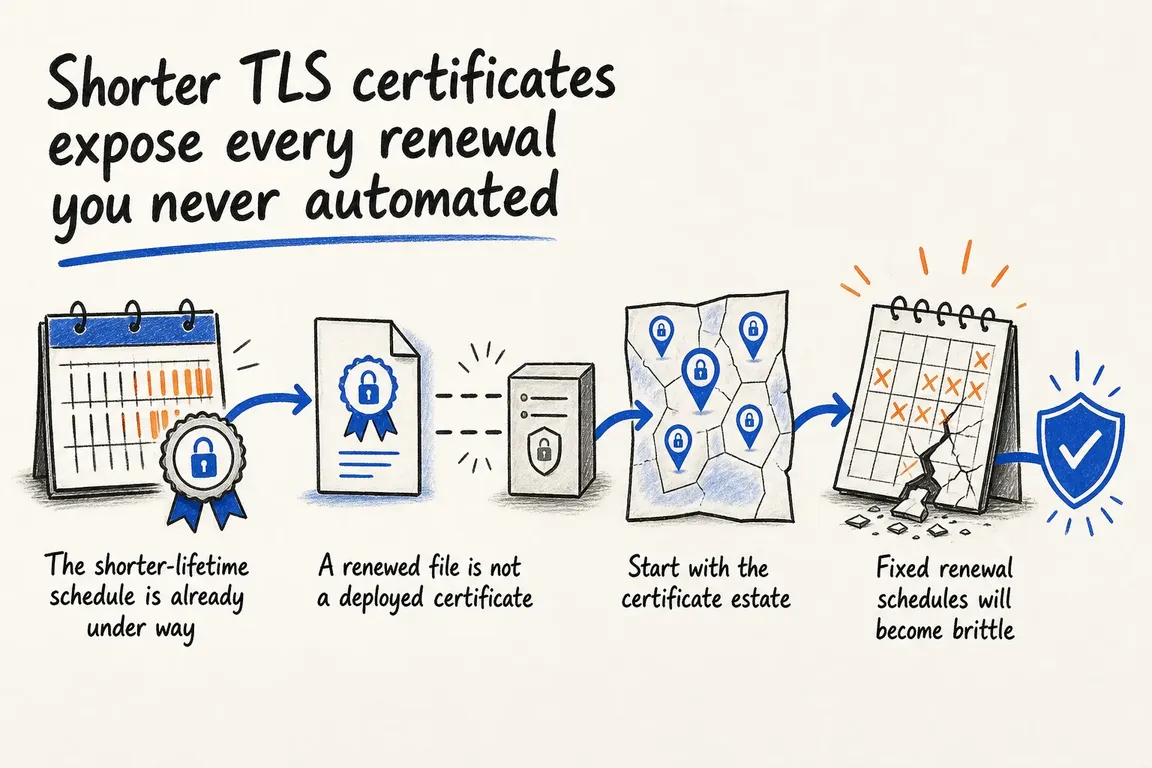
The shorter-lifetime timetable is already running
The CA/Browser Forum Baseline Requirements now limit publicly trusted TLS certificates issued from 15 March 2026 to 200 days. The maximum falls to 100 days in 2027 and 47 days in 2029. Permitted reuse of domain and IP address validation data also contracts, ultimately reaching 10 days.
Individual certificate authorities may move faster. Let’s Encrypt’s published schedule moves its default certificates to 64 days on 10 February 2027 and 45 days on 16 February 2028. Its authorization reuse period will fall first to 10 days and then to seven hours.
| Certificates issued from | Maximum lifetime | Maximum domain/IP validation reuse | Operational implication |
|---|---|---|---|
| 15 March 2026 | 200 days | 200 days | Manual annual routines are already obsolete |
| 15 March 2027 | 100 days | 100 days | Renewal becomes a several-times-a-year production event |
| 15 March 2029 | 47 days | 10 days | Unattended validation and deployment are essential |
This is an availability issue, not just a certificate-policy change. Let’s Encrypt also stopped sending expiry notification emails in June 2025. A renewal reminder from the certificate authority should therefore never be treated as a monitoring system.
Map the whole renewal path, not just the web server
Begin with the endpoints customers, partners and internal systems actually use. Include websites, APIs, reverse proxies, load balancers, container ingress, mail services, appliances and vendor-managed platforms. For each endpoint, record:
- the business and technical owners;
- the issuing certificate authority and ACME client;
- the validation method and location of its credentials;
- where the certificate is installed and which service must reload;
- how the live endpoint is checked after deployment;
- where renewal and expiry alerts are delivered.
This inventory should reveal exceptions, not become another spreadsheet nobody trusts. Flag any certificate requiring a portal login, manual DNS edit, human upload or credential belonging to one employee. Agencies should also settle ownership explicitly: does the client, hosting provider or agency renew, deploy, monitor and respond?
A renewed file is not a deployed certificate
A common failure occurs after successful issuance. The ACME client writes new files, but a proxy or application continues serving the previous certificate because it was never reloaded—or because it reads a different path.
Certbot’s current documentation makes an important distinction: a deploy hook runs after a successful issuance or renewal. That is the appropriate place to install converted files or safely reload the dependent service:
certbot renew --deploy-hook /usr/local/sbin/reload-tls-servicesDo not treat every zero exit status as evidence that production changed. Certbot returns zero when renewal succeeds, but also when no certificate was due. If subsequent work should happen only after renewal, put it in a deploy hook rather than an unconditional wrapper step.
Test issuance separately:
certbot renew --dry-runCertbot does not run deploy hooks during a dry run unless --run-deploy-hooks is supplied, and those hooks use the current active certificate rather than the temporary staging certificate. Review a hook carefully before testing it against a production service.
Verify what customers receive
Local files and successful job logs are intermediate evidence. The final check must connect to the public hostname and inspect the certificate presented after any CDN, proxy, load balancer or deployment step:
echo | openssl s_client -connect example.com:443 -servername example.com 2>/dev/null | openssl x509 -noout -subject -issuer -dates -serialRun the check from outside the infrastructure where practical. Compare the serial number or validity dates with the renewed certificate, confirm the expected hostname and issuer, and test each important edge or region if propagation is not atomic. Independent expiry monitoring should perform the same endpoint-level check and alert a team channel or ticket queue with enough context to act.
Validation must work without supervision
Issuance automation is incomplete if a person still has to change DNS or expose a challenge. DNS API credentials should be machine-managed, narrowly scoped and available to the renewal service—not stored in a former employee’s account or an agency password manager with no operational handover.
Test the failure cases as deliberately as the happy path: expired credentials, a removed DNS zone permission, an unavailable deployment target and a service reload that fails. An alert should identify the affected endpoint, responsible owner and remaining lifetime. “Certificate job failed” is rarely enough for an operations team handling several environments.
Replace fixed timing with CA guidance
Logic designed around a 90-day certificate can fail before a 45-day certificate ever reaches its renewal threshold. ACME Renewal Information, standardized as RFC 9773, lets a certificate authority publish a suggested renewal window. An ARI-capable client can use that window instead of relying only on a hard-coded number of days.
Let’s Encrypt’s account of Shopify’s ARI implementation shows why this matters at scale: suggested windows can accommodate changing lifetimes, coordinate renewal demand and move renewals forward when urgent replacement is required. Inventory every ACME client and custom integration, confirm current ARI support, and remove assumptions tied to one historic certificate lifetime.
What to do before the next renewal
- Identify every externally presented certificate and assign an accountable owner.
- Eliminate manual validation wherever the platform supports ACME or a controlled API.
- Test renewal against staging and review the real deployment hook separately.
- Verify the certificate presented by the endpoint, not merely the file on disk.
- Alert independently on failed renewal, failed deployment and approaching expiry.
- Check client versions and adopt ARI-capable scheduling where available.
For a small estate, this may be a focused operational review. For an agency or multi-platform business, it often crosses hosting, DNS, vendor access and support ownership. Greg can help map those dependencies, turn manual exceptions into managed workflows and leave the team with verification and alerts it can trust. If certificate ownership is unclear or renewal still depends on a calendar reminder, now is a sensible time to review it.
Related on GrN.dk
- Let's Encrypt Profiles Put Renewal Assumptions Under the Microscope
- Logistics Optimization in 2026: Fix the Flow Before You Buy More Tech
- Shorter TLS Certificates Make Renewal Monitoring a Server Job
Need help with this kind of work?
Plan a TLS renewal review with Greg Get in touch with Greg.










