By Greg Nowak. Last updated 2026-10-13.
When the kitchen changes an ingredient, the affected menu text needs to be found and reviewed. AI can help with that part of the work, but first the link between the recipe and the text on the website needs to be clear. Otherwise, the person responsible is left with a suggested correction without knowing for certain which dish it concerns.
Could your business use this? nowa.dk sets up AI automation for Danish companies.
For a café or catering business, the change needs to be traceable from the kitchen’s approved information to what the customer reads. A practical division of work is to use fixed rules to identify the affected recipes and AI to pinpoint the text passages. The person responsible then approves the corrections before they appear on the website.
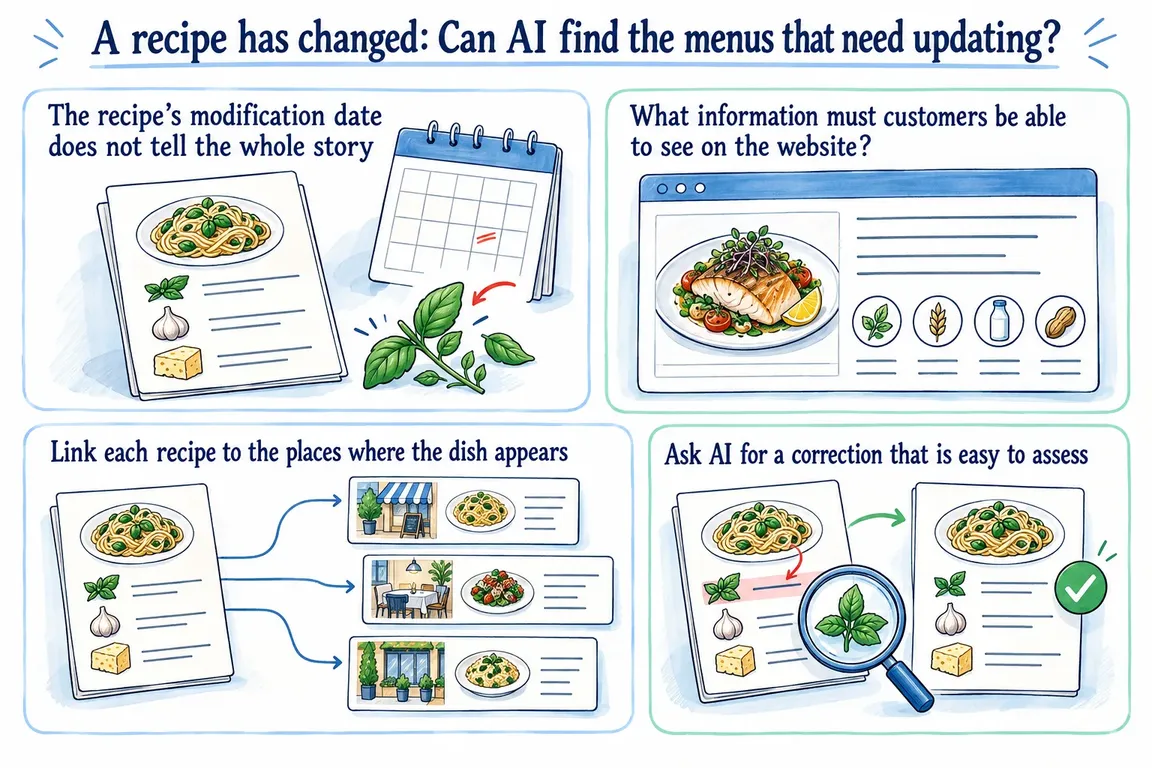
The recipe’s modification date does not tell the whole story
Apicbase documents a detail that is easy to overlook in an integration: a recipe’s allergen and nutritional information can change when an ingredient changes, without the recipe’s own modified_date being updated. The ingredients’ allergens are included in the recipe, and allergens may also have been added manually. A system that only monitors the recipe’s modification date can therefore miss changes to the information. This is described in Apicbase’s documentation on allergens and calculated fields.
The system should therefore also track ingredient changes and know which recipes use each ingredient. When a change occurs, it retrieves the current information for the affected recipes and compares it with the most recently approved source data.
Each suggested correction must be saved together with the data it is based on. If the kitchen changes the information again while the suggestion is awaiting approval, it must go back for review. Otherwise, the person responsible risks approving text based on a recipe that has already changed.
What information must customers be able to see on the website?
The Danish Veterinary and Food Administration states that providing information about allergenic ingredients is mandatory. For prepacked foods, this information must be provided in writing. Where oral information is permitted, customers must be able to see that they can obtain the information by asking staff. If food is ordered through a website, the website must also state that this option is available. See the Danish Veterinary and Food Administration’s guidance on allergens.
Clarify what information your website needs to show customers before building the system. This affects how the content should be handled. AI can suggest new wording for a dish description. Allergen information must follow the company’s approved data and the rules you have established for displaying it.
Also agree on who approves the recipe data and who approves the website text. This can be the same person. They simply need to be able to assess both aspects: is the information correct, and does the text convey it accurately?
Link each recipe to the places where the dish appears
Start with a register of the WordPress pages that need to be checked. For each dish, the register should contain a stable recipe ID, a page ID and the relevant text passage. Include the names under which the dish actually appears on the website.
If the recipe and the menu text use different names, AI can suggest a link. A staff member must confirm it before the system uses it going forward. If the link is uncertain, it must be referred for clarification before a correction is suggested.
Be specific about what the system covers. If the first version only reads selected WordPress pages, PDF menus, images and other content types are separate tasks. The results must show which pages have been checked. When the system finds nothing, the person responsible must be able to see whether the reviewed text is up to date or whether the menu in question is outside the system’s scope.
Ask AI for a correction that is easy to assess
In n8n, a Basic LLM Chain can send a fixed instruction and the relevant content to a language model. The node can also be connected to a parser when the response needs to follow a particular format. This is explained in n8n’s guide to Basic LLM Chain.
Give the model the existing menu text and the change to the approved recipe data. Ask it to find the affected passage, explain the connection and suggest the smallest possible correction. If information is missing, it must flag this. It must not add attributes that the source data does not substantiate.
Use separate fields in the response for the page ID, text passage, reasoning, suggested correction and need for clarification. This makes the review easier to follow: the person responsible can assess the specific change without having to read a rewritten version of the entire menu.
Keep allergen information out of free-form text generation. Apicbase distinguishes between does not contain, contains, may contain traces of and unknown. These distinctions must be preserved in the fixed rules. Unknown or missing information must be referred for clarification so that it does not become text promising that an allergen is absent.
Which findings can proceed to approval?
The table shows one possible workflow. The person responsible must be able to see whether a specific text suggestion is ready or whether something first needs to be clarified in the kitchen’s data or its link to the website.
| What has been found? | What does the system show? | What should the person responsible do? |
|---|---|---|
| An approved ingredient change with a confirmed link to the text | The affected passage and a suggestion for a limited correction. | Check the recipe data and approve the wording. |
| Changed allergen information | The difference in the source data, separate from the AI suggestion. | Check the information and how it is displayed before publication. |
| Unknown or missing information | A task requiring clarification. The suggested correction is put on hold. | Clarify the source data before the text is reviewed again. |
| An uncertain link between the recipe and the menu text | Possible links, without changing the text. | Confirm which recipe the text refers to. |
| The page or recipe has changed since the review | A suggestion reviewed again using current information. | Assess and approve the updated suggestion. |
Approve the correction before WordPress is updated
The WordPress REST API supports reading and updating pages and includes fields for content, modification date and publication status. Status options include published, draft and pending. These capabilities can be used to build a controlled process. See the WordPress documentation for pages.
For menus that are already published, I recommend a separate approval queue. Here, the current passage, the change to the recipe data and the suggested text appear side by side. Once the person responsible has approved the correction, the agreed update is sent to the page.
Immediately before updating the page, check that it still matches the version that was reviewed. If a staff member has edited it in the meantime, the suggestion must be assessed again. Record who approved the correction, when they approved it and which source data it was based on. Finally, check that the published page displays the approved text correctly.
Start with a manageable menu
A first version should cover a manageable set of recipes and their corresponding WordPress pages. Try a relevant ingredient change, including one where the recipe’s modification date stays the same. Also test unknown information and a page that is edited while a suggestion is awaiting approval. This should show whether the system finds the right passages and gives the person responsible enough information to decide what should happen.
Measure review time, how many suggestions require clarification and how often the text needs to be rewritten. You will then have a concrete basis for deciding whether to bring more menus into the system. The system needs to prove its value in your day-to-day work.
Through nowa.dk, Greg’s AI automation service for Danish companies, Greg can build the connection between approved recipe data, change control and editorial review in WordPress. The first project can be scoped around agreeing on the data source, choosing which menu texts to include and defining the approval process. Every suggested correction must be traceable to the recipe change that triggered the work.
Related on GrN.dk
- Jeg bygger AI-agenter til små virksomheder. Jeg mangler en, der kan sælge dem.
- AI på bookingsiden: Hvad må den love kunden, før I taler sammen?
- Kundeindbakken må sortere sig selv – men ikke kommandere din AI
Need help with this kind of work?
Talk to Greg about change control for your menus Get in touch with Greg.










