By Greg Nowak. Last updated 2026-11-17.
When an invoice fails to reach a customer’s accounting system, payment can be delayed. It also creates extra work for the finance team: find the error, clarify the details and make sure someone follows the case through to resolution.
Could your business use this? nowa.dk sets up AI automation for Danish companies.
The requirements for digital bookkeeping systems under Denmark’s Bookkeeping Act provide a good opportunity to review that workflow. AI can help explain an error message and suggest what an employee should check. Defined rules should ensure that the error becomes a task with a document reference, an owner and a deadline. The first step is to understand what the system’s delivery status actually tells you.
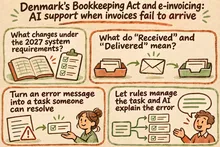
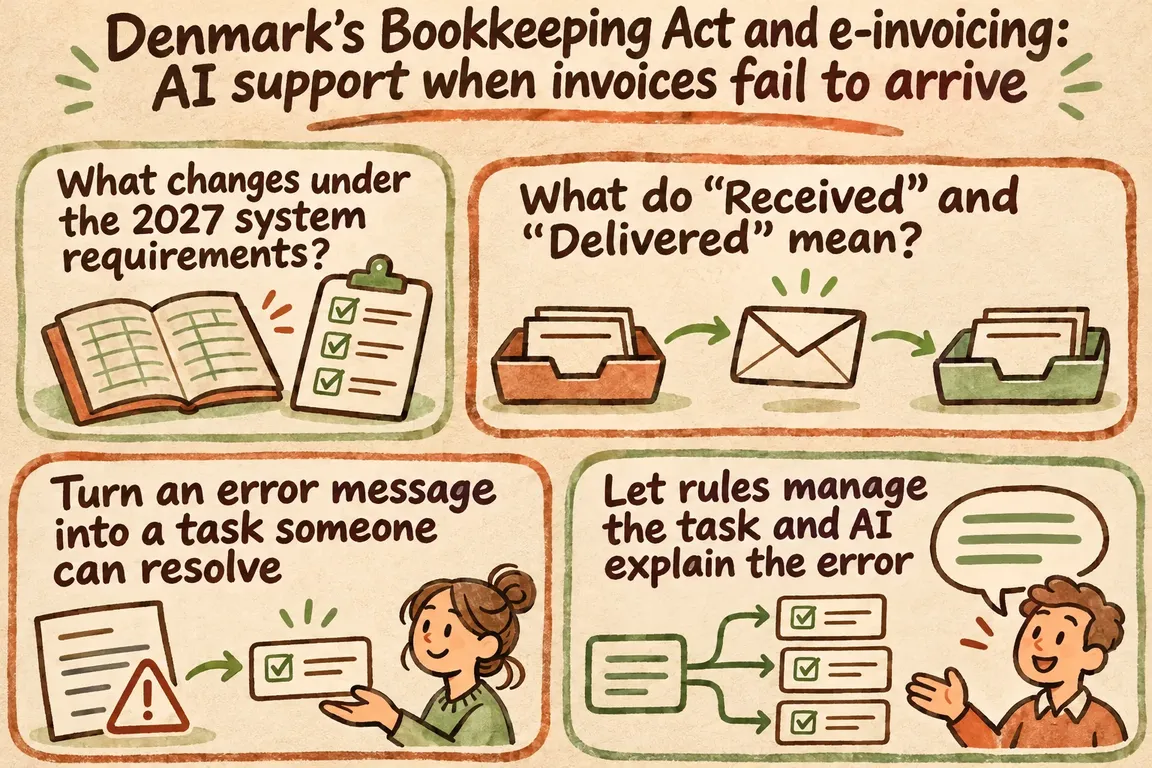
What changes under the 2027 system requirements?
The Danish Business Authority’s guidance, updated on 10 November 2026, sets out requirements for providers of registered bookkeeping systems. Validation using MitID, Denmark’s digital identity system, and a visible option to send e-invoices must be implemented by 1 March 2027. During validation, businesses must be informed that they will be registered for e-invoicing through Nemhandel, Denmark’s electronic document exchange infrastructure, unless they opt out within four weeks. The provider then has a further four weeks to complete registration.
Other requirements in sections 4–8 of the guidance have a deadline of 1 January 2028. These two deadlines therefore need to be kept separate in discussions with your system provider. Establish what will change in your system and who in your organisation will handle messages and confirmations.
The provider’s implementation does not, by itself, resolve the day-to-day work of following up on invoices. That requires an internal agreement on who takes over when an error occurs and when a case can be closed. Appoint one person to own the process from the first error message through to a documented resolution.
What do “Received” and “Delivered” mean?
In e-conomic’s guide to sent invoices, “Received” (“Modtaget”) for documents sent through Nemhandel means that the invoice has been received in the customer’s accounting system. For email, “Delivered” (“Leveret”) means that the invoice has reached the customer’s inbox. These messages therefore confirm different stages of delivery. Neither provides evidence of payment.
In e-conomic, the overview is under Sales (“Salg”), then Sent (“Sendt”). Employees can use the recipient icon to view the exact response and any errors. The overview covers documents sent through the Sales tab. An invoice that has been posted but not sent will not appear.
Map your sending channels before setting up monitoring: which invoices do you send through each channel, and where can employees see the result? For each channel, agree on what confirmation is sufficient to close delivery follow-up. Payment follow-up belongs in a separate step in accounts receivable management.
Turn an error message into a task someone can resolve
Sproom’s webhook documentation describes how the system can send automatic notifications when a status changes. The notification can include the company ID, document ID, status and status details. The example in the documentation also shows a timestamp, status code and validation messages about a field that does not meet a rule. This information can be used to link a delivery event to a task.
This requires you to decide in advance what each message should trigger. The table suggests a basis for that agreement. It must be adapted and approved based on the messages your system actually provides.
| Situation | Next action | Responsible role | How AI can help |
|---|---|---|---|
| Delivery confirmed under your agreed criterion | Close delivery follow-up and save the supporting evidence. | Finance | No AI assistance needed. |
| Error in recipient details | Check the details against the agreed invoicing address. | Account manager | Explain the message and refer to the relevant instructions. |
| Document validation error | Check the specified field and the stated rule. | Bookkeeping | Rewrite the error in plain Danish. |
| Delivery unresolved after your internal deadline | Check the current status before considering resending. | Finance or system administrator | Summarise the sequence of events. |
| Unknown or unclear error | Refer the case for manual review, including the original message. | System administrator | Make clear which information is missing. |
Deadlines should fit your invoicing schedule and staffing. Name both the owner and a backup, and agree on when to escalate the case to support. Otherwise, you risk simply creating another list that someone has to watch.
Let rules manage the task and AI explain the error
Creating, assigning and closing tasks should follow approved rules. AI can perform a defined supporting task: explain the message received, refer to an approved work instruction and suggest the next check. Employees must always be able to see the original message alongside the explanation.
Mistral’s documentation on structured outputs describes how a custom schema can enforce a particular response format. In this workflow, the schema could include fields for an explanation, a document reference, an instruction reference and the next check. This is a suggestion for how to build the integration, rather than a ready-made invoicing feature from Mistral.
A response can have the correct format and still be wrong. The integration should therefore reject unknown instruction references and route incomplete responses for manual handling. When the information is insufficient, AI must be able to state that the next check cannot be determined. Corrections and resending must be approved by the employee.
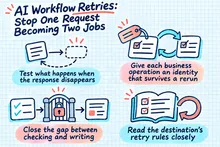
What happens when the connection fails?
Sproom describes signed webhook messages and recommends checking the signature. According to the documentation, failed calls are retried periodically for 24 hours. The solution must therefore handle both interruptions and repeated delivery of the same message.
One design requirement should be to store incoming events before the integration acknowledges them. It must also recognise duplicates so that the same event does not create multiple tasks. The AI explanation can be processed afterwards. If that step fails, employees must still be able to see the delivery problem and the original message.
Agree on a manual check during downtime and a review after the system restarts. If the task list is suddenly empty, you need to be able to investigate why. It may mean there are no delivery errors. It may also mean that monitoring is no longer receiving messages.
Start with one channel and a clear brief
An initial implementation can cover one sending channel, selected error types and one shared task list. Describe which events should create a task, who receives it and what employees must document to close the case. Also establish which data the integration can access. This gives the work a concrete scope.
At nowa.dk, Greg’s AI automation service for Danish businesses, Greg can help plan the connections between status messages, work instructions and the employees responsible for follow-up. A clearly scoped brief provides a better basis for assessing the work involved and its cost before the solution is built.
Ask for a demonstration using agreed test cases: a known error, a repeated message, an unknown status and a missing AI response. Before you approve the workflow, employees must be able to find the original message, understand the next action and document the resolution.
Then track the number of unresolved deliveries and the time to first action. This shows whether monitoring is helping your team follow up on invoices in its day-to-day work.
Related on GrN.dk
- AI til Excel: Automatisér månedsrapporten med tal, du kan kontrollere
- Allergener på menukortet: Kan AI finde de tekster, der skal rettes?
- Automatisk fakturering: Få godkendte timer med på næste faktura
Need help with this kind of work?
Talk to Greg about your invoice follow-up Get in touch with Greg.