By Greg Nowak. Last updated 2026-11-10.
When an employee replies that they will send the receipt later, there is still something to follow up on. Who keeps track of that commitment? When should the employee be reminded? And how can the bookkeeper see whether the document has actually arrived? AI can support digital bookkeeping here by sorting replies and helping to track the next action.
Could your business use this? nowa.dk sets up AI automation for Danish companies.
With the year-end close ahead, this is a good time to review how you follow up on missing supporting documents. Start with what your accounting system can already do. e-conomic offers both document requests by email and daily reminders. Any separate automation should therefore address a specific task that still requires manual work.
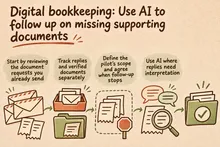
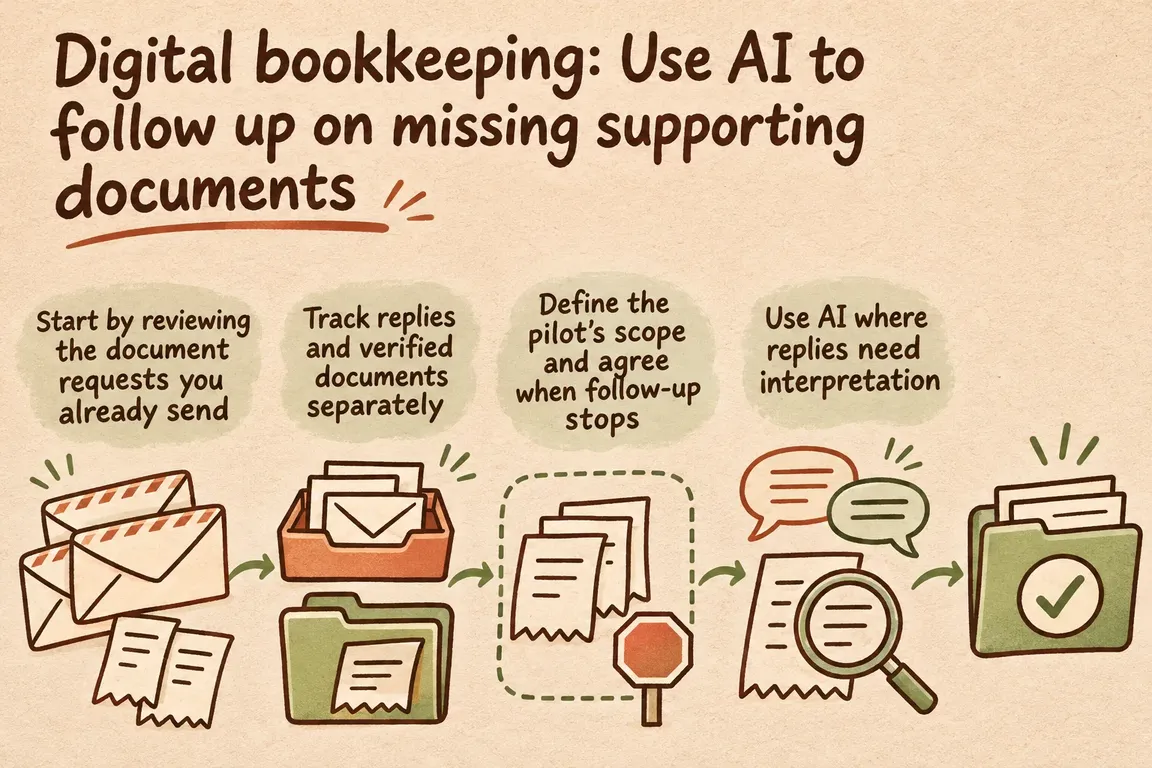
Start by reviewing the document requests you already send
On 24 April 2026, e-conomic described the option to send document requests by email directly from the system. The recipient receives a link to the relevant entry and can attach the document there. The feature also includes daily email reminders for requests the recipient has not responded to. Users can change their notification settings. There is, however, an important limitation: users with the document submitter role cannot receive document requests by email. This is stated in the product update on document requests by email.
Review user roles, settings and day-to-day practices with the bookkeeper. The built-in feature may meet your needs once it is being used properly. If you still spend time routing replies, tracking commitments to submit documents later or compiling unresolved entries, you have a specific task to investigate further.
e-conomic’s overview of document requests already describes workflows for requesting documents, tracking their status and approving or rejecting documents received. Build on that structure so employees and the bookkeeper share a common process for submitting and checking the material.
Track replies and verified documents separately
According to the Danish Business Authority’s guidance on the Danish Bookkeeping Act, transactions must be recorded accurately and as soon as possible, and the records must be supported by documentation through the audit trail. As a general rule, accounting records must be retained for five years from the end of the financial year to which they relate. From 1 January 2026, the digital bookkeeping requirement also applies to businesses that are not required to prepare annual financial statements under the Danish Financial Statements Act, where net revenue exceeds DKK 300,000 in two consecutive tax years.
Keep the status of the correspondence separate from the status of the documentation. An employee’s reply may change when and how you follow up. The bookkeeper must still be able to see whether the document has been received, linked to the correct entry and checked. If the receipt has been lost, the case must go to the bookkeeper for clarification.
Define the pilot’s scope and agree when follow-up stops
Choose one department or a clearly defined group of expenses for the first pilot. Agree who maintains the list of missing documents and who handles exceptions. Then investigate which information you can retrieve through an export or integration from your particular setup. The product features described do not, in themselves, establish that all the necessary status fields can be exchanged automatically.
At a minimum, the worklist should contain a stable reference to the entry, the date, amount, responsible employee, most recent contact and next action. If any of that information is missing, the entry must be referred for clarification. The automation must never guess the recipient from an amount or a vague description.
Use fixed rules to determine when to follow up and who should receive the message. The reminder must identify the entry that needs supporting documentation and explain how the employee should submit it. First check whether e-conomic’s own reminder covers the situation. Any additional message must be coordinated with the existing reminders so the employee does not receive overlapping requests.
Before each message is sent, the workflow must be able to check a sufficiently up-to-date status. If the document has been received or the bookkeeper has taken over the case, follow-up must stop. If the status cannot be checked, the message must wait for manual review. Make this an acceptance criterion: an outdated worklist must never be enough on its own to trigger new reminders.
Use AI where replies need interpretation
Employees phrase their replies to document requests in different ways. AI can help sort those replies. n8n’s Text Classifier can categorise incoming text using categories with names and descriptions. The documentation also describes a separate output for replies without a clear match. This can route them to a queue for manual clarification.
For the pilot, categories might include document reportedly submitted, document lost, help needed and later submission. Describe what each category means and what it is allowed to trigger. A promise to send the document later may only result in a new follow-up date if the date is clear. Otherwise, the bookkeeper must clarify the arrangement.
| Situation | Action in the pilot | Manual review |
|---|---|---|
| No reply | Follow the agreed reminder schedule. Check the current status and existing reminders first. | The bookkeeper takes over once the agreed follow-up limit is reached. |
| Document reportedly submitted | Pause additional reminders and refer the entry for a check that the document has been received. | The bookkeeper verifies the document and its link to the entry before closing the case. |
| Document lost | Stop standard reminders and refer the case for clarification. | The bookkeeper assesses the documentation and how to proceed. |
| Later submission | Set a new follow-up date only if the date in the reply is clear. | The bookkeeper clarifies the arrangement if the date is unclear. |
| Help needed or wrong recipient | Forward the reply to the person responsible for the process. | The person responsible resolves the issue or corrects the recipient. |
| Unclear reply or several possible meanings | Keep the case open in the queue for manual clarification. | The bookkeeper reads the reply and chooses the next action. |
The setup must retain replies that AI cannot categorise. In n8n, the default option when no category matches is to discard the item. Select the Other output instead and route it to manual handling. Test the categories on relevant replies that the business is permitted to use for this purpose, and review misclassifications before enabling automated sending.
Make it easy for the bookkeeper to take over
The bookkeeper’s overview should show the reference, responsible employee, latest reply, suggested category and next action. The original message must be accessible whenever anything is unclear. Display the AI category as a suggestion that can be corrected, while retaining the original reply.
Also agree who reviews the queue and how often. Even a correctly categorised case involving a lost document can sit unresolved if no one is responsible for taking it forward. Several open entries for the same employee can be combined into one clear follow-up message. Each entry must still retain its own reference and status.
Commission a pilot you can assess in day-to-day work
Through nowa.dk, Greg’s AI automation service for Danish businesses, Greg can help map the workflow, investigate export and integration options, and define the pilot’s scope. Agree on a deliverable that describes document references, reminder rules, reply categories, stop conditions and the overview the bookkeeper will use.
Assess the pilot against the work it is meant to support: do replies reach the right person? Do reminders stop for completed entries? Does the bookkeeper have fewer manual follow-ups to handle? Also record misclassifications and the time needed to correct them. Compare the results with your current process before expanding, so the decision is based on whether the pilot actually makes the work easier.
Related on GrN.dk
- Jeg bygger AI-agenter til små virksomheder. Jeg mangler en, der kan sælge dem.
- AI til Excel: Automatisér månedsrapporten med tal, du kan kontrollere
- AI til markedsføring: Lav kampagneudkast med kontrollerede priser
Need help with this kind of work?
Talk to Greg about a pilot for following up on missing documents Get in touch with Greg.