By Greg Nowak. Last updated 2026-11-20.
If you use Riminder to import CVs into Teamtailor, you need to decide how to handle the switch. Teamtailor is phasing out the parser on 21 November 2026. Accounts still using it will automatically move to OpenAI Standard unless the company chooses another option.
Could your business use this? nowa.dk sets up AI automation for Danish companies.
This is a good opportunity to check that candidate details are imported accurately and passed on correctly. For the business owner or operations manager, the task is straightforward: choose a parser, test the import and agree who will handle errors. This work should be completed before the imported information is used in automated workflows.
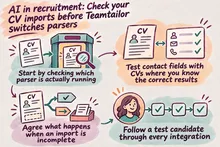
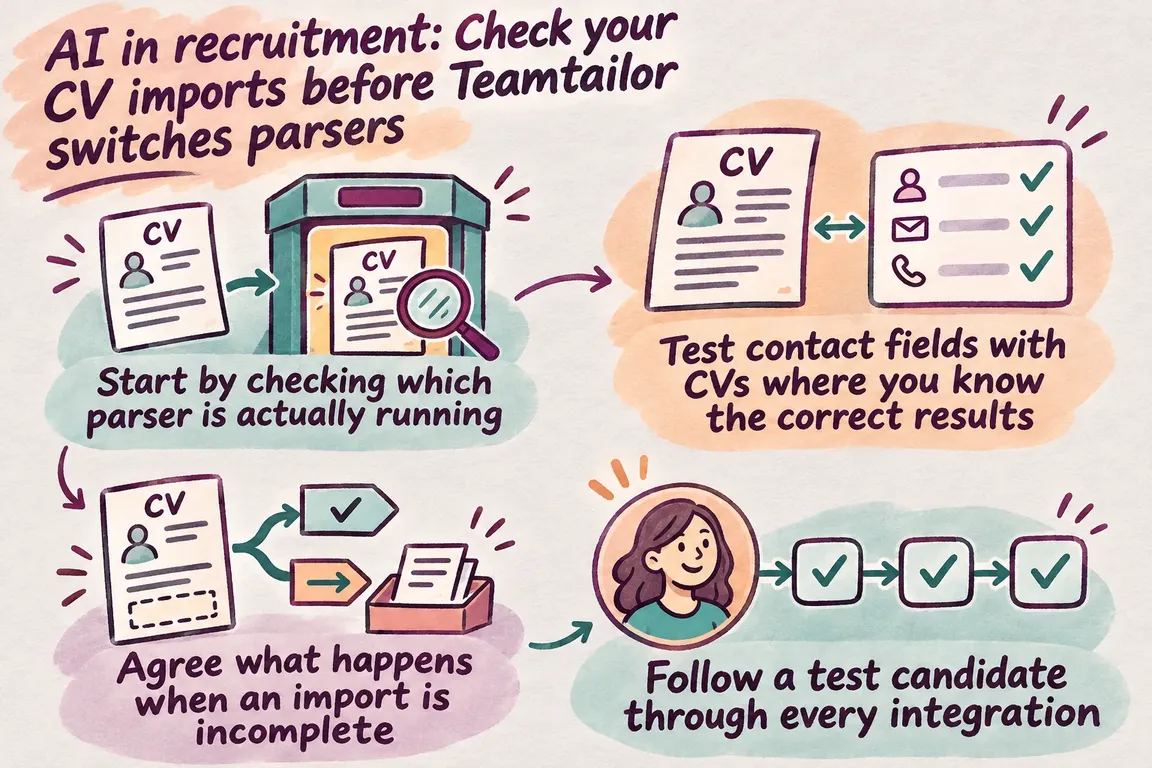
Start by checking which parser is actually running
An administrator can find the setting under Settings → Data & privacy → Resume parsing. Check Active parser as well. Before the transition date, the selected parser may differ from the one currently active. If the account has Co-pilot, its advanced parser is used instead.
Record the date, the active parser, the selected parser and the person responsible for the configuration. Check again after the transition. A test still running on Riminder will not tell you how imports work with the new parser.
According to Teamtailor’s parser settings documentation, Basic extracts email addresses, phone numbers, profile pictures and LinkedIn URLs without an external parser. OpenAI Standard adds names, locations and other social profiles. With OpenAI Standard, the CV is sent to OpenAI for processing. Teamtailor states that the information is not used for model training.
Choose based on the fields you need and your company’s data processing requirements. Also agree which fields an employee should check after import. You do not need to pass a piece of information on to every connected system simply because the parser can extract it.
Test contact fields with CVs where you know the correct results
Create a small set of synthetic CVs with different layouts, Danish and international phone numbers, and several languages. Include documents with missing contact details, as well as a scanned document. This will also test how your chosen configuration handles that type of document.
Write down the expected results before importing. Which email address should appear on the profile? Which phone number belongs to the candidate? Which fields should be empty? If you use both the application form and manual uploads, test both routes.
| Check | What to verify | Action if incorrect |
|---|---|---|
| Email address | The address matches the test candidate’s contact details. | Pause automated messages until the address has been checked. |
| Phone number | Both the number and the country code have been preserved correctly. | Correct the field and repeat the transfer. |
| Name | The first name and surname match the expected results, if the parser supports the field. | Check whether the names have been reversed or split incorrectly. |
| Missing information | The field is empty as expected, and a follow-up task is visible. | Assign the task to the employee responsible for clarifying the information. |
| Transfer | The approved fields appear on the correct candidate’s record in the next system. | Check the field mapping and how the candidate is identified. |
| Deletion | Test data has been removed according to the documented procedure. | Locate the remaining copy and agree who will delete it. |
Log discrepancies with the test file, expected value, actual value and required follow-up action. Be precise about the cause: does the parser lack support for the field, does it read the information incorrectly, or does the error only occur in the integration? This determines where the fix needs to be made.
Agree what happens when an import is incomplete
Missing or conflicting contact details need a defined route to manual review. Assign an employee to investigate them before an automated message is sent. Where the information is available, the employee can compare the applicant’s entries with the original CV.
The procedure should also state which information takes precedence if the two sources disagree, and when to ask the candidate. If a phone number is missing, ask for the phone number. Requesting an entirely new CV should not be the default response to a single missing detail.
Keep the import error separate from the candidate assessment. In this workflow, an empty contact field should trigger a data check. State in the acceptance criteria that a technical omission must not automatically lead to rejection or lower the candidate’s priority.
Follow a test candidate through every integration
Teamtailor’s API documentation describes access to candidate data and the different permissions available for API keys. It provides a starting point for examining your connections to other systems. However, the fact that the API supports a transfer does not establish whether your particular integration is configured correctly.
Map the path from CV to candidate profile and on to the connected systems. Record which fields each connection sends, what triggers the transfer and who is responsible for the connection. Also check whether a correction in Teamtailor is passed on and how the receiving system identifies a candidate who already exists.
Then test the process with a test candidate. Import the CV, check the information in the receiving system, then edit a contact field in Teamtailor. See what happens in the next system. Repeat a transfer as well, and record whether it updates the existing record or creates a duplicate.
Use the results to prioritise errors. An incorrect email address calls for a different response from an empty, optional social profile field. Agree in advance which errors should halt further automation, so this decision does not have to be made case by case.
Include retention and deletion in the same review
The employer must assess how long applicant information is needed and be able to explain the chosen retention period. If the company wants to retain an application so it can offer another position later, consent is required. The applicant must be informed of the retention period and the option to withdraw consent. This is set out in the Danish Data Protection Agency’s guidance on data protection in employment.
Make deletion a defined task with a person responsible, a trigger and a check that it has been completed. Also describe how you handle copies in integrations, exports and test materials. Use the test candidate to try out the procedure, and record where someone needs to clean up manually.
Distinguish between extracting information and assessing candidates
The European Commission’s AI Act Service Desk guidance on recruitment distinguishes between limited organisation of CV information and systems that assess, filter or rank candidates. Organising CV information without materially influencing selection is described as a task that may qualify for an exemption from high-risk classification. Ranking and scoring for selection are described as high-risk, even when a recruiter can override the recommendation.
Keep this review focused on importing, data quality and transfers. If a downstream system uses the information to screen out or rank applicants, that use must be assessed separately. The overall process cannot be assessed on the parser’s name alone.
Get help with a clearly scoped review
Through nowa.dk, Greg’s AI automation service for Danish companies, Greg can help check your parser configuration, test CV imports and fix integrations with your company’s other systems.
Agree on specific deliverables: a documented data flow, test results, a prioritised list of errors and a deletion procedure with named people responsible. There should also be clear criteria for approving the import process. This gives management a concrete basis for deciding how to automate the next stage of recruitment.
Related on GrN.dk
- AI til Excel: Automatisér månedsrapporten med tal, du kan kontrollere
- Automatisering af arbejdsgange: Få tilbudsmails ind i CRM med AI
- Allergener på menukortet: Kan AI finde de tekster, der skal rettes?
Need help with this kind of work?
Contact Greg about reviewing your CV imports Get in touch with Greg.