By Greg Nowak. Last updated 2026-11-13.
If an employee requests a translation in ChatGPT, reviews it and posts it on the website, a ChatGPT subscription may be enough. If approved Danish content needs to become translation drafts in WordPress automatically, there is more to put in place: integration, API access, billing and website permissions.
Could your business use this? nowa.dk sets up AI automation for Danish companies.
Eligible Pro and Business subscriptions can provide API credits. However, these must be activated and linked to the relevant API organization before an integration can use them.
As a business owner or operations manager, you therefore need to decide on the workflow first. How much time do you want to spend handling each text manually, and when does it make sense to pay to set up and run a shared translation workflow?
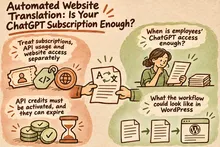
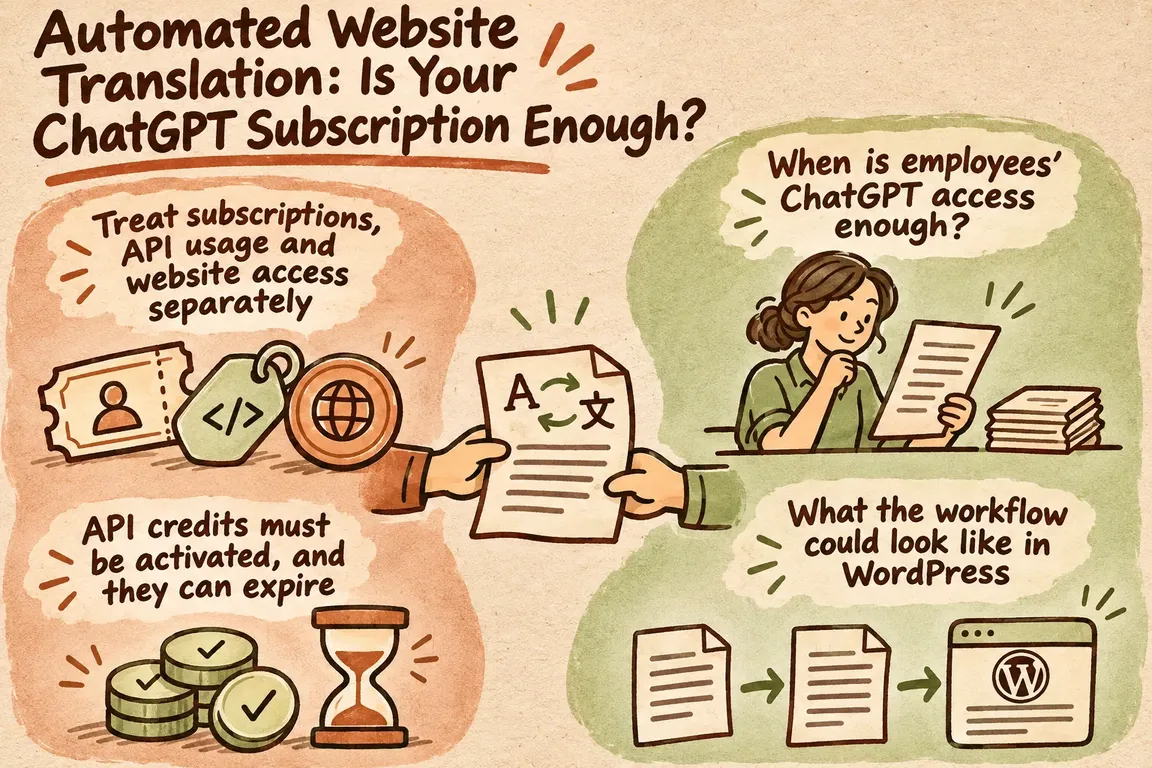
Treat subscriptions, API usage and website access separately
Employees’ access to ChatGPT, the integration’s API usage and WordPress permissions are three different things. Clarify each separately so that buying a subscription is not mistaken for having a complete solution.
In its overview of plans and pricing, OpenAI distinguishes between usage included in a subscription and API pricing. Put employee subscriptions and the integration’s API usage on separate budget lines. Any API credits belong under API usage.
The same applies to access. OpenAI describes different capabilities for user seats, administrator roles and custom roles in its documentation on workspace roles and permissions. A role in ChatGPT does not, by itself, grant permissions in a connected system. You therefore need to decide separately who or what may read, create and publish content in WordPress.
API credits must be activated, and they can expire
According to OpenAI, eligible paid Pro and Business subscriptions can receive API credits once the subscription is at least seven days old. The person activating the benefit must own both the subscription or Business workspace and the API organization that will receive the credits. The email address must be the same on both accounts.
The credit amount depends on the subscription and the number of paid Business seats. Business subscriptions have a shared cap, and the initial allocation is prorated. Unused credits expire at the end of the billing period. If you have an annually prepaid Business subscription, you receive the full year’s allocation at once, and it expires at the end of the annual period.
The credits apply only to the linked API organization. Once both free and purchased credits have been used up, API calls fail. Check your eligibility, balance and expiry in OpenAI’s guide to API credits before making an operational plan.
I would use any credit benefit to trial the workflow while also budgeting for regular API usage. That lets you assess whether the solution is worth running once the credits have been used up or expired.
When is employees’ ChatGPT access enough?
If you publish a small number of texts and rarely revise them, manual translation can be a sensible choice. It requires shared translation instructions, a glossary and a clearly designated person responsible for each language. The employee requests the translation and enters the approved text into the website.
An integration becomes worth considering when employees frequently repeat the same steps: retrieving the Danish text, choosing a language, inserting instructions, copying the response and finding the right page in WordPress. Here is a practical starting point for choosing a workflow. It is a framework for assessing your needs, not a set of fixed product limits.
| Your situation | A sensible starting point | What needs to be clarified |
|---|---|---|
| A small number of texts that rarely change | An employee translates in ChatGPT and enters the text into the website | Shared instructions, a glossary and responsibility for the language |
| Ongoing revisions in several languages | An API integration creates translation drafts | What triggers the task, which fields are included and who approves |
| A larger content archive with no need for immediate responses | Explore processing the content together using the Batch API | The deadline, error handling and links to the original pages |
| It is unclear who is allowed to publish | Limit the integration to creating drafts | Who checks the text and who publishes it |
What the workflow could look like in WordPress
A practical workflow can take approved Danish content and turn it into translation drafts for a designated language reviewer to check. The approach below requires a technical review of your WordPress installation, language configuration and content fields. The OpenAI sources describe how the API works; they do not determine how your particular website can be connected.
1. Start with an approved Danish version
Agree precisely when a text is ready for translation. My recommendation is to use a separate editorial approval as the trigger. Also record which Danish version the translation is based on. Otherwise, it becomes difficult to assess what a later revision means for the other languages.
Make a specific list of the fields the task covers: body text, headings, buttons, meta description and any other fields. This list should make it possible to see whether the entire task is complete or whether some text is still missing.
2. Use shared instructions and a glossary
Describe the target audience, tone and preferred terminology for each language. Also specify which product names, numbers, links and other elements must be preserved. Use the same glossary in the manual trial and in any subsequent integration. That gives you a common basis for comparing the results.
Ask for ambiguous wording to be flagged for review. The instructions and glossary help with production, but a named person must still be responsible for approving the language.
3. Create drafts and make errors visible
Have the integration save translations as drafts linked to the Danish original. Build in checks for missing fields, links and numbers, and give errors a status that the responsible person can see and follow up on. Before publication, a language reviewer must check meaning, terminology and commercial promises.
Also agree what happens if someone revises the Danish text while the translation is under review. One simple rule is to mark the draft as outdated and require a fresh assessment. Translations that have already been approved must also be protected against accidental overwriting.
The Batch API may suit larger rounds of translation
If you need to translate a larger archive as a planned task, it may make sense to submit the texts for processing together and retrieve the responses later. OpenAI’s Batch API supports this by grouping requests in a file.
The documentation specifies API pricing that is 50 percent lower than for synchronous calls, with a 24-hour processing window. However, a job can expire if it is not completed within that window. This needs to fit your deadline.
Responses do not necessarily arrive in the same order as the tasks, either. The documentation therefore requires a unique task ID linking each response to the correct request.
In a translation workflow, I would use that link to identify the original page, text version and target language. Failed tasks need to be handled separately so that you resubmit only the relevant texts. Choose Batch based on both your deadline and the oversight you need during processing.
Calculate the cost of the entire translation cycle
Try the workflow on a small selection of your own texts before commissioning a larger integration. Include both a simple page and a text with specialist terminology, links or special content fields. That gives you a better basis for assessing the work than a trial using only the easiest text.
Record the time employees spend on preparation, transfer, proofreading and publication, along with actual API usage. Then factor in setup, maintenance and exception handling. The cost of the translation request itself is only part of the bill.
Agree in advance what must be correct before a text can be published and which corrections require another attempt. You can then compare manual work and automation in terms of both time spent and the requirements the texts must meet.
Get the workflow in place before buying another subscription
Start by reviewing your subscriptions, who owns the API organization, website access and responsibility for approval. Use this to define a trial in which an approved Danish original becomes a translation draft that can be reviewed.
Through nowa.dk, Greg’s AI automation service for Danish companies, Greg can help assess your needs and subscriptions and build a workflow with a glossary, preserved content structure and human approval. Start with your current website, the languages you want to publish in and who will approve the texts. That gives you a concrete basis for planning the solution.
Related on GrN.dk
- AI til Excel: Automatisér månedsrapporten med tal, du kan kontrollere
- AI til markedsføring: Lav kampagneudkast med kontrollerede priser
- Allergener på menukortet: Kan AI finde de tekster, der skal rettes?
Need help with this kind of work?
Clarify your translation workflow Get in touch with Greg.