By Greg Nowak. Last updated 2026-11-23.
An AI briefing of a project folder can look ready for the steering meeting: clear overview, risks pulled out, references beside the main claims. Before you use it, ask to see which files contributed. The answer needs to come from the processing record, because the briefing alone cannot tell you.
AI search can summarise internal documents. Producing a briefing that represents an agreed collection takes a more deliberate workflow: define the files, record what happened to each one, summarise them individually, then combine the findings with traceable references. Evidence of coverage belongs alongside the finished briefing.
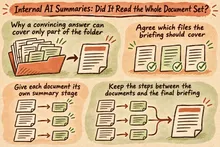
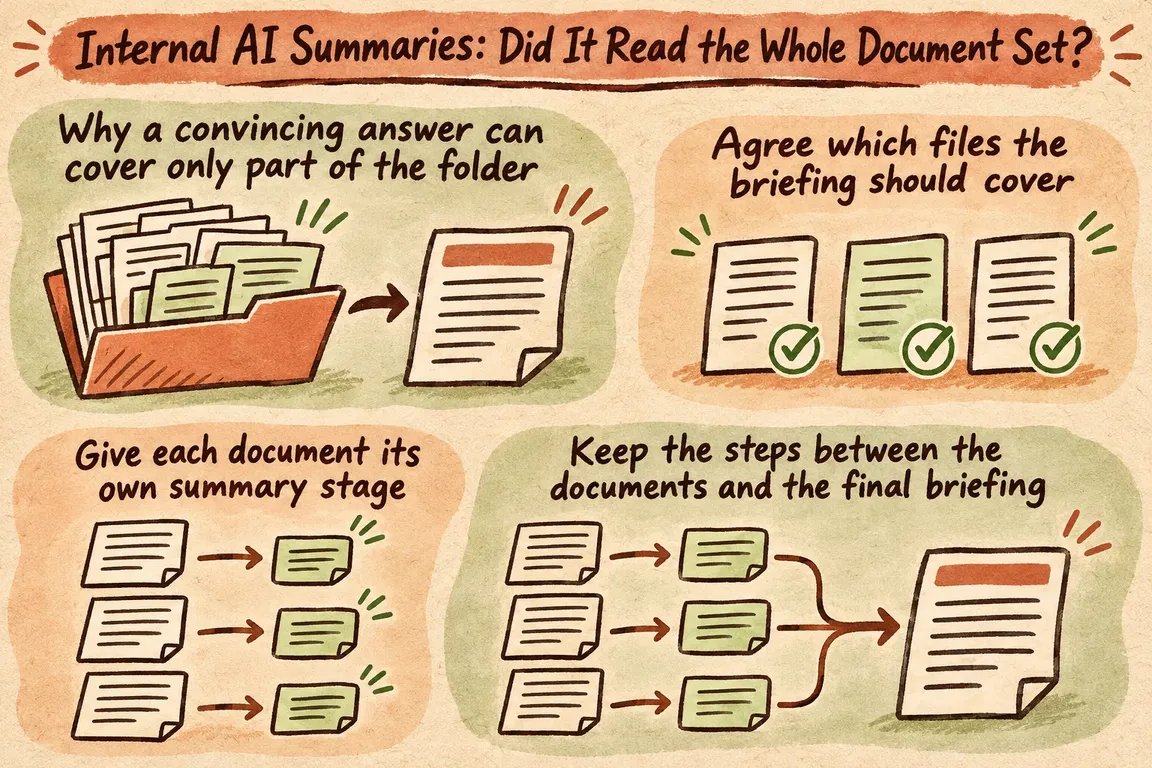
Why a convincing answer can cover only part of the folder
Retrieval-augmented generation, or RAG, passes retrieved material into the process that produces an answer. What gets retrieved depends on the settings. Amazon Bedrock’s documentation says knowledge-base queries return up to five results by default, with each result corresponding to a source chunk. That means at most five chunks of content; it does not mean five complete documents. The configured count is also a ceiling, so a query may return fewer results.
That matters when the request is broad: “Prepare a briefing from this project folder.” Relevant passages may support a useful answer, but they provide no evidence that every file was considered. Raising the retrieval limit increases the possible selection. You still need a separate way to account for the collection.
Before reviewing the writing, ask the implementation team to show what happened to every expected file. Otherwise, you are judging the quality of an answer without knowing its scope.
Agree which files the briefing should cover
Start with a file inventory. Agree the folder boundary, file types, document versions and snapshot date. Decide how duplicates and superseded drafts will be handled. These are proposed workflow controls that give both the team and the reviewer a clear definition of the job.
Give each included document a stable identifier and record its location, version and processing status. Link that record to the document’s summary. Keep separate statuses for successfully processed, partially processed, failed and deliberately excluded, with reasons wherever an exception needs explaining.
A file on the list has not necessarily been processed successfully. Require usable text extraction and a completed summary before marking it as covered. If either stage is incomplete, carry the exception into the briefing so the project owner can see the gap.
| Stage | Evidence to keep | Question it should answer |
|---|---|---|
| Agree the collection | File inventory, versions, snapshot date and exclusions | Exactly which files should this briefing represent? |
| Process the files | Extraction status and reasons for partial processing or failure | Which content could not be processed? |
| Summarise each document | A recorded outcome for each file, with summaries linked to source locations | Has every included file been accounted for? |
| Combine the findings | A briefing linked to individual summaries and original documents | Can a reviewer follow a conclusion back to its source? |
| Review the briefing | A scope statement, outstanding exceptions and a record of checked claims | What was covered, what remains uncertain and what was checked? |
Give each document its own summary stage
The design needs to make inclusion deliberate. LlamaIndex’s index guide illustrates the difference: a vector store index retrieves the most similar text nodes, while a summary index, without additional query parameters, loads all nodes in its list into response synthesis. A node is a chunk of document text.
There is a boundary to that behaviour. “All nodes” means the material already present in the index. It says nothing about whether every intended file loaded successfully. A summary index can support the workflow; the inventory and processing record show what actually made it in.
For this project workflow, give every included document the same summary brief: purpose, decisions, commitments, dates, risks, dependencies and unresolved questions. Require source locations beside substantive findings. If the document provides no supporting material for a category, record that finding rather than making an assumption to fill the space.
For long documents, also keep a record of the sections or chunks submitted. If a reviewer notices a missing passage, the team can then check whether it reached the summary stage.
Keep the steps between the documents and the final briefing
Once the individual summaries are ready, combine them into the project briefing. Keep those summaries available. They let a reviewer inspect what a particular file contributed and where detail may have been lost.
LlamaIndex’s response-mode documentation describes recursive summarisation: supplied chunks are summarised, then the resulting summaries are combined through further rounds until one answer remains. It also warns that simple summarisation truncates text to fit a single prompt and may lose detail.
Check both the material entering this process and the way it is condensed. Recursive processing can work through the chunks supplied to it, but it cannot recover a document omitted earlier. Even when every chunk is processed, significant details can disappear during summarisation.
Agree how the briefing should handle conflicting statements, unresolved dependencies and exceptions. If two documents give different dates for a milestone, retain both positions and their sources. Any rule for choosing an authoritative version needs to be agreed before the system makes that choice.
Check citations and coverage separately
Claude’s citation documentation describes references to specific document locations: page ranges for PDFs, character ranges for plain text and block ranges for custom content. These references help reviewers check claims against the material supplied.
Opening the reference is only the start of that check. Does the passage support the claim as written, including its qualifications? A valid reference can help answer that question. It cannot establish whether every intended document was supplied or considered.
Review both issues explicitly. Check important conclusions against their cited passages, then reconcile the processing record with the agreed file inventory. Inspect a selection of original documents for details lost during summarisation. Include some files that barely appear in the final narrative, since the briefing gives a reviewer little visibility into those.
Use precise wording when reporting the result: all listed files processed, named exceptions still outstanding, selected claims checked. Processing coverage is useful evidence, but it does not guarantee that every relevant fact survived into the briefing.
Start a pilot with one folder and a clear purpose
A focused GrN.dk document-summary pipeline pilot would begin with one agreed project folder and a specific use for the briefing. The proposed deliverables would be the source inventory, a processing and exception report, individual document summaries, and a combined briefing with traceable references.
Agree the acceptance criteria before building. Every included file needs a recorded outcome. Failures must stay visible. Important claims must be checkable against the originals, and the briefing needs a clear scope statement. A project owner should then review it for omissions that could affect a decision.
The pilot should also record processing time and model usage, giving the team a basis for assessing the cost of repeating the work. Agree whether updates will process changed files or rebuild the collection, and make sure each briefing shows which document versions support it.
If your team needs internal AI summaries for project decisions, contact Greg at GrN.dk to scope a pilot around a real folder. Bring the intended use for the briefing; the first deliverable to agree is the evidence showing what it covers.
Related on GrN.dk
- AI Content and Google: Fix the Process Before You Publish More
- Who Can Read That Answer? Permissions for Internal AI Search
- AI Invoice Processing: Catch the Errors Before They Reach Your Books
Need help with this kind of work?
Discuss a document-summary pilot Get in touch with Greg.