By Greg Nowak. Last updated 2026-11-19.
A campaign can be ready to launch while WordPress still has work waiting behind the scenes. A post needs to publish, a customer notification needs to go out, or an integration needs to finish its job. The homepage loading successfully tells you very little about whether any of those deadlines were met.
Before changing settings, establish where the delay starts. Did scheduled processing begin? Did the task complete successfully? Is work arriving faster than the site can process it? The answers lead to different fixes.
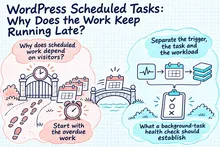
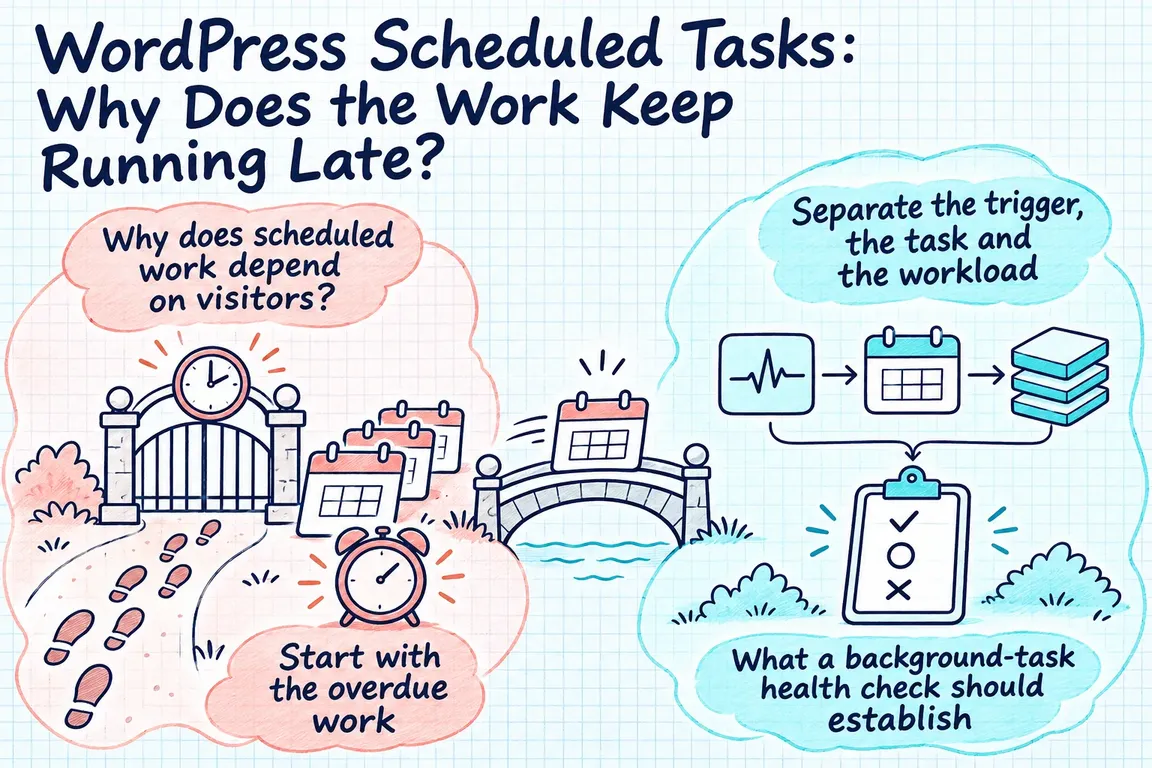
Why does scheduled work depend on visitors?
WordPress uses WP-Cron for scheduled work, including publication and update checks. As the WordPress Cron handbook explains, it checks for due tasks when pages load rather than running continuously. If no page loads when a task becomes due, that task waits for a later opportunity.
That matters when a publication time is part of a campaign plan. If another activity depends on a post being live, someone needs to check that publication happened before that activity starts. The scheduled time alone is not confirmation. A missed deadline deserves investigation before anyone concludes that the publishing plugin is broken.
Start with the overdue work
For WooCommerce, start at WooCommerce > Status > Scheduled Actions. You can filter actions by status, search by hook, date or group, inspect failed-action logs and run pending actions. WooCommerce's scheduled actions documentation connects this background processing with functions such as order notifications and payment processing. It also explains that WP-Cron normally activates Action Scheduler.
Record the oldest overdue action, its hook or group, and any execution log before making changes. Then connect the technical name to the business process: what is waiting, who needs the result, and when was it needed? An agency developer needs enough detail to investigate. The operations team needs to know which delay to deal with first.
Separate the trigger, the task and the workload
Use the patterns below to choose your next check. They are working hypotheses; none establishes the cause on its own.
| What you see | What to investigate | Evidence to collect next |
|---|---|---|
| Unrelated tasks are overdue, with no execution records | The scheduling trigger | Whether scheduled invocations reach WordPress |
| One hook repeatedly records failures | The task itself | The error logs and the plugin or integration responsible |
| Actions complete, but the overdue queue keeps growing | Processing capacity | Incoming actions and completed actions over the same period |
| A manual run succeeds once | Whether scheduled processing also works | Results from subsequent scheduled runs |
A successful manual run tells you the task could execute under that test. Keep the issue open until the work completes within the agreed window without someone stepping in.
What a background-task health check should establish
For a GrN background-task health check, Greg would start with overdue jobs and execution logs, then inspect how the site starts scheduled processing. That includes checking loopback requests, which are requests the site makes back to itself, and asking the host about restrictions that affect the configured runner. Those checks help narrow the investigation; they do not assume the host is responsible.
Each finding needs evidence you can act on. If a request appears blocked, find where it stops. If an action fails, keep the error details and identify who owns the task. If processing seems slow, measure completed work alongside the remaining backlog. Collect another baseline after a change so you can tell whether it helped. Changing several settings at once makes that harder.
Before processing overdue work, agree priorities with operations. Some jobs may still have business value; others may need review by the plugin or integration owner. Decide what counts as completion and who is responsible for each part of the recovery. A smaller queue is useful, but it does not tell you whether the right work was recovered.
When a system scheduler is the appropriate change
If processing needs to start independently of visitors, WordPress documents how to configure a system task scheduler to request wp-cron.php at chosen intervals. Its system scheduler guide then instructs disabling page-load triggering with the DISABLE_WP_CRON setting in wp-config.php.
Handle this as a handover between triggers. Configure the replacement, verify that it reaches the intended site and invokes due work, then complete the configuration change. Record who owns the schedule and how they will notice a missed invocation.
The interval should reflect the deadline the business needs to meet. A narrow delivery window needs a schedule that supports it. You still need to check task results separately: a more reliable trigger does not establish that a previously failing task now succeeds.
When Action Scheduler needs a command-line runner
Action Scheduler recommends WP-CLI for large queues, long-running tasks and sites where other plugins make extensive use of WP-Cron. Its WP-CLI documentation explains that server-side commands typically avoid the same constraints as ordinary web requests, including host-enforced script timeouts.
The wp action-scheduler run command lets you control batch size and batch count, and select actions by hook or group. Those controls need care. The documentation warns that splitting actions into separate queues can break ordering assumptions between dependent tasks. It also describes concurrency safeguards and options that override them.
For backlog recovery, start with a bounded amount of processing and check the result before increasing the workload. If you disable the default runner for an exclusive WP-CLI setup, the replacement must continue running. Action Scheduler explicitly warns that scheduled actions will otherwise go unprocessed. The handover needs to cover the continuing schedule as well as the recovery procedure.
Define “healthy” in business terms
Agree what completion looks like before closing the work: the priority backlog has been reviewed, representative tasks succeed, and newly arriving work finishes within its required window. Assign someone to review overdue and failed actions after the change. Give the agency or operations colleague enough detail to recognise a recurrence and know where to start.
A GrN background-task health check would cover diagnosis, backlog recovery planning and a suitable scheduler or runner configuration. If publication or operational jobs keep needing manual attention, bring the affected process and its deadline to the discussion. Greg can use those details to scope the investigation and agree an outcome you can verify.
Related on GrN.dk
- AI Content and Google: Fix the Process Before You Publish More
- Drupal Deployments: Keep Small Fixes From Rewriting Live Settings
- Apache 2.4.68: What to Check Before You Call It Patched
Need help with this kind of work?
Discuss a background-task health check Get in touch with Greg.