By Greg Nowak. Last updated 2026-10-14.
The ticket asks for a small Drupal fix. The release includes a full configuration import. Before approving it, someone needs to check everything that import will add, change or delete, including settings the ticket never mentions.
An unrelated change could affect a form, permissions or the way editors publish. Reviewing the complete import against the target site makes those consequences visible while there is still time to resolve them. Then rehearse the release using the files and procedure intended for production.
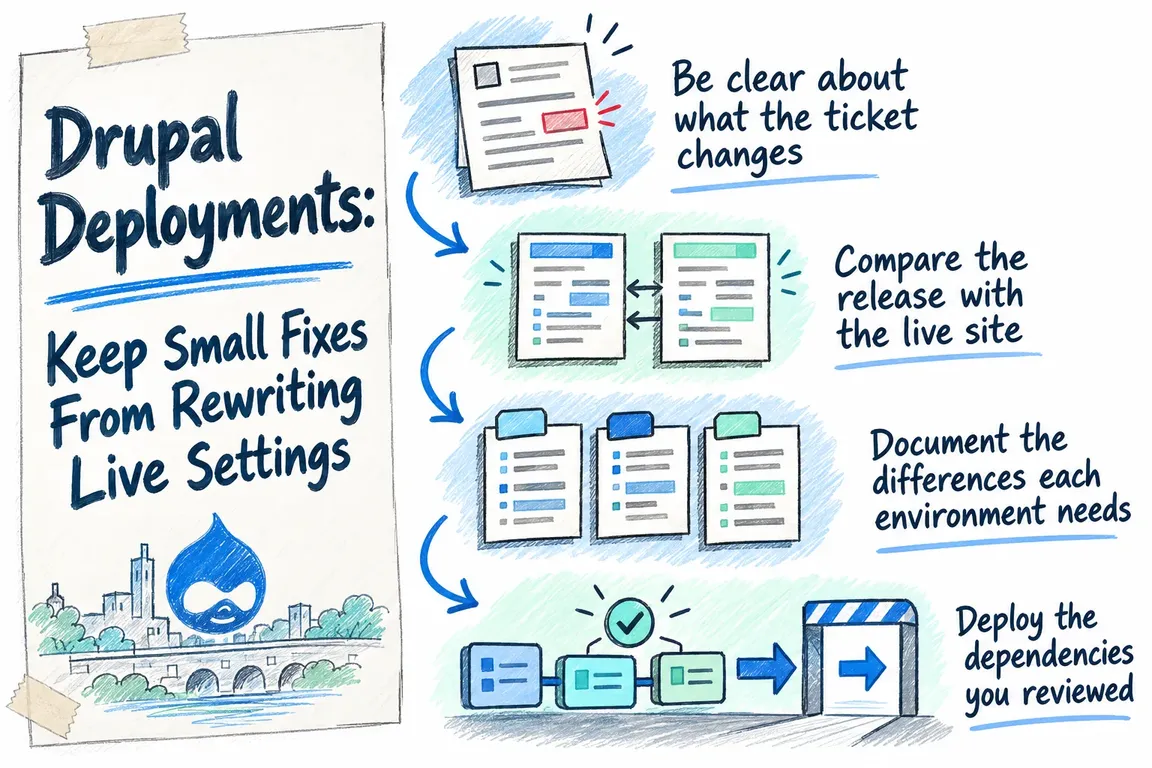
Be clear about what the ticket changes
Code, content and configuration need different treatment in a release. Code supplies the software. Content is what people publish. Configuration defines how the site is arranged and behaves, including content types, fields and views. Drupal's export procedure produces the full site configuration, as described in its configuration synchronisation guide.
Put that distinction to work in the ticket. Describe the behaviour the client needs, the code involved and the configuration you expect to change. Include the user action that will prove the fix works. A developer, reviewer and project manager should be able to read it and agree on what a successful release looks like.
The review process below is a recommended agency workflow based on the documented import, dependency and deployment behaviours. It gives the team specific decisions to make before the release goes live.
Compare the release with the live site
Drupal's documented synchronisation process includes a review before import. The screen lists configuration being added, deleted or changed, with a detailed comparison for changed items. The guide also suggests committing exported configuration to version control. Those steps are covered in the synchronisation instructions.
There are two comparisons to make. Comparing the proposed files with the repository shows what the release author changed. Comparing the proposed import with the target site's active configuration shows what deployment will actually change there. If those comparisons tell different stories, the reviewer needs to explain why.
For example, a setting may have changed on the live site since development began. Someone who understands its business purpose should decide whether to keep it, replace it or handle it as an environment-specific setting. Hold the release if the difference has no agreed explanation.
| What the review shows | Decision needed | Keep with the release record |
|---|---|---|
| Expected addition or edit | Check that it delivers the behaviour agreed in the ticket. | Ticket reference and the relevant difference. |
| Unrelated live setting differs | Agree which value should survive and reconcile the release files. | The agreed value and who approved it. |
| Configuration will be deleted | Confirm why it is being removed and what behaviour it affects. | Reason for removal and checks to run. |
| Environment-specific difference | Check the intended override or Configuration Split arrangement. | Expected settings or active splits for that environment. |
| Unexplained difference | Pause the import and investigate. | The explanation and a fresh review. |
Spend particular care on deletions. What does the item support, and who can confirm that removing it is acceptable? The review can be proportionate to the release, but it still needs to cover the whole import. A short ticket can carry a much larger settings change.
Document the differences each environment needs
Some settings should differ between environments. Drupal's guide says configuration that should not synchronise belongs in overrides in settings.php, rather than in the database. Its environment prerequisite explains that separation.
Configuration Split handles sets of configuration that differ between environments. It exports selected configuration to separate directories and combines the relevant sets on import. settings.php can determine which splits are active; development-only modules are one example on the Configuration Split project page.
That arrangement still needs review. Configuration Split filters import and export, and imports can still remove configuration missing from the supplied files. The project also recommends verifying deployment in a staging environment.
Keep a short register of intentional environment differences: the setting or configuration set, why it differs, its expected value or activation, and its owner. During release review, this gives the team something concrete to check against. An agreed production setting and an unresolved live change should be easy to distinguish.
Deploy the dependencies you reviewed
A committed composer.lock records exact dependency versions. Running composer install with that file uses those versions, keeping dependencies consistent across developers, CI and production. composer update resolves matching versions and changes the lock file. Composer's basic usage documentation explains the distinction.
Build the release from the committed lock file, using composer install for dependency installation. If dependencies need updating, include that as a deliberate release change with its own review. Record the release revision and lock file used in rehearsal so the production build has an identifiable reference.
Agree on the deployment sequence
Drush 13.8 documents drush deploy as a workflow that runs after the deployment script updates the target codebase. The sequence is drush updatedb, drush config:import, drush cache:rebuild and drush deploy:hook, followed by drush cache:warm for Drupal 11.2 and later. The Drush deployment documentation specifies that order.
Timing matters for custom release work. Post-update functions run before configuration import; deployment hooks run afterwards. In the technical review, ask which configuration state each piece of work expects to find.
Write the sequence into a shared deployment procedure, including what happens if a step fails. Approve the configuration before execution and retain command output with the release record. Automation can run the steps, but someone still needs to be accountable for the changes those steps make.
Rehearse recovery and check the client's workflows
Include recovery in the rehearsal. Agree which code revision, database backup and configuration files form the recovery position, who can restore them, and how the team will check that recovery has worked. Assess each deployment step separately: database updates, configuration imports and hooks may each need recovery action.
After deployment, check the requested fix and any behaviours identified during review. Use actions that reflect the working site, such as submitting an affected form, carrying out a task with the appropriate role or completing an editorial workflow. Assign each check to a person and record the result before closing the release.
Greg could help your agency compare environments, reconcile live changes and separate settings that need to differ. He could also help standardise the Composer and Drush steps and coordinate a recovery rehearsal. A focused deployment review can leave the team with an agreed configuration baseline, a repeatable release procedure and checks tied to the client's actual workflows.
Talk to GrN about your Drupal deployment process if you need help getting those decisions agreed and the release ready to run.
Related on GrN.dk
- Your AI Image Has Content Credentials. Will Your Website Keep Them?
- Before an AI Assistant Issues a Refund, Put Approval in Its Path
- Before You Buy a GPU: Test Your Team’s Local AI Workload
Need help with this kind of work?
Talk to GrN about your Drupal deployment process Get in touch with Greg.










