By Greg Nowak. Last updated 2026-10-03.
A customer asks for a refund. An assistant can find the order, read the request and prepare the details for support staff. The critical moment comes when the application calls the payment API. Before that happens, it needs to establish which payment is involved, how much will be returned and who approved those exact details.
Build a pause into that path. Let the assistant prepare a proposal, show it to an authorized reviewer, then have the application check it again before sending the refund. Staff still get help with the preparation; the financial decision remains explicit.
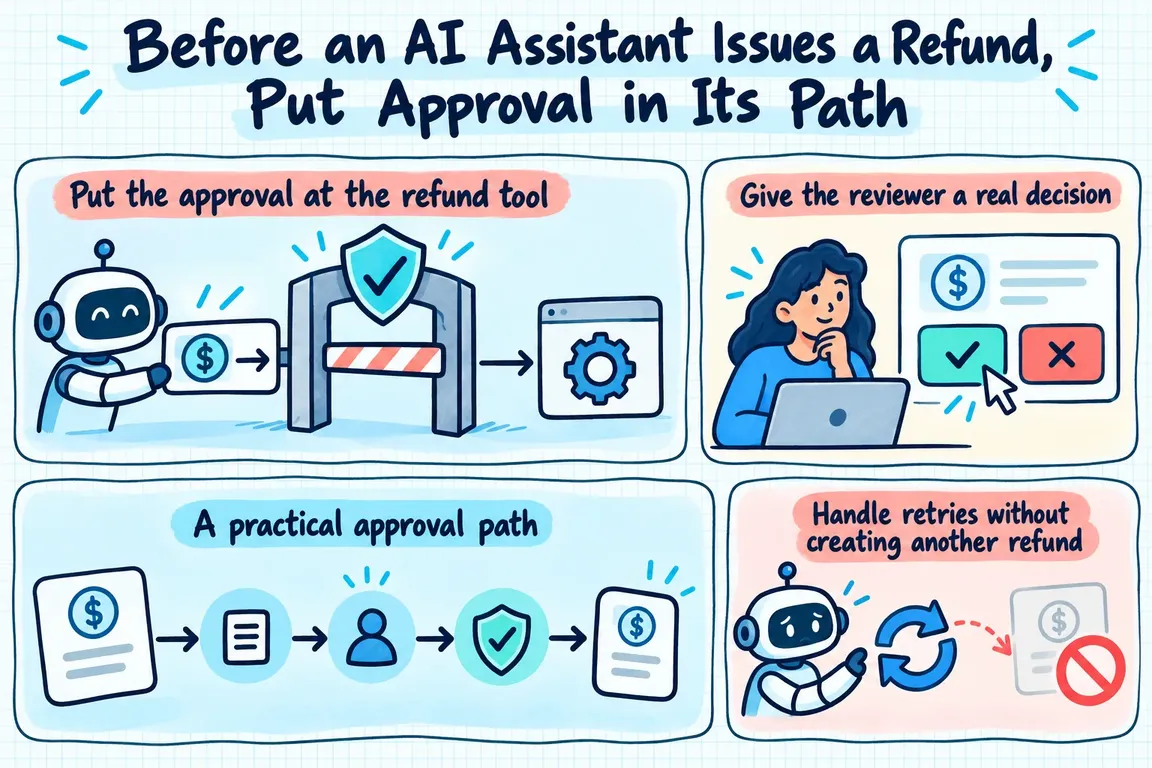
Put the approval at the refund tool
OWASP calls it excessive agency when an AI system has more functionality, permissions or autonomy than its task requires. Its guidance recommends limited permissions, human approval for high impact actions and authorization checks in the systems that perform them. For refunds, the application must enforce approval where the refund call is made. A prompt telling the assistant to ask first cannot enforce that boundary on its own.
OpenAI’s guidance on guardrails and human review describes how an Agents SDK workflow can interrupt a sensitive tool call before it runs. The application approves or rejects the pending call, then resumes the same run. OpenAI also recommends placing validation close to the tool that causes the side effect, so the check applies to the actual call.
Give the reviewer a real decision
“Refund this customer” is too vague to approve. A proposal should show the order, its associated Stripe Charge or PaymentIntent, the amount, currency and reason. It should say whether the request is for a full or partial refund. Show the amount in a form the reviewer can read, while retaining the precise value the application will send.
Stripe’s refund API accepts a Charge or PaymentIntent and supports partial refunds. Its optional amount is a positive integer in the currency’s smallest unit. A payment can be refunded in parts, up to the amount still available. Check the proposed amount and payment reference against the order and current refund state before review, then check them again before execution. The assistant can suggest an amount; the application determines whether it is valid.
If a reviewer changes the amount or payment target, create a revised proposal. The approval should apply only to the values the reviewer saw.
A practical approval path
Each step needs an owner and a clear stopping point:
| Step | Action | Required check |
|---|---|---|
| Prepare | The assistant drafts a proposal linked to an order and payment. | Leave it pending; make no refund call. |
| Validate | The application checks the payment reference and amount against its order record and current refund state. | Reject mismatches or amounts above the remaining refundable value. |
| Review | An authorized person sees the exact payment, amount, currency and reason. | Record approval or rejection. Send changed details through review again. |
| Execute | The payment integration sends the approved parameters to Stripe. | Use limited credentials and an idempotency key for this operation. |
| Record | The application stores the decision and Stripe response. | Prevent the proposal from being executed a second time. |
A reviewer may take hours to respond. OpenAI documents saving an interrupted run’s state and resuming it after the decision. Keep a durable proposal record in the application too: the values presented, who reviewed them, when they decided and the result of the payment attempt. If the outcome is uncertain, support and finance need that record to investigate it.
Handle retries without creating another refund
Approval establishes permission for a particular refund. An idempotency key protects the API request if it has to be retried. For example, a connection might fail after Stripe receives the request, leaving the application without a response. Stripe’s idempotency guidance says a retry with the same key returns the saved result of the first request, provided the parameters match.
Assign one key to the execution of each approved proposal and reuse it when retrying that same request. A worker restart or another click on “retry” should not produce a new key. Stripe says keys may be removed once they are at least 24 hours old; reusing a pruned key can create a new request. Keep your own record of completed proposals and check it before any later attempt.
Keep the assistant’s authority narrow
The assistant needs enough information to prepare the proposal, but the refund call belongs behind a server function. Following OWASP’s guidance, give that function only the access it needs. The server checks reviewer authorization and the approved parameters before using payment credentials with the smallest practical scope for the job.
Rejection, an expired review or failed validation should end without a refund call. If a payment’s refundable balance changes while approval is pending, recheck it and send the proposal back for review where necessary. The assistant should not resolve that situation by choosing another amount or payment.
Start with a dependable path
The first version can be modest: a clear proposal, an approval screen, a checked payment call and an audit record. Before it handles real refunds, test a partial refund, a changed amount, a rejection, a repeated click and a network response that never arrives. Each case needs a defined outcome.
Greg could build this OpenAI and API workflow around an existing order and payment system. Support staff would spend less time assembling refund details, while the business would retain a precise decision point for each refund.
Related on GrN.dk
- NGINX Can Read JSON Before Routing—Should It Handle Your AI API?
- OpenAI Has Machine Identity Now. Which Jobs Should Lose API Keys?
- OpenAI’s Agents API Is Durable. Is Your Workflow Recoverable?
Need help with this kind of work?
Discuss a refund approval workflow Get in touch with Greg.










