By Greg Nowak. Last updated 2026-09-26.
A critical vulnerability in a familiar module creates an obvious task: update the production website. The harder task is finding all the other places where the vulnerable code may still be running.
That is the real lesson from Drupal’s September 23 security release. The Drupal Security Team published 36 contributed-project advisories covering 16 modules, including five critical issues. Twenty of the public advisory pages concerned Webform. Drupal’s advance notice had warned that a widely used contributed module would receive a significant batch of advisories. It also made clear that Drupal core was not affected.
So this was an estate-management test as much as a patching exercise. Can your organization locate every Drupal codebase, confirm what is actually deployed and work out which site configurations create exposure?
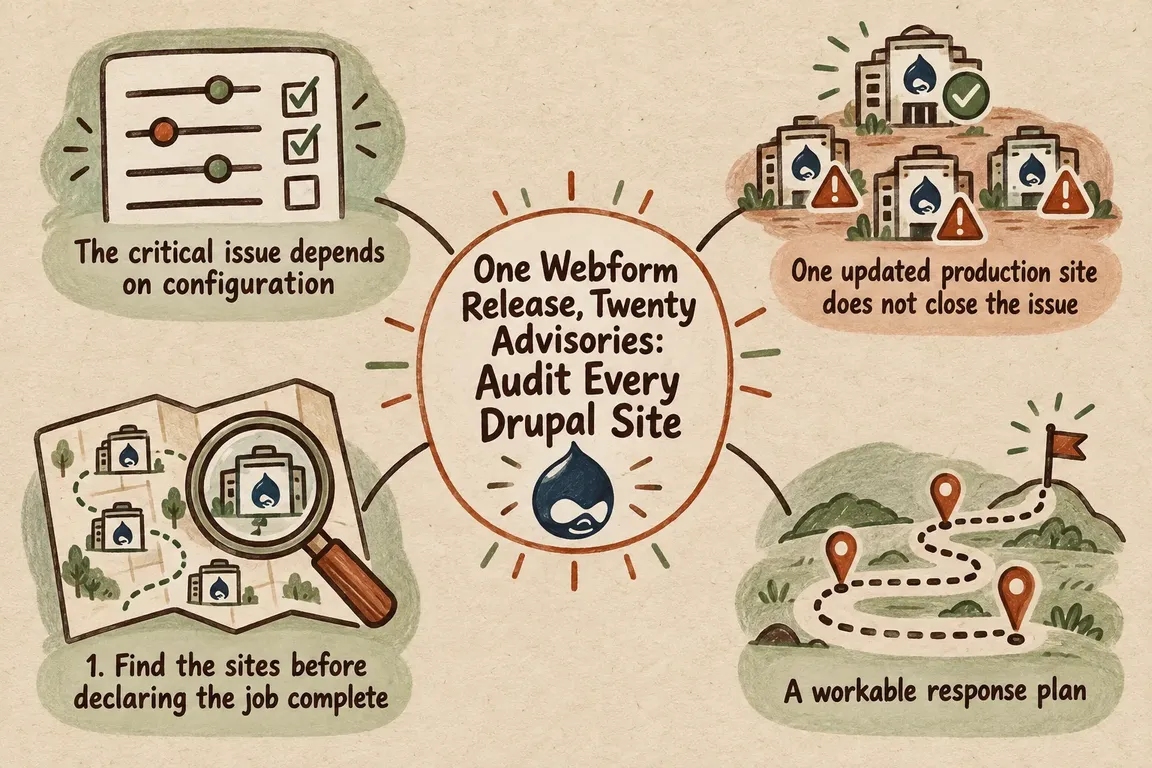
The critical issue depends on configuration
The headline Webform advisory describes a remote-code-execution vulnerability rated critical at 18 out of 25. It affects versions before 6.2.12, along with 6.3.0 before 6.3.1. Under the vulnerable conditions, submitted data can be evaluated as template code when a submission is rendered. Depending on the site’s enabled modules and configuration, the impact can range from information disclosure or stored cross-site scripting to remote code execution.
The vulnerable setup is quite specific. An affected webform must use a custom multiple-value item format containing submission-value tokens. That detail is useful for triage, but it does not make the supported update optional. It means version checks and configuration checks need to happen together. A Composer package list will tell you that Webform is present; it will not tell you how each form renders submitted values.
The supported fixes are Webform 6.2.12 for sites on the 6.2 branch and 6.3.1 for sites on the 6.3 branch. Those releases also address the other disclosed Webform issues. There is a small but important difference in how the numbers are reported: The Drop Times counted 20 Webform advisory pages, while the release notes describe 22 security fixes associated with advisories plus one additional hardening change. They are counting different things.
One updated production site does not close the issue
Most Drupal estates extend beyond the website with the largest audience. There may also be campaign microsites, regional installations, event sites, intranets, staging environments, dormant repositories and applications waiting to be replaced. Some share a deployment pipeline. Others have an old lock file, an unfamiliar server and no obvious owner.
A simple “Webform installed: yes or no” report will miss the distinctions that matter. The managed-file advisory, for example, applies when a form contains a managed file-upload element and its configuration exposes submitted files, such as allowing users to view their submissions or sending uploads as email attachments. A user able to submit the vulnerable form could potentially access other managed files without authorization.
Another Webform advisory covers the optional Submission Export/Import submodule. Its remote-URL import path could allow server-side request forgery by users with the relevant submission and results access. Sites without that submodule enabled are not affected by this issue. Where remote imports are genuinely needed, trusted hosts should be configured explicitly after the update.
| Audit area | Check | Outcome |
|---|---|---|
| Drupal estate | Repositories, deployed domains, environments and technical owners | Every installation is assigned for assessment |
| Deployed version | Running package version and Composer lock file | 6.2 sites move to 6.2.12; 6.3 sites move to 6.3.1 |
| Submission rendering | Custom multiple-value formats and submission-value tokens | Sites matching the critical issue’s conditions receive immediate attention |
| Files and handlers | Managed uploads, submission visibility and email attachments | File-access exposure is identified and affected workflows are tested |
| Import functions | Export/Import submodule, permissions and remote URLs | Unused functions are disabled; required access is restricted to trusted hosts and roles |
| Deployment evidence | Backups, test results, database updates and running package state | The fix is verified in every environment |
A workable response plan
1. Find the sites before declaring the job complete
Start with repositories and Composer lock files, then reconcile that list with deployed infrastructure and known domains. The gaps often matter most. A current repository may have an older build running on a forgotten server. A domain list may exclude an internal application. A well-maintained production site tells you nothing about the campaign site that was frozen two years ago.
Give every installation you find a named owner and a clear next action: update it, isolate it or retire it.
2. Record what is running
Capture the Drupal and Webform versions deployed on each installation, rather than relying on the version someone expects to be there. Separate the 6.2 and 6.3 branches so each site receives the correct fixed release. Include the other contributed modules from the September batch in the same dependency review.
Beazley Security’s summary reports 36 vulnerabilities across 16 modules and recommends prioritizing Webform and Cloud. The broader module inventory therefore belongs in the response, even when Webform is the immediate concern.
3. Compare each site’s configuration with the advisories
Review the settings and features that change exposure: custom item formats, submission tokens, managed uploads, attachment handlers, submission visibility, enabled submodules, import routes and results access. Check which roles can edit submissions or use Webform’s administrative capabilities.
This turns a severity rating into an actionable site list. You can see where an affected version meets a reachable workflow, which sites need the quickest attention and what must be covered by regression testing.
4. Keep the evidence, then stage the update
Before deployment, take an appropriate backup and retain the version and configuration evidence collected during triage. If useful logs are available, review them against the affected features and permissions. Beazley reported no known active exploitation or public proof of concept at the time of its advisory. That should not be treated as evidence that any individual site is clean.
Apply the supported release through the site’s normal Composer workflow. Run applicable database updates and rebuild caches as required. In staging, test form rendering, validation, file uploads, email attachments, exports, imports and submission access. Let the audit findings determine the test plan; a homepage check proves very little here.
5. Verify the running environment
Once the release is deployed, confirm the installed version on the live environment. Record failed tests, configuration changes and any installation that could not be updated. Removing a vulnerable custom format or disabling an unused import submodule may reduce exposure temporarily, but such measures need to remain visible, tracked exceptions. They are not permanent substitutes for the fixed release.
Make the next advisory easier to handle
Reaching Webform 6.2.12 or 6.3.1 solves the immediate version problem. The more durable result is a repeatable route from advisory to inventory, configuration review, tested deployment and final verification. That requires a maintained register of Drupal sites and owners, contributed-project monitoring, usable deployment records and a clear decision-maker when a rapid patch is needed.
For organizations without someone available to coordinate that work across code, infrastructure and stakeholders, Greg can provide practical freelance support: mapping the estate, assessing the relevant configurations, organizing the Composer update and testing the workflows that could actually be affected.
The next security release will be much easier to manage if three answers are already close at hand: where the code is running, how each site is configured and who can update it safely.
Related on GrN.dk
- Before You Buy a GPU: Test Your Team’s Local AI Workload
- Cloudflare Service Keys: Audit Old Automation Before September 30
- Zero Data Retention Is a Workflow Audit, Not a Checkbox
Need help with this kind of work?
Plan an estate-wide Drupal audit Get in touch with Greg.