By Greg Nowak. Last updated 2026-10-07.
If your website has accumulated AI-assisted content, deciding what to keep can be surprisingly difficult. Polished writing tells you little about whether a page earns its place. Start with the customer: what does this page help them understand or decide, and can you stand behind the answer?
Google’s guidance on generative AI content recognises uses such as research and organising original material. It also calls for manual factual review before publication and warns that producing many pages without adding value may violate its spam policies. Knowing that AI helped write a page is therefore only the beginning of the assessment.
The audit below gives your team a way to make those decisions and carry them through to publication. The decision categories and CMS controls are practical recommendations, not a Google scoring system.
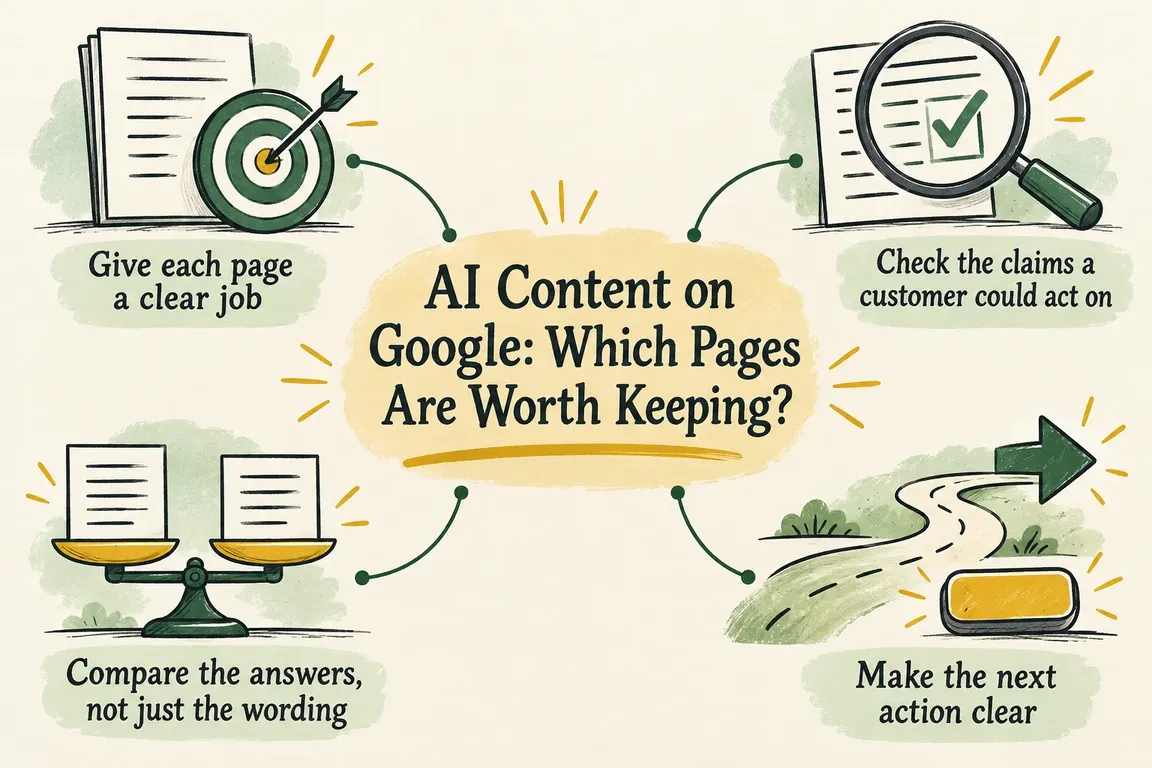
Give each page a clear job
Build an inventory with one record per published URL. Capture the title, content type, intended audience and question answered, along with publication and review dates, the content owner, known AI use and any supporting sources already recorded. Include metadata and links to related pages in the inventory.
Then describe the page’s purpose in one sentence: “This page helps this audience make this decision.” If you cannot complete it, the page needs editorial review. “Cloud services” names a subject; it does not explain why a customer needs this particular page.
Group pages by reader need and how they were produced. Pages built from the same template belong together for review because they may share the same weaknesses. Where authorship or AI use is unknown, record that honestly. You can assess what is published without reconstructing every prompt.
Start with consequential claims, prominent commercial promises and repeated templates. Traffic and enquiry data can help you decide where to begin, but every final decision needs an editorial reason. A page with little traffic may still answer a question customers need resolved before buying.
Check the claims a customer could act on
For an initial pass, select statements about capabilities, compatibility, prices, dates, limitations and promised outcomes. Record the exact wording, the evidence and the reviewer. Mark each claim as supported, outdated, contradicted or unresolved.
The wording matters. Evidence that a feature is “available in some configurations” does not support a promise that it is “included as standard.” If the evidence is missing, give someone responsibility for finding it, narrowing the statement or removing it. An AI tool approving its own answer does not close that task.
Sampling helps you find problems; it cannot certify a whole page. When a sampled claim fails, extend the review to the rest of the page and related pages using the same template. Before approving a revised AI-generated page for publication, complete the factual review, even if the initial sample looked sound.
Compare the answers, not just the wording
Open related pages side by side and ask what the reader would lose if you combined them. Different introductions, synonyms and keyword variations offer little reason to maintain separate articles when each gives essentially the same answer.
Separate pages make sense when they serve different decisions, conditions or audiences. That difference needs to show up in the content: relevant constraints, verified details, a distinct process or a comparison that helps the reader choose. If it exists only in the title, consider consolidation.
Google’s spam policies describe scaled content abuse as generating many pages primarily to manipulate rankings rather than help users, typically through unoriginal content with little or no value. The policy applies regardless of how the content was created. Repetition is a reason to investigate purpose and usefulness; on its own, it does not establish a violation.
Make the next action clear
Give every page a decision, a reason and an owner. Agree what must be completed before the task can be closed. “Needs improvement” is too vague to hand to an editor who has to work out what you meant.
| Decision | Choose it when | Before closing the task |
|---|---|---|
| Keep | The page serves a distinct reader need, answers it usefully and has verified claims. | Record approval, name the owner and define what should trigger another review. |
| Improve | The purpose is worthwhile, but facts, writing or metadata need correction. | List the required fixes and review the completed update before approving it. |
| Consolidate | Several pages answer substantially the same need and contain useful material worth keeping. | Choose the surviving URL, preserve verified details and agree how to handle the old URLs. |
| Remove | Review finds no defensible purpose or useful material left to preserve. | Approve withdrawal, retain the decision record and check links affected by removal. |
Before consolidating pages, brief the editor on what the surviving page needs to contain. Identify the sections to retain, claims needing fresh evidence and material to discard. Before removing a page, check whether anyone still depends on it and agree what should happen when a visitor reaches its former URL.
If the audit finds content that constitutes scaled content abuse, Google’s policy says to exclude it from Search. Assign that action explicitly so it does not sit unresolved in the rewriting queue.
Include the promises made in metadata
Google’s factual-review guidance also covers title elements, meta descriptions, structured data and image alternative text. Review these alongside the visible page and include them in the audit record.
Does the title describe the page’s actual scope? Does the description promise an answer the page delivers? Check structured claims against the visible, verified information. Alternative text should describe the relevant image, without unrelated search phrases added to it.
Make metadata approval a condition of completing the update. Fixing the article while leaving an exaggerated title means the job is unfinished. After consolidation, check it again: the surviving page may now serve a different purpose.
Make the review process work in your CMS
The CMS needs somewhere to hold supporting sources, the reviewer, review date, unresolved issues and approval status. Agree which fields editors must complete and which changes should send a page back for review. These proposed controls only help if the team uses them consistently.
WordPress revisions record saved drafts and published updates, with tools to compare and restore versions. Its documentation also describes configurable revision limits, including settings that disable normal revision retention. Check your installation before assuming the history you need will be there.
Preserve both the version reviewed and the version published. Check whether your setup also retains changes to custom source and reviewer fields, as well as metadata. Test a meaningful restoration before a large editing batch begins. Where revision history does not cover the decision record, keep that record separately.
Check what actually went live
Compare the published result with the approved decision. Check the content, metadata, links and behaviour of retired URLs. Record who accepted the work and what should prompt another review, such as a changed service specification or an expired supporting source.
If you use IndexNow, its documentation supports notifying participating search engines about added, updated or deleted URLs. An HTTP 200 response confirms receipt, not indexing. Keep those notification logs separate from editorial approval and checks on search outcomes. Receipt does not establish a Google indexing or ranking change.
For a GrN.dk project, a useful starting brief is the page inventory, a prioritised decision queue and a plan for the CMS changes. Greg can scope a content-governance audit covering the editorial decisions and the work needed for source and reviewer fields, revision retention and publication controls. Agree acceptance criteria for the fixes so you can check the finished work and keep the review process running after the project ends.
Related on GrN.dk
- Your AI Image Has Content Credentials. Will Your Website Keep Them?
- Before You Buy a GPU: Test Your Team’s Local AI Workload
- When the AI API Says “Try Again,” What Does Your Customer See?
Need help with this kind of work?
Talk to Greg about your content audit Get in touch with Greg.










