By Greg Nowak. Last updated 2026-11-09.
A reboot brings the server back. The outage is over, but someone still needs to explain what happened. Before the next maintenance window, check whether the logs they will need survive the restart.
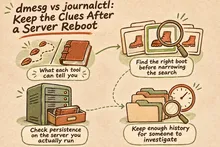
The distinction between dmesg and journalctl comes down to scope and storage. dmesg shows the kernel ring buffer. journalctl lets you investigate collected journal records across services and boots, provided those records have been retained. That difference matters when recovery and investigation happen hours or days apart.
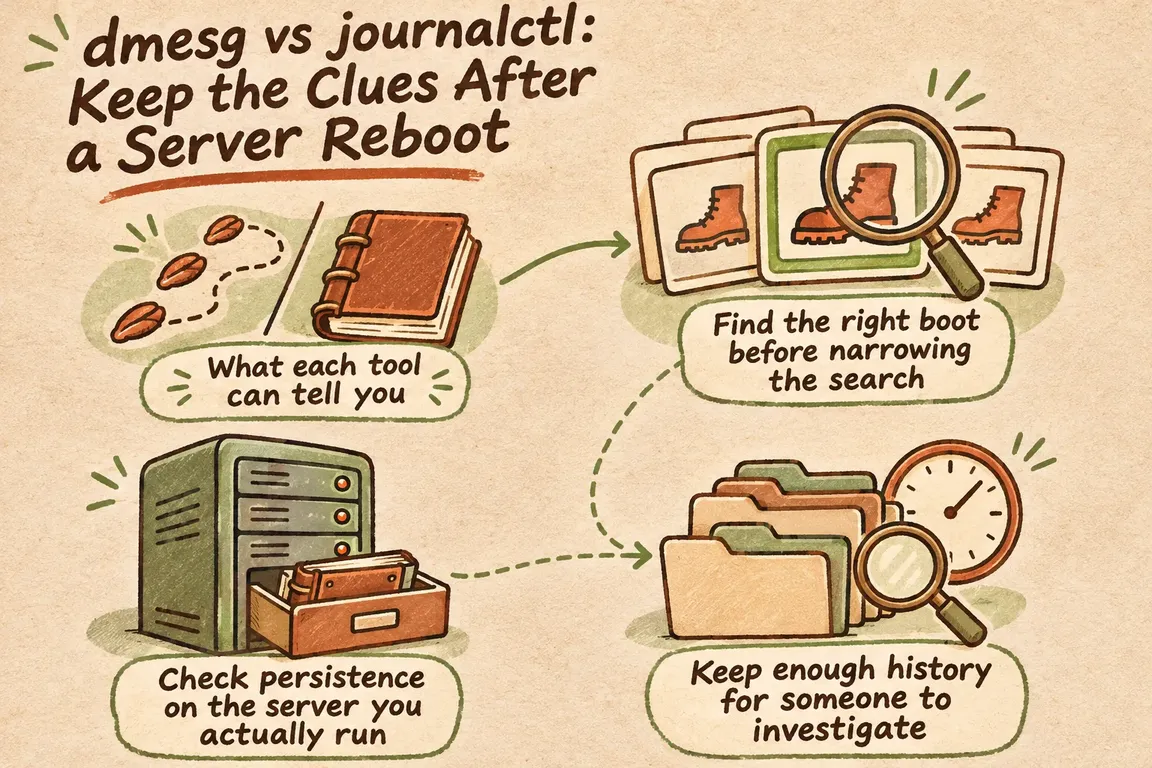
What each tool can tell you
The dmesg manual describes a tool for examining or controlling the kernel ring buffer. It gives you a direct view of current kernel messages. After a reboot, however, running it will not retrieve the old buffer.
The journal can hold both kernel messages and service output. With journalctl, you can filter stored records by boot or service unit, within the limits of your account's access. The journalctl documentation covers those filters and access boundaries.
| What you need to know | Starting command | What to check |
|---|---|---|
| What is in the kernel buffer now? | dmesg |
This shows the current buffer; it does not retrieve previous boots. |
| Which boots can I investigate? | journalctl --list-boots |
Match the listed timestamps to the incident. |
| What happened before the reboot? | journalctl -b -1 |
Confirm that the selected boot covers the outage. |
| What did the kernel report during that boot? | journalctl -k -b -1 |
Compare these records with the wider timeline. |
| What did the affected service report? | journalctl -b -1 -u nginx.service |
Replace nginx.service with the relevant unit. |
Take care with commands that change the evidence. Both dmesg --clear and dmesg --read-clear clear the buffer. Timestamps need some care too: the manual warns that dmesg -T can produce inaccurate wall-clock conversions after suspend and resume. Readable times help, but they need checking before you use them to establish the sequence.
Find the right boot before narrowing the search
Run journalctl --list-boots first. On a live host with current records, -b -1 normally selects the previous retained boot. Check its timestamps against the outage before following any leads.
Then narrow the time window. This example uses illustrative dates; replace them with the period you need to investigate:
journalctl -b -1 --since "2026-11-08 14:00:00" --until "2026-11-08 14:30:00" --no-pagerKeep the first review broad enough to see what was happening around the affected service. Then compare the kernel and relevant service records over the same window. In the incident notes, separate what a record establishes from what you suspect. A message close to the outage gives you something to investigate; timing alone does not establish the cause.
If the expected boot is missing, check access and retention before concluding that there were no useful messages. Record the gap in the incident notes so the next person knows what evidence was unavailable.
Check persistence on the server you actually run
The upstream journald configuration reference distinguishes Storage=volatile, which uses /run/log/journal, from Storage=persistent, which prefers /var/log/journal. Persistent mode can still fall back to runtime storage during early boot or when disk storage is unavailable. With Storage=auto, the existence of /var/log/journal determines the mode.
Be careful about assuming a default. Current upstream documentation describes a persistent default determined at compilation time. The RHEL 10 system-role guide describes a nonpersistent default and shows how to enable persistence with journald_persistent: true. Check the installed configuration, including drop-ins, to establish what your host is set to do.
Red Hat also documents managing journal disk allocation through its role and checking for journal files in /var/log/journal/. If your fleet already uses that role, put the logging policy in the existing playbook and inspect the resulting host state. As the guide cautions, a syntax check can pass a configuration that is valid but wrong for the job.
Keep enough history for someone to investigate
For persistent journals, SystemMaxUse= limits journal space and SystemKeepFree= reserves room for other uses. MaxRetentionSec= sets a maximum age. It does not guarantee that records will remain available for that long, because space limits can remove older files sooner. Upstream recommends local configuration drop-ins.
Set the budget around the time it may take someone to pick up an outage investigation. Include weekends and handovers. A retention period that looks generous on paper is of little use if disk limits remove the relevant records before anyone reviews them.
Agree who owns these settings and when they should be reviewed. The aim is an investigation window the host can support within its storage budget.
Use planned maintenance to test what survives
A planned reboot gives you a straightforward acceptance test. Before maintenance, record the host, boot ID, time zone and a recognisable existing journal entry. Save the intended storage policy and relevant configuration with the maintenance record.
Once persistence is enabled and the configuration applied, journalctl --flush can move runtime journal data into persistent storage. The result you need to verify is simple: can someone retrieve the chosen entry after reboot?
Have the person responsible for incident response find the earlier boot and entry after maintenance, then save the result. If they cannot retrieve it, investigate the mismatch before closing the logging work. Repeat the check when changes to the server image or logging policy could affect persistence.
Give the next responder a procedure they can use
Keep the capture procedure short enough to follow during an outage. Identify the host and outage window, confirm which boots are available, preserve the broad timeline, then collect kernel and service views. State where to save the evidence, who can access it and who will review outstanding questions. Record recovery actions separately from diagnostic conclusions.
Greg could help with a Linux logging audit covering storage settings, outage timestamp correlation, retention within disk limits and a persistence test during planned maintenance. You would get a short incident-capture procedure and a documented check of which records remain available after reboot. Contact GrN.dk to discuss the servers and maintenance window you want to cover.
Related on GrN.dk
- Apache 2.4.68: What to Check Before You Call It Patched
- When the AI API Says “Try Again,” What Does Your Customer See?
- AI Invoice Processing: Catch the Errors Before They Reach Your Books
Need help with this kind of work?
Discuss a Linux logging audit Get in touch with Greg.