By Greg Nowak. Last updated 2026-10-04.
A customer does not see an API error. They see a form that keeps spinning, an assistant that stops mid-answer, or a confirmation that leaves them unsure whether their request went through. The immediate business problem is what your application can honestly tell them while the outcome is still unclear.
On September 29, 2026, OpenAI reported elevated errors across ChatGPT, Codex, and the API. Some requests failed and some tasks did not complete. The incident was resolved, but an integration needs the same decisions in place for ordinary rate limits and temporary overloads.
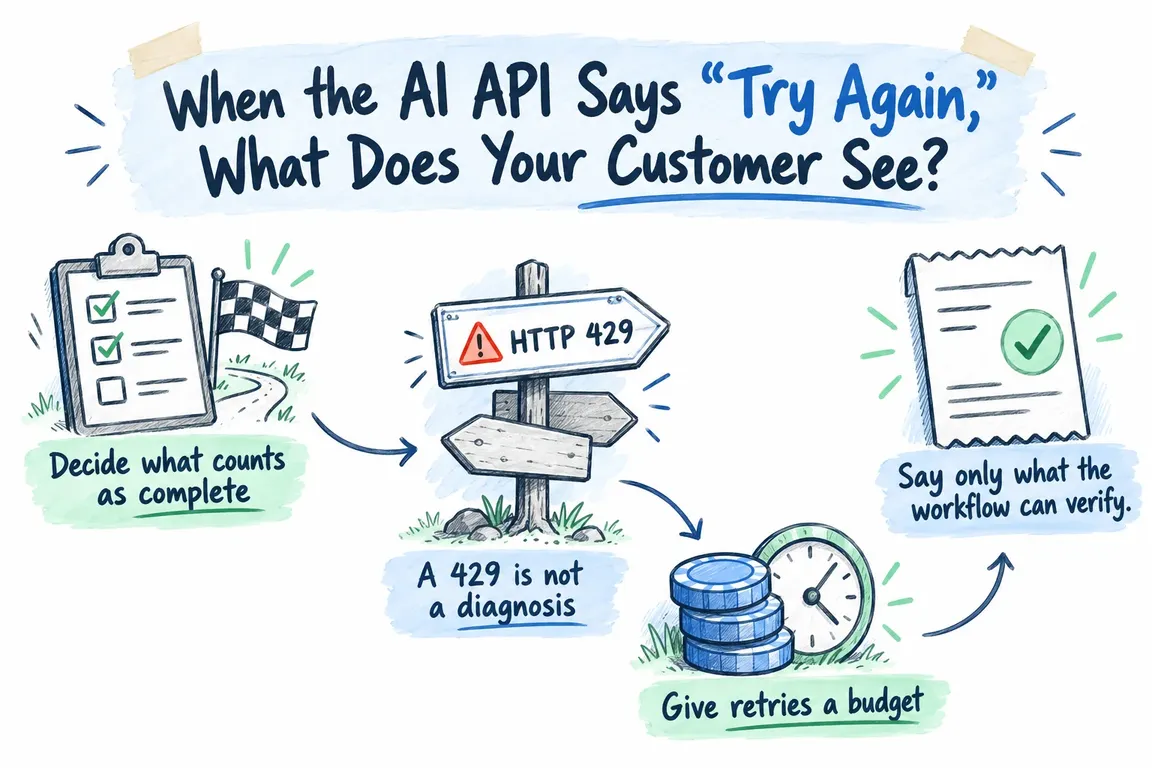
Decide what counts as complete
Suppose a lead form saves a submission, then asks AI to classify it. If the save succeeds, the customer can receive a receipt while classification waits. If the customer asked an assistant for an answer and generation fails, a receipt is no substitute for that answer. The message depends on which part of the work has actually finished.
Set two deadlines: how long someone should wait on the page, and how long the underlying task may keep trying. An API attempt can time out while the wider task remains recoverable. OpenAI’s rate-limit guidance makes that distinction explicit. When the page deadline passes, the interface needs a useful status even if background work continues.
A 429 is not a diagnosis
OpenAI documents a temporary 429 with the slow_down code and a temporary 503 with server_is_overloaded. Either may include a Retry-After header. But a hard spend limit can also produce a 429, and quota or billing problems will not clear because the application keeps trying. Check the error body as well as the HTTP status before deciding what to do.
| What happened | What the application should do | What the customer should see |
|---|---|---|
Temporary 429 with slow_down |
Reduce the request rate. Respect Retry-After when present and retry within a set limit. |
Say the request is taking longer than expected. Give a next step if the page deadline passes. |
Temporary 503 with server_is_overloaded |
Wait at least as long as Retry-After specifies, then make a bounded retry. |
Say the request is delayed. Promise a later result only if the task was saved for processing. |
| Quota, billing, or configuration problem | Stop automatic retries and alert someone who can fix the cause. | Say the service is unavailable for this task and offer another contact or submission route. |
| Page deadline passed; outcome uncertain | Check the recorded task and any actions it triggered before replaying it. | Avoid saying either “done” or “nothing happened” until the application can verify the outcome. |
These are decisions for the application, not a guarantee that every failure uses one of these codes. OpenAI advises checking both the status and error.code. Streaming needs particular care: an error can arrive after some output has already reached the customer, so replaying the whole request may repeat part of the answer.
Give retries a budget
For a temporary failure, a retry may work. Repeated calls without a limit can add traffic while the service is already struggling. OpenAI recommends treating a valid Retry-After value as a minimum wait, adding a small random delay, and increasing delays when there is no valid server hint. Limit both the number of attempts and the total retry time. Failed attempts count toward per-minute limits too.
AWS’s reliability guidance also calls for backoff, random variation, and a maximum retry value. It warns that retries at several layers can multiply calls. That matters when an OpenAI SDK, an application wrapper, and a queue worker can all retry the same task. OpenAI says its official SDKs retry eligible 429 and 503 responses, subject to their settings; check the installed version before adding another loop.
The right budget depends on the work. Someone waiting for an answer needs a short page deadline and a clear message when it passes. A saved classification or draft may have more time to recover in the background. If Retry-After exceeds the allowed wait, defer work that can be deferred rather than calling again too soon.
Say only what the workflow can verify
“Please try again” can prompt a duplicate submission if the form already saved the first one. “We’ve got it” is just as misleading if nothing was saved. Record whether the task was received, is processing, completed, or needs attention, and choose the message from that state.
For a form, save the submitted information before optional AI enrichment and confirm receipt only after the save succeeds. For an assistant, say when the answer could not be completed and whether the customer should retry. For an internal task, show a pending or failed status to the person responsible instead of leaving an indefinite spinner.
Check for side effects before replaying work. AWS warns that retrying operations that are not idempotent can duplicate results. A workflow may generate text, then send an email or create a record. If it times out, inspect whether those later actions occurred before running it again. The timeout tells you when the client stopped waiting; it does not establish the final state of every action.
Keep unfinished work in view
A queue can carry a saved task forward after the customer leaves the page. Staff still need to see its status, understand why it failed, and know who owns the exception. Set a point where retries stop and a person reviews the task.
Cloudflare’s dead letter queue documentation shows one way to do this. Messages can move to a separate queue after reaching the consumer’s retry limit. Without that queue configured, Cloudflare says messages that reach the limit are permanently deleted. A dead letter message without an active consumer remains for four days before deletion. That window is useful only if someone inspects and acts on it.
What to check in an existing integration
Follow one customer action from submission to confirmed outcome. What gets saved before the AI call? Which errors are retried, and which alert someone? Count attempts across the SDK, application, and worker together. Write down the page deadline, the task deadline, and the message shown at each state.
Then test the awkward cases: a temporary 429 with a long Retry-After, a 503, an account error that needs action, a timeout after a side effect, and a queued task that runs out of attempts. Support staff should be able to tell what happened without asking a developer to reconstruct it.
Greg can review an existing OpenAI integration against those cases, set retry and time limits, and help make recoverable work and unresolved failures visible. When the API says “try again,” the customer should still get an accurate answer about what happens next.
Related on GrN.dk
- OpenAI Has Machine Identity Now. Which Jobs Should Lose API Keys?
- OpenAI’s Agents API Is Durable. Is Your Workflow Recoverable?
- NGINX Can Read JSON Before Routing—Should It Handle Your AI API?
Need help with this kind of work?
Discuss your AI integration Get in touch with Greg.










