By Greg Nowak. Last updated 2026-11-06.
When preparing a Black Friday campaign, AI can help with the introduction, product copy and subject line. But the pricing data needs to be in order first. A practical workflow is to select the products, check the prices, have AI write from approved information and bring the results together in a Mailchimp draft. A designated person then approves both the content and the recipients before sending.
Could your business use this? nowa.dk sets up AI automation for Danish companies.
This is a manageable starting point if you want to use AI for marketing. You can reduce repetitive data entry and copywriting while retaining control over the information customers base their purchases on.
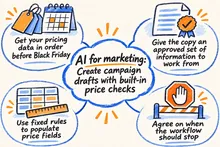
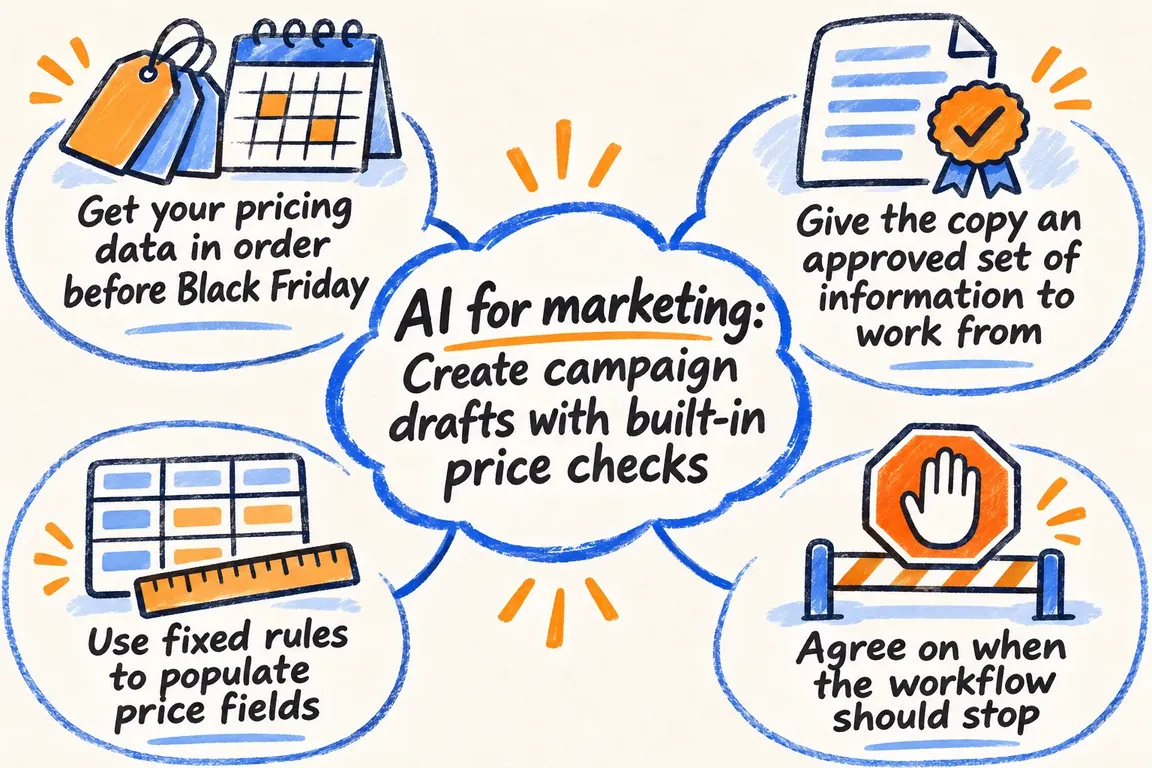
Get your pricing data in order before Black Friday
On 25 June 2026, Forbrugerombudsmanden (the Danish Consumer Ombudsman) reminded businesses of the pricing rules ahead of Black Friday. When an advertised price reduction is compared with the business’s own previous price, the starting point is the product’s lowest price in the preceding 30 days. Savings claims must be accurate and supported by evidence. This is set out in the reminder about price advertising ahead of Black Friday 2026.
An old recommended retail price in the product description is therefore not enough to automatically populate a previous-price field. The integration should retrieve the relevant price history and flag products that need individual assessment. Resolve this before the copy is written. Otherwise, you risk having to correct the same pricing claim in several places across the campaign.
Give the copy an approved set of information to work from
Start with a small product selection and one campaign template. Agree on which system supplies the product name, item number, variant, product link, campaign price and campaign period. The price history and approved comparison price must be linked to the same item and variant so that the check can be repeated.
Also gather the product features and uses you have approved for marketing. This is the material AI should use to write an introduction in Danish, short product descriptions and subject line suggestions. The clearer the source information, the more specific the task becomes for the person reviewing the copy afterwards.
If information is missing, the affected product should be held in the workflow and referred for clarification. The error message must identify the missing field. The employee responsible for correcting the product data needs a specific task rather than a message saying that something went wrong.
Use fixed rules to populate price fields
The template must have separate fields for the campaign price, comparison price and any savings. The integration populates them with verified values. Any percentage saving is calculated in the same rule-based step, using an agreed rounding method that does not overstate the discount.
AI is then tasked with writing the copy around those fields. The instruction can be simple: Write a short product description in Danish based on the approved features, leave the price fields unchanged and use only the campaign terms provided in the material.
Review the entire result, including the subject line, preview text and headings. An accurate pricing block is no help if the subject line promises a different discount. Statements about delivery and when the campaign ends must also be checked against the approved information.
Agree on when the workflow should stop
Both the business owner and the person responsible for the campaign must be able to see why a draft is ready for review or why it has been stopped. Use specific checkpoints such as these in the initial solution.
| Step | What needs to be in place | If the check fails |
|---|---|---|
| Product data | The item, variant and product link match, and the agreed fields are complete. | Flag the product for clarification and identify the missing or incorrect field. |
| Pricing data | The price history and approved price fields are available for the selected item and variant. | Block pricing claims for the product until the supporting information has been clarified. |
| Draft copy | Figures, product features, delivery details and campaign terms match the source information throughout the email. | Edit or regenerate the copy, then repeat the check. |
| Mailchimp draft | The template, sender and selected segment are correct. | Keep the draft pending correction. |
| Approval | A designated person has checked the content, recipients and latest unsubscribes. | Wait for approval before sending. |
Bring the checked content together in a Mailchimp draft
Mailchimp’s guide to AI-generated email content describes how existing material can be used to create content sections that the user selects and edits. According to the guide, the feature requires a paid plan and the new email builder. This can be a starting point if you first want to try working with copy and layout.
A custom integration requires its own setup for text generation and checks. Mailchimp’s built-in AI feature and the API functions for creating the campaign and inserting content are different parts of the workflow.
Mailchimp’s API supports creating a campaign with settings including the sender, subject line, audience and segment. The integration can then insert the campaign content, including HTML and plain text.
Have the first automation end with a draft for review. Save the campaign identifier alongside the source data and check results so that the person responsible can see what the draft is based on. If an employee later changes the price fields or product selection, the checks should run again and the revised version should receive fresh approval.
Check recipients separately
The fact that an offer is relevant to a customer group does not in itself provide grounds for sending marketing emails. Forbrugerombudsmanden’s guidance on electronic marketing describes the requirement for prior consent. This also applies to marketing to other businesses. There is a limited exception for certain existing customer relationships, subject to specific conditions, and withdrawing consent must be easy and free of charge.
Use a recipient segment that has been approved in advance, and check unsubscribes again before sending. Display the segment’s name, criteria and recipient count alongside the draft. This allows the person responsible to assess both the email and who will receive it. New recipients or changes to the criteria should trigger a fresh assessment.
Commission an initial solution that works in day-to-day operations
One campaign template, one agreed data source and one approved recipient segment make a suitable first deliverable. At the same time, agree on who corrects product data, who approves the campaign and who is notified when the process stops. These arrangements are what will make the solution work day to day.
Ask to see what happens when price history is missing, prices change or product fields are incomplete. How is the error displayed, and how does the campaign move forward once it has been corrected? The acceptance criterion should be a verifiable draft that the person responsible can review without having to reconstruct the entire process.
Through nowa.dk, Greg’s AI automation service for Danish businesses, Greg can build the integration from approved data to draft copy in Danish and a Mailchimp draft with fixed pricing checks. Bring a specific campaign and the data you already have to the first conversation. This provides a practical starting point for defining the scope and agreeing on what needs to be in place before you can approve the first draft.
Related on GrN.dk
- Jeg bygger AI-agenter til små virksomheder. Jeg mangler en, der kan sælge dem.
- AI til Excel: Automatisér månedsrapporten med tal, du kan kontrollere
- Allergener på menukortet: Kan AI finde de tekster, der skal rettes?
Need help with this kind of work?
Talk to Greg about your campaign automation Get in touch with Greg.