By Greg Nowak. Last updated 2026-11-24.
When the full cost of a subscription is posted in the invoice month, the monthly report can show a swing caused by the way the expense was recorded. Subscriptions and insurance are good places to look for these entries because they often cover several months and can extend into the next financial year. Spreading an expense across the months it relates to is known as expense allocation. Dinero’s guide to expense allocation
Could your business use this? nowa.dk sets up AI automation for Danish companies.
You can use AI to read the start and end dates on the documents supporting entries in e-conomic. A fixed rule then calculates how much belongs in each month. Your finance lead receives the proposed allocation along with a link to the supporting document and can approve it before it is posted.
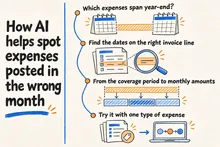
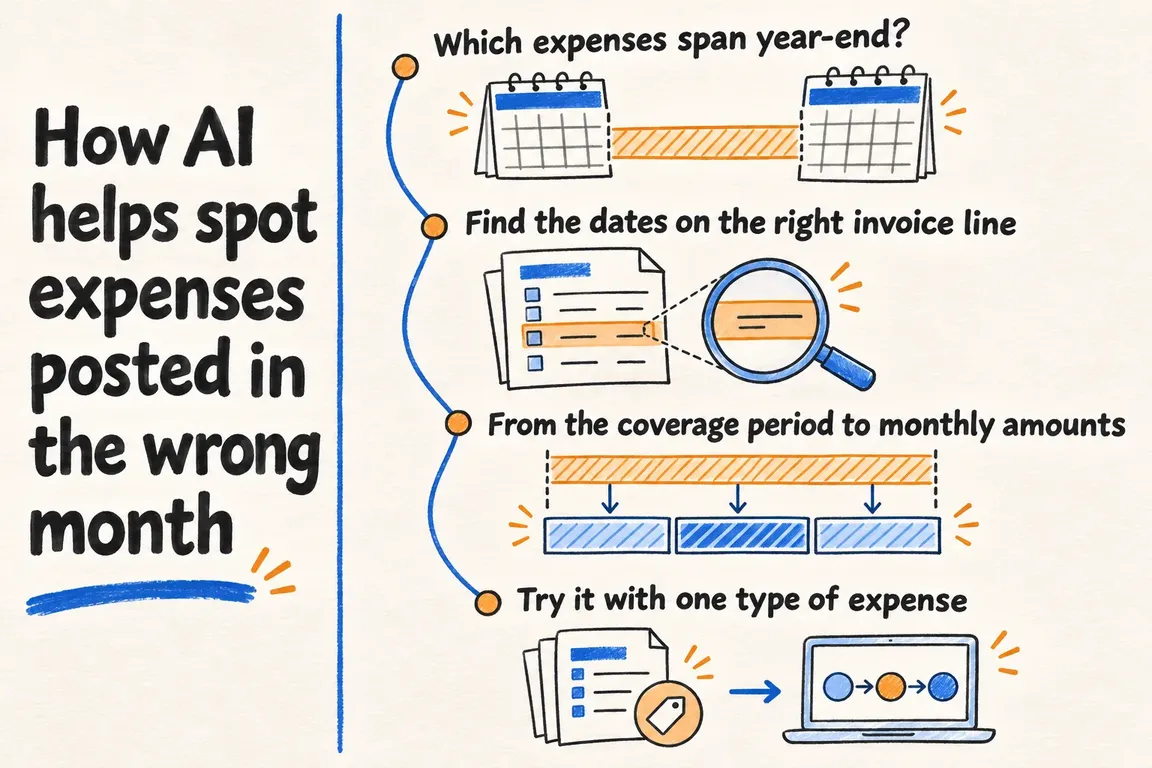
Which expenses span year-end?
If your financial year follows the calendar year, November is a good time to review the accounts where you usually post prepaid subscriptions and insurance. Include supporting documents from earlier months in the review. An insurance policy you recorded well before November may still provide cover into the new year.
Suppose you receive an invoice in November for a subscription covering December, January and February. If the service is provided evenly across those three full months, one third of the expense belongs in December. The remaining two thirds belong in the next financial year. If you post the entire amount to operating expenses in November, that month looks more expensive, while December, January and February look cheaper. This can give management a distorted picture of how ongoing costs are changing.
Accrual accounting is a basic requirement for annual reports covered by the Danish Financial Statements Act. Under section 13(1)(6), a transaction, event or change in value must be recognised when it occurs, regardless of when payment is made. You can apply the same principle to internal monthly reporting to make operating expenses easier to compare from month to month. Danish Financial Statements Act, section 13
Find the dates on the right invoice line
Search by account or supplier in e-conomic to identify entries worth reviewing. Then open the supporting documents. The invoice date, payment due date and coverage period can appear close together, and a single invoice may include several services that cover different periods. If there is a setup fee, assess it separately. Match each set of dates to the service and amount it applies to.
With a tool such as Google Cloud’s Document AI, you can define fields for the start and end of the period. The tool can report the model’s confidence for each field, so dates with low confidence scores can be flagged for manual review. Show the relevant excerpt from the invoice next to the dates in the approval list. That lets your finance lead see the evidence behind the proposal. Google Cloud’s documentation on extracting data from documents
| What you find in the supporting document or in e-conomic | Next step |
|---|---|
| One clearly defined period spanning several months and one corresponding amount | Calculate the monthly amounts using your allocation rule and send the proposal for approval. |
| Multiple periods or a separate fee | Show the relevant invoice lines so your finance lead can decide which amounts to allocate. |
| Missing or conflicting dates | Confirm the period before calculating the allocation. |
| Signs that the expense has already been allocated | Check the proposal against the existing allocation so the expense is spread across the period only once. |
From the coverage period to monthly amounts
For a service provided evenly over full months, you can use the same amount each month. Agree on how to allocate the expense if the period starts partway through a month and which month should absorb any rounding difference. The monthly amounts must add up to the total you want to allocate. If the period spans year-end, the approver should also be able to see the amount for each financial year.
In e-conomic, you can enable expense allocation for both general ledger vouchers and supplier invoices. In the Øvrigt (Other) tab, enter the start and end dates and select a balance sheet account. When you run the allocation, e-conomic transfers the relevant amounts from the balance sheet account to the operating expense account. Any VAT is posted to the VAT account as usual. The allocation itself spreads the expense excluding VAT. e-conomic’s guide to allocating expenses
On the approval list, your finance lead should be able to see the supplier, reference number and link to the supporting document alongside the current entry and the proposed monthly amounts. If a date or amount needs correcting, the list should recalculate the allocation so the revised version can be approved. If the entry has already been posted, your finance lead first checks the proposal against the accounts and decides whether a correction is needed.
Try it with one type of expense
Start with software subscriptions or insurance. Have your finance lead review both the documents that trigger a proposal and a sample of those that go through without one. In the first group, a payment due date may have been read as the end of the coverage period. In the second, a period may have been missed because it appears on an invoice line. The review shows which documents you can handle with a common rule and which need individual assessment.
Include documents for expenses the finance team has already allocated. Compare the proposed monthly amounts with the approved allocation. If they differ, check whether the discrepancy comes from the dates, the amount on the invoice line or the calculation rule. Correct the source of the error and try again with new documents of the same type.
Greg can help you bring together supporting documents and entries from e-conomic and set up date extraction, allocation calculations and an approval list that fit your month-end close. If you want to try it with subscriptions or insurance that span the end of your financial year, you can read about Greg’s AI automation service for Danish companies at nowa.dk.
Related on GrN.dk
- AI til Excel: Automatisér månedsrapporten med tal, du kan kontrollere
- Bogføringslov og e-faktura: Få AI-hjælp til fakturaer, der ikke når frem
- AI til markedsføring: Lav kampagneudkast med kontrollerede priser
Need help with this kind of work?
Talk to Greg about testing suggested expense allocations with your own supporting documents from e-conomic. Get in touch with Greg.