By Greg Nowak. Last updated 2026-11-08.
Open your chatbot and ask for a person. Then look at what arrived in the support queue. Does the conversation reach the right team, with enough context for someone to help? And before any of that, was it clear to the customer that they were speaking to AI?
Those two checks are a useful place to start a chatbot review. Follow the conversation from the customer's screen through to the receiving team, including custom workflow branches, closed support hours and a failed transfer. The wording in the widget needs to match what the workflow can deliver.
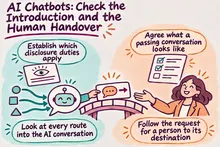
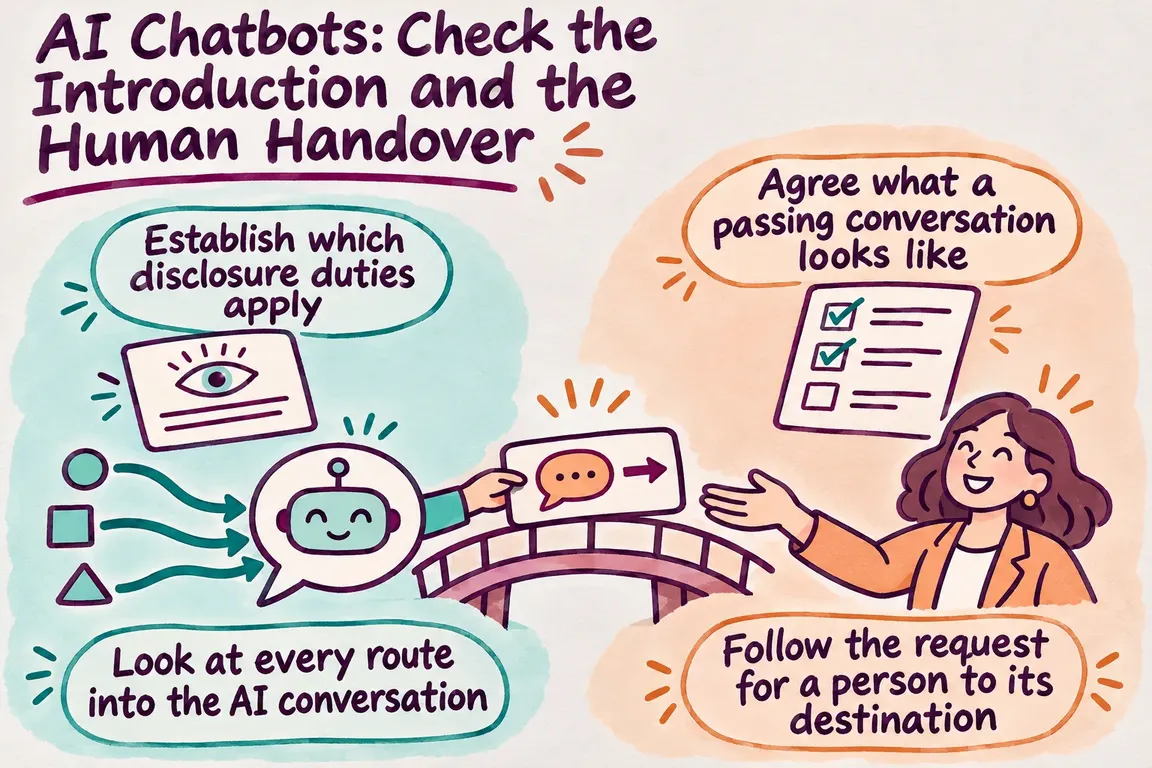
Establish which disclosure duties apply
The European Commission confirms that Article 50 transparency obligations apply from 2 August 2026. Its guidance distinguishes between providers and deployers. Your organisation's role and implementation determine its responsibilities; running a chatbot does not automatically make every Article 50 obligation yours.
For systems intended to interact directly with people, Article 50(1) places the disclosure design duty on providers. There is an exception where the AI interaction is obvious to a reasonably informed, observant and circumspect person in context. Paragraph 5 requires the relevant information to be clear and distinguishable, provided no later than the first interaction or exposure, and to meet applicable accessibility requirements.
Start by establishing what your supplier provides and who controls the configuration customers see. Then inspect the live result. A disclosure feature in the supplier's documentation still needs checking in your implementation. The human handover tests below are operational recommendations, separate from those disclosure requirements.
Look at every route into the AI conversation
Begin with a fresh conversation on the live website. Record where the AI identification appears, whether it is readable and whether the customer sees it before the first substantive AI answer. Repeat on mobile and in each supported language. Plain wording that explicitly identifies the assistant as AI gives you something clear to test.
Older configurations deserve particular attention. Intercom's AI Agent Disclosure documentation says existing customised introductions were not automatically changed. Existing workflows with a Let Fin answer step need a preceding message added manually if that is how disclosure will be delivered. The Messenger AI Agent label is configurable too.
The same documentation describes routes that can miss the standard introduction. A Proactive Procedure can bypass it, and a teammate-triggered procedure can start without that introduction having appeared. Checking the main widget once won't tell you what happens on those branches.
Make a small map of where AI can take over: the main widget, custom workflow branches and transitions from a teammate. Against each route, record the exact message or visible label that identifies the AI. Keep a screenshot or transcript from the customer's view alongside the configuration record.
Agree what a passing conversation looks like
Before changing settings, agree on the expected outcomes with the team that will receive the requests. Use the table below as an acceptance checklist. These are suggested tests; they are not behaviours every platform provides automatically.
| Customer scenario | Passing result | Evidence to keep |
|---|---|---|
| Start a new conversation | The customer can clearly identify the assistant as AI at the start. | Opening messages and visible labels. |
| Reach AI through a custom branch | AI identification appears when AI takes over on that route. | Branch name and customer transcript. |
| Ask directly for a person | The agreed escalation path activates. | Customer confirmation and the request in the receiving queue. |
| Open the conversation as the receiving colleague | The agreed context is available and usable. | Transcript, summary and routing details. |
| Ask for help while support is unavailable | The customer gets a workable next step. | Availability message and saved request. |
| Encounter a controlled transfer failure | An alternative route lets the customer continue the request. | Failure message and confirmation that the fallback received it. |
Follow the request for a person to its destination
Ask for human help near the start of a conversation, then try again after several AI responses. Use a few ordinary variations in wording. Decide beforehand what should happen: entry into a live queue, creation of a support ticket or another contact option.
Now open the receiving system. The widget's confirmation needs to correspond to a conversation in the intended team's queue, with an identifiable owner or destination and enough information to act.
Zendesk's AI Agents developer documentation describes escalation to human agents with conversation context, plus custom escalation logic through widget integrations. It also covers integrations with business systems and third-party APIs. Those capabilities give you implementation options; the acceptance test establishes whether your configured handover works.
Agree on the minimum information a colleague needs: the customer's request, relevant conversation history, steps already attempted and the reason for escalation. If the handover includes a generated summary, compare it with the transcript. The colleague should be able to distinguish what the customer said from what the AI inferred.
Try it when nobody is available
Repeat the escalation during scheduled closing hours and with the team deliberately marked unavailable for testing. Agree what should happen in each case. That might be a request saved for later attention, another contact route or a different arrangement the support team has committed to maintain.
Make the message match the arrangement. If the request will wait, explain what happens next and use a response expectation approved by the people responsible for answering. Language promising an immediate connection belongs in a workflow that can provide one.
A closed team and a broken transfer need separate tests. Arrange a controlled failure in a safe test environment or destination with whoever owns the integration. Look at what the customer sees, whether the request survives and how staff learn that the transfer failed.
Keep the recovery route short and ask only for the information needed to continue. Follow the fallback through to its destination as well. A request arriving in an unmonitored mailbox still leaves the customer waiting.
Leave the team with a procedure it can use
The review should leave corrected workflows and a handover procedure someone can maintain. Record the entry routes, disclosure wording, escalation triggers, receiving destinations, availability rules and recovery steps. Give each part a named person responsible for keeping it current.
A compact test record is enough: scenario, expected outcome, observed result and date. Repeat the relevant checks when the widget identity, workflow branches, support destination or operating hours change. The next person should be able to use that record to verify the journey without reconstructing how it was built.
A focused GrN engagement could take this from inspection through to repair. Greg could review the widget and workflow branches, update introductions, connect the agreed support destination and deliver a tested handover procedure. The scope would specify the channels covered and the acceptance criteria, with any unresolved legal interpretation recorded separately.
Related on GrN.dk
- When the AI API Says “Try Again,” What Does Your Customer See?
- Your AI Reads Supplier PDFs. Can They Rewrite Its Instructions?
- AI Invoice Processing: Catch the Errors Before They Reach Your Books
Need help with this kind of work?
Discuss a chatbot workflow review Get in touch with Greg.