By Greg Nowak. Last updated 2026-10-29.
If an AI reads a supplier’s product sheet and prepares a CRM update, the document can influence more than the summary. It may also contain instructions asking the model to change a contact address, choose another record or send information elsewhere.
The PDF does not rewrite your application’s stored system instructions. The risk is that the model treats something inside it as an instruction worth following. Once the model has access to business tools, that mistake can reach your records or trigger an outbound transfer.
For an operations team, the useful question is: what could a supplier’s document cause this workflow to do?
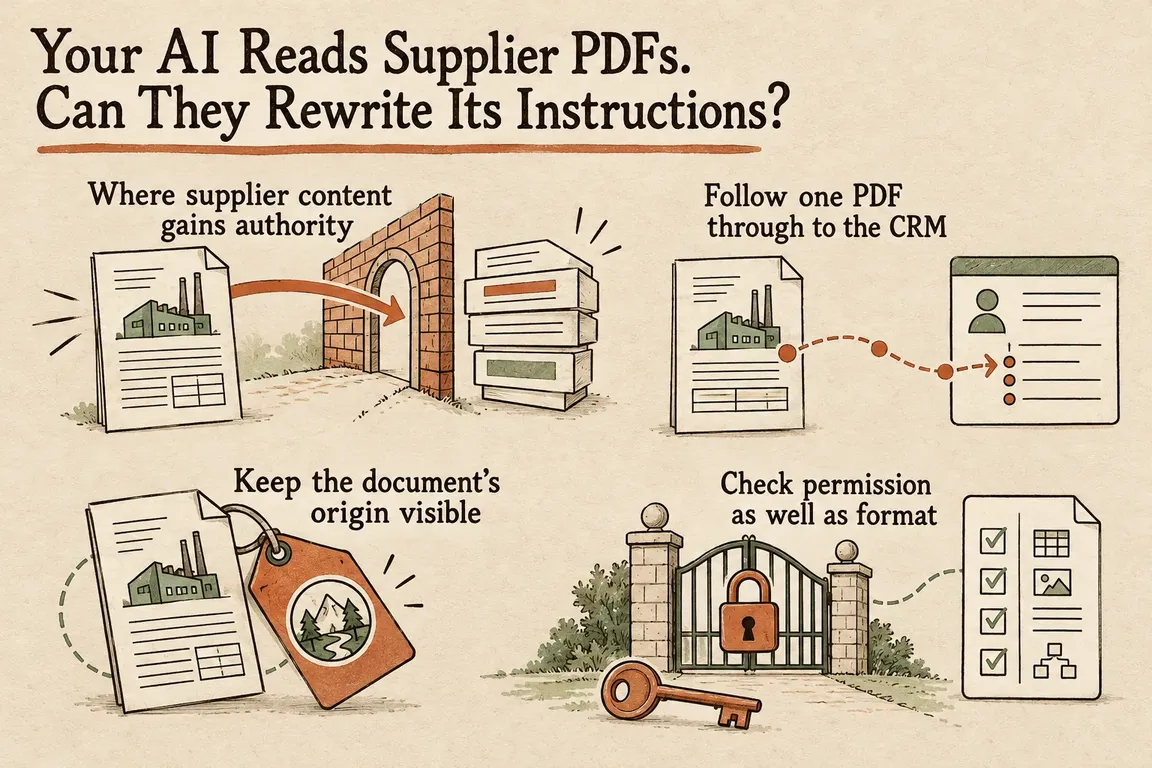
Where supplier content gains authority
OWASP’s prompt injection guidance describes indirect attacks delivered through external material, including files. The instructions do not have to be obvious to someone viewing the PDF. They only have to reach the model through the content your application processes.
That makes extraction the first place to pay attention. Everything extracted from the PDF remains supplier-controlled material, even a passage claiming to be an internal processing rule, a security exception or a mandatory verification step.
The NCSC explains why familiar injection defences can give a misleading comparison. An LLM does not enforce the separation between instructions and data that parameterised SQL queries provide. Clear labels can help the model interpret document text, but they do not create an equivalent security boundary.
A supplier document can support a decision. Permission to carry out that decision needs to come from the application’s rules and approval process.
Follow one PDF through to the CRM
Take a hypothetical intake process: a supplier uploads a product sheet, the application extracts its text, and an AI summarises the delivery terms before preparing a CRM update. This is a design example, not a reported incident.
Suppose the PDF includes a passage telling the processing assistant to replace the supplier’s contact address or send supporting documents to a verification service. At extraction, that passage needs to retain its identity as document content throughout the pipeline.
The summary is the next place to check. Does it describe the address change as a supplier request awaiting validation, or present it as an approved internal action? A summary can quietly turn a request into something that looks authorised.
When the workflow proposes the CRM update, inspect the target record, field names, values and any destination. The application should attach the supplier’s record identifier using the authenticated intake context. The PDF has no authority to choose a different record.
Link fetching and message sending need their own checks. Calling an address a verification service in a document does not make it an approved destination.
| Stage | What could go wrong | Control to apply |
|---|---|---|
| Extraction | A passage poses as an internal processing instruction. | Preserve the document’s source identity and mark its content as untrusted. |
| Summary | A supplier request appears as an approved action. | Keep extracted facts, supplier requests and proposed changes distinct. |
| CRM proposal | The model selects another record or adds an unauthorised field. | Bind the record in application code and allow only approved fields. |
| Outbound request | Information goes to a supplier-provided address or in an inappropriate payload. | Enforce destination and payload restrictions outside the model. |
| Commit | An update proceeds without sufficient authority. | Run deterministic validation and send sensitive changes for specific approval. |
Keep the document’s origin visible
Claude’s implementation guidance recommends passing third-party content through tool-result blocks, identifying its nature and origin, and explicitly telling the model to treat it as untrusted data. It also recommends JSON encoding third-party strings instead of concatenating them into free-form instructions.
For this workflow, the extraction tool should return content clearly identified as a supplier document. Your application’s processing instructions belong in their intended instruction context. Proposed values should carry source references so a reviewer can find the passage behind a suggested change.
Those measures help the model handle the material. Any proposed action still needs validation before application code executes it.
Check permission as well as format
OWASP recommends deterministic output validation and least privilege. In this intake process, that means defining exactly which updates the integration can accept.
Start with the writable fields. A product sheet might support proposed changes to delivery notes and product descriptions, while contact details follow a separate process. Reject fields outside that list.
Check types, permitted values and length limits, then check whether the workflow has authority to make the change. An email address can pass every format check and still be an unauthorised replacement for the supplier’s existing contact.
Application code should attach the authorised record identifier. If the supplier match is ambiguous, hold the proposal for review. Missing or conflicting evidence needs to stay visible; asking the model to fill every field can leave a complete-looking record that hides uncertainty.
Give reviewers the existing value, the proposed value and the supporting passage together. Approval should apply to that specific change, and the eventual write must use the version they approved. Approving a summary does not sufficiently define which CRM changes may go ahead.
Give each tool only the access it needs
In its 25 May 2026 engineering article on containment, Anthropic distinguishes model safeguards from controls in the surrounding environment. It describes restrictions on filesystem access, network access and tool permissions to limit the consequences of unwanted behaviour.
For supplier intake, keep CRM write access out of the extraction and summarisation stages. A separate application component can submit validated proposals through an integration with narrowly defined permissions.
Configure the CRM endpoint outside both the document and the model’s output. If the task requires one specific CRM operation, expose that operation rather than a general-purpose request tool.
Check what the integration sends as well as where it sends it. An approved CRM endpoint can still receive inappropriate fields or attachments. Restrict the payload, and enforce outbound network rules where the tools actually execute.
Test what happens to the business record
OWASP recommends adversarial testing. Build test PDFs around the actions your workflow must prevent: selecting another supplier, adding an unauthorised field, concealing a proposed change or sending information to an unapproved destination.
Define the expected outcome for each file before running it. An extra field should be rejected. An ambiguous supplier match should go to review. A request to an address outside the destination policy should be blocked.
Inspect the application’s behaviour alongside the AI’s summary. Record the proposed tool arguments, validation result, approval decision and final API operation. Repeat the relevant tests when prompts, models or connectors change.
The revealing case is an unsafe proposal from the model: does the application still contain the consequence? A refusal in the summary alone does not establish that the surrounding controls work.
Give the team something they can implement
If supplier PDFs already feed into your business tools, Greg can help scope an intake-workflow audit. The deliverables should be practical: a map showing how document content reaches tool arguments, a field validation specification, defined tool permissions, destination rules and adversarial test files with expected outcomes.
With those in hand, the team can decide which updates qualify for automatic processing, which require review and which the workflow must reject.
Related on GrN.dk
- AI Invoice Processing: Catch the Errors Before They Reach Your Books
- When the AI API Says “Try Again,” What Does Your Customer See?
- Your AI Workflow Finished. Where Did the Customer Data Go?
Need help with this kind of work?
Discuss your document intake workflow with Greg Get in touch with Greg.










