By Greg Nowak. Last updated 2026-07-04.
AI automation often starts cheaply. One workflow, one model call, one clear job. Then it gets useful. A button begins triggering tool calls, retries, background checks, follow-up prompts, and scheduled work that nobody watches closely every day.
That is where cost control gets uncomfortable. The invoice does not care whether the usage came from a paying customer, a stuck retry loop, a test script, or an agent doing the same work twice. Without basic visibility, the first useful signal may be a usage limit, a surprise bill, or a business owner asking why last month looked normal and this month does not.
Two recent reports are worth reading with that in mind. Business Insider reported that OpenAI resolved a Codex usage-limit issue after some users hit limits faster than normal. OpenAI's explanation, as reported, pointed to background work that did more than intended: auto-review behavior, helper subagents, duplicate runs, and retries after errors. The same report noted that some activity shown in the dashboard had not actually been charged to users.
Tom's Hardware covered a much larger edge case. Peter Steinberger's OpenClaw work reportedly showed $1,305,088.81 in OpenAI spending over 30 days, across 603 billion tokens, 7.6 million requests, and roughly 100 Codex instances used by a three-person team. OpenAI covered that cost, and the project was clearly unusual. Still, the business lesson is not exotic: autonomous AI work can multiply quietly when agents, retries, and high-volume jobs run without a budget view.
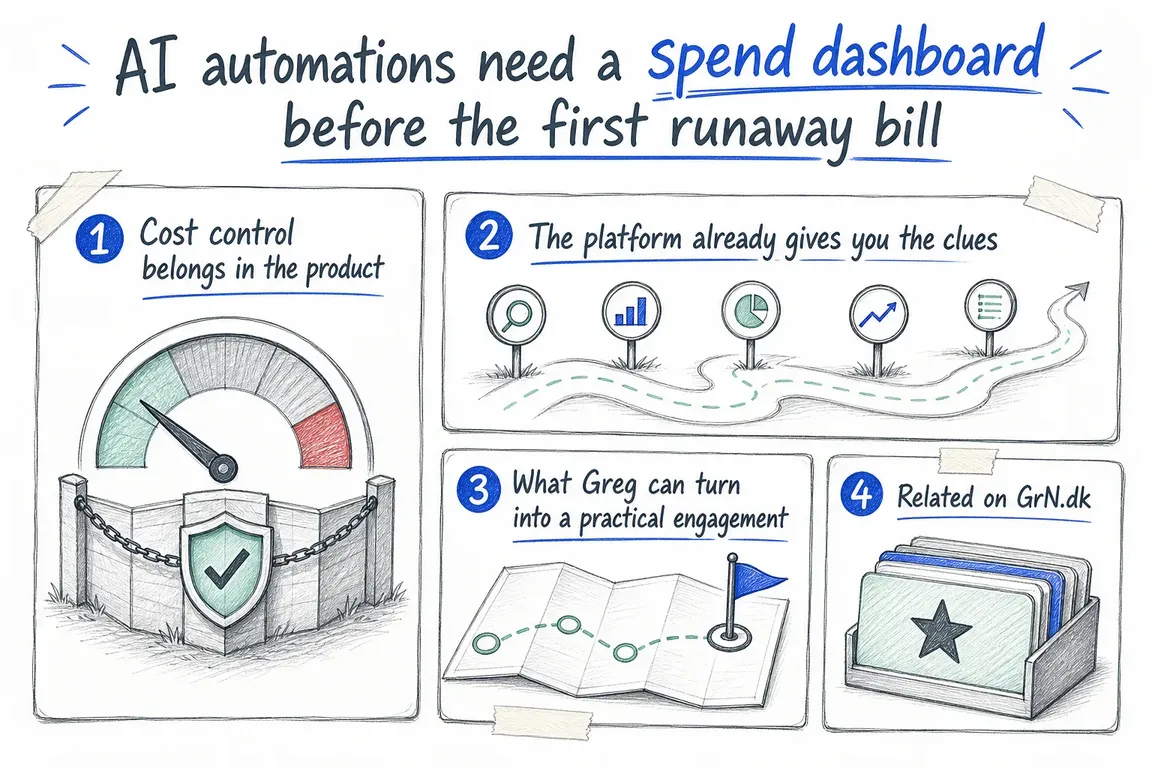
Cost control belongs in the product
The answer is not to avoid AI automation. It is to treat spend visibility as part of the first production version. If an OpenAI API workflow runs in the background, serves a customer, processes a dataset, classifies records, embeds a content library, or helps developers ship work, it deserves a place on a dashboard.
That dashboard should not read like an accounting export. It should help people operate the system. A useful view shows which project, API key, model, workflow, and environment created the usage. It separates interactive work from scheduled jobs, batch runs, development tests, and old prototypes. It shows requests, tokens, estimated cost, errors, retry counts, rate-limit pressure, and cached-token performance where prompt caching applies.
This distinction matters because a rising bill is not automatically a problem. It may mean a workflow is doing more valuable work. But higher spend from repeated prompt context, failed calls, duplicate agent steps, or uncontrolled retries is waste. Without a dashboard, both stories look the same until someone digs through logs by hand.
| Control area | What to show | Business reason | First action |
|---|---|---|---|
| Ownership | Project, API key, environment, workflow owner | Unowned usage is hard to explain and harder to stop | Map every key to a named workflow and owner |
| Workload type | Interactive, scheduled, batch, test, and development usage | Different jobs need different latency and budget rules | Separate live work from experiments and background jobs |
| Retries | Error rate, retry count, timeout patterns, stopped jobs | Failed requests can still consume capacity and create noise | Add maximum retries, exponential backoff, and stop conditions |
| Prompt reuse | Prompt-token volume, cached tokens, cache hit trend | Repeated static context can be cheaper and faster when structured well | Put stable instructions and examples before variable user data |
| Batch candidates | Large jobs that do not need immediate responses | Bulk work should not blindly compete with live user interactions | Move evaluations, classification, embeddings, or offline jobs to batch where suitable |
| Data controls | Data sent, retention setting, project-level controls | Spend reviews often uncover data-handling questions too | Review OpenAI data controls alongside usage and billing |
The platform already gives you the clues
OpenAI's rate-limit guide is a sensible starting point. It describes limits such as requests per minute, tokens per minute, requests per day, and tokens per day, and notes that rate limits are set at organization and project level. It also refers to monthly API usage limits. For a business dashboard, those details are more than developer troubleshooting data. They are capacity-planning inputs.
The same guide recommends care with programmatic access and bulk processing. That includes usage limits for individual users over daily, weekly, or monthly periods, plus hard caps or manual review when users exceed limits. It also recommends exponential backoff for rate-limit errors, with a maximum number of retries. That ceiling matters. A retry strategy with no limit can become a spending problem very quickly.
Prompt caching is another control to review early. OpenAI's prompt caching guide says prompts often contain repeated content such as system prompts and common instructions, and that caching can reduce latency and input token costs when repeated prefixes are reused. It also explains that cache hits depend on exact prefix matches, so stable content should sit at the beginning of the prompt and variable user-specific content should come later.
For a business owner, the question is plain: are we sending the same long instructions, examples, tools, or reference context again and again, and have we structured that work on purpose?
The Batch API is the third lever. OpenAI describes it as a way to process asynchronous groups of requests, with lower costs than synchronous APIs, a separate rate-limit pool, and a 24-hour turnaround. The guide points to non-immediate work such as evaluations, large dataset classification, embedding content repositories, and offline processing. Those are exactly the jobs that should not compete blindly with customer-facing or employee-facing interactions.
Data controls should sit in the same review. OpenAI's data controls guide says API data is not used to train or improve OpenAI models unless the customer explicitly opts in. It also describes abuse monitoring logs, application state, retention settings, Zero Data Retention, Modified Abuse Monitoring, and project-level configuration. A practical AI operations review asks two questions together: what are we spending, and what are we sending?
What Greg can turn into a practical engagement
For a small business, this does not need to start as a large platform project. Greg can frame the first step as an AI operations audit: list API keys, projects, models, workflows, scheduled jobs, background agents, batch jobs, and test scripts. Then sort them into production work, active experiments, and old prototypes that should no longer be able to spend money.
The next step is logging. Each workflow should record enough context to explain usage later: workflow name, environment, model, request count, input tokens, output tokens, cached tokens, retry count, error type, job status, and estimated cost. The dashboard can then roll that into a monthly report a business owner can actually use: total spend, spend by workflow, trend against the prior period, unusual spikes, retry waste, cache opportunities, batch candidates, and decisions needed.
Finally, the system needs rules. Set retry limits. Use exponential backoff. Put hard caps on high-risk workflows. Separate batch jobs from interactive jobs. Keep development keys out of production reporting. Review prompt structure before scaling repeated workflows. Check data retention settings at organization and project level. Assign an owner for every automation that can spend money without a person clicking a button.
The best time to build this is before the first runaway bill. After a cost incident, trust drops and the fastest reaction is often to switch useful automation off. A spend dashboard gives the business a better choice: keep the workflows that are working, slow down the risky ones, and make AI decisions from evidence instead of guesswork.
Related on GrN.dk
- When Google can call the business, your local data stops being cosmetic
- Agent-ready APIs need a contract audit before MCP rollout
- llms.txt Is a CMS File, Not a Magic AI Visibility Button
Need help with this kind of work?
Plan an AI operations review Get in touch with Greg.