By Greg Nowak. Last updated 2026-09-30.
Cloudflare Free gives a business website meaningful protection. The question is whether its settings suit the traffic your website needs. Slowing repeated login attempts is useful; challenging a payment service or a monitoring check can cause trouble. Start with the requests you want to stop and the people and services that must still get through.
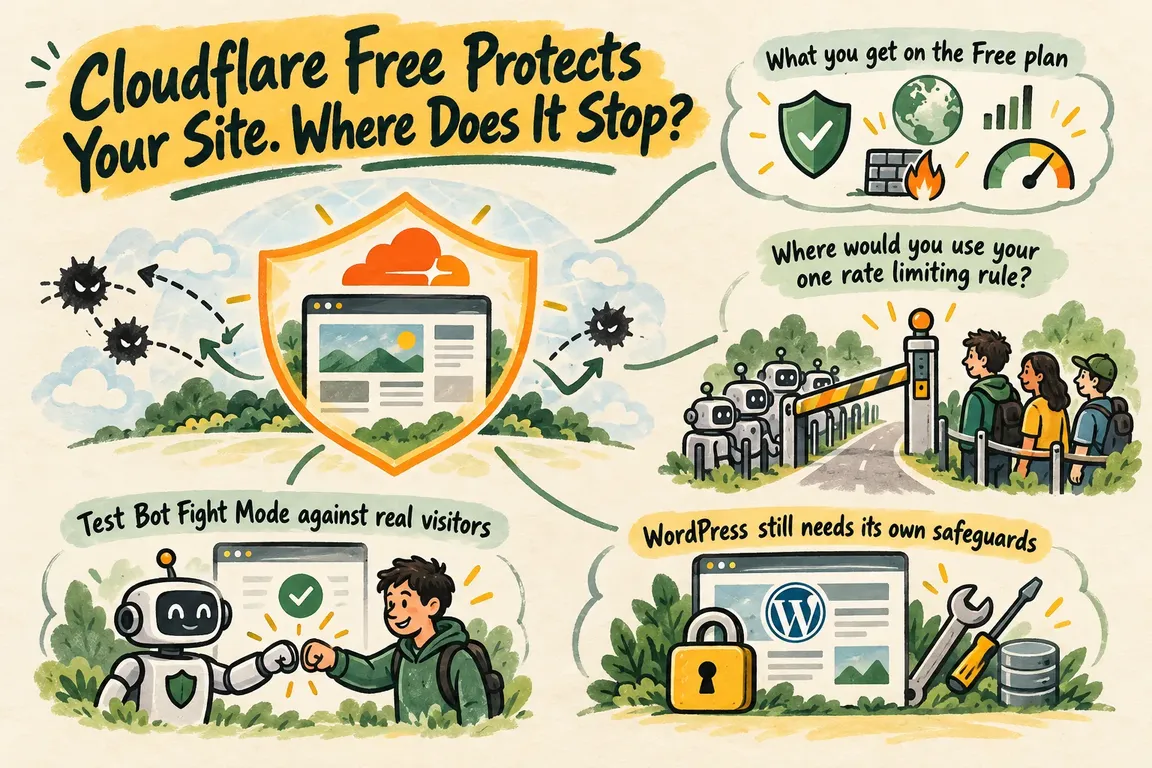
What you get on the Free plan
Cloudflare says DDoS protection runs automatically on every plan. The Free plan also includes Web Application Firewall (WAF) custom rules, the Free Managed Ruleset and one rate limiting rule. You can review Security Events, though its Free plan logs are sampled. A custom rule can match a request property such as a URL path; a rate limiting rule can act when matching requests arrive too quickly. Cloudflare lists the features by plan in its WAF overview.
Some examples you find online assume controls that Free does not include. The broader managed rulesets require a paid plan, and the WAF attack score is unavailable on Free. Before copying a rule, check that its score, ruleset and rule allowance exist on your plan.
Where would you use your one rate limiting rule?
On WordPress, /wp-login.php and /xmlrpc.php deserve a look. WordPress recommends limiting login attempts at the edge or web server. It also advises disabling XML-RPC when it is unused, or restricting and rate limiting it when an integration needs it. Blocking /xmlrpc.php without checking could break a mobile app or another service. The WordPress brute force guidance explains those dependencies.
With one Cloudflare rate limiting rule, you need to choose which requests it covers and what happens when the threshold is reached. The login path may be the priority. A shop, membership site or site with integrations may have another route that matters just as much. Use the site's traffic to make that call; a threshold copied from another website tells you little about your own users.
A rate limit also has a clear boundary. Attackers can spread password guesses across addresses or send them slowly enough to stay below a simple threshold. Set the limit too tightly, meanwhile, and people sharing a network may be caught by it. The OWASP discussion of brute force attacks explains why an IP based rule works best alongside other account safeguards.
Test Bot Fight Mode against real visitors
Bot Fight Mode is an on or off control on the Free plan. It challenges traffic that matches known bot patterns, but Cloudflare says you cannot customize it or skip it with a custom rule. If it challenges a legitimate monitoring service or payment processor, a custom exception will not fix that conflict. Cloudflare's feature interoperability guidance points to two options: turn Bot Fight Mode off or consider a plan with Super Bot Fight Mode, which supports more control and skip rules.
Check what happens on the journeys that matter: an enquiry form, a checkout, an administrator login and any service making automated requests. Security Events can help identify which feature acted, but remember that Free plan logs are sampled. A higher count of challenged requests is only good news if the right requests are being challenged.
WordPress still needs its own safeguards
Cloudflare can stop unwanted traffic before it reaches the server. Requests that pass through still meet WordPress and its accounts. WordPress recommends strong, unique passwords, two factor authentication for administrators, current core software, themes and plugins, and monitoring for unusual authentication activity. Keep administrator access limited and give routine users only the permissions they need. These measures also matter if someone already knows a password.
Make a deliberate decision about XML-RPC. Disable it if the site does not use it; if an integration depends on it, restrict and rate limit it. Check login rules against normal administrator access, too. A rule that locks out the person maintaining the site needs adjusting.
| What you see | What to check | Next step |
|---|---|---|
Repeated requests to /wp-login.php |
Who needs to log in, and from where? | Consider a targeted rate limit and strengthen administrator accounts. |
| A monitoring or payment service is challenged | Which Cloudflare feature acted? | Review Bot Fight Mode; it cannot make an exception on Free. |
| Several sensitive routes need different limits | Can one rate limiting rule cover them sensibly? | Assess a paid plan or controls at the server. |
| Login attempts come from many addresses | What do authentication logs show? | Add account and server safeguards alongside the edge rule. |
When does paying make sense?
An upgrade has a clear case when a requirement exceeds the Free controls: you need separate rate limiting rules, an exception for legitimate automation affected by Bot Fight Mode, or a broader managed ruleset suited to the application. Those are reasons to assess a paid plan, not a reason for every business site to buy one.
Server and application controls may also help. WordPress describes server level protection for login and XML-RPC traffic, while noting that login plugins still consume PHP resources under attack. What you can use depends on the traffic pattern and the access your host provides. If an edge rule cannot express the control you need, check what the server and WordPress can enforce.
A practical review begins with the paths receiving unwanted requests, the people and services that need those paths, and what Security Events and authentication logs show. Then configure the available rules, test enquiries, sales and administration, and record any exposure that remains. Revisit the setup when traffic or integrations change.
Cloudflare Free is a credible starting point when its rules reflect the site's real traffic. If your website depends on enquiries or sales, it is worth finding the point where one rule, limited bot controls or missing account safeguards leave a problem you still need to solve.
Related on GrN.dk
- Cloudflare Service Keys: Audit Old Automation Before September 30
- From Supplier PDFs to Product Data: Where AI Needs a Second Check
- One Webform Release, Twenty Advisories: Audit Every Drupal Site
Need help with this kind of work?
Get a practical website security review Get in touch with Greg.