By Greg Nowak. Last updated 2026-09-22.
A supplier contract can be filed correctly and still prove costly if overlooked. The PDF may be stored in Dropbox, an email folder or on a shared drive. But the termination, renegotiation or price-adjustment date appears only inside the document. Unless that deadline is also entered in the right calendar with a named person responsible, the process depends on memory and manual routines.
Could your business use this? nowa.dk sets up AI automation for Danish companies.
Document AI can bridge the gap between the contract folder and day-to-day operations. When a document is added or changed, the system reads it, suggests the relevant contract details and sends the result for review. Reminders are created only after approval. The AI’s output should therefore be treated as an informed, documented suggestion—not as a definitive legal interpretation.
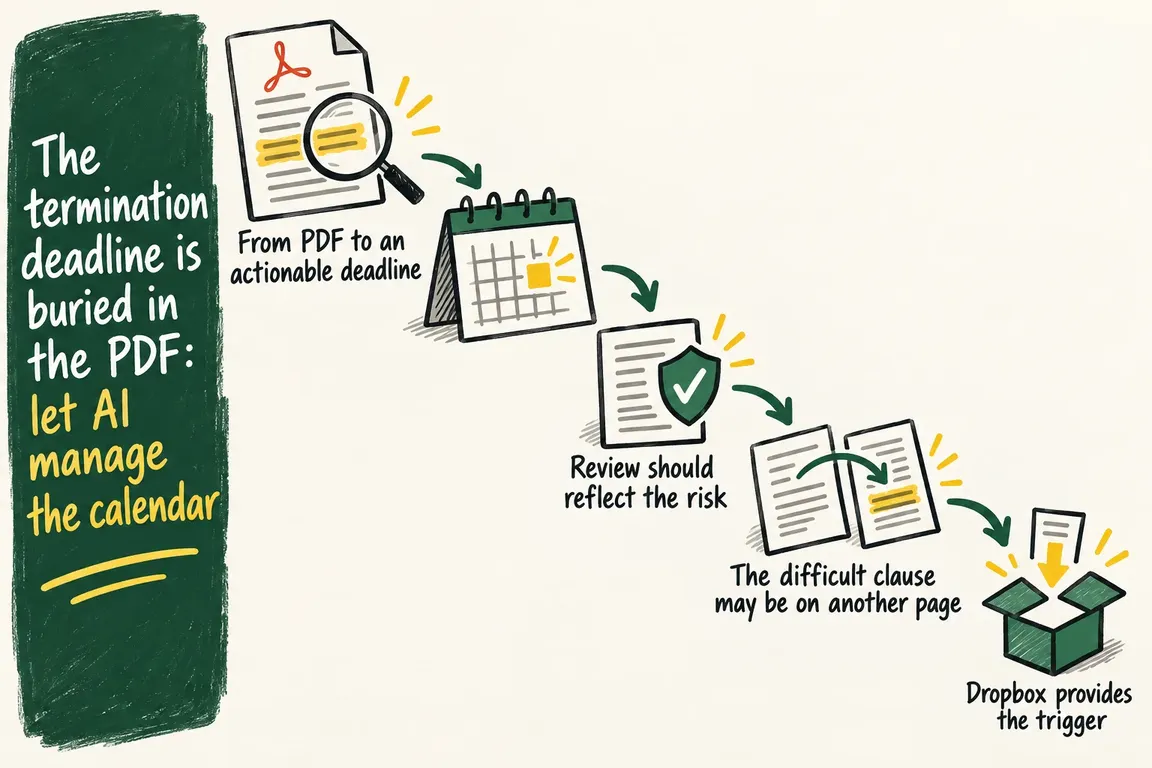
From PDF to an actionable deadline
An effective contract workflow requires a standard schema. For each agreement, it might include the supplier, start date, expiry date, notice period, price adjustment, internal owner and signature status. Google’s Custom Extractor lists contracts as a relevant document type and can be adapted to the fields a company actually uses.
Extracting text alone does not solve the problem, however. Wording such as “three months’ written notice before the end of the term” must be converted into a date and a specific action. Store both the calculated date and the text excerpt on which it is based. This allows the person responsible to check the wording, date and document version in the same workflow.
| Step | System task | What a person checks | Result |
|---|---|---|---|
| 1. File change | Detects a new or amended contract | Normally no review | The document is sent for analysis |
| 2. Field extraction | Identifies the supplier, term, notice period, price adjustment and signature status | Missing and uncertain fields | A structured contract record |
| 3. Deadline calculation | Suggests an action date based on the expiry date and notice period | The date is checked against the source excerpt | An approved deadline |
| 4. Calendar | Creates or updates a reminder | The owner and timing of the reminder | A visible task in the work calendar |
| 5. New version | Analyses the document again | Changed key fields | An updated contract record and calendar |
Review should reflect the risk
Custom Extractor returns a confidence score between zero and one for each entity it identifies. This indicates how confidently the model associates a suggested value with the relevant field, allowing different thresholds to be applied. A clearly stated supplier name might proceed automatically. A termination deadline with lower confidence should always be referred to an employee.
The consequences of an error should also be considered. An incorrect internal category is rarely as significant as an incorrect termination date. A single threshold for every field therefore makes little sense. Critical dates should be sent for approval together with the relevant text excerpt. The system can also flag inconsistencies between the expiry date, contract term and notice period.
Newer features can infer information from a document’s context and detect whether a signature is present. Google’s documentation on derived fields and signature detection describes these features as being in preview. A detected signature means only that the model has found visual evidence of one. It establishes neither the validity of the agreement nor the signatory’s authority.
The difficult clause may be on another page
Contracts present a significant technical limitation: Derived fields are generated one page at a time. Information that requires a combined interpretation across multiple pages is therefore not fully supported. The expiry date may appear in one place, the notice period in another and an exception in an appendix.
This makes the distinction between directly extracted text and calculated conclusions important. Wherever possible, dates and wording should be extracted as specific text excerpts with page references. A fixed rule can then calculate the action date and display it alongside the source fields. If the information appears on different pages, or the system finds an exception clause, the contract should be sent for manual review.
Dropbox provides the trigger
If the contracts are stored in Dropbox, a webhook can initiate the process when a user adds, changes or deletes a file. Dropbox’s webhook documentation highlights an important detail: The notification does not contain the file change itself. It identifies which accounts have changes. The integration must then retrieve those changes and keep track of its progress.
This affects the practical design. The webhook must be received quickly, while document retrieval and analysis take place afterwards. Several notifications may arrive almost simultaneously. The workflow must therefore recognise repeat notifications so that the same contract does not trigger multiple identical reviews or calendar events. Dropbox also sends a signature with the webhook request, which the integration can validate before processing begins.
Approve the deadline before changing the calendar
Once the contract record has been approved, the integration can create the calendar event. In Microsoft 365, Microsoft Graph’s event resource supports properties including the subject, description, start time, reminder and sensitivity. A client-defined transaction identifier can help the server avoid creating an additional event if a creation request is repeated after, for example, a timeout. Events can be updated, and Graph supports both change notifications and ongoing tracking of additions, changes and deletions.
If the company uses Google Workspace, the Google Calendar API can serve the same purpose. An event is created in a selected calendar with mandatory start and end times. A description, attendees and reminders can be added. A custom event ID can link the contract record to the calendar event and reduce the risk of duplicates if creation has to be attempted again.
The calendar entry itself must be useful to the colleague who receives it. It should state which contract is involved, what decision needs to be made, who owns the task and where the approved document version is stored. Reminders must also reflect the actual time needed to make the decision. A deadline three months before expiry helps only if the internal review starts early enough to obtain prices, negotiate and secure approval for an alternative.
Settle the practical decisions first
Before work begins, the company must select the authoritative contract folder, define the required fields and assign responsibility for each supplier agreement. It must also be clear which fields always require approval, how a new document version is identified, and whether a change should update the existing calendar event or trigger a new review.
Start with one contract type and a manageable number of active agreements. You can then compare the suggestions with the actual documents, adjust the confidence thresholds and identify wording that requires special rules. Once the workflow operates reliably, it can be extended to more folders, supplier types and responsible teams.
Through nowa.dk, an AI automation service for Danish companies, Greg can design the workflow around your existing contract folder and calendar. This can include monitoring document changes, extracting the agreed fields, displaying source excerpts for approval, and subsequently creating or updating reminders in Microsoft 365 or Google Calendar.
The result is a workflow in which every important deadline can be traced back to the contract. Each one has a source excerpt, an approval, a designated owner and an unambiguous calendar entry. This makes it far easier to manage contracts as an ongoing operational task—before a missed date limits the company’s options.
Related on GrN.dk
- Montørens talenote skal blive til en arbejdsordre – ikke rå lyd
- Kundeindbakken må sortere sig selv – men ikke kommandere din AI
- Samme kunde, tre kundekort: AI-oprydning med styr på historikken
Need help with this kind of work?
Review your contract workflow Get in touch with Greg.










