By Greg Nowak. Last updated 2026-10-06.
Which products should you reorder now to have them in stock for Black Friday? That depends on both demand and what suppliers can deliver in time. Buy too much, and you tie up capital in inventory. Buy too little, and popular sizes and colours could sell out while the campaign is still running.
Could your business use this? nowa.dk sets up AI automation for Danish companies.
Use October to trial a daily list of reorder recommendations. The list brings together sales, stock levels and expected demand, and explains each recommendation. The person responsible for purchasing approves the recommendations while your existing purchasing process continues. This lets you assess whether the list is reliable before it starts influencing purchases.
In AWS’s architecture example from 11 September 2026, Chronos-2 forecasts are combined with fixed calculations and checks against purchasing rules. AI agents coordinate the workflow, and standard functions perform the calculations. The example provides a technical starting point for a Danish online store: every recommendation must be explainable and verifiable by the person who will spend money on it.
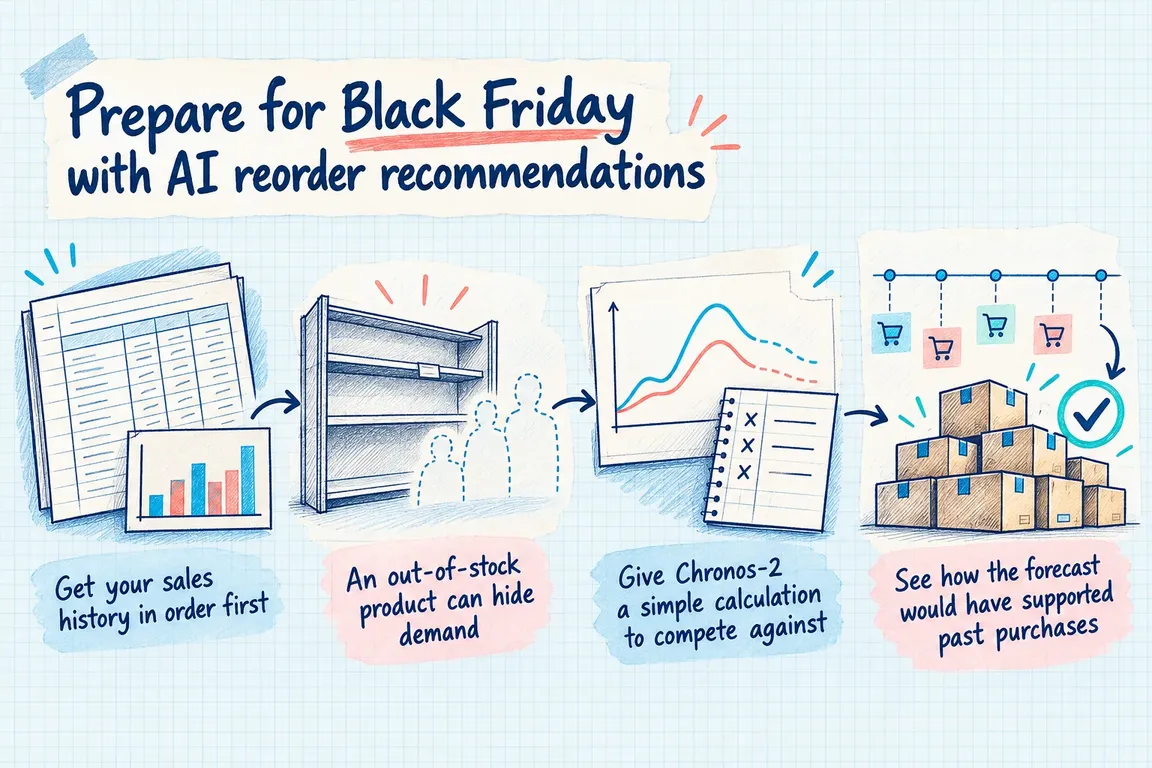
Get your sales history in order first
Start with a limited selection of products where reordering matters to the campaign. Work at variant level. Sales of one size or colour may follow a different pattern from sales of the product as a whole. Also decide which channels the calculation should cover, so online orders and any sales in physical stores are treated consistently.
Shopify’s orders documentation explains how to retrieve orders, including their status and line items, and how to filter, sort and retrieve results page by page. The data extraction must include all relevant pages. Also check that the integration’s access actually covers the historical period you want to use.
Next, agree on what counts as a sale. Handle test orders and cancellations separately, and record returns and refunds. A refund does not automatically mean the product is back on the shelf and ready to sell. Keep the original demand, the return and the restocking separate in your data. Before sending the history to the model, check that the figures for selected variants match those your staff already work with.
An out-of-stock product can hide demand
Zero sales on a given day may mean nobody wanted to buy the product. It may also mean nobody could buy it. Flag out-of-stock periods separately. Otherwise, the calculation may treat sales constrained by stock availability as a measure of the demand you need to buy for.
Shopify’s inventoryItems documentation shows how to retrieve inventory items. The example includes identification, SKU and information on whether inventory is tracked. It provides a starting point for linking products to inventory data, but a current extract does not, by itself, tell you when a product was previously out of stock. If that history is missing, start saving daily stock snapshots. Make the gaps visible in the recommendations rather than filling them with invented sales figures.
Give Chronos-2 a simple calculation to compete against
Amazon Science’s Chronos project includes forecasting code and examples. Chronos-2 can generate forecasts without separate training on each product’s dataset and incorporate additional information, including values known for the upcoming period. The project also demonstrates forecasts with quantiles, which can be used to describe uncertainty.
That makes the model worth testing. Whether it produces better purchasing recommendations for your business requires a comparison using your own data. For example, use average sales on comparable days of the week as a simple baseline. Both methods must use the same history and forecast the same period. Also agree on how campaigns are included, so differences in inputs do not look like differences in model quality.
See how the forecast would have supported past purchases
Test the calculations from several dates in the past. At each date, they must use only information that was known at the time. Then compare the forecast with the sales that followed. The forecast period must fit the purchasing decision and account for both lead time and the interval between your orders.
Look at how far the calculations miss the mark, and whether they overestimate or underestimate. The overall result may look reasonable even if the model underestimates the variants you plan to feature for Black Friday. Review results by product and separately for ordinary weeks, campaigns and periods with incomplete inventory information.
Record planned discounts and campaigns as explicit assumptions. If you do not have comparable historical data for a particular type of campaign, the buyer must be able to see that. Agree in advance on the results required before you continue using the model. You can still use the simple calculation for products where it performs best.
A purchasing recommendation must fit delivery, inventory and budget constraints
The AWS example calculates purchasing requirements from expected sales during the lead time, safety stock and current inventory. It then factors in minimum order requirements and checks the budget and storage capacity. The forecast thus becomes part of a purchasing decision with fixed limits.
Document your own rules for each supplier or product group. This also applies to products already on order: how are they counted, and when do you expect them to be available for sale? Total inventory only helps if the products are available to the sales channel covered by the forecast.
| Check | Information on the list | Buyer’s assessment |
|---|---|---|
| Underlying data | Latest update and gaps in the history. | Is the data good enough to place an order? |
| Delivery | Expected arrival and campaign requirements. | Can the product be ready for sale in time? |
| Inventory | Available products and relevant incoming orders. | Has inventory been calculated for the right channel? |
| Order requirements | Minimum order and agreed pack size. | Does the quantity meet the supplier’s terms? |
| Cost | Cost of the recommendation and total purchasing spend for the day. | Is there room in the budget and in storage? |
| Uncertainty | Assumptions that require manual assessment. | What needs to be clarified before approval? |
The morning list must be ready to use
The daily run must produce a prioritised list showing the product, recommended quantity, expected arrival, purchase price and reasoning. If the AI recommendation differs significantly from the baseline calculation, show the baseline as well. The buyer must be able to assess the difference without first gathering figures from several systems.
Let staff approve, change or reject a recommendation and save a short reason. Perhaps the campaign plan has changed, or the lead time has not yet been updated. Use these records to correct inputs and rules. Also decide how approved recommendations are recorded, so the next day’s list accounts for purchases already set in motion.
Assess the budget across the entire list. Several purchases may each make sense individually but together tie up more capital than you have allocated. If data is missing or rules conflict, the list must show what needs to be clarified and who makes the decision.
Use October to test the whole workflow
First, get data access, the links between variants and inventory items, and supplier terms in order. Then test the forecasts and run the daily list alongside your existing purchasing process. This gives staff a chance to review the recommendations before they are used to place orders.
Record which recommendations are changed, the reasons for those changes and how long the review takes. Before Black Friday, you should be able to identify the product groups with sufficient underlying data and those that still require close manual assessment. If the lead time is already too long for a reorder to arrive in time for the campaign, make that clear on the list.
Through nowa.dk, his AI automation service for Danish companies, Greg can help with a focused trial. The work can cover Shopify data extraction, handling returns and out-of-stock periods, comparing Chronos-2 with a simple calculation, and a daily list for approval. Start with your most important campaign products and a specific purchasing decision. That gives you a practical basis for assessing whether the workflow helps your business.
Related on GrN.dk
- Jeg bygger AI-agenter til små virksomheder. Jeg mangler en, der kan sælge dem.
- Drupal 10's December 2026 Deadline: Start With the Upgrade Inventory
- Fra salgsmøde til CRM: Automatisér opfølgningen uden datarod
Need help with this kind of work?
Talk to Greg about a trial before Black Friday Get in touch with Greg.










