By Greg Nowak. Last updated 2026-09-29.
A customer is on your booking page after hours. She wants to know whether you can handle the job, what it will cost, and when she can get an appointment. An AI assistant can help her take the next step. But if it promises a price or completion date that no one has approved, the first conversation begins with a staff member having to take that promise back.
Could your business use this? nowa.dk sets up AI automation for Danish companies.
That is why it is worth deciding exactly what the assistant may answer. It can explain approved services and guide customers to booking. Questions that require an assessment of the customer’s specific job should go to a person.
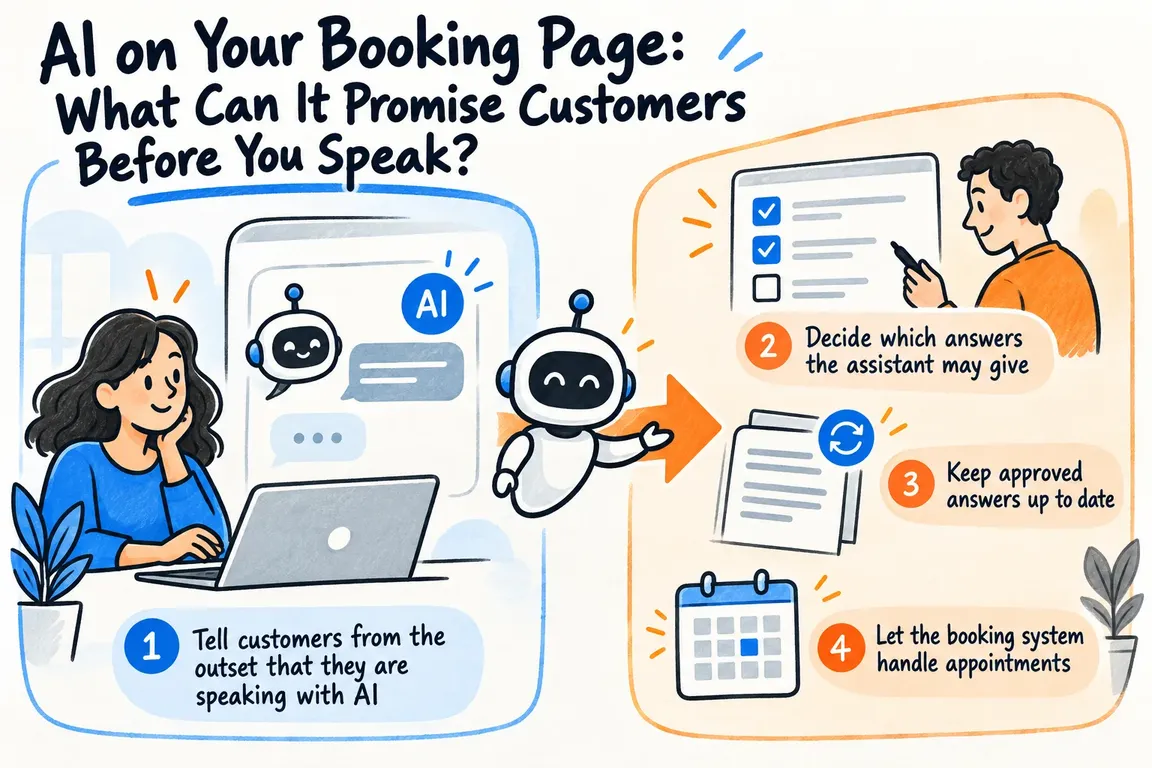
Tell customers from the outset that they are speaking with AI
Customers should be able to see who is answering. The European Commission’s guidance on transparency under Article 50 of the AI Act describes requirements for certain AI systems that interact directly with people. The rules apply from 2 August 2026.
A short introduction can tell customers that they are chatting with an AI assistant, what it can help with, and how to reach a staff member. Show it before the conversation starts. Make the option to speak with a person easy to find throughout the conversation, too.
Decide which answers the assistant may give
Start with questions you can already answer from approved service pages: What services do you offer? Where do you work? What happens at an initial meeting? Prices, capacity, and delivery times, by contrast, may change or depend on the job. Other questions require professional judgment. Those boundaries should be part of the assistant’s remit.
| The customer asks | The assistant can | Pass it to a staff member when |
|---|---|---|
| What services do you offer? | Describe approved services and point to the relevant page. | The customer’s need falls outside what is described. |
| What does it cost? | Give a published price and explain what it covers, or explain what a quote depends on. | The price requires more information or an assessment of the job. |
| Can I book an appointment? | Show a booking link for the relevant meeting type. | The customer needs a special arrangement. |
| Can you guarantee a date or an outcome? | Explain the approved process. | The answer would amount to a specific promise. |
Price is a good way to test the boundary. If you have published a fixed price for a clearly defined service, the assistant can give that price and explain what it covers. If the job needs to be reviewed first, it should say so and suggest the next step. It must not guess an amount or turn an indicative price into a final quote. The same boundary applies to when work can begin or be completed.
Keep approved answers up to date
Choose a limited set of service pages and descriptions that the assistant may use, and make a staff member responsible for the content. State the limits clearly too, for example that a final price is agreed only after the job has been reviewed. When a service or workflow changes, update the approved text and then check the assistant’s answers.
For a WordPress site, the documentation for the WordPress REST API for posts shows that published posts can be retrieved with details including their content and modification time. This can help keep approved posts current in the assistant’s knowledge base. Service pages may be organized differently from posts; how they are accessed and selected must be established for the specific setup. A WordPress connection does not decide which claims the business is prepared to stand behind.
After a change, someone should ask the questions customers are likely to ask about the new text. Check prices, geographic coverage, and promises about timing in particular. With a narrow remit, this is a manageable editorial routine.
Let the booking system handle appointments
The assistant can direct customers to the right meeting type without claiming that an appointment has been reserved. Calendly’s documentation shows how an application can retrieve and send a booking link for an event type and retrieve available times for display. The booking itself is completed through the process that manages the calendar.
Keep the number of meeting categories small. An initial call and a visit to the customer’s address may require different information and amounts of time, if you offer both. The assistant should be able to direct the customer to the right option. If the customer’s needs are unclear, it can ask for a brief clarification or offer contact with a staff member.
Collect information when it is needed
A name and contact details may be needed to make a booking. They are not necessarily relevant while a customer is simply asking about a service. Decide what information each step requires, and consider letting the booking process collect the details needed for the reservation.
In its guidance for small businesses, Denmark’s Data Protection Agency (Datatilsynet) says customers must be given information about how their personal data is processed when it is collected directly from them. That information must cover, among other things, the purpose, retention period, and any recipients. Review both the chat and the booking form: When do you ask for a name, phone number, or other details? Who receives them? And where does the customer see the explanation when the information is requested?
If a customer volunteers sensitive or highly detailed information in the chat, the assistant should not keep asking for more. It can show the contact route you have chosen for matters that require personal attention.
Make the handoff part of the conversation
When a price or delivery time requires an assessment of the specific job, the assistant can say so directly and offer a meeting or contact with a staff member. If the customer chooses to pass the question on, the staff member should be able to see what it is about. That way, the customer does not have to start over.
Through nowa.dk, his AI automation service for Danish companies, Greg can help build a focused process with approved answers, a clear introduction to the AI assistant, a booking connection, and a clear route to a person. Start with the common questions. Can customers get accurate answers and find a suitable appointment without the assistant promising more than the business can deliver? Once that works, you can add topics one at a time.
Related on GrN.dk
- Fra salgsmøde til CRM: Automatisér opfølgningen uden datarod
- Hvad spørger kunderne om? Lad AI læse mønstrene i supporten
- Kundeindbakken må sortere sig selv – men ikke kommandere din AI
Need help with this kind of work?
Talk to Greg About AI for Your Booking Page Get in touch with Greg.