By Greg Nowak. Last updated 2026-11-04.
A PDF can look perfectly readable on screen and still send missing or scrambled text into an AI search system. If answers from scanned manuals or archived records are disappointing, check what reached the index before spending more time on prompts.
Start with a passage someone actually needs. Does the maintenance procedure still have its steps in order? Does the specification retain its units and headings? The upload may have completed, but the extracted content needs to preserve what the page says before you build further search behaviour around it.
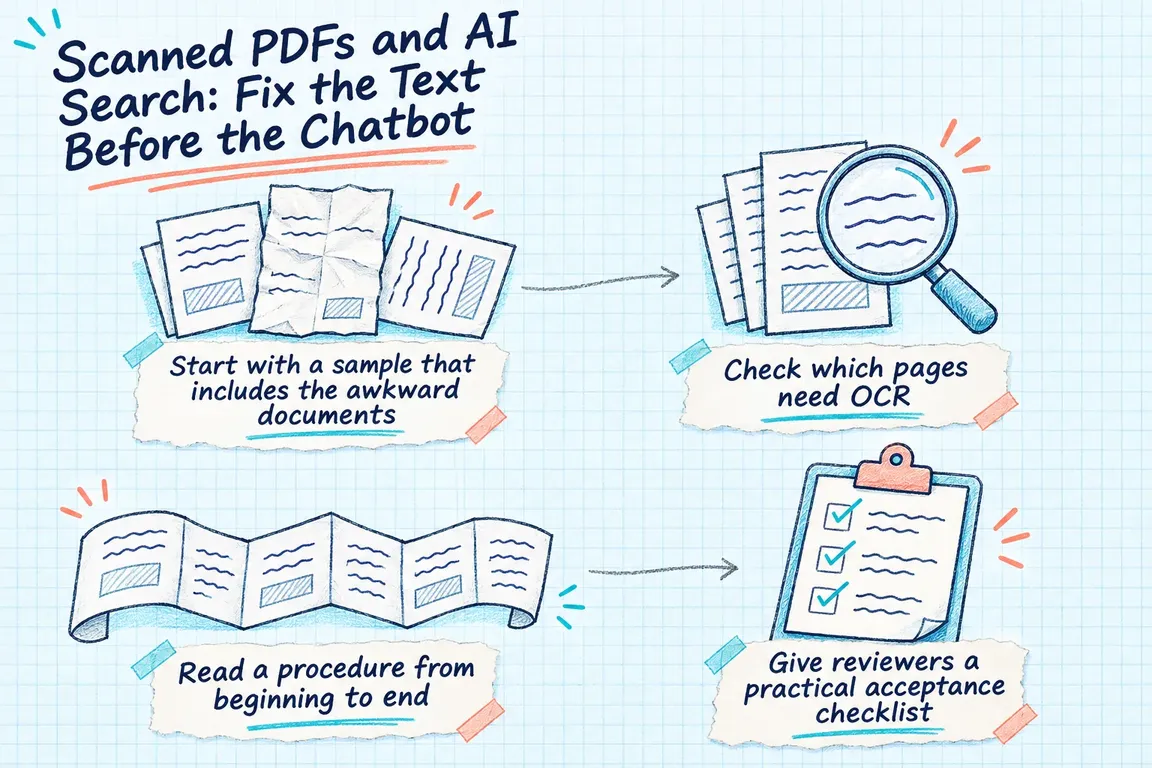
Start with a sample that includes the awkward documents
Choose a clean digital PDF, an older scan, a document with several columns, and a manual containing tables. Include documents that mix digital and scanned pages. The sample should reflect the material people need to search, including the files most likely to cause trouble.
Put each original page beside its extracted text. Look for missing content, selectable text that differs from the visible page, and headings or paragraphs that appear in the wrong order. Record the document, page, extraction settings, and problem so someone else can repeat the check.
Agree what acceptable output means for the intended use. A procedure needs its sequence and warnings preserved. A specification needs the right value, unit, and applicable item. Those are useful approval criteria; the presence of text alone tells you much less.
Check which pages need OCR
Optical character recognition, or OCR, adds a text layer to scanned content. The OCRmyPDF Cookbook covers this process, along with page orientation correction and deskewing. These solve different problems: rotate a sideways page; deskew a scan that is slightly tilted.
The language settings also matter. And any image processing needs a visual check, because it can remove content you wanted to keep or introduce artifacts.
There is another easy detail to miss: an OCR sidecar text file may not contain the whole document. OCRmyPDF’s documentation explains that pages with existing text, and some skipped pages, are absent from that file. A nonempty output file therefore does not establish that every page is covered.
Compare coverage against the original PDF. Keep the originals available, inspect the processed pages, and record which pages were recognised or skipped. If an instruction is visible on the page but absent from the extracted output, resolve that gap before indexing the document.
Read a procedure from beginning to end
Correctly recognised words can still arrive in the wrong sequence. Follow a complete extracted procedure alongside the original page. Watch for another column interrupting a paragraph, a heading landing above the wrong section, or a warning becoming detached from the instruction it qualifies.
Unstructured’s partitioning documentation describes the PDF strategies fast, hi_res, ocr_only, and auto. Automatic selection depends on document characteristics and processing options. It does not independently assess the quality of the result.
The documented tradeoffs deserve a test on your own sample. Unstructured identifies difficulties with multicolumn reading order under hi_res and recommends ocr_only for multicolumn documents without extractable text. It also specifies hi_res for PDF table extraction. Check column order and table extraction separately rather than assuming one setting will handle both.
Keep a short decision record: the layout that failed, the alternative you tried, and whether the new output follows the page correctly. That gives whoever maintains the pipeline a reason for the setting.
Give reviewers a practical acceptance checklist
Use these suggested checks before indexing, then repeat the relevant ones on passages returned by search. Each check should produce something a reviewer can inspect.
| Check | Compare | What needs to pass |
|---|---|---|
| Text coverage | Visible page content against extracted text | Required content is present, with omissions recorded for review. |
| Reading order | Extracted sequence against columns, steps, headings, and warnings | The instruction keeps its original order and qualifications. |
| Table relationships | Extracted values against row labels, headers, units, and notes | A reader can tell what each value applies to and how to interpret it. |
| Retrieved passage | The search result against its original page | The excerpt supports the requested answer and can be traced to its source. |
Keep table values attached to their meaning
For a table, recognising the characters is only part of the job. Pick a value and ask a reviewer to identify its heading, row label, and unit using the extracted output alone. If they have to reopen the PDF to reconstruct those relationships, flag the output before approving it for search.
Microsoft’s Document Intelligence layout documentation describes extracting text, tables, and document structure. In v4.0’s 2024-11-30 API, Markdown output uses HTML tables to support merged cells and multirow headers. Inspect what that representation preserves before converting everything to plain text.
Microsoft also notes that table bounding regions in that version exclude associated captions and footnotes. Review those surrounding qualifications too. The detected table may not contain everything needed to interpret a value.
Use a business question to judge the result: can this passage establish the applicable specification or condition? If you divide a table into smaller passages, each one needs the labels and qualifications required to answer that question.
Compare search results with the pages they came from
Once extraction passes review, test what search returns. Retrieval-augmented generation, or RAG, connects retrieved document material to an AI model’s response. Inspect that material alongside the final answer so you can see where a problem enters the process.
The PyMuPDF RAG documentation covers Markdown, structured JSON, and text output, as well as chunk preparation and integrations with retrieval frameworks. These give you implementation choices. You still need to check the content passed to the next stage.
Build a small question set with answers on known pages. Include a procedure, a table lookup, and an answer that depends on a qualification. For each question, record the expected source passage, the passage search returned, and whether that passage supports the answer.
The comparison helps direct the next piece of work. If extraction omitted the content, fix extraction. If the extracted text is correct but search returns an incomplete passage, examine passage boundaries or retrieval. If the retrieved evidence is complete and the answer mishandles it, investigate prompts and response behaviour. Some failures will have more than one cause, but this gives you a way to narrow the investigation.
Make the first deliverable something you can inspect
A useful first engagement would leave you with an annotated document sample, a record of extraction decisions, and a repeatable comparison between original pages and retrieved passages. Agree who reviews exceptions and what must pass before expanding to the rest of the collection.
Greg could help audit the sample and build a Python OCR and extraction pipeline around the findings. That work could include page checks, processing choices for different document types, preserved source references, and a review queue for unresolved material. You would have concrete evidence to decide where further investment in AI search is likely to help.
Related on GrN.dk
- Apache 2.4.68: What to Check Before You Call It Patched
- Before an AI Assistant Issues a Refund, Put Approval in Its Path
- AI Content on Google: Which Pages Are Worth Keeping?
Need help with this kind of work?
Discuss your PDF and AI search project Get in touch with Greg.