By Greg Nowak. Last updated 2026-11-01.
Any workflow still calling Claude Sonnet 4.5 needs attention this month. Anthropic currently lists 30 November 2026 as its tentative retirement date on the Claude API. The deprecation schedule marks claude-sonnet-4-5-20250929 as deprecated and says requests to retired models fail. Plan around that deadline, and keep checking for schedule updates.
The first question is where your business still uses it. Document processing, enquiry routing and internal assistants may each depend on a different integration, supplier or configuration. Before switching, you need a clear inventory, evidence that the replacement handles the work, and a deployment plan with a fallback that actually runs.
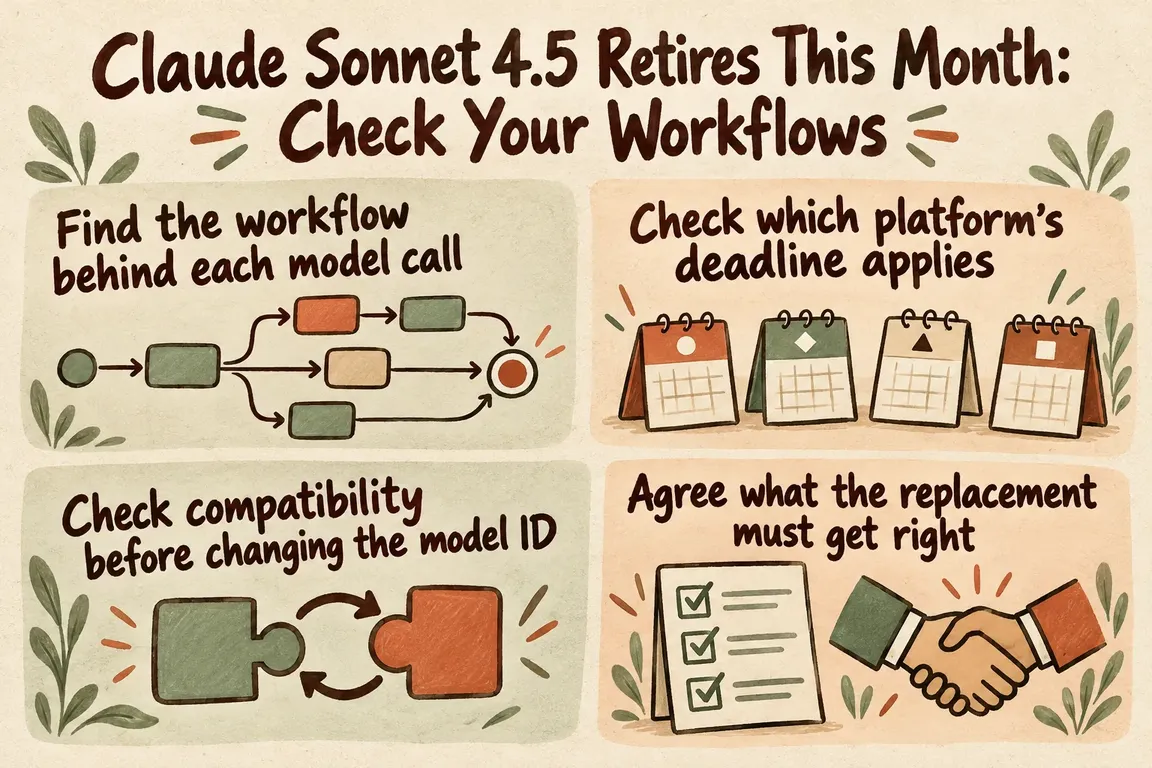
Find the workflow behind each model call
Start with usage records. Anthropic documents an audit route in the Claude Console: open Usage, select Export, then review the CSV by API key and model. That breakdown gives you somewhere concrete to begin tracing applications that still use Sonnet 4.5.
Check application settings, environment variables, scheduled jobs, plugins and automation tools too. Include development and staging. For each integration, ask the maintainer to confirm the provider, endpoint and configured model. An inventory entry that just says “Claude” leaves too much unresolved.
Record what the workflow does, who owns it, how often it runs, where its output goes and what happens when it fails. Use the consequences of an interruption to set priorities and acceptance criteria. A draft held for review can tolerate different errors from a routing step that sends customer enquiries to a particular team.
Where a supplier manages the integration, establish who controls the model switch and what testing evidence they can share. Record any required supplier update and its expected delivery date. Someone inside your business still needs to own the decision that the updated workflow is ready to use.
Check which platform's deadline applies
Confirm whether each integration calls the Claude API directly or uses Amazon Bedrock. AWS says Bedrock lifecycle dates can differ from the model provider's dates. For Bedrock, its documentation says the dates on the model card apply; you can also check lifecycle status through the console and API.
Put the platform and verified deadline beside each dependency in your inventory. If you use a managed product, ask its supplier to confirm the deployment platform. The model name alone doesn't tell you which retirement schedule applies.
Check compatibility before changing the model ID
If you're considering Sonnet 5.5, allow time to review the request and the code handling the response. Anthropic's migration guide documents several changes relevant to a move from Sonnet 4.5:
- Remove
temperature,top_pandtop_k. Sonnet 5.5 rejects these parameters. - Replace fixed thinking budgets with effort settings. Thinking runs by default if you omit the thinking field.
- Read response blocks by type. Code that assumes the answer is in
content[0].textneeds review. Preserve thinking blocks unchanged in tool loops. - Replace assistant prefills and forced tool choices. When using automatic tool choice, check that the required tool is actually called.
- Move structured output configuration from
output_formattooutput_config.format, and review token budgets.
Work through the guide's full checklist for the features your integration uses. The checks above are a starting point.
A useful review follows one complete request through the application. Ask the implementer to show the request, the response handling code and what happens in the next workflow step. Where tools are involved, include a complete tool-use round trip. A successful initial response only covers part of that path.
Agree what the replacement must get right
Build a small acceptance set from real business tasks, using material you have permission to use. Include routine inputs alongside incomplete documents, ambiguous enquiries and cases that should go to a person. Agree on the expected result before comparing models.
Promptfoo's assertions and metrics support repeatable checks for equality, JSON structure, custom conditions, latency and cost. Exact checks suit required fields and routing categories. Where several wordings could be acceptable, give reviewers a written rubric so they judge answers consistently.
The requirements should reflect how people use the output. For document extraction, you might require missing information to remain explicitly missing. For routing, define the allowed destinations and the point at which ambiguity requires human review. For an internal assistant, decide which questions need more information before it can answer. These are proposed acceptance criteria to adapt to your process, with no assumption about either model's performance.
| Workflow | Acceptance check | Evidence to keep |
|---|---|---|
| Document processing | Required fields contain the correct values; missing information stays explicitly missing. | Expected fields and values alongside the extracted output. |
| Enquiry routing | Enquiries reach an allowed destination; ambiguous cases follow the agreed escalation rule. | Expected and actual routes, including cases requiring human review. |
| Internal assistant | Answers are useful and stay within agreed information boundaries. | Answers assessed against a written review rubric. |
| Every workflow | Response handling works, and completion time and operating cost stay within agreed limits. | Results from complete workflow runs compared with those limits. |
While Sonnet 4.5 remains available, run the same inputs through the existing and candidate configurations. Review the differences with the process owner. Keep the agreed business requirement as the acceptance standard: the old model's answer is useful for comparison, but it may contain errors of its own.
Deploy with a fallback you've tested
Set an internal completion date ahead of retirement so there's time to fix failed tests. Name the people responsible for configuration changes, application changes, business acceptance and the deployment decision. Keep the tested configuration with its results, so everyone knows exactly which version they are approving.
Where the system allows it, begin with a limited workflow or a controlled share of the work. Monitor failed requests, invalid outputs, completion time, cost and cases needing manual intervention. Agree in advance which results would pause the rollout, including unacceptable routing or extraction errors.
Test the fallback separately. A supported alternative model needs compatible configuration and its own acceptance checks. For some tasks, a manual review queue may be the more appropriate continuity option. Either way, the plan should explain how to hold unfinished work and resume it without triggering duplicate downstream actions.
Your rollback plan must still work after Sonnet 4.5 retires. Once you've switched, repeat the usage audit and check the configurations listed in your inventory. Close the migration when every dependency has an accountable owner and evidence that it works successfully.
Give someone responsibility for the whole migration
A focused GrN engagement could cover the dependency inventory, coordination of compatibility fixes, representative task testing and deployment with monitoring and a supported fallback. Greg could coordinate developers, tool suppliers and business owners, keeping the work tied to the process your team needs to run.
Bring the names of the tools involved, the workflows they support and any retirement notices you've received. Those details give us a practical starting point for agreeing the scope, responsibilities and evidence needed before you switch.
Related on GrN.dk
- Apache 2.4.68: What to Check Before You Call It Patched
- When the AI API Says “Try Again,” What Does Your Customer See?
- Your AI Workflow Runs on One Person’s API Key. Now What?
Need help with this kind of work?
Discuss your AI workflow migration Get in touch with Greg.










