By Greg Nowak. Last updated 2026-10-01.
A colleague asks an internal AI assistant how to complete a routine process. It gives a clear answer and cites the handbook. The trouble is that the handbook has been replaced. This is an illustrative scenario, not a client incident, but it shows the limit of a convincing citation: the link tells you where an answer came from, not whether that source is still approved.
If staff will use an assistant for procedures, the team needs to know which version it found, whether that version is current and whether the person asking may see it. Those checks belong in the way the assistant is run, not just in its launch test.
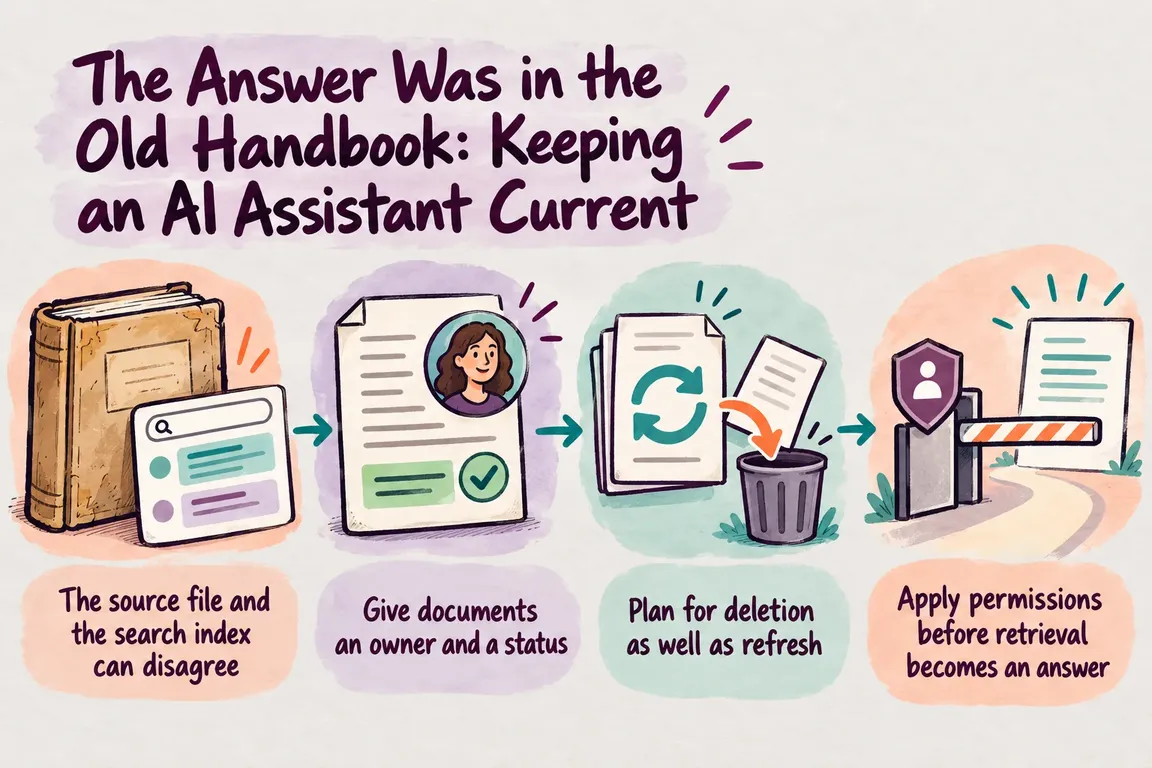
The source file and the search index can disagree
Many document assistants build answers from passages retrieved through a search index. That index holds a searchable copy of selected source material. Changing the original file does not, by itself, establish that every indexed passage has changed. Microsoft’s grounding data guidance treats index maintenance, data lineage, sensitive information and deletion as design concerns.
A revised policy can leave two versions searchable. A file removed from a folder can leave passages in the index. A change in someone’s access can also leave the assistant retrieving content under older rules. Each event needs an appropriate action, followed by a check that the action worked.
Give documents an owner and a status
Start with a register of the documents the assistant is allowed to use. Record a stable source identifier, an owner, the approved version, its effective date, its intended audience and its status. Draft, superseded and withdrawn material should be marked so the ingestion process can exclude it. The owner decides when a replacement becomes authoritative; the system needs to apply that decision consistently.
The OpenAI vector stores API reference describes file attributes, processing status, deletion and store expiration controls. These can help track searchable files, but they cannot determine whether a policy is valid. Store expiration manages the store’s lifecycle. It does not replace an owner’s review date or a rule for withdrawing an individual document.
| Source event | Action | Check |
|---|---|---|
| Approved revision | Index the new version; remove or exclude the old one. | A test answer cites the approved version, and retrieval does not return the old one. |
| Withdrawal | Delete the indexed copy or block it from retrieval. | A search for distinctive text returns no withdrawn passage. |
| Audience change | Update access rules for both the source and retrieval path. | Tests with allowed and disallowed users give the expected results. |
| Processing failure | Keep the file out of answers and alert its owner. | The failure appears in the processing record, and answers do not cite the file. |
Plan for deletion as well as refresh
A scheduled refresh can pick up ordinary edits. In Azure AI Search, an indexer can process new and updated documents when the data source supports change detection. But Microsoft’s indexer guidance makes a useful distinction: resetting and running an indexer does not remove an orphaned search document whose source is gone. Deletion needs a separate mechanism.
When a handbook is withdrawn or replaced, record the source event, the indexed file or document identifier, the removal or exclusion action and the result of a retrieval check. If processing fails, make that failure visible rather than silently continuing to answer from material whose status is uncertain.
Some changes are too urgent for the next scheduled run. A withdrawn safety procedure or newly restricted file may need an immediate retrieval block while the index catches up. That path has to be designed and tested; an indexer alone does not establish that it exists.
Apply permissions before retrieval becomes an answer
Even a current document can be wrong for the person asking. Microsoft describes security trimming as filtering retrieval results according to a user’s authorization. Its guidance also notes that an index may contain copied sensitive information. Access rules therefore have to cover the indexed copy as well as the original folder.
The OWASP Top 10 for LLM applications identifies risks involving weak retrieval access controls and poisoned knowledge sources. Check who can add or edit source documents, retain their origin, and test whether instructions embedded in a document can improperly steer the assistant. A source link helps someone review an answer; it does not control access to the passage.
Retest after the document changes
For each important policy, keep a few realistic staff questions with an expected answer, an approved source and an authorized audience. Run them after a revision, withdrawal or permission change. Read the retrieved passages and citations, not just the final prose. Does the former procedure still appear? Does the assistant say when no approved source is available? Can someone outside the intended audience retrieve the content?
Include a controlled test with an untrusted document containing instructions addressed to the assistant. The point is to see whether those instructions affect its behavior. This turns the risks described by OWASP into checks the team can repeat.
Match the review to the consequences of a wrong answer. A frequently edited internal FAQ may suit automated refresh checks and periodic sampling. A consequential procedure deserves an owner’s sign-off on the replacement and a focused answer test before wider use. Microsoft’s grounding guidance also describes testing a new index alongside the existing one before switching queries to it. The right cadence depends on how often the source changes and what staff may do with the answer.
Start with one collection
A useful pilot has a defined set of documents, named owners, known access rules and a small set of questions to rerun through a real policy change. Connect revision and deletion events to the index, then keep the evidence that each change took effect. That gives the team a clearer basis for deciding where the assistant is dependable and what still needs review before rollout.
Greg can help audit the documents and access rules, set up the refresh and deletion workflow, and build an answer review process around approved sources. If you are planning an internal knowledge assistant, contact GrN to discuss where to start.
Related on GrN.dk
- From Supplier PDFs to Product Data: Where AI Needs a Second Check
- Before You Buy a GPU: Test Your Team’s Local AI Workload
- Zero Data Retention Is a Workflow Audit, Not a Checkbox
Need help with this kind of work?
Discuss an internal knowledge audit Get in touch with Greg.










