By Greg Nowak. Updated 18 September 2026.
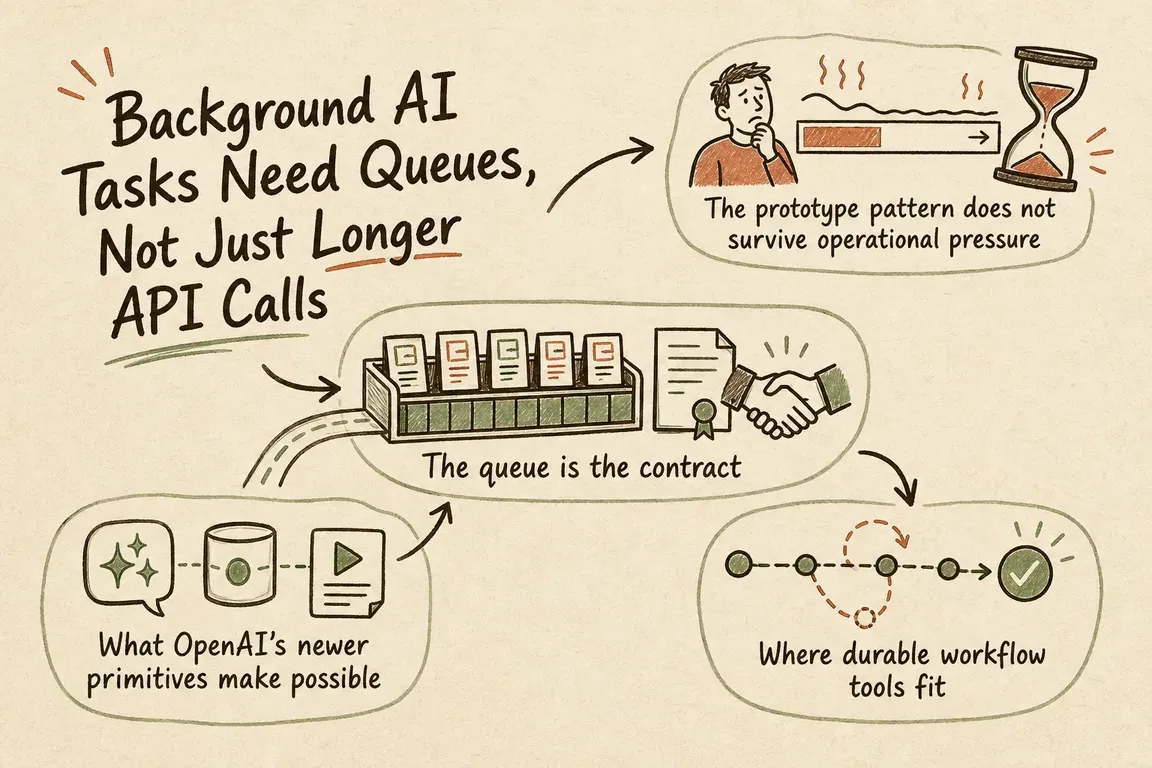
Moving an AI request into the background solves a technical problem: the work no longer depends on a browser tab or one uninterrupted HTTP connection. It does not solve the operational problem of what happens before and after the model runs.
That distinction matters when AI work touches a CRM, helpdesk, CMS, billing platform, or customer communication. The model may finish while another system is unavailable. A webhook may arrive twice. Someone may cancel a job after an external update has already happened. Reliable automation therefore needs two separate records: the provider’s AI response and your organisation’s business job.
Background mode handles waiting, not the whole workflow
OpenAI’s Responses API can run longer tasks asynchronously by setting background to true. Your application receives a response ID and can poll it while its status is queued or in_progress. A minimal current request looks like this:
curl https://api.openai.com/v1/responses \
  -H "Content-Type: application/json" \
  -H "Authorization: Bearer $OPENAI_API_KEY" \
  -d '{
    "model": "gpt-6-astra",
    "input": "Prepare the monthly variance review.",
    "background": true
  }'
This is useful for research, document review, record enrichment and report preparation. But a completed response only means the model has finished. It does not mean finance approved the report, the CRM update succeeded, or the requester is still authorised to apply the result.
Data handling needs an explicit procurement check too. Current OpenAI documentation says background requests from Zero Data Retention projects run with store=false, with response data temporarily stored for roughly ten minutes to support asynchronous execution and polling. Check the current terms against your own contracts, policies and data classification before sending sensitive material.
Create the business job before calling the model
A persistent job record gives the team somewhere to answer ordinary operational questions: Who requested this? Which input version was used? Is approval required? Has the result already been applied? What should an operator do when it fails?
Useful fields include a job ID, job type, requester, permission context, input snapshot or version, intended side effect, idempotency key, AI response ID, retry count, timestamps and any IDs returned by external systems. Keep generated content separate from permission to use it.
Give the job business-readable states such as queued, running, awaiting_approval, applying, completed, failed and cancelled. Do not expose the provider status as if it describes the whole process. “AI response completed” may simply mean “draft ready for review.”
| Workflow | Main risk | Sensible foundation |
|---|---|---|
| Private draft for one employee | Lost result or unclear status | Database job record and worker |
| One CRM, CMS or helpdesk update | Duplicate or failed write | Managed queue, idempotent worker and audit record |
| Several APIs or long waiting periods | Partial completion across steps | Durable workflow with step-level retries and timeouts |
| Customer-facing or irreversible action | Unauthorised or incorrect action | Approval gate, scoped credentials and recovery procedure |
Keep webhook handling deliberately uneventful
A webhook endpoint should verify the signature with OpenAI’s supported SDK helper, deduplicate the event, record enough information for investigation, enqueue substantial processing and return a successful response quickly. Do not make the webhook request wait while you update three other systems.
OpenAI currently retries unsuccessful or slow webhook deliveries for up to 72 hours with exponential backoff. Its documentation also notes that duplicate events can occur and recommends using the webhook-id header for deduplication.
That delivery ID and your business idempotency key solve different problems. The delivery ID prevents one provider event from being accepted twice. The business key prevents the intended action—such as publishing an article or writing a CRM note—from happening twice through any route. Store the resulting external record ID so operators can see what was actually committed.
Cancellation cannot reverse a completed side effect
When a user cancels a job, mark the internal job first and request cancellation of the background response if it is still running. A late completion event should be logged without reviving the job.
Cancellation is not compensation. It cannot unsend an email, withdraw an invoice or reverse a third-party update that has already succeeded. For consequential actions, define the point after which cancellation becomes a separate rollback process—and decide whether that rollback is automatic or requires a person.
When is a queue enough?
A database-backed worker is often sufficient for one model request followed by one controlled action. A managed queue becomes valuable when request handling and processing need independent availability or scaling. Standard queues commonly use at-least-once delivery: Amazon SQS, for example, warns that a message can occasionally be delivered more than once and tells consumers to be idempotent.
A durable workflow engine earns its complexity when work has dependent steps, waits for approvals or external events, or may remain open for days. Temporal is one option: its workflow executions persist state through failures and resume from recorded history. Equivalent services may fit better when the organisation already has a strong cloud-platform preference.
The practical rule is simple: start with the smallest system your team can operate, but do not use a simple queue to hide a multi-step business process that needs explicit state, ownership and recovery.
A focused production checklist
- Snapshot the input so later edits cannot silently change work already underway.
- Define the action that must never happen twice and protect it with an idempotency key.
- Separate generated output from approval to apply it.
- Classify retryable and permanent errors, with retry, time and cost limits.
- Provide an operator view for failed jobs, stalled work and pending approvals.
- Use narrowly scoped service credentials and recheck permissions before consequential actions.
- Log state transitions without putting secrets or unnecessary personal data into logs.
- Define cancellation, compensation and manual recovery before launch.
Start with the handoff, not the prompt
For a first production release, choose one workflow and identify its most consequential handoff. Design the job states, approval rule, duplicate protection and recovery view around that moment before adding more autonomy.
If an AI prototype is ready to touch operational systems, Greg can help turn it into a controlled delivery plan with clear ownership and sensible failure handling. Discuss the workflow and its handoffs before committing to a larger build.
Related on GrN.dk
- A Voice Agent Is Only Ready When the Human Handoff Works
- AI automations need a spend dashboard before the first runaway bill
- OpenAI Computer Use: Browser Agents Need Credentials, Not Demos
Need help with this kind of work?
Discuss your AI workflow Get in touch with Greg.