By Greg Nowak. Updated 15 October 2026.
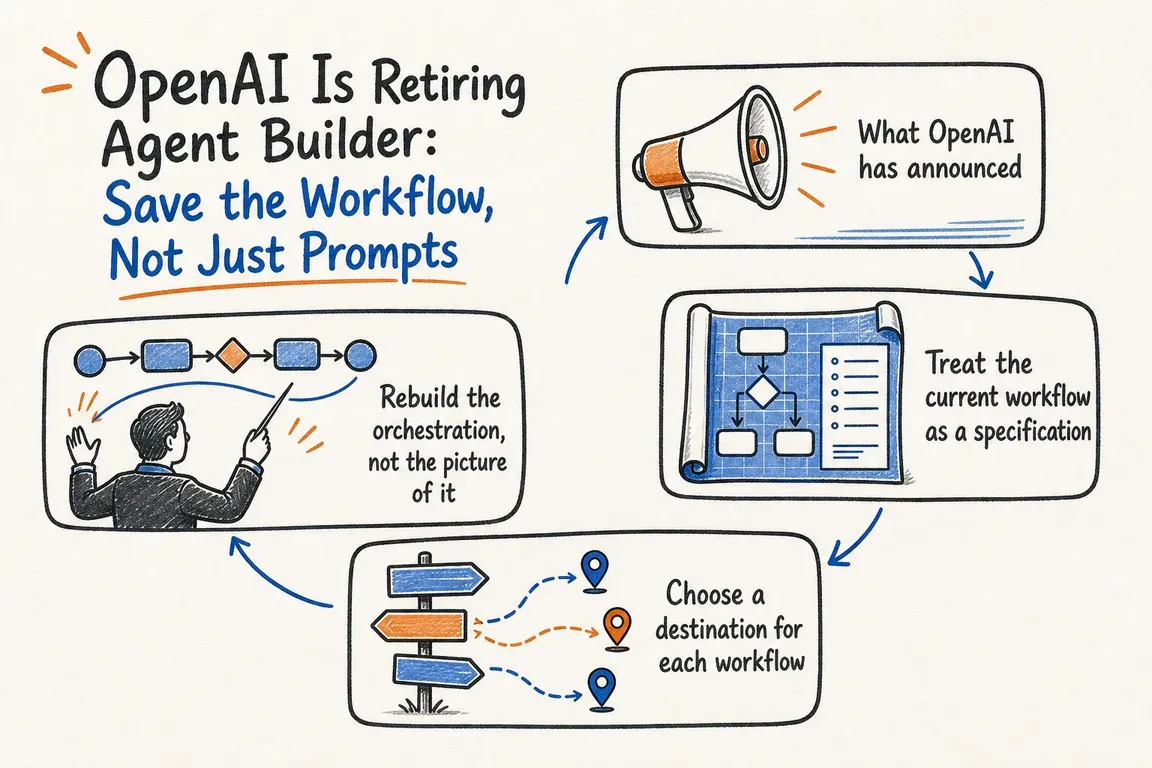
OpenAI is retiring Agent Builder on 30 November 2026. If it handles enquiries, updates business systems or supports a client service, the migration needs an owner and a place in your delivery schedule now.
Saving the prompts is only part of the job. Consider an enquiry workflow that checks availability, drafts a reply and waits for approval before sending it. The replacement needs to preserve that approval, handle an unavailable booking system and avoid sending the same reply twice. A convincing answer in a preview window does not prove those things work.
What is shutting down?
OpenAI’s deprecation schedule lists three related changes: Agent Builder, reusable prompt objects including v1/prompts, and the Evals dashboard and API are scheduled to shut down on 30 November. Existing evals become read-only on 31 October 2026.
ChatKit remains available. However, a website using ChatKit can still depend on an Agent Builder workflow behind the interface. OpenAI’s current ChatKit guidance directs migrating implementations towards a custom server integration with their own server-side agent. Include that backend work in the estimate.
Start with what the business depends on
List each live workflow, its published version, entry points, connected systems and business owner. Ask what happens if it stops: does work wait in a queue, does someone take over manually, or do customers lose a service?
For agencies, establish who owns the account, credentials and replacement code, who approves the release, and who maintains it afterwards. Resolve missing access before booking development time.
Use the following checklist to turn a vague migration request into reviewable work. Archive unused experiments once you have confirmed nothing still calls them.
| Preserve | Record now | Check in the replacement |
|---|---|---|
| Instructions | Prompts, variables, model settings and output formats | Representative requests produce usable results |
| Routing | Branches, conditions, handoffs and stopping rules | Important paths reach the intended outcome |
| Tools | Schemas, connections, timeouts and retry rules | Successful and failed calls behave correctly |
| Approvals | Restricted actions and responsible people | Actions wait for permission; rejection works |
| State | Conversation history and pending work | Interrupted sessions resume or hand over clearly |
| Evaluations | Test cases, graders and baseline results | Business outcomes meet agreed acceptance criteria |
Export the workflow while you have access
Follow OpenAI’s Agent Builder migration guide:
- Open the workflow in Agent Builder.
- Select Code in the top navigation.
- Select Agents SDK.
- Choose TypeScript or Python and copy the complete export.
Save it in version control with the workflow version and export date, checking for secrets before committing. Keep a separate record of configuration and connections. OpenAI warns that the process does not guarantee unchanged behaviour.
Choose a replacement someone can maintain
The official migration guide offers two paths:
- Agents SDK: use the exported code in an application your team builds and deploys. This suits application integration and explicit control over routing and releases. Budget for hosting, monitoring and maintenance.
- ChatGPT Workspace Agents: recreate the workflow for a team working in ChatGPT. This requires an eligible Business, Enterprise or Edu workspace with agent access and creation permission. Connections and permissions need separate review; workflows requiring predictable routing may not transfer faithfully.
Before choosing, rebuild one representative path with a real integration and an approval or failure case. Use that trial to estimate the remaining work. A text-only demonstration leaves too much unanswered.
Rebuild the behaviour around tool calls
OpenAI’s function-calling documentation distinguishes a model requesting a function from your application executing it. Copying a tool description does not recreate the connection or its operating rules.
Validate arguments and enforce permissions where actions execute. Set timeouts, limit retries and prevent repeated requests from creating duplicate records or messages. Define what users see when a system is unavailable and who receives unfinished work.
Assign responsibility for credentials, logs and alerts. The handover should explain how to investigate a failed run and pause the workflow.
Move the tests before switching live traffic
I would aim to preserve and recreate evaluation assets before 31 October. That is a planning recommendation, allowing checks before the read-only stage.
OpenAI’s Promptfoo migration guide describes manually recreating prompts, providers, test cases and assertions in promptfooconfig.yaml. It does not require an Evals export feature. After installing Promptfoo and configuring provider credentials, run:
promptfoo eval -c promptfooconfig.yaml --no-cache
promptfoo view
Validate recreated graders before relying on their scores; numerical results can differ between systems. Preserve historical results separately.
Test ordinary requests, ambiguous inputs, failed connections, rejected approvals and resumed conversations. Compare tool arguments and completed business actions alongside answer quality. Use test systems or disable writes during comparison runs so tests cannot repeat customer actions.
Leave time to observe and hand over
Agree acceptance criteria with the process owner: usable results, correct actions, response time, operating cost and failure handling. Release to a limited group, inspect actual runs and expand after reviewing the evidence.
Schedule the main switch before the shutdown, with room to fix problems. Keep a fallback that works afterwards, such as a manual queue or reduced service. Agent Builder cannot serve as the rollback destination after retirement.
If you need help turning this into a scoped project, I can help inventory dependencies, plan the rebuild and coordinate testing and handover. Tell me what your agent does, which systems it touches and who relies on it. That gives us a practical starting point for assessing the work.
Related on GrN.dk
- Not Every AI Job Needs an Instant Answer: Batch the Backlog
- Before an AI Assistant Issues a Refund, Put Approval in Its Path
- OpenAI's Guardrails and Run State Make Internal Agent Rollouts a Paid Approval-and-Audit Job
Need help with this kind of work?
Discuss your Agent Builder migration with Greg Get in touch with Greg.