Home
GrN.dk

Main navigation

  • Articles
  • Cases
  • Services
  • Your Digital Project Manager
  • About Greg Nowak
  • Image Gallery
  • Contact
User account menu
  • Log in

Join my community / free newsletter — sign up here

Breadcrumb

  1. Home

OpenAI’s Assistants API Shuts Down in Ten Days. Is Your App Ready?

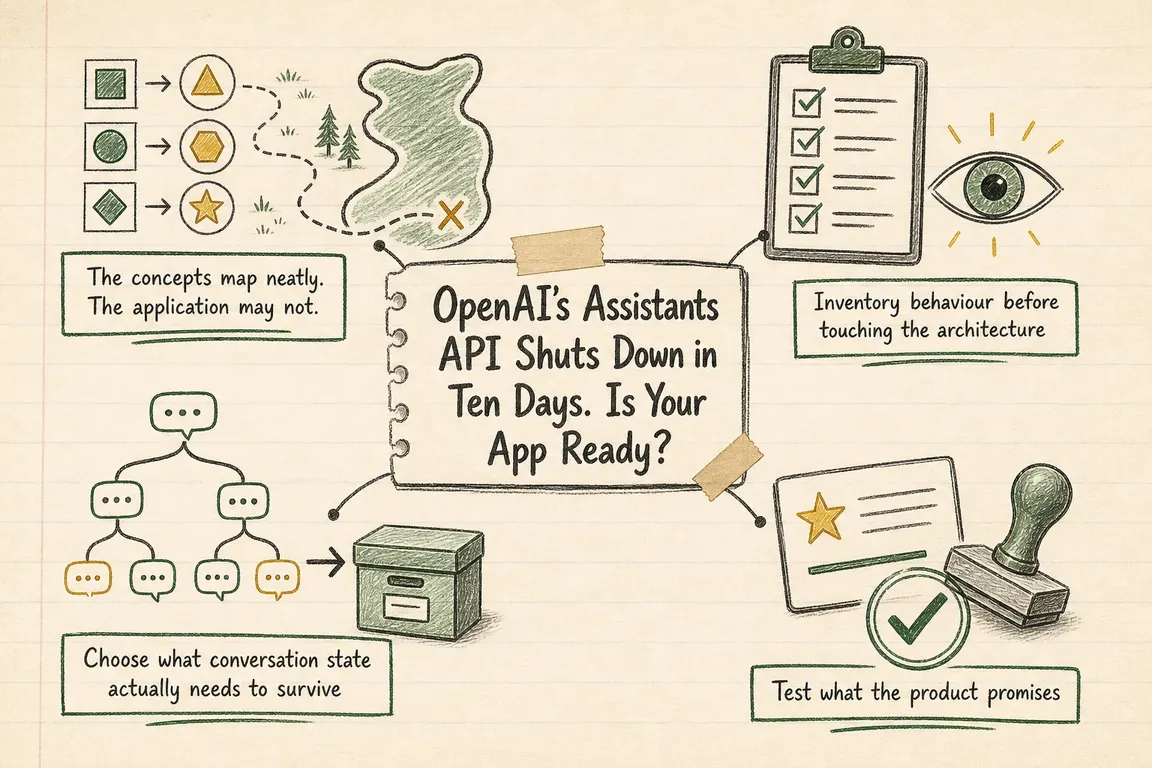
Illustrated infographic summarizing: OpenAI’s Assistants API Shuts Down in Ten Days. Is Your App Ready?

By Greg Nowak. Last updated 2026-08-16.

OpenAI will shut down the Assistants API on August 26, 2026. Ten days out, this has become a product continuity issue.

Any live application that still creates Assistants, stores Thread IDs, initiates Runs or listens for Assistant-specific stream events needs a tested replacement path. The successor is the Responses API, with Conversations for durable state and Prompts for versioned configuration. OpenAI says Responses has reached feature parity with Assistants, but that does not make the move automatic.

The broad concepts have clear equivalents. The awkward parts tend to live underneath them: lifecycle handling, tool-call loops, stored identifiers, streaming events and assumptions built into the interface. The sensible goal for the next ten days is a focused migration that preserves essential behaviour, not a redesign of the whole AI product.

The concepts map neatly. The application may not.

OpenAI’s migration guide maps Assistants to Prompts, Threads to Conversations, Runs to Responses and Run Steps to Items. Responses also changes the operating model. It accepts input items and returns output items, while the application manages tool-call loops explicitly. A Conversation can hold messages, tool calls, tool outputs and other items rather than serving only as a message container.

Current dependency Likely replacement Application check
Assistant Prompt or application configuration Who owns instructions, model choice, tools and versions?
Thread Conversation or chained Responses Where are identity, retention, access and history managed?
Run Response How will status, errors, cancellation and tool calls behave?
Run Step Item Do logs, audit views or analytics assume a particular event order?
Assistant stream helper Responses streaming path Will partial output, event translation and completion detection still work?
A migration map for finding the application behaviour behind each API concept.

This is why a mechanical endpoint change is risky. An Assistant ID may be stored in configuration or selected dynamically. A Thread ID may sit on a customer record. The interface may wait for a particular Run status, while analytics rebuilds a session from Run Steps. Dependencies can turn up in database columns, background workers, browser code, webhook handlers and support dashboards.

Inventory behaviour before touching the architecture

Start by locating every Assistants touchpoint: beta namespace calls, Assistant and Thread identifiers, Run creation and retrieval, submitted tool outputs, polling helpers, stream handlers and environment variables containing legacy resource IDs. For each one, record the user journey or operational process it supports. A code reference without that context is only half an inventory.

The old Run lifecycle can move through queued, in-progress and action-dependent states. Non-streaming applications may poll until a Run reaches a terminal state. Over time, retry intervals, loading indicators, timeout rules and tool-output submission often become tied to that lifecycle. The new implementation needs to preserve the behaviour customers and operators rely on, even where Responses exposes it differently.

Streaming warrants a separate check. OpenAI’s Node documentation marks the Assistant Streaming API as deprecated and describes convenience wrappers that expose events and accumulated responses. A frontend, proxy or server handler built around those helper-specific events can lose partial rendering, tool progress, completion detection or error recovery even when the replacement endpoint itself works.

A small compatibility layer may be the quickest safe route. It can translate Responses events and output into the internal contract the rest of the product already understands. That keeps the change contained, gives existing consumers time to move and provides a straightforward rollback boundary while both paths are still available.

Choose what conversation state actually needs to survive

State is where a migration can pass a basic test and still disappoint users. A fresh conversation may answer correctly while missing the history, files or tool results that made the old Thread useful.

OpenAI documents two approaches. The Conversations API supplies a durable object with an identifier that can be reused across sessions, devices or jobs. An application can also chain Responses using previous_response_id. Both preserve context, but they lead to different operational models.

A durable Conversation is a natural fit for a support case, workspace or long-running assistant that needs a stable identity. Chained Responses may be enough when an interaction only needs to continue from the immediately preceding response. Retention matters too: OpenAI says Response objects are stored for 30 days by default, while Conversation objects and their items are not subject to that 30-day time-to-live. When Responses are attached to a Conversation, their items are persisted with it.

Historical data should be classified before it is moved. Active conversations may need full continuity. Recently closed cases may require read-only access without becoming model context again. Old experimental Threads may have no remaining business value. The right scope is the smallest one that still meets user expectations, contractual obligations and operational needs.

Test what the product promises

A successful HTTP response says little about whether the migration is finished. Compare representative journeys through the old and new paths: first-turn answers, multi-turn context, tool selection, function arguments, file-backed work, refusals, malformed tool output, long conversations, cancellations, retries and interrupted streams.

Build a compact regression set from scenarios the application already encounters. Sensitive data should be removed or handled under the organisation’s existing rules. Judge the results against product requirements: required facts are present, structured output validates, the correct tool is called, latency remains acceptable and the interface reaches the correct final state.

If the architecture allows it, shadowing production inputs through the new path can expose assumptions that fixtures miss. Capture those outputs for comparison rather than presenting them to users until quality, safety and cost are acceptable. Model output varies, so compare against task-specific criteria rather than exact wording.

A workable plan for the remaining ten days

Freeze unrelated changes in the affected path and finish the dependency inventory first. Then define the internal compatibility contract and choose the state strategy. From there, implement the narrowest viable Responses path, including tool calls and streaming only where the current product requires them.

Run the regression scenarios, fix behavioural gaps and move a controlled slice of traffic to the new implementation. Watch errors, latency, incomplete streams, tool failures and state mismatches. Increase exposure when the evidence supports it. Keep rollback simple, with one important limitation: reverting to Assistants only helps before the shutdown. It is a cutover safeguard, not a post-deadline plan.

Before calling the work complete, remove or quarantine legacy creation paths, document who owns the new resources and make sure operational staff can diagnose a failed Response or Conversation from the logs. The replacement path has to be supportable after the migration developer steps away.

Where focused migration ownership helps

This work benefits from one operator who can connect API details with the customer experience. Greg can help trace Assistants dependencies across prompts, Threads, files, tools and stream handlers; choose between Conversations and chained Responses; and decide which historical state is worth carrying forward.

He can also coordinate the compatibility layer, regression checks, controlled rollout and cutover criteria. That keeps the effort centred on continuity and makes responsibilities visible across development, product and operations.

The August 26 deadline is fixed, but the scope is still yours to control. A focused migration that preserves essential behaviour is achievable. The immediate question is whether every production dependency has an owner and a tested replacement before Assistants stops answering.

Related on GrN.dk

  • EU OpenAI Residency Is a Migration Project, Not a Dashboard Toggle
  • OpenAI Presence Arrived—But Is Your Workflow Ready for an Agent?
  • The AI-built tool your team relies on needs an owner

Need help with this kind of work?

Review your Assistants migration with Greg Get in touch with Greg.

Sources

  • Assistants migration guide
  • Assistants API deep dive
  • Conversation state with the Responses API
  • OpenAI Node streaming helpers
  • Assistants API sunset announcement
Last modified
2026-08-16

Tags

  • OpenAI API
  • Responses API
  • AI integration
  • migration
  • application continuity

Review Greg on Google

Greg Nowak Google Reviews


Written recommendations from Trafik og Veje, Aarhus Municipality (2011) and AgroTech (2010) — read them on LinkedIn.

Illustrated infographic summarizing: Your AI Image Has Content Credentials. Will Your Website Keep Them?
Your AI Image Has Content Credentials. Will Your Website Keep Them?
2026-09-05

AI image credentials can disappear during routine website processing. Learn how to test your CMS, optimizer, CDN, and publishing workflow end to end.

Illustrated infographic summarizing: What Are Customers Asking? Let AI Find the Patterns in Support Tickets
What Are Customers Asking? Let AI Find the Patterns in Support Tickets
2026-09-04

AI-based ticket analysis can uncover recurring complaints, product defects and gaps in documentation—without the company needing yet another chatbot.

Illustrated infographic summarizing: OpenAI Has Machine Identity Now. Which Jobs Should Lose API Keys?
OpenAI Has Machine Identity Now. Which Jobs Should Lose API Keys?
2026-09-03

OpenAI’s X.509 workload identity can replace API keys for the right workloads. This practical framework helps teams decide where to start safely.

Illustrated infographic summarizing: WordPress 7.1 Exposes AI-Ready Actions. Who Gets to Run Them?
WordPress 7.1 Exposes AI-Ready Actions. Who Gets to Run Them?
2026-09-02

WordPress 7.1 helps AI agents discover and invoke site abilities. Here is how to keep exposure, authentication and permission firmly separate.

Illustrated infographic summarizing: From Sales Meeting to CRM: Automate Follow-Up Without Compromising Data Quality
From Sales Meeting to CRM: Automate Follow-Up Without Compromising Data Quality
2026-09-01

How to use AI for meeting notes and follow-up while fixed rules protect CRM data, customer matching and the sales pipeline from errors and premature changes.

Illustrated infographic summarizing: Your AI Gateway Can Name the User. Decide What That Log Is For
Your AI Gateway Can Name the User. Decide What That Log Is For
2026-08-31

Identity-aware AI Gateway logs can sharpen security and cost control, but only when attribution, access, retention, guardrails, and response are clearly defined.

Illustrated infographic summarizing: Zero Data Retention Is a Workflow Audit, Not a Checkbox
Zero Data Retention Is a Workflow Audit, Not a Checkbox
2026-08-30

Zero Data Retention covers the provider, not every copy in your stack. See how to audit endpoints, logs, storage, deletion and project-level controls.

Illustrated infographic summarizing: MCP 2026-07-28 Is an Auth Migration, Not a Version Bump
MCP 2026-07-28 Is an Auth Migration, Not a Version Bump
2026-08-29

MCP’s July 2026 release removes protocol sessions and tightens OAuth. Here’s a practical plan for migrating clients, servers and enterprise access safely.

Illustrated infographic summarizing: Turn a Technician’s Voice Note into a Work Order—Not Raw Audio
Turn a Technician’s Voice Note into a Work Order—Not Raw Audio
2026-08-28

Voice input can reduce the technician’s documentation burden when hours, materials and status are validated before the information is saved in the work order system.

Illustrated infographic summarizing: ChatGPT Disabled Personal Knowledge Sync. What Broke on Your Team?
ChatGPT Disabled Personal Knowledge Sync. What Broke on Your Team?
2026-08-27

ChatGPT retired personal sync connections for Enterprise and Edu. Here is how to find affected workflows, migrate access, and test permissions.

More articles

Built by AI — available for your business. The daily articles on this site are researched, written and illustrated by an autonomous AI pipeline. At nowa.dk I install the same kind of AI automation in businesses at fixed prices — site in Danish, English version here, and web/marketing agencies have a dedicated page.

RSS feed

Footer

  • All articles
  • Contact

GrN.dk — AI automation, web platforms, web optimization, data handling and logistics.

© 2026 GrN.dk · LinkedIn · Contact · AI automation in Danish: nowa.dk

Behind GrN.dk: Individual Entrepreneur Codecrafter · Tax ID 305669096 · Bakhtrioni St. 22, 0194 Tbilisi, Georgia · official business register








