By Greg Nowak. Last updated 2026-09-23.
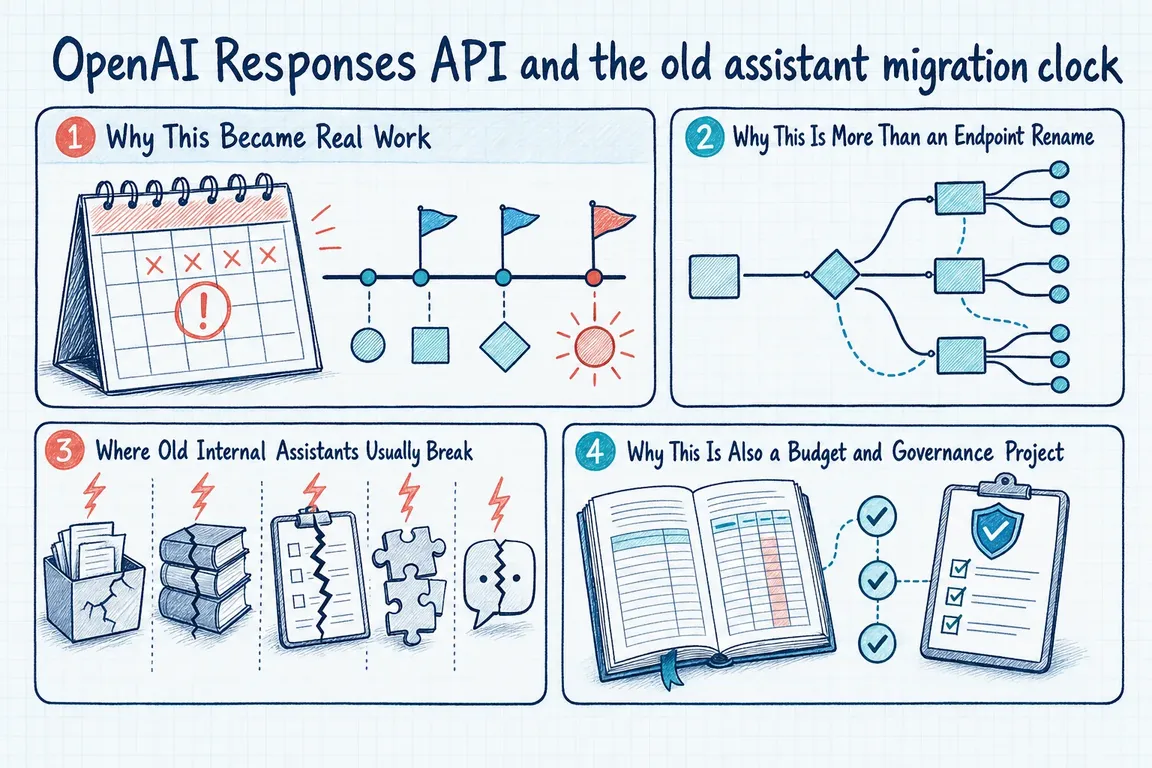
The deadline is no longer approaching. OpenAI shut down the Assistants API on August 26, 2026, and the old endpoints are no longer available. If a customer-support helper, document assistant, or internal workflow still depends on Assistants, this is now a recovery and replacement project—not a maintenance task to schedule later.
The good news is that the Responses API covers the important building blocks and gives teams more explicit control over tools, state, and execution. The less convenient truth is that this is not an endpoint rename. A dependable migration requires product decisions about conversation history, prompt ownership, retrieval, data retention, testing, and cost.
What the shutdown means in practice
OpenAI’s current migration guide maps Assistants to Responses, Threads to Conversations, Runs to Responses, and Run Steps to Items. Items are the new unit of context: a message, tool call, tool result, or other model action can be represented separately.
There is also an important post-deadline limitation. Calls that previously retrieved thread messages no longer work. Earlier conversations can only be carried forward if your application, database, logs, or another approved system retained them. Before rebuilding anything, establish what history is actually recoverable and whether it should be migrated at all.
| Legacy concern | Current destination | Decision to make |
|---|---|---|
| Assistant instructions | instructions and input managed in application code |
Who reviews, versions, tests, and releases behavioral changes? |
| Threads | Conversations, previous_response_id, or manually replayed Items |
How long must state persist, and where may it be stored? |
| Runs and run steps | Responses and typed Items | How will the application handle streaming, retries, and tool-call loops? |
| Assistant tools | Built-in tools, remote MCP, or custom functions | Which tools need approval, limits, audit logs, and fallback behavior? |
| Files and retrieval | File search and vector stores | How will permissions, relevance, citations, and storage cost be tested? |
Do not migrate into the next deprecated feature
OpenAI’s Assistants guide describes converting assistant configurations into reusable prompt objects. That route is now transitional: reusable prompt objects were deprecated in June 2026, and v1/prompts is scheduled to shut down on November 30, 2026.
For new production work, keep prompts in application code. Put stable instructions in a small, named module; validate dynamic values with typed arguments or schemas; and pass the generated instructions and input directly to Responses. This gives prompt changes the same review, testing, release, and rollback controls as other product behavior.
Choose the state model before writing the adapter
Responses offers three practical state patterns. A Conversation provides a durable identifier across sessions, devices, or jobs and can contain messages, tool calls, and tool outputs. Chaining with previous_response_id is lighter for a short interaction, although earlier input tokens in the chain are still billed. A stateless design uses store: false and replays the required Items; reasoning workflows may also need encrypted reasoning Items carried into the next request.
This choice affects privacy as much as code. Response objects are normally retained for 30 days, while Conversation objects and their Items do not have that 30-day expiry. Do not let the SDK default become your retention policy. Document the business purpose, retention period, deletion route, access controls, and recovery expectations first.
A migration plan that survives production
- Inventory the real dependency. Find every Assistants endpoint, assistant identifier, thread reference, vector store, uploaded file, function schema, polling loop, webhook, and scheduled job. Include small internal scripts: forgotten integrations often fail quietly.
- Recover configuration and history. Collect instructions, tool definitions, schemas, representative conversations, expected outputs, and known failure cases from systems you still control. Separate records that must be retained from data that should be deleted.
- Rebuild one complete workflow. Start with a narrow, valuable user journey. Responses returns typed output Items rather than the old message-and-run structure. Function results must be paired with the correct
call_id; Structured Outputs move fromresponse_formattotext.format; streaming consumers must understand typed events. - Design tool controls. Decide which workflows may invoke web search, file search, Code Interpreter, remote MCP servers, or custom functions. Add timeouts, maximum tool-call limits, human approval for consequential actions, and a useful failure state.
- Test behavior, not wording. Exact prose will vary. Measure whether answers use the right evidence, structured output validates, permissions hold, tools perform the intended action, and failures are visible. Compare latency, token use, tool calls, and cost on representative cases before moving more traffic.
- Cut over with ownership. Assign someone to monitor errors, spend, retrieval quality, and user reports after release. Remove dead credentials and legacy code only after the replacement and required data exports have been verified.
Budget for tools as well as tokens
As of September 23, 2026, OpenAI lists web search at $10 per 1,000 calls plus search-content tokens at model rates. File search is $0.10 per GB per day after the first free GB, plus $2.50 per 1,000 tool calls. Hosted Shell and Code Interpreter container prices begin at $0.03 for a 1 GB container session. Model tokens are charged separately.
Those unit prices are manageable; unobserved usage is the risk. Record cost by workflow, set project limits and alerts, and capture tool-call counts alongside user and outcome data. A cheaper model does not automatically produce a cheaper workflow if it searches repeatedly, carries excessive history, or retries failing tools.
Turn the emergency fix into a maintainable service
A credible migration leaves the business with more than a working API call. It produces documented state and retention choices, versioned instructions, tested retrieval, controlled tools, visible costs, and an owner for future platform changes.
If your old assistant has stopped working—or the replacement still feels like a prototype—Greg can help audit the dependency, recover what remains, plan the Responses architecture, and manage a controlled cutover. Discuss the migration with Greg.
Related on GrN.dk
- AI automations need a spend dashboard before the first runaway bill
- Is Prompt Caching Actually Lowering Your AI API Bill?
- OpenAI's Guardrails and Run State Make Internal Agent Rollouts a Paid Approval-and-Audit Job
Need help with this kind of work?
Discuss your migration with Greg Get in touch with Greg.










