By Greg Nowak. Updated September 20, 2026.
Cloudflare Workflows makes long-running automation safer by saving progress between steps and retrying failed work from a defined boundary. Since August 10, 2026, those boundaries have also become more visible on the bill: Workers Paid plans are charged for executed steps and persisted state, alongside requests and CPU time.
That does not make fewer steps the right goal. A well-placed step can stop a temporary API failure from repeating an entire order, onboarding or publishing process. The useful question for a business owner, operations lead or agency team is: what does it cost to produce one reliable completed outcome?
What Cloudflare Workflows charges for
As of September 20, Cloudflare documents four billing dimensions: requests, CPU time, storage and steps. The Workers Paid plan includes 10 million requests, 30 million CPU milliseconds, 1 GB-month of storage and 500,000 steps per month. Published overage rates are $0.30 per additional million requests, $0.02 per additional million CPU milliseconds, $0.20 per additional GB-month and $0.80 per additional 100,000 steps.
Retries and rollback handlers do not add to the billed step count, although repeated work can still consume CPU. Workflow requests and CPU also share Workers billing categories, so attributing an exact cost may require separating Workflow activity from other Workers usage.
Check retention before redesigning the workflow
Storage covers state from running, sleeping, errored and completed instances. There is also an important change newer than the original article: according to the Cloudflare Workflows changelog, paid Workflows created on or after September 10, 2026 retain completed and errored state for seven days by default. Existing Workflows keep their previous retention setting, and the maximum remains 30 days.
Review success and error retention separately. A short period may suit routine successes, while failures may need longer investigation time. Cloudflare also added individual and batch deletion for up to 100 instances through its API or Wrangler 4.125.0 and later. Deletion frees stored state but also stops a running instance, so it is an operational action—not housekeeping to automate blindly.
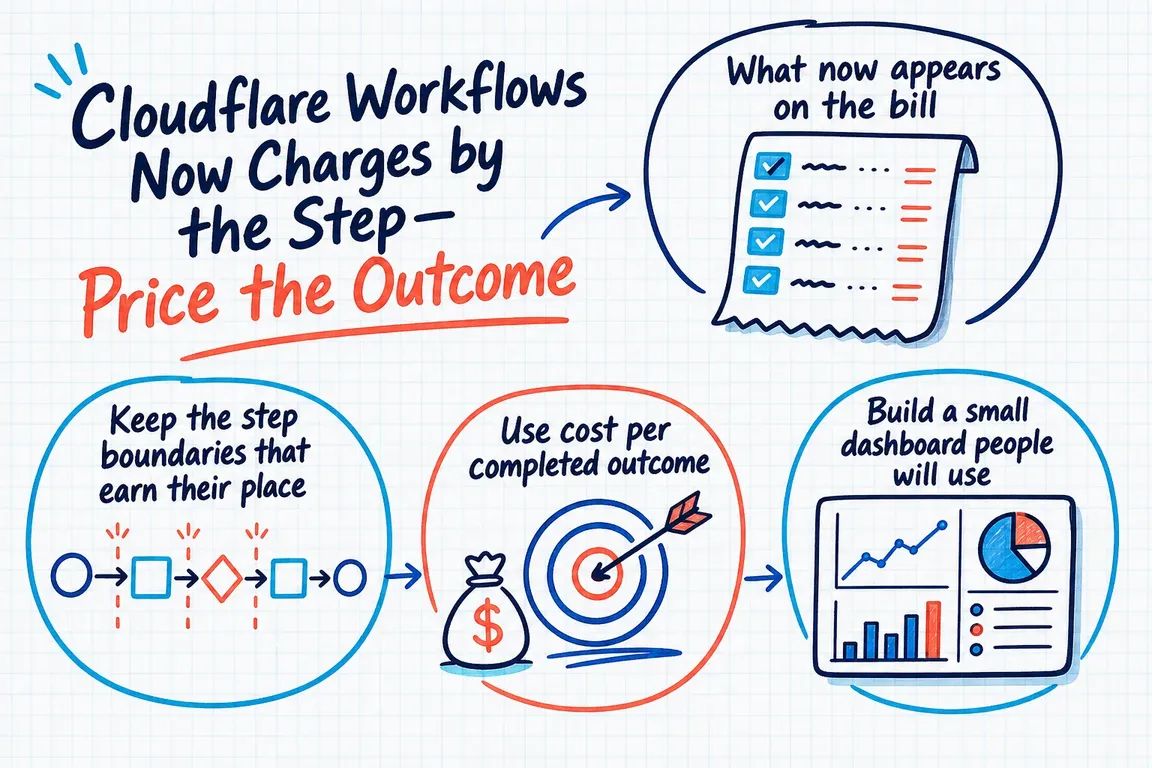
Keep step boundaries that earn their place
Combining steps indiscriminately may reduce usage while making failures harder to recover from. Keep a boundary when it isolates an external side effect, prevents completed work from being repeated, creates a useful approval point or gives operators a meaningful place to resume.
Review a boundary when it only fragments one local operation, persists an unnecessarily large intermediate result or sits inside a loop whose iteration count has grown unnoticed. Operational value matters more than the raw step count.
| Signal | Likely explanation | First action |
|---|---|---|
| Steps per outcome rise | New branches, loops or low-value boundaries | Compare workflow versions and preserve boundaries that provide recovery or control. |
| Storage outgrows completions | Larger state or excessive retention | Inspect persisted payloads and check the retention configured on older Workflows. |
| Retries or failures rise | An unstable dependency or unsuitable retry policy | Group events by workflow and step before changing the architecture. |
| Spend rises while unit cost is stable | More business activity | Confirm the increase against orders, onboardings or another business measure. |
| Unit cost rises while volume is flat | Workflow drift, failures or retained state | Assign an owner and test the largest suspected driver first. |
Measure cost per completed outcome
Choose the outcome the workflow exists to deliver: a completed order, activated account, processed document or published campaign. “Workflow instance” is usually a weak denominator because duplicate triggers, cancellations and permanent failures can increase instance volume without creating value.
The basic calculation is attributable Workflow cost divided by successful business outcomes. Agree whether it includes test traffic, shared Workers usage, manual recovery and partially completed work. If exact allocation is not yet practical, track consistent operational proxies such as steps, CPU time and stored state per successful outcome.
This distinction prevents bad optimisation. If spending doubles because the company completes twice as many orders while unit cost and reliability remain stable, the system may be behaving well. A smaller invoice can still hide trouble when failures or storage per outcome keep climbing. This follows the FinOps Foundation’s unit-economics guidance: connect technology use to the value it creates.
Build a dashboard that leads to a decision
Cloudflare Workflows analytics exposes execution status, errors, steps and duration through the dashboard and GraphQL Analytics API. Data can be filtered by workflow, instance, step and event type, but the documented retention window is 31 days. Export it regularly if quarterly or annual comparison matters.
A useful view can remain small: successful outcomes, success rate, attributable cost, cost per outcome, steps per outcome, CPU per outcome and retained storage. Add deployment dates so changes can be tied to releases. Reconcile technical success with the business system of record; a successful execution is not automatically a fulfilled order.
Use budget alerts as a guardrail, not a brake
Cloudflare budget alerts email selected recipients when account-wide usage-based spending crosses a threshold. They are available for pay-as-you-go accounts, not Enterprise contracts, and they do not pause or cap usage.
Route alerts to someone who can distinguish customer growth from a looping branch, failing dependency or retention problem. If a runaway integration could create material exposure, add application-level limits, queue controls or circuit breakers; a billing notification is not a runtime safeguard.
A practical review sequence
Inventory production Workflows and name the business outcome for each. Record the four billing dimensions and successful outcomes over a representative period. Investigate the workflows with the highest or fastest-rising unit cost, then test one change at a time—retention, state size, retry policy or a redundant boundary. Measure reliability alongside spend.
The goal is not the smallest possible Cloudflare invoice. It is a sustainable price for dependable automation, with enough visibility to explain changes before they become surprises.
Need a clear baseline?
If workflow costs cross engineering, operations and client reporting, Greg can help establish the baseline, identify the main driver and leave your team with measurements it can maintain. Talk to Greg about reviewing your workflow operations.
Related on GrN.dk
- AI automations need a spend dashboard before the first runaway bill
- Your AI workflow has logs. Can they explain one bad decision?
- AI Agents Need a Spending Brake, Not Just a Billing Dashboard
Need help with this kind of work?
Review your workflow unit costs with Greg Get in touch with Greg.