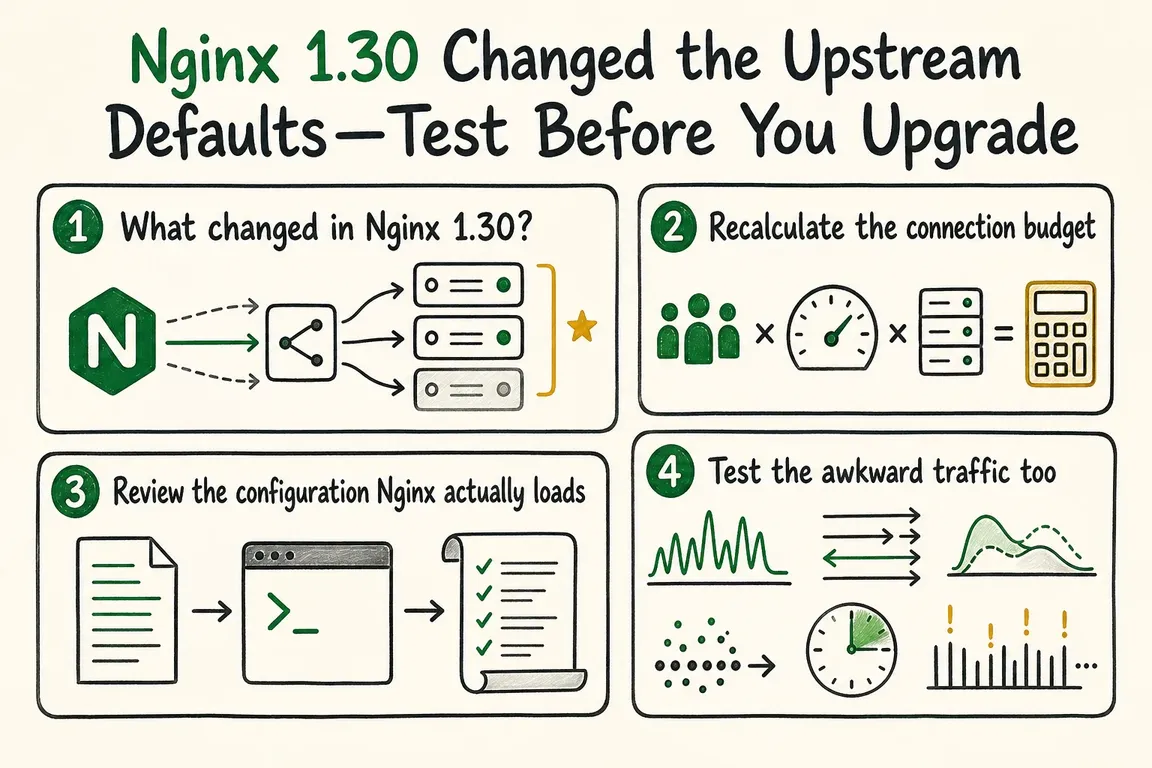
By Greg Nowak. Updated 16 September 2026.
Nginx 1.30 changes how reverse-proxy connections behave even when you make no configuration changes. Proxied HTTP traffic now uses HTTP/1.1 by default, and upstream keepalive caching is enabled with a default of 32 idle connections per worker process.
For many systems, that is a useful improvement: fewer connections need to be established repeatedly. But an upgrade can also increase the number of open backend connections, expose older application-server assumptions or subtly alter behaviour across locations that share an upstream.
This is not a reason to avoid Nginx 1.30. It is a reason to treat the upgrade as an operational change rather than a routine package refresh.
What actually changed?
The new defaults arrived in the 1.29.7 mainline release and became part of the 1.30 stable branch. Unless you override them, Nginx now uses proxy_http_version 1.1 and enables an upstream cache equivalent to keepalive 32 local.
The number 32 is frequently misunderstood. It is the maximum number of idle upstream connections retained by each worker process, not a limit on all connections to the backend. Connections serving active requests sit outside that cache.
The local detail also matters. With the default configuration, cached connections are not shared between locations. An existing explicit keepalive 32; directive has different semantics: without local, matching cached connections can be reused across locations. Removing or retaining an apparently redundant directive can therefore change behaviour.
Start with the configuration Nginx really loads
Production installations often combine package files, deployment templates, control-panel output and included snippets. Reading only nginx.conf is not enough. Record the running build and dump the complete configuration before changing anything:
nginx -V
nginx -T > nginx-effective.conf 2>&1
nginx -t
The -T option performs a configuration test and prints the loaded configuration files. Treat the resulting file as potentially sensitive: inspect it locally and do not attach it casually to tickets or public repositories.
Search the output for proxy_http_version, keepalive, proxy_set_header, Connection, max_conns and every upstream used by more than one location. Pay particular attention to generated files that will be recreated during the next deployment.
Header inheritance deserves a deliberate review. Nginx inherits proxy_set_header directives from the previous configuration level only when none are defined at the current level. Adding one local header rule can therefore replace the inherited set rather than merely extending it.
Calculate a connection budget, then measure it
For one default cache context, 32 multiplied by the worker count is a useful starting estimate for retained idle connections. Four workers could therefore keep 128 idle upstream connections before active traffic is counted. Multiple upstreams and separately scoped locations can increase the total.
This estimate is for capacity planning, not enforcement. The upstream documentation warns that keepalive does not limit the total connections a worker may open. Shared-memory configuration, multiple workers and idle cached connections can also make max_conns less intuitive than its name suggests.
Compare the expected total with the backend’s process or thread model, connection limit, file-descriptor allowance and database pool. The decisive evidence should come from observing both sides of the proxy under representative load.
| Upgrade check | What to test | Decision evidence |
|---|---|---|
| Configuration | Effective directives, inheritance and generated files | Reviewed configuration captured from the candidate host |
| Capacity | Idle and active connections across every worker and backend | Headroom remains at peak representative concurrency |
| Normal HTTP | Typical routes, payloads, uploads and error responses | Latency, error rates and backend queues remain acceptable |
| Long-lived traffic | Streaming responses and WebSocket sessions | Stable sessions, expected timeouts and clean reconnects |
| Failure handling | Backend restart, unavailable node and deployment reload | Recovery matches the documented operational plan |
| Rollback | Configuration switch and package rollback procedure | Named owner, thresholds and a rehearsed reversal path |
Test the traffic that simple benchmarks miss
A run of short successful requests will not reveal every connection-lifetime problem. Replay a production-shaped mix against the current release and the exact 1.30 point release intended for production. Include slow backends, larger responses, uploads, streaming endpoints and WebSockets where applicable.
Watch connection creation and reuse, established and idle sockets, application queueing, file-descriptor use, upstream failures and latency. Test a backend restart while traffic is flowing. A change that improves median response time but exhausts a backend connection pool during a traffic spike is not an improvement.
If a backend genuinely requires the previous behaviour, make that compatibility choice explicit. HTTP/1.0 proxying can be restored in the relevant location, while upstream keepalive can be disabled in the upstream block:
location /legacy/ {
    proxy_http_version 1.0;
    proxy_set_header Connection "close";
    proxy_pass http://legacy_backend;
}

upstream legacy_backend {
    server 127.0.0.1:8080;
    keepalive 0;
}
Use these settings only where testing shows they are necessary. Explicit exceptions are easier to revisit than a system that depends accidentally on historical defaults.
Deploy the release you tested
As of 16 September 2026, the current Nginx stable release is 1.30.4, not the original 1.30.0 release. Build staging around the package, modules and generated configuration that will actually reach production. Record the chosen upstream protocol, keepalive policy, connection assumptions, acceptance thresholds and rollback trigger.
If inherited configuration, backend limits or agency-managed deployment layers make that difficult to establish, Greg can help turn the upgrade into a controlled technical decision. That can include configuration review, connection modelling, workload design and a rollout plan that operations and business stakeholders can both understand. Talk to Greg about planning the upgrade.
Related on GrN.dk
- NGINX 1.30 changed upstream connection reuse: what to check before you upgrade
- A stray Set-Cookie can waste your CDN: audit the cache at the edge
- Before You Buy a GPU: Test Your Team’s Local AI Workload
Need help with this kind of work?
Plan your Nginx upgrade with Greg Get in touch with Greg.