By Greg Nowak. Updated 24 August 2026.
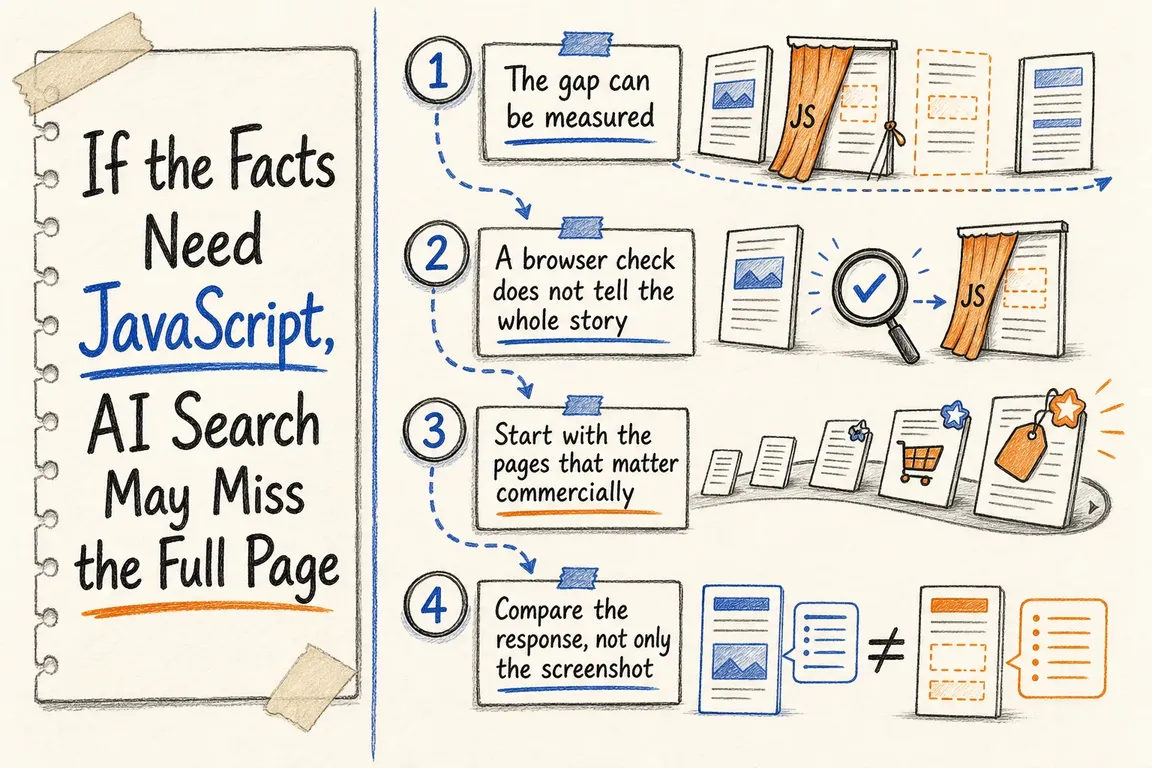
Your website can look complete in Chrome while giving an automated crawler a much thinner account of the business. The missing pieces may include services, prices, locations, contact details, internal links or structured data—all because JavaScript adds them after the server has delivered the initial HTML.
This is not an argument against JavaScript. Calculators, filters, chat widgets and other interactive features belong in the browser. The problem begins when a crawler must execute JavaScript merely to discover what the company does or how a prospective customer can respond.
AI crawlers do not all see the same page
Google Search runs JavaScript using a rendering service, although rendering happens after the initial crawl and can still encounter technical limitations. Google therefore continues to describe server-side rendering and pre-rendering as useful because not every bot can execute JavaScript.
That distinction matters beyond conventional search. Research published by Vercel and MERJ found that the OpenAI, Anthropic, Meta and Perplexity crawlers they measured did not execute JavaScript. Googlebot and Applebot behaved differently. Crawler capabilities can change, so this should not be treated as a permanent directory of who renders what. It is strong evidence that browser-equivalent rendering cannot be assumed.
The safest operating standard is straightforward: a successful HTML response should already communicate the page’s essential business meaning. JavaScript can then improve the experience without being responsible for revealing the offer.
Test the pages closest to revenue first
Do not begin by scanning every URL or cataloguing every cosmetic difference. Select representative pages that help customers decide or act: the homepage, major service pages, location pages, product or pricing pages, case studies and the contact page.
Compare three versions of each page
Check the initial HTML, the browser-rendered DOM and the response returned when using a relevant crawler user agent. A browser’s View Source shows the response more directly; the Elements panel shows the DOM after scripts have run.
A basic command-line capture looks like this:
curl -sS -L -D headers.txt https://example.com/service -o raw.html
grep -Ein 'service|price|phone|address|application/ld\+json' raw.html
To make a controlled comparison, repeat the request with a documented user-agent string and compare the files. Remember that a user-agent can be spoofed: this test reveals response differences, but it does not reproduce a crawler’s network, cookies or rendering system. Server and CDN logs provide the stronger evidence of which bots arrived and what status codes they received.
| Finding | Business risk | First action |
|---|---|---|
| Core facts exist in the initial HTML | Low rendering risk | Confirm that facts and metadata remain consistent after rendering |
| Facts appear only in the rendered DOM | Crawlers without JavaScript may receive an incomplete offer | Move the content into server-rendered or statically generated HTML |
| Initial response is a challenge, redirect loop or error | The page may be inaccessible regardless of rendering | Investigate CDN, WAF, authentication and routing rules |
| Content is present but navigation links are missing | Important pages may be harder to discover | Return ordinary crawlable links in the initial response |
| Only structured data contains the fact | Visitors and some crawlers lack a clear visible statement | Publish the fact as page copy and keep the markup consistent |
Fix the source, not just the crawler symptom
The durable solutions are server-side rendering, static generation or a framework’s supported pre-rendering and hydration model. Google now describes crawler-specific dynamic rendering as a workaround rather than a long-term solution because it creates another rendering path to operate and test.
Prioritise changes by commercial impact:
- Place the service or product name, audience, location and primary value proposition in the initial HTML.
- Return accurate titles, descriptions, canonical URLs and indexing directives from the server.
- Include essential navigation as real links with usable
hrefvalues. - Keep prices, availability and specifications visible without requiring a click or browser-only API call when they are central to the decision.
- Generate relevant structured data from the same source as the visible facts.
- Keep forms interactive, but provide a visible phone number, email address or contact-page link where appropriate.
Shared templates usually deserve attention before isolated pages. Repairing a service template may correct headings, metadata, navigation and contact routes across an entire section. Page-by-page exceptions are slower to maintain and easier to break during the next redesign.
Robots.txt is only one part of crawler access
OpenAI says publishers who want content considered for ChatGPT summaries and snippets should allow OAI-SearchBot. It documents GPTBot separately for potential model training, so the two controls should not be treated as interchangeable.
Perplexity similarly documents PerplexityBot for search discovery and publishes IP ranges for verification. Its guidance notes that a WAF may need an explicit rule. This illustrates an important operational point: an permissive robots.txt policy does not prove successful delivery. A CDN, bot-management product, rate limit or security challenge can still return a blocked or incomplete response.
Decide which crawlers the business intends to permit, verify their identities using the provider’s current documentation, and then inspect logs for response codes, requested URLs and repeated failures. Allowing a crawler creates eligibility, not a guarantee of citation, ranking or traffic.
Make visibility part of release acceptance
Rendering gaps often return when a CMS theme changes, a new component library ships or an editor selects a browser-only content block. Add raw-versus-rendered checks to releases that affect templates, routing, metadata or security controls. Test representative page types rather than only the homepage.
A useful acceptance criterion is: the agreed business-critical facts are present, accurate and linked in a successful HTML response before client-side JavaScript executes.
If your team cannot tell whether the problem sits in the CMS, frontend framework, CDN or crawler policy, Greg can run a focused visibility audit and turn the findings into a prioritised implementation brief. Talk with Greg about the pages that matter most.
Related on GrN.dk
- JavaScript-Heavy Service Pages Still Lose Leads: What to Audit in 2026
- Search Console Can See Social Posts—Your Reports Need a New Map
- When Google can call the business, your local data stops being cosmetic
Need help with this kind of work?
Discuss a crawler-visibility audit with Greg Get in touch with Greg.










