Cloudflare Tunnel still solves a real problem: you can publish internal or customer-facing services without exposing the origin directly to the public internet. A lightweight cloudflared process makes outbound-only connections to Cloudflare, which is why the model is attractive from a security perspective. The operational downside is that Tunnel also makes it very easy to accumulate one-off fixes: a connector for staging, a hostname added during a launch, a production dependency that “just works” but nobody owns.
Articles
By Greg Nowak. Last updated 2026-07-23.
A public page should not need an application release simply because its response carries the wrong cache header. Cloudflare Cache Response Rules give operations teams a more direct option: adjust selected Cache-Control directives, manage cache tags, or strip particular headers after Cloudflare receives the origin response but before it decides how to cache that response.
By Greg Nowak. Last updated 2026-07-21.
Cloudflare Service Key authentication stops working on September 30, 2026. As of July 21, that leaves about ten weeks to find and migrate any automation still sending the X-Auth-User-Service-Key header.
By Greg Nowak. Last updated 2026-07-13.
The WordPress 6.9.2 incident is a useful warning for anyone responsible for a customised site. A security update exposed unsupported template-loading code in some themes, leaving affected front ends unusable until WordPress issued a compatibility fix. The lesson is not to avoid updates. It is to make custom code and the update process predictable enough that one unusual dependency cannot create an emergency.
By Greg Nowak. Last updated 2026-07-26.
When a WordPress problem reaches an owner, operations lead, or agency account team, it rarely arrives as a clean technical report. It sounds more like “checkout stopped working after the update” or “the editor is broken for one user.” Before anyone can fix the issue, somebody has to make it happen on demand.
For business owners, operations leads, and agency teams, the useful question is not whether Drupal CMS 2.0 looks impressive. It does. The useful question is whether it reduces delivery time without quietly increasing launch risk.
By Greg Nowak. Last updated 2026-07-30.
Forgotten staging sites rarely begin as security mistakes. A developer needs a preview URL, an agency needs temporary access, or a vendor needs an admin screen for a launch. The project moves on, but the public hostname, shared password, or firewall exception remains.
By Greg Nowak. Last updated 2026-07-15.
WordPress 6.8 made password storage stronger without asking users to reset their passwords. For an ordinary site using the standard WordPress login, the change is deliberately uneventful. The operational risk sits elsewhere: old plugins, member portals, mobile APIs, migration tools, and support scripts that treat WordPress database fields as a stable authentication interface.
By Greg Nowak. Last updated 2026-07-29.
High-Performance Order Storage (HPOS) appears in WooCommerce as a settings option. On an established store, it should be managed as a data migration.
The distinction matters because changing the authoritative order datastore can affect checkout extensions, refunds, subscriptions, admin tools, exports, accounting feeds, warehouse systems, and custom reports. The technical switch may be quick; proving that the surrounding operation still works is the real project.
By Greg Nowak. Last updated 2026-07-11.
When organic search generates enquiries, bookings or qualified leads, publishing the release is not the end of the job. Someone still needs to confirm that commercially important pages remain visible, crawlable and technically sound.
Site Health is useful because it flags autoloaded options, but for operators it is only the start of the job. The real question is not whether WordPress can warn you. It is whether your site is loading data on every request that does not need to be there, and whether you can fix it safely without breaking plugin behavior, admin workflows, or client handover.
By Greg Nowak. Last updated 2026-07-20.
On July 17, 2026, WordPress 7.0.2 arrived with fixes for one critical and one high-severity security issue. WordPress recommended immediate updates and, because of the severity, enabled forced automatic updates for sites running affected versions.
By Greg Nowak. Last updated 2026-07-30.
WordPress 7.0 “Armstrong” has been available since May 20, 2026. One important fact changes how businesses should plan the upgrade: real-time collaboration was removed before the final release. WordPress 7.0 does not provide Google Docs-style simultaneous editing, and classic meta boxes do not disable a collaboration feature that is present in this release.
By Greg Nowak. Updated 30 July 2026.
A service page can look polished in your browser and still be commercially fragile. If JavaScript must finish loading before a prospect can understand the offer, see supporting evidence, follow an internal link, or start an enquiry, too many important jobs depend on one delivery layer behaving perfectly.
By Greg Nowak. Last updated 2026-06-26.
URL parameters usually arrive for good reasons. Marketing needs campaign tags. A shop needs filters. A CMS view needs a region, type, or sort option. A product team adds tracking for an experiment. None of that looks dangerous on its own.
By Greg Nowak. Reviewed 24 July 2026.
Cloudflare usually arrives for good reasons: faster delivery, managed SSL, stronger security, or a convenient place to handle redirects. The trouble begins after several launches, migrations, and agency handovers. A developer adds a cache exception, marketing redirects an expired campaign, a plugin changes another URL, and nobody removes the configuration that the new rule replaced.
By Greg Nowak. Updated 24 July 2026.
When a contact-form notification disappears or a password reset lands in spam, the visible symptom is small. The business effect may be a lost enquiry, an abandoned booking, or a customer who cannot access their account.
By Greg Nowak. Updated 27 July 2026.
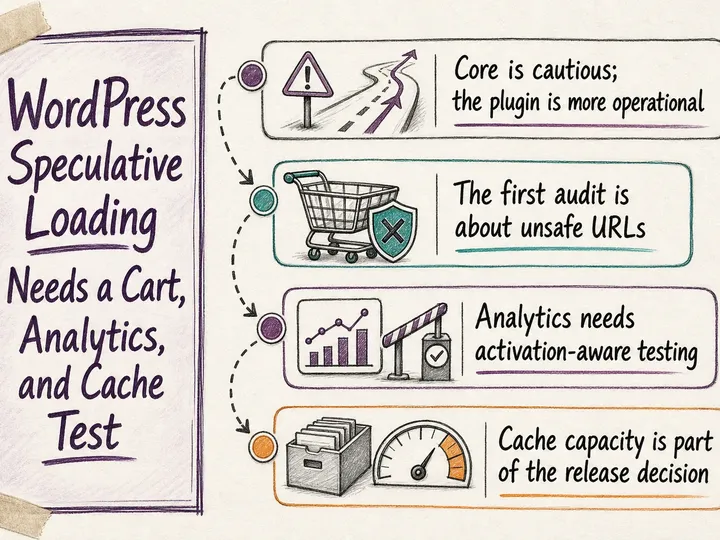
Speculative loading can make the next page in a customer journey feel remarkably fast. The browser fetches—or, more aggressively, prepares—a likely destination before the visitor clicks. That is useful when someone moves from an article to a service page, a listing to a product, or a case study to a contact form.
By Greg Nowak. Updated 4 August 2026.
Logistics optimization is often sold as a software decision. In practice, it is an operations decision supported by software. A new platform cannot repair vague delivery promises, inconsistent product IDs, missing service times, or exceptions that only one experienced planner understands.
By Greg Nowak. Last updated 2026-07-29.
Your website may belong to your business, but much of what runs in a visitor’s browser probably comes from somewhere else. Analytics, advertising pixels, consent tools, chat, CRM forms, maps, reviews, video players and personalisation services all add code or network requests to the page.