By Greg Nowak. Reviewed 5 September 2026.
WordPress 6.8 strengthened password storage without requiring a mass password reset. On a conventional site using WordPress’s normal login flow, the change is intentionally uneventful. The operational risk lies in custom member portals, inherited plugins, mobile backends, migration utilities, and support tools that read WordPress password fields directly.
Those integrations can fail gradually rather than during the upgrade. One account may continue working while another stops immediately after a successful WordPress login. That uneven behaviour can look like bad credentials or user error when the real problem is an obsolete authentication boundary.
What changed in WordPress 6.8?
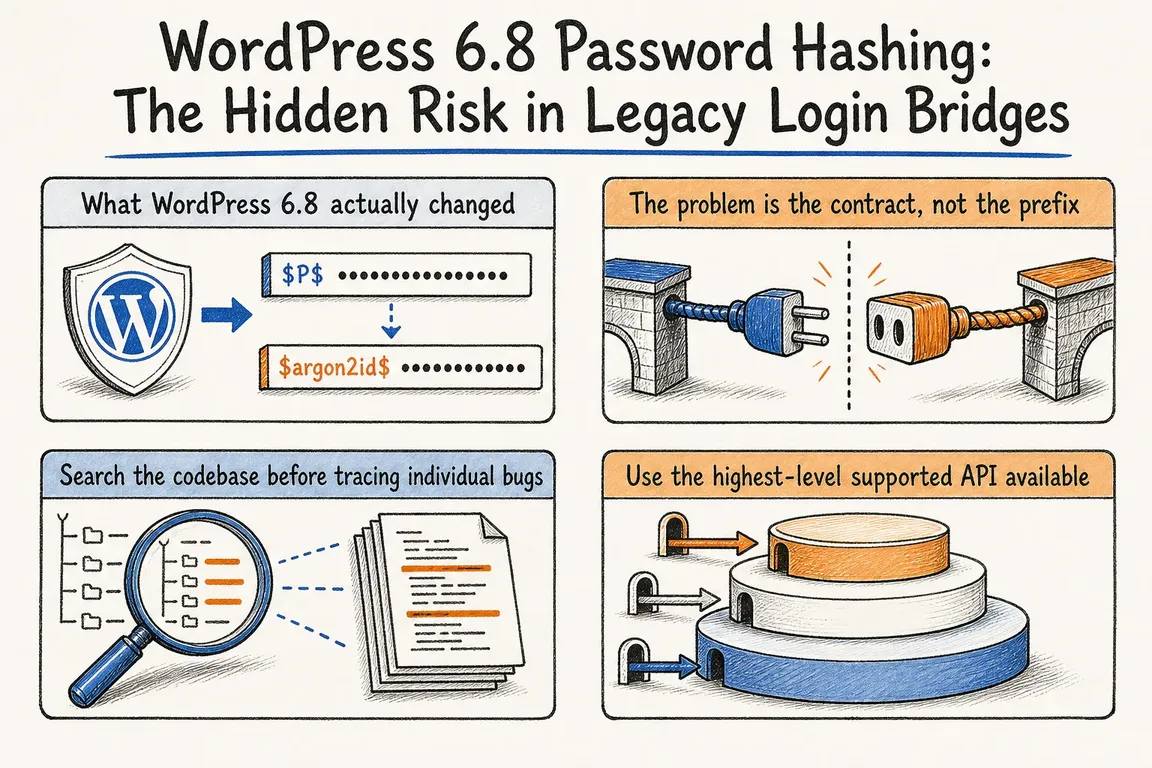
Since WordPress 6.8, wp_hash_password() uses bcrypt by default. WordPress first pre-hashes the password with SHA-384, avoiding bcrypt’s 72-byte input limitation, and stores the result with a WordPress-specific prefix—normally $wp$2y$.
Older phpass hashes, commonly beginning with $P$, remain valid. After a successful login through WordPress’s standard username-and-password authenticator, core checks whether the stored value needs rehashing and writes a current hash when required. Migration therefore happens account by account. A site may contain old and new formats for years if some users rarely sign in.
WordPress 6.8 also introduced wp_fast_hash() for randomly generated, high-entropy secrets. Application passwords, password-reset keys, personal-data request keys, and recovery-mode keys can consequently use the $generic$ format, backed by BLAKE2b via Sodium. This fast mechanism is not intended for human-chosen passwords.
Why legacy bridges fail late
Imagine an old member portal that independently validates values copied from wp_users.user_pass. It understands $P$, so testing immediately after the upgrade succeeds. A member later signs in through WordPress, which replaces that account’s legacy hash. The portal now encounters $wp$2y$ and rejects the same password.
Adding another recognised prefix may restore service, but it leaves an internal storage format acting as a contract between systems. The durable fix is to put authentication behind a supported WordPress API or a proper identity boundary.
| Authentication path | Warning sign | Preferred boundary | Essential test |
|---|---|---|---|
| Interactive WordPress login | Custom SQL against user_pass |
Normal login flow or wp_signon() |
Legacy account before and after rehash |
| Credential validation inside WordPress | Direct PHP password_verify() |
wp_authenticate() or, when appropriate, wp_check_password() |
Legacy and current hash formats |
| External API client | Main user password shared with a service | REST API over HTTPS with a dedicated application password | Create, use, rotate, and revoke |
| Password recovery | Hand-written checks against user_activation_key |
WordPress reset-key functions | Valid, expired, invalid, and reused keys |
| SSO or social login | Fallback path reads stored hashes | Identity-provider callback plus WordPress user APIs | Success, denial, logout, and fallback |
Audit code before chasing individual login failures
Search custom plugins, must-use plugins, themes, deployment tools, and integration repositories. A match is a review prompt, not proof of a vulnerability:
rg -n '\$P\$|\$wp\$2y\$|\$generic\$|user_pass|user_activation_key|_application_passwords|PasswordHash' wp-content/
rg -n 'md5\(|password_verify\(|password_hash\(|wp_hash_password|wp_check_password|wp_password_needs_rehash|wp_verify_fast_hash' wp-content/
Do not stop at the WordPress directory. Search Node, Java, .NET, and older PHP services that receive database exports or query a shared user table. Review migration scripts, reporting replicas, emergency admin tools, and scheduled jobs as well. Any system that interprets a stored hash owns hidden compatibility work.
Choose the highest-level supported API
For credential validation running inside WordPress, let the authentication pipeline do its job:
$user = wp_authenticate( $username, $password );

if ( is_wp_error( $user ) ) {
    return $user;
}

// Credentials are valid. This alone does not create a login session.
If code already has a user and genuinely needs only a comparison, wp_check_password() understands current WordPress hashes and supported legacy formats. However, it checks the value without performing the standard rehash lifecycle. Do not assume replacing password_verify() with this lower-level function recreates a complete login flow.
For an external publishing tool, automation, or mobile client, use the WordPress REST API over HTTPS with a separate application password for each integration. Application passwords are revocable API credentials; they are not replacements for interactive browser passwords. Avoid reading _application_passwords directly.
If another product must sign users in, exporting WordPress hashes is the fragile design. Prefer an established SSO provider or a carefully designed authenticated service boundary. Keep the hashing implementation inside the system that owns the credentials.
Build a production-shaped staging test
Use staging data that represents the formats and journeys you actually operate, without copying unnecessary live credentials. Your test plan should:
- Confirm a legacy account can sign in through the standard WordPress flow.
- Record only the hash prefix, never the complete hash or plaintext password.
- Verify that the successful login updates the stored format and that the next login still succeeds.
- Repeat the journey through every member portal, app, dashboard, SSO fallback, recovery route, and support tool.
- Exercise invalid, expired, revoked, and reused credentials—not only successful requests.
Review logging at the same time. Logs should identify the route, integration, and broad failure category without capturing passwords, reset keys, application passwords, or complete hashes. That gives an operations team enough context to separate an incompatible bridge from a proxy, permission, or identity-provider failure.
When is a focused review worthwhile?
A standard WordPress installation using core login screens probably does not need a separate migration project. A site with custom authentication, a shared user table, an inherited membership plugin, or another service checking WordPress credentials does deserve a focused review.
The useful outcome is a map of authentication paths, evidence from staging, named owners, and a short remediation list—not a speculative rebuild. If those paths are difficult to trace, Greg can review the WordPress and integration code and turn the findings into a practical release plan.
Related on GrN.dk
- When AI writes JSON, one bad field can break the workflow
- Cloudflare Service Keys: Audit Old Automation Before September 30
- CodeIgniter Login and Password Resets: Practical Security for Live Projects
Need help with this kind of work?
Talk to Greg about a WordPress authentication review Get in touch with Greg.










