By Greg Nowak. Last updated 2026-07-29.
Your website may belong to your business, but much of what runs in a visitor’s browser probably comes from somewhere else. Analytics, advertising pixels, consent tools, chat, CRM forms, maps, reviews, video players and personalisation services all add code or network requests to the page.
Each tool may have a reasonable business case. The problem appears when nobody owns the combined effect. A campaign ends but its tags remain. An agency adds a widget without knowing what the previous agency installed. A plugin update introduces another integration. Eventually, an important page depends on a collection of vendors that nobody can fully explain.
That collection is your third-party stack, and once it touches lead generation, booking or checkout, it should be managed like production infrastructure.
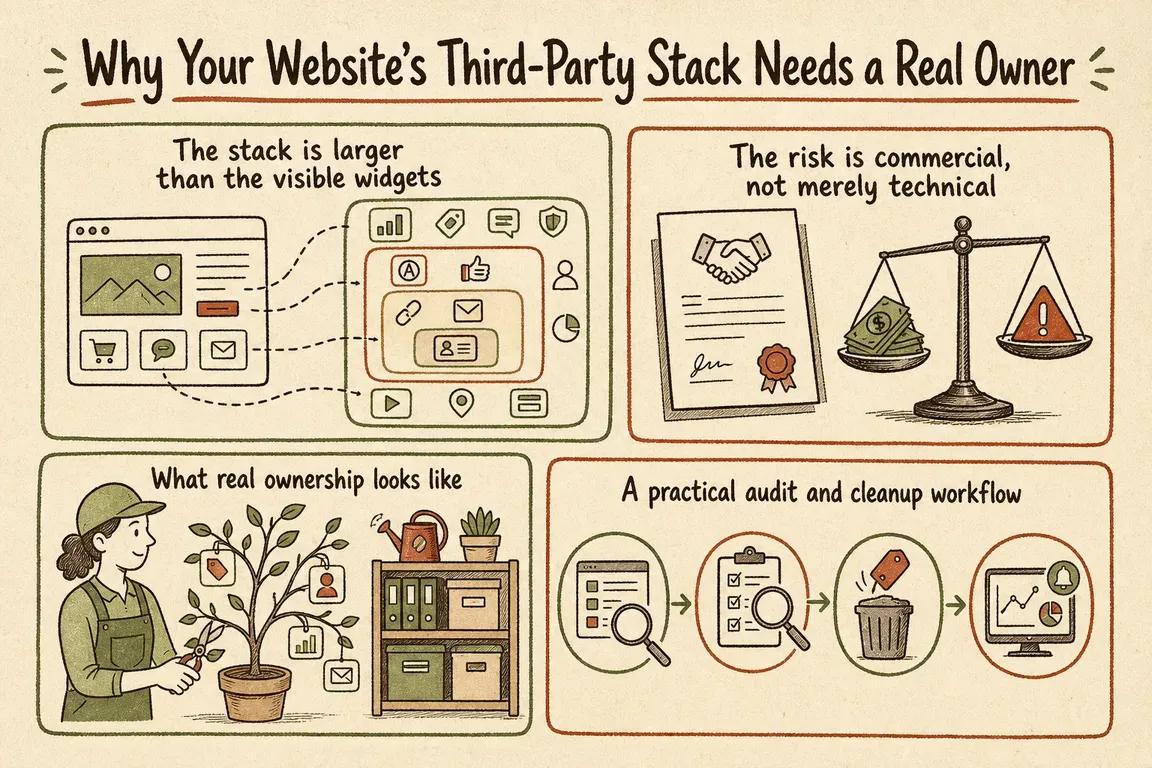
The stack is larger than the visible widgets
Third parties include more than obvious embeds. A tag manager can load other vendors indirectly, while server-side tracking and CNAME-based setups can make external services appear to be first-party traffic. A browser waterfall is therefore useful, but it may not reveal the whole implementation.
This is not an edge case. The 2025 Web Almanac found third parties on at least 90% of pages in its dataset. Across all measured sites, the median page made 83 third-party requests on desktop and 79 on mobile. More requests do not automatically mean a bad site, but they do mean more dependencies to justify, monitor and remove when their job is finished.
| Stack area | Named owner should know | Review or removal trigger |
|---|---|---|
| Analytics and advertising | Which decisions and conversions the data supports | Duplicate events, ended campaigns or unused reports |
| Consent and tag management | Who can publish changes and which rules control firing | Unknown tags, broad triggers or undocumented access |
| Forms, chat and CRM | How enquiries reach the business and what data is shared | Failed submissions, slow vendor responses or changed workflows |
| Maps, video and reviews | Which templates genuinely benefit from the embed | Below-the-fold tools loading before they are needed |
| Experiments and personalisation | When the test ends and which version becomes permanent | Expired experiments or page changes that still flicker |
The risk is commercial, not merely technical
Third-party code competes with your own page for bandwidth and main-thread time. That can delay a menu, filter, quote form or checkout button even when the page appears to have loaded. Google’s current “good” Core Web Vitals thresholds remain LCP within 2.5 seconds, INP below 200 milliseconds and CLS below 0.1. Those metrics are useful signals, but the operational question is more direct: can a prospective customer complete the journey quickly and reliably?
There are other costs. Duplicate tags undermine attribution. A consent configuration can allow a tool to run on pages where it has no purpose. A vendor outage can break something the business considers part of its own website. Externally hosted code can also change independently of your release process.
For agencies, unclear ownership creates an additional problem: nobody knows whether a tag is contractual, temporary or safe to remove. That uncertainty encourages teams to keep everything.
What real ownership looks like
The owner does not need to write every line of JavaScript. They need enough authority and documentation to answer five questions for each dependency:
- What business purpose does it serve?
- Which pages, users and consent states should activate it?
- What data can it read or send?
- What happens to the customer journey if it is slow or unavailable?
- When will the business review, renew or remove it?
Ownership must cover every route by which code enters the site: CMS plugins, themes, templates, custom modules, tag managers, consent platforms, embedded forms, server-side containers and edge configuration. A spreadsheet is helpful only when it points to the real implementation.
A practical audit and cleanup workflow
- Start with valuable journeys. Test service pages, campaign landing pages, quote steps, booking flows, product pages, checkout and contact forms. A fast homepage does not compensate for a slow enquiry path.
- Build the register. Record the vendor, purpose, internal owner, implementation point, page and consent rules, data handled, contract or renewal date and last review. Include tools that appear to use your own domain through server-side or CNAME configurations.
- Use both field and lab evidence. Search Console and real-user monitoring show what visitors experience over time. PageSpeed Insights, Chrome DevTools and WebPageTest help reproduce and diagnose individual pages. Test representative mobile conditions rather than relying on a fast office connection.
- Block or throttle vendors deliberately. In Chrome DevTools, open the Network panel, right-click a request and choose
Block requestorThrottle request. Reload, then repeat the actual journey. This quickly shows whether a vendor is responsible for a delay and whether the page fails safely without it. - Remove before optimising. Delete expired experiments, retired campaign pixels and duplicate libraries first. For remaining integrations, use
asyncordeferwhere the vendor and dependency order permit it. Delay maps, videos, reviews and chat until the relevant page or interaction needs them. Self-hosting can improve control, but it also transfers update and security work to your team. - Retest the business outcome. Confirm that consent choices, form submissions, conversion events, CRM delivery and attribution still work. A better performance score is not a successful release if enquiries disappear from reporting.
Check old page-lifecycle code now
One dependency deserves immediate attention in 2026: code relying on the browser’s unload event. Chrome is actively changing the default so these handlers stop firing, with the published rollout reaching 60% of page loads at milestone 151 on 28 July 2026. The schedule may still change, but relying on unload is already unsafe.
Ask developers and analytics vendors to check for it. Depending on the job, Chrome recommends visibilitychange or pagehide instead. Test navigation, saved form state, analytics delivery and back/forward cache behaviour after migration.
Make governance a routine, not a rescue job
Give new integrations a lightweight approval step and review the register at campaign close, agency handover and contract renewal. Monitor commercially important templates after tag-manager publishes and vendor changes. This keeps the discussion grounded in purpose rather than treating every third-party tool as either essential or forbidden.
Greg helps businesses and agencies audit inherited stacks, agree ownership across marketing and development, test vendor impact and implement safer loading rules. If your website has accumulated scripts that nobody feels confident removing, talk to Greg about a practical third-party stack review.
Related on GrN.dk
- Critical CSS for Faster Pages: When It Helps and When It Does Not
- JavaScript-Heavy Service Pages Still Lose Leads: A 2026 Rendering Audit
- WordPress PageSpeed: What to Fix First for Better Core Web Vitals
Need help with this kind of work?
Discuss your website stack with Greg Get in touch with Greg.