By Greg Nowak. Updated 30 July 2026.
A service page can look polished in your browser and still be commercially fragile. If JavaScript must finish loading before a prospect can understand the offer, see supporting evidence, follow an internal link, or start an enquiry, too many important jobs depend on one delivery layer behaving perfectly.
This is not an argument against JavaScript or any particular framework. Google can process JavaScript, but it crawls, renders, and indexes pages in separate phases. Other crawlers and preview tools may render less reliably, while real visitors may be using slow devices, poor connections, restrictive browsers, or an unfinished page during deployment trouble.
The practical standard is simple: the initial response and the completed page should tell the same business story. JavaScript can improve that story, but it should not have to rescue it.
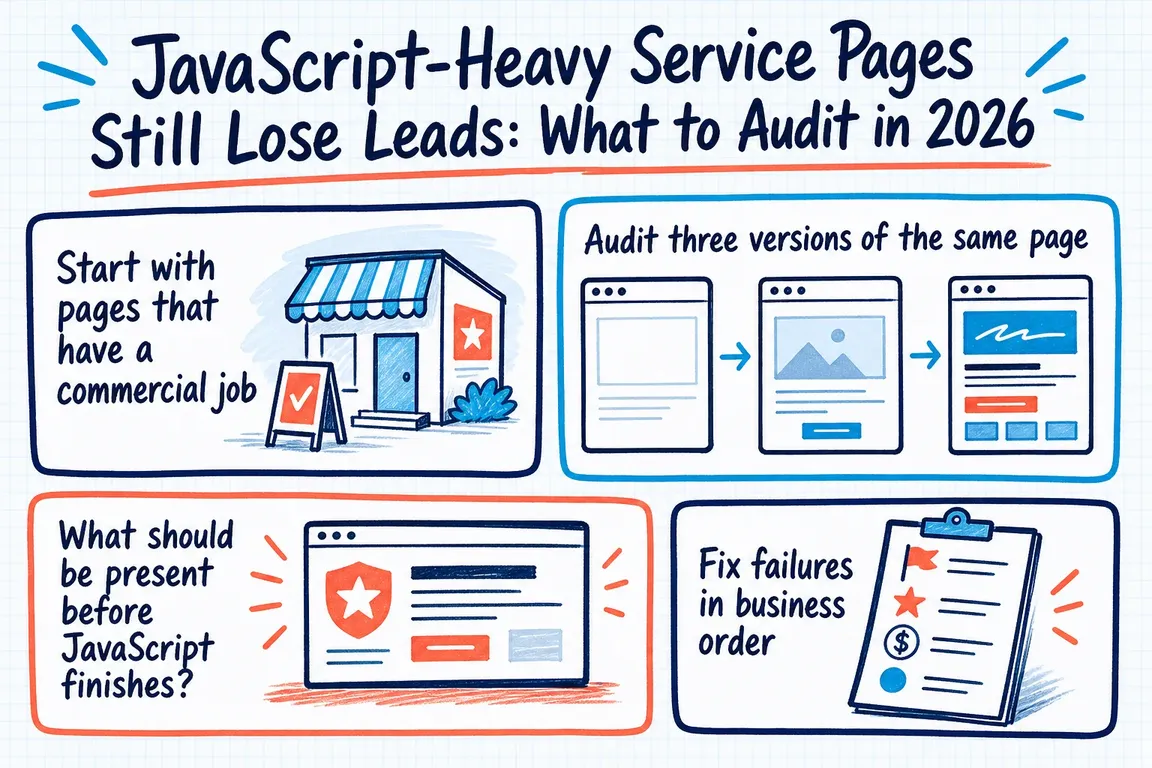
Start with pages that have a commercial job
Do not begin with a platform-wide argument about server-side rendering. Begin with the pages closest to revenue: core services, campaign landing pages, sector and location pages, case-study hubs, pricing or qualification pages, and contact routes.
For each page, write down the action it is meant to produce. That might be an enquiry, booked call, request for a quote, or visit to a related service. This prevents the audit becoming a long list of technical observations with no agreed priority.
Audit three versions of the same page
You need to compare the server response, the rendered page, and the real mobile experience. They do not need identical markup or layouts, but the proposition, primary content, metadata, links, proof, and next step should remain consistent.
curl -sSIL https://www.example.com/service-page
curl -sSL --compressed https://www.example.com/service-page | sed -n '1,180p'
The first command exposes response codes and redirects. The second shows the HTML delivered before client-side JavaScript changes the document. Search it for the title, meta description, canonical URL, robots directives, H1, service copy, internal links, structured data, and enquiry route.
Next, inspect the rendered HTML with Search Console’s URL Inspection tool. Finally, test the page in a real smartphone-sized viewport, preferably with network and CPU throttling enabled. Click the navigation, open key evidence, and attempt the enquiry journey. A screenshot alone will not reveal a delayed button, broken route, or form that fails after submission.
| Finding | Commercial or search risk | First action |
|---|---|---|
| Initial HTML is mostly an app shell | The offer and links depend on successful rendering before they can be understood. | Server-render or pre-render the H1, core copy, primary links, proof, and CTA route. |
| Mobile contains less primary content | Prospects receive a weaker explanation, while Google indexes from the mobile version. | Restore equivalent copy, metadata, structured data, links, images, and alt text. |
| Missing or failed content returns 200 | A broken page can be treated as a soft 404 or misleadingly monitored as healthy. | Return an appropriate 404, 410, 5xx, or server-side redirect response. |
| Evidence appears only after a click | Reviews, FAQs, locations, or case studies may be missed by crawlers and impatient visitors. | Keep important evidence in durable HTML; interaction can control presentation rather than availability. |
| The CTA appears but responds slowly | A page can look complete while heavy JavaScript delays navigation or form interaction. | Reduce startup work and keep non-essential scripts away from the critical enquiry path. |
What should be present before JavaScript finishes?
For most service pages, the first response should contain enough information for someone to identify the supplier, understand the service, judge its relevance, and find the next step. In practice, that usually means:
- A descriptive title, meta description, canonical URL, and appropriate robots directives.
- The main heading and a useful explanation of the problem, service, and intended customer.
- Normal HTML links to important services, evidence, and contact routes.
- Essential trust information rather than empty review or case-study placeholders.
- Structured data that agrees with the visible page.
- A visible enquiry route, plus a clear fallback if an interactive form cannot initialise.
This is progressive enhancement applied to a revenue page. The baseline carries the message and route forward; JavaScript adds validation, filtering, animation, personalisation, or other useful enhancements.
Fix failures in business order
First, protect the enquiry. Repair contact links, form failures, misleading success states, and status-code errors. These can waste existing demand regardless of rankings.
Second, restore the page’s meaning. Put the proposition, primary evidence, crawlable links, and metadata in the server response. Correct mobile templates that quietly remove useful desktop content.
Third, remove interaction dependencies. Lazy loading is sensible for below-the-fold media, but primary content should not require clicking, typing, or another user action to exist. Infinite-scroll sections need persistent URLs and discoverable links when their individual items matter.
Then improve responsiveness. Reduce large startup bundles, long main-thread tasks, third-party interference, and client-side rendering work. Test the actions that matter instead of relying only on an overall performance score.
Make the fix survive the next release
A rendering audit is not complete when one developer’s browser looks right. Recheck the live URL, its final status, initial source, rendered HTML, mobile content, canonical, internal links, and enquiry path. Record the expected result for each priority template.
Add a small release check for those templates. It can confirm that each URL returns the intended status, contains its H1 and canonical, exposes a contact link, and does not ship an empty application root. This turns an intermittent SEO concern into an operational control that marketing, developers, and an agency can share.
When an external audit helps
Outside help is useful when ownership is split: marketing sees weaker enquiries, SEO sees rendering differences, developers see a functioning application, and nobody has authority across the whole delivery chain. A focused audit should separate urgent lead-path failures from sensible improvements and translate both into work your team can estimate and ship.
If your important service pages only become useful after several scripts and third parties have completed their work, ask Greg to review the rendering and enquiry journey. The aim is not to replace a modern stack. It is to make the pages that win work more dependable.
Related on GrN.dk
- If the Facts Need JavaScript, AI Search May Miss the Full Page
- Why Your Website’s Third-Party Stack Needs a Real Owner
- Cloudflare Page Rules Debt: How Quiet Configuration Drift Breaks Business Websites
Need help with this kind of work?
Ask Greg for a rendering audit Get in touch with Greg.










