By Greg Nowak. Updated 12 October 2026.
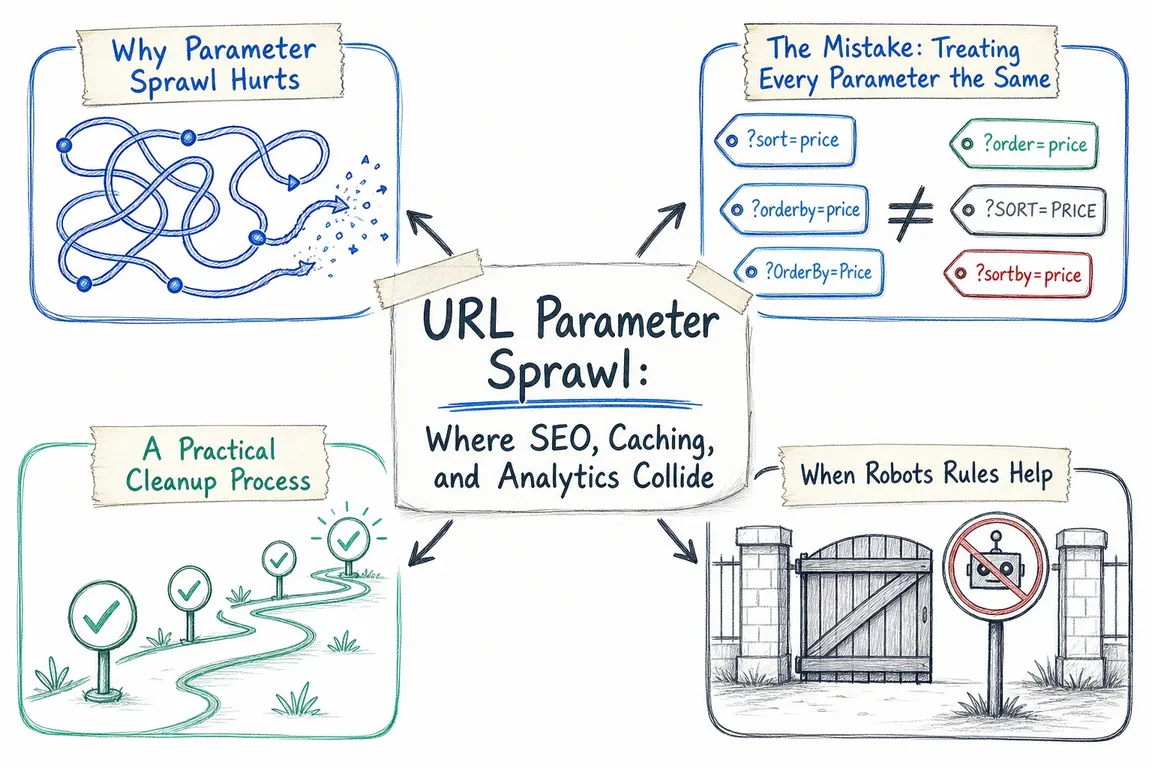
A campaign link, a product filter, and a preview URL can all use query parameters. They need different treatment. Trouble starts when marketing, developers, and SEO teams each make decisions without checking what the others depend on.
The result can be thousands of low-value URLs, fragmented caches, and reports that are harder to interpret. For business owners and operations leads, the useful question is: which parameters change the experience, and which simply describe the visit? Answer that first, and the technical cleanup becomes much easier to manage.
Start with an inventory, not a blanket rule
Collect examples from server logs, Search Console, analytics, CDN traffic, sitemaps, and the CMS. Include URLs generated by campaign tools, filters, pagination, internal search, and preview links. Record what each parameter does, who owns it, and whether combinations are appearing in internal links.
Prioritise patterns with evidence of trouble: bots repeatedly requesting filter combinations, campaign variants creating separate cache entries, or useful pages competing with duplicates. A few tagged links do not justify a major project. A catalogue that generates endless combinations deserves closer attention.
Use a shared decision table before anyone edits redirects, robots.txt, or caching rules.
| Parameter purpose | Search policy | Cache policy |
|---|---|---|
| Campaign tags: utm_source, gclid | Prefer the equivalent clean URL; keep tags out of internal links and sitemaps. | Exclude only after confirming they do not change the response. |
| Sorting or display: sort=price, view=grid | Consolidate genuinely equivalent variants; review pagination separately. | Keep separate if the returned HTML or ordering changes. |
| Selected filters with search value | Make chosen landing pages crawlable, self-canonical, and deliberately linked. | Keep content-changing filters in the key. |
| Internal search and other browsing filters | Choose an explicit crawl and indexing policy; avoid unlimited discoverable combinations. | Assess freshness, variability, and personalisation before caching. |
| Preview, session, or account parameters | Keep private content behind access controls. | Bypass shared caching for private or user-specific responses. |
Decide which URLs deserve search visibility
A useful filtered landing page needs a reason to exist: relevant search demand, a helpful selection, and a maintainable page. Choose those combinations deliberately rather than allowing every possible filter to become a search landing page.
For duplicates, make preferred URLs consistent across canonical tags, internal links, and sitemaps. Google treats canonical tags as signals, so they do not guarantee its choice or immediately stop crawling. Do not canonicalise every paginated page to page one when each contains different items.
For filters that do not need search visibility, crawl controls may be appropriate. Google's faceted-navigation guidance includes this robots.txt example:
User-agent: Googlebot
Disallow: /*?*products=
Disallow: /*?*color=
Disallow: /*?*size=
Allow: /*?products=all$
Adapt it to your routes and parameter names. These disallow patterns apply across the site; the allow exception only matches URLs ending in ?products=all. Test intended landing pages before deployment.
Blocking crawling does not guarantee removal from search. It also prevents Google from reading canonical or noindex instructions on blocked pages. Already-indexed URLs may need a crawlable noindex phase before blocking. For empty or nonsensical faceted combinations and nonexistent pagination, Google's guidance recommends a real 404 at the requested URL, rather than a redirect to a generic error page.
Make Cloudflare follow the application's behaviour
Cloudflare's default cache key includes the query string. Where caching is active, equivalent requests can therefore occupy separate entries. First establish whether the affected HTML or assets are actually cached; changing the key alone does not establish a sensible caching policy.
If /pricing?utm_source=newsletter and /pricing?utm_source=linkedin return the same public response, excluding the tracking parameter can let them share an entry. Keep the parameter in the visitor's URL for attribution. Excluding it from a cache key and removing it with a redirect are different operations.
Check the origin response as well as the visible page. A parameter might affect a cookie, embedded campaign value, currency, or experiment assignment. Those requests may need separate handling. Cloudflare's current availability table lists selective query-parameter inclusion and exclusion as Enterprise features; check your plan before specifying the implementation.
Query-string sorting can consolidate different parameter orders when order has no meaning. Test repeated parameters and script-loading endpoints. Cloudflare documents historical WordPress admin issues, while noting that newer versions may avoid them following a 2019 patch. Scope sorting to suitable routes.
Clean up reporting without losing attribution
Check the reporting dimension before blaming every tagged URL for split page totals. Google's GA4 documentation says UTM parameters are omitted from Landing page + query string and Page path + query string, while appearing in Page location. Other parameters and custom reports still need inspection.
Agree consistent campaign naming, including letter case, and group page performance separately from campaign performance. Avoid redirects that remove UTMs or click identifiers before measurement can capture them. Test a campaign visit through consent handling, navigation, and the conversion event.
Roll out in small, testable steps
For WordPress or Drupal, check generated canonical tags, sitemap output, filter links, and caching modules together. Give one person responsibility for coordinating the policy across the CMS, CDN, SEO, and analytics setup.
Test representative clean, tagged, filtered, paginated, invalid, and authenticated requests. Check status codes, rendered content, canonical output, cache behaviour on repeated requests, and campaign attribution. Purge affected cached responses where necessary and keep a rollback path.
After release, compare bot requests, origin traffic, cache hit rates, indexing patterns, and reporting against the baseline. The deliverable should include a written parameter policy and named owners, so the next campaign or plugin does not recreate the problem.
If nobody currently owns the whole picture, Greg can help inventory the parameters, agree the rules, and coordinate implementation across your agency and internal team. Talk to Greg about a URL-parameter cleanup.
Related on GrN.dk
- AI Crawler Control for Business Websites: Protect Content Without Losing Search Visibility
- ChatGPT Visibility Without Opening Every Door: robots.txt Is Only the Start
- Cloudflare Page Rules Debt: How Quiet Configuration Drift Breaks Business Websites
Need help with this kind of work?
Talk to Greg about a URL-parameter cleanup Get in touch with Greg.










