By Greg Nowak. Updated 27 August 2026.
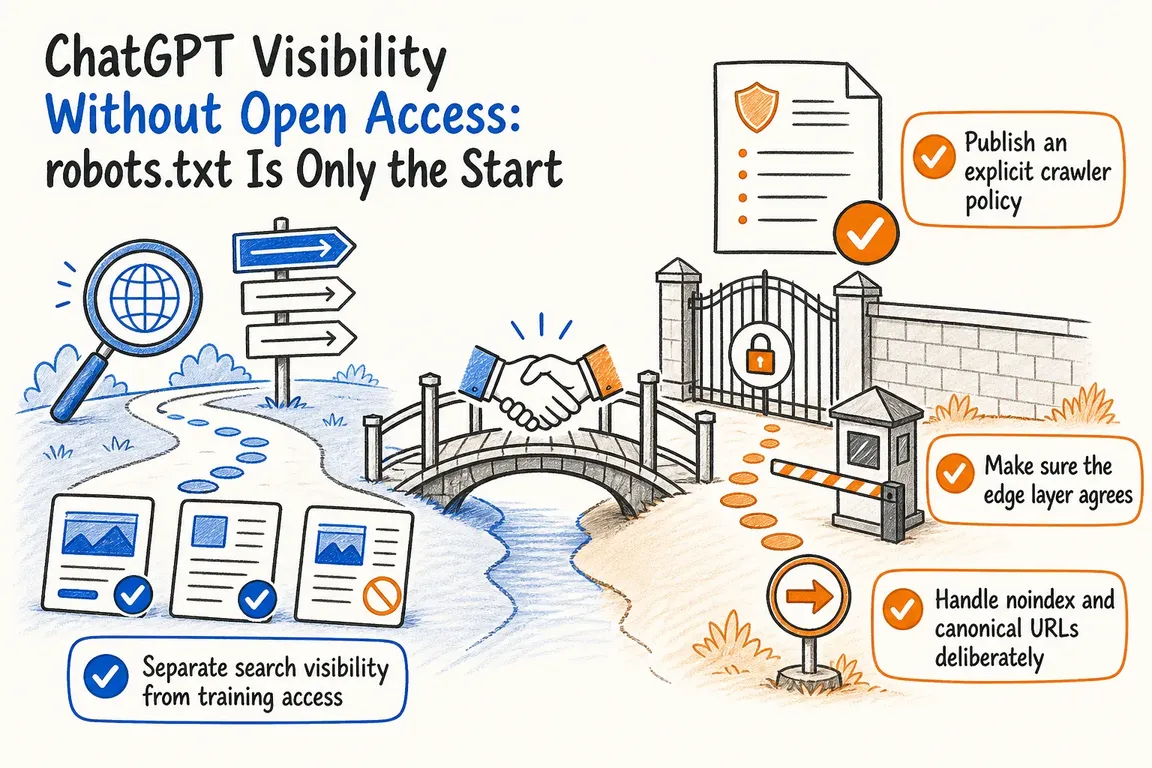
You do not have to make your entire website available to every AI crawler to improve its chances of appearing in ChatGPT search. You can permit discovery of useful public pages while declining automated access for model training and protecting private material properly.
The catch is that this decision cannot live in robots.txt alone. Your CDN, web application firewall, indexing directives, redirects, canonical tags and application rendering must all support the same policy. A crawler allowed by one layer can still receive a challenge page, an empty JavaScript shell or a block response from another.
For business owners and operations teams, the job is therefore not to “switch on AI visibility.” It is to decide what should be discoverable, translate that decision into technical controls and verify the result in production.
Start with three separate access decisions
OpenAI documents different agents for different purposes. OAI-SearchBot supports ChatGPT search, while GPTBot crawls content that may be used to improve and train OpenAI’s generative AI foundation models. Those settings are independent.
ChatGPT-User covers certain visits initiated by a person using ChatGPT or a Custom GPT. It is not the crawler used to determine ChatGPT search inclusion, and OpenAI notes that robots.txt rules may not apply to these user-requested visits. That makes it a third policy question rather than another name for search crawling.
| Business decision | Relevant control | Acceptance check |
|---|---|---|
| Make public expertise eligible for ChatGPT search | Allow OAI-SearchBot |
Important pages return useful content without an edge challenge |
| Decline OpenAI training crawling | Disallow GPTBot |
The published rule and edge behavior agree |
| Handle user-requested retrieval | Review ChatGPT-User separately |
Public pages work; protected pages still require authorization |
| Keep confidential content private | Authentication and access control | The content cannot be fetched anonymously |
| Evaluate commercial value | Analytics and conversion events | Referrals are connected to enquiries or other useful outcomes |
Publish a clear robots.txt policy
A simple site-wide policy that permits ChatGPT search crawling but declines GPTBot access can begin like this:
User-agent: OAI-SearchBot
Allow: /

User-agent: GPTBot
Disallow: /
Do not paste this into production until you have classified your content. Service pages, articles and public documentation may be suitable for discovery. Account areas, staging sites, internal search results, licensed resources and parameter-generated URL spaces may need different treatment.
Keep the policy in version control or an operations register, including the business reason for each rule and the person responsible for it. OpenAI says its systems may take about 24 hours to adjust after a robots.txt change, so allow for that delay when testing outcomes.
Most importantly, robots.txt is a public request to compliant crawlers—not a security boundary. If losing control of a document would matter, put it behind authentication rather than relying on Disallow.
Check what the crawler receives at the edge
A CDN or WAF processes requests before most content management systems do. Managed challenges, broad bot blocks, rate limits and country rules can therefore override your crawler policy. Cloudflare specifically warns that an AI crawler set to “Allow” in AI Crawl Control may still be blocked by an earlier WAF custom rule.
Do not create an unrestricted bypass based only on a claimed user-agent string; it is easy to spoof. Use the crawler operator’s published IP information or your platform’s stronger bot-classification capability where available. Cloudflare’s documentation also notes that its free-plan detection relies on user-agent strings, while more thorough detection is available through Bot Management.
This command is useful for spotting an obvious block, redirect or challenge:
curl -sS -D - -o /dev/null \
  -A 'OAI-SearchBot' \
  https://www.example.com/important-page
It is only a diagnostic because it does not prove that your edge platform will classify a real crawler identically. Confirm the result in request logs. For representative URLs, check the final status, redirect chain, response size, canonical URL, indexing directives and whether meaningful content is present without client-side interaction.
Keep crawling, indexing and canonicalization distinct
A crawl rule controls fetching. A noindex directive controls indexing where the receiving search system supports it. A canonical identifies the preferred version among similar URLs. Treating these as interchangeable creates hard-to-diagnose gaps.
Google’s documentation, for example, says a crawler must be able to fetch a page to read its robots meta tag or X-Robots-Tag. It also recommends using canonical annotations—not robots.txt or noindex—to consolidate duplicate URLs. Do not assume that every AI product interprets Google-specific directives; use each operator’s documented controls.
Cloudflare’s Redirects for AI Training feature can turn a same-origin canonical into a 301 for verified AI training crawlers. It does not affect AI assistants or AI search bots, so it can reduce off-canonical training requests but cannot create ChatGPT search visibility. Correct your canonicals at the source before enabling edge automation around them.
Use a repeatable implementation workflow
- Inventory content. Separate public marketing, editorial, documentation, transactional, private and duplicate URLs.
- Choose by purpose. Decide independently on search discovery, training crawling and user-requested retrieval.
- Map every control. Review
robots.txt, authentication, indexing directives, canonicals, rendering, WAF rules and rate limits. - Test representative pages. Include an allowed page, a blocked path, a redirect, a non-indexable page and an authenticated URL.
- Inspect production evidence. Use logs to identify real status codes, challenges, unexpected paths and response sizes.
- Measure useful outcomes. Segment ChatGPT referrals, preserve campaign parameters and connect landing pages to qualified enquiries—not just visits.
- Assign ownership. Recheck the policy after migrations, redesigns, firewall changes and crawler-documentation updates.
Access only makes a page eligible; it does not guarantee a citation or referral. The content still needs to answer a real question clearly, expose important facts in the delivered HTML and give the reader a sensible next step.
Make this an operating policy, not a one-off SEO edit
This work crosses marketing, infrastructure, security and analytics. Someone needs enough authority to reconcile those teams and maintain one documented decision.
If your current configuration has grown through isolated SEO changes and emergency firewall rules, Greg can audit the complete request path and turn it into a practical, testable crawler policy. Talk to Greg about coordinating the work.
Related on GrN.dk
- AI crawler policy now has verbs: separate search, RAG, and training
- AI Crawler Control for Business Websites: Protect Content Without Vanishing from Search
- Google’s AI Search Toggle Is a Publishing Decision, Not an SEO Setting
Need help with this kind of work?
Talk to Greg About Your Crawler Policy Get in touch with Greg.










