By Greg Nowak. Updated 18 October 2026.
A website launch can look successful while quietly making important pages harder for Google to access. When those pages bring enquiries, bookings or sales, checking the homepage and signing off the deployment is not enough.
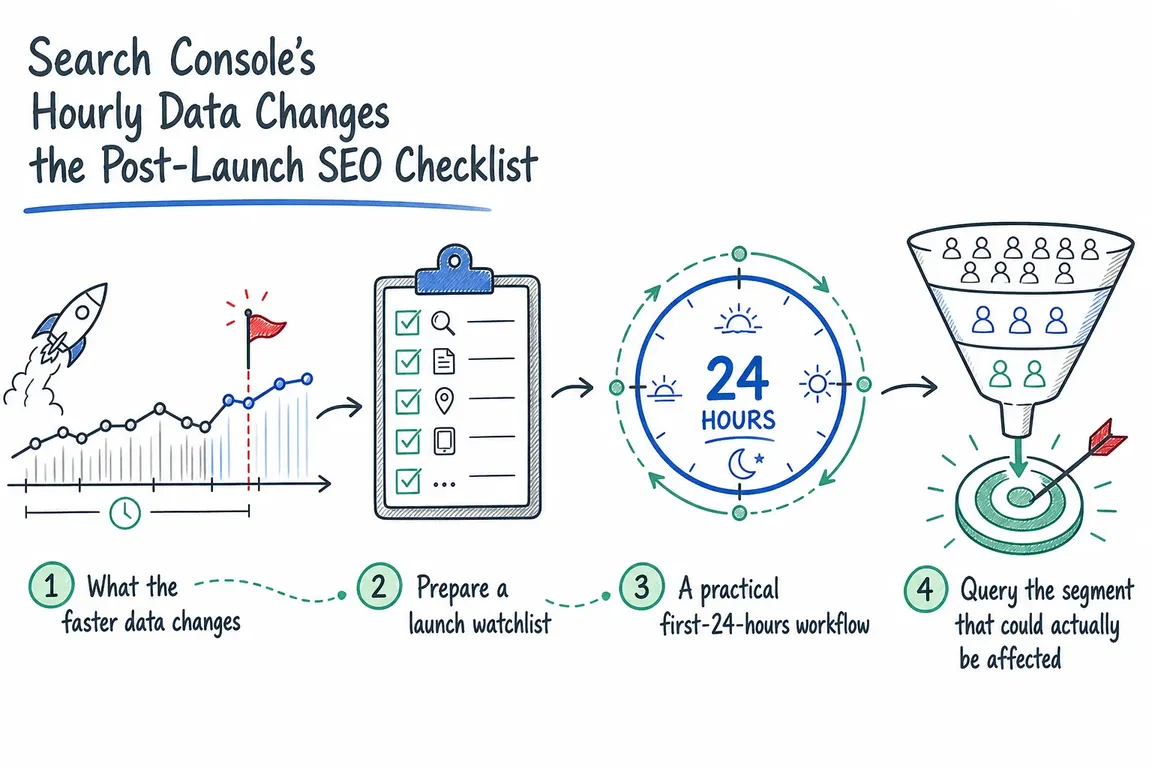
Search Console’s hourly data adds an early search-performance check to your release process. The useful question is specific: are the pages we changed behaving differently, and is there a technical reason to investigate?
Google’s hourly-data documentation describes a 24-hour view with a delay of a few hours, plus an API window covering up to ten days. That makes recent comparisons possible. Keep uptime checks, application logs and analytics alongside it: Search Console cannot confirm immediately that a launch is safe.
Before release, choose the pages worth watching
Extra monitoring makes sense after migrations, CMS upgrades, redirect changes, navigation rebuilds and changes to templates, rendering or indexing rules. Start with the affected part of the business. A sitewide chart can hide a broken service section behind an otherwise healthy blog.
Prepare a short watchlist containing:
- Landing pages that generate valuable enquiries, purchases or bookings.
- Representative URLs from every changed template.
- Old URLs and their intended destinations when redirects change.
- The devices and countries that matter commercially.
- A comparable group of unchanged pages.
Save the expected status codes, canonical URLs and indexing directives before deployment. Record a comparable traffic baseline, ideally the same weekday and hours from the previous week. Note campaigns, holidays or unusual demand that could make that comparison misleading.
A post-launch SEO checklist your team can use
| When | Check | Decision |
|---|---|---|
| Before deployment | Watchlist, baseline, redirects, indexing rules and monitoring owner. | Resolve unexplained differences before release. |
| Immediately afterwards | HTTP responses, redirect destinations, rendered content, canonicals and enquiry forms. | Fix confirmed failures; use the agreed rollback process where necessary. |
| First available hours | Clicks and impressions for changed pages against the baseline and unchanged group. | Investigate a sustained, concentrated change; label incomplete data. |
| Following days | Settled performance data, indexed information and unresolved technical findings. | Continue monitoring where crawling or traffic volume delays a useful conclusion. |
| After a correction | Live behaviour, representative URL tests and subsequent search performance. | Confirm the repair and assign any remaining follow-up. |
Use the interface first; automate repeatable checks
For an occasional release, open the Performance report’s 24-hour view and filter to the affected pages. Review impressions alongside clicks. A click decline alone leaves several possible explanations, including changing demand and how often people choose your result.
For recurring agency releases or larger sites, an API request makes the same check repeatable. Google introduced HOUR and HOURLY_ALL for this purpose. This request body isolates one mobile landing page:
{
  "startDate": "YYYY-MM-DD",
  "endDate": "YYYY-MM-DD",
  "dimensions": ["HOUR"],
  "type": "web",
  "dataState": "HOURLY_ALL",
  "dimensionFilterGroups": [{
    "groupType": "and",
    "filters": [{
      "dimension": "page",
      "operator": "equals",
      "expression": "https://www.example.com/pricing/"
    }, {
      "dimension": "device",
      "operator": "equals",
      "expression": "MOBILE"
    }]
  }],
  "rowLimit": 1000
}
Use the Search Analytics API Explorer with an authorised property. Replace the URL and dates; use matching dates for one day. The larger row limit accommodates multi-day hourly requests.
Request dates use Pacific Time. Convert returned timestamps before comparing them with European deployment logs. If present, metadata.first_incomplete_hour marks the start of provisional hourly data: figures from there onwards may change.
The API has internal limits and does not guarantee every row. Page-filtered data is attributed to canonical URLs, which matters when comparing old and new addresses after a migration.
When does a weak hour justify action?
A single weak hour is a reason to look closer. Ask whether the change continues, whether it is concentrated in released pages, and whether unchanged pages show a similar pattern. Timing alone does not establish that the deployment caused it.
For a low-traffic service website, hourly clicks may be too sparse to support a decision. Prioritise technical checks and review performance over longer periods. Avoid a universal percentage-drop alarm: normal variation differs between a busy shop and a specialist consultancy.
If the signal warrants investigation, use URL Inspection to compare indexed information with a live test. Examine the HTML, loaded resources, JavaScript output and rendered screenshot where available. Check redirect destinations separately: the live test follows redirects without identifying the final URL tested.
A successful live test confirms current accessibility for Google’s inspection tool. It does not guarantee indexing or predict Google’s canonical selection. Fix confirmed technical failures promptly, even if the performance chart has not moved yet.
Leave a useful record, then verify the fix
Add a custom chart annotation for the release and any correction. Notes allow up to 120 characters and are visible to everyone with property access. Keep exact timestamps, affected URLs and technical findings in the deployment ticket.
After a fix, repeat the failed checks. Google recommends URL Inspection for a few recrawl requests and sitemaps for many URLs. Keep sitemap modification dates accurate. Repeated requests will not accelerate crawling, and inclusion in search results is not guaranteed.
Make someone responsible for the follow-through
Before launch, name the monitoring owner, agree who investigates problems and identify who can approve a rollback. Agencies should state whether their handover includes diagnosis and developer coordination. Schedule a follow-up review so that “nothing obvious broke” does not become the final acceptance test.
If your next release needs clearer ownership and a workable checklist, talk to Greg about coordinating the launch and post-launch checks. Bring the release scope and your main commercial pages as a starting point.
Related on GrN.dk
- Google’s 2026 AI Search Guidance: SEO Still Matters, but Reporting Has Changed
- JavaScript-Heavy Service Pages Still Lose Leads: What to Audit in 2026
- Headless WordPress menus: what to check before launch
Need help with this kind of work?
Plan your post-launch checks with Greg Get in touch with Greg.