By Greg Nowak. Last updated 2026-10-02.
A headless site can let editors manage navigation in WordPress without asking a developer to change the front end for every new link. That convenience is worth keeping. Before launch, though, the team needs to know exactly which menu data an anonymous visitor can request.
A menu response may contain more than the links people see on screen: descriptions, custom fields, hierarchy and URLs can reveal planned pages or internal names. Treat the JSON as publishable content. Give it the same editorial review as the navigation itself, then test the access rule without a WordPress login.
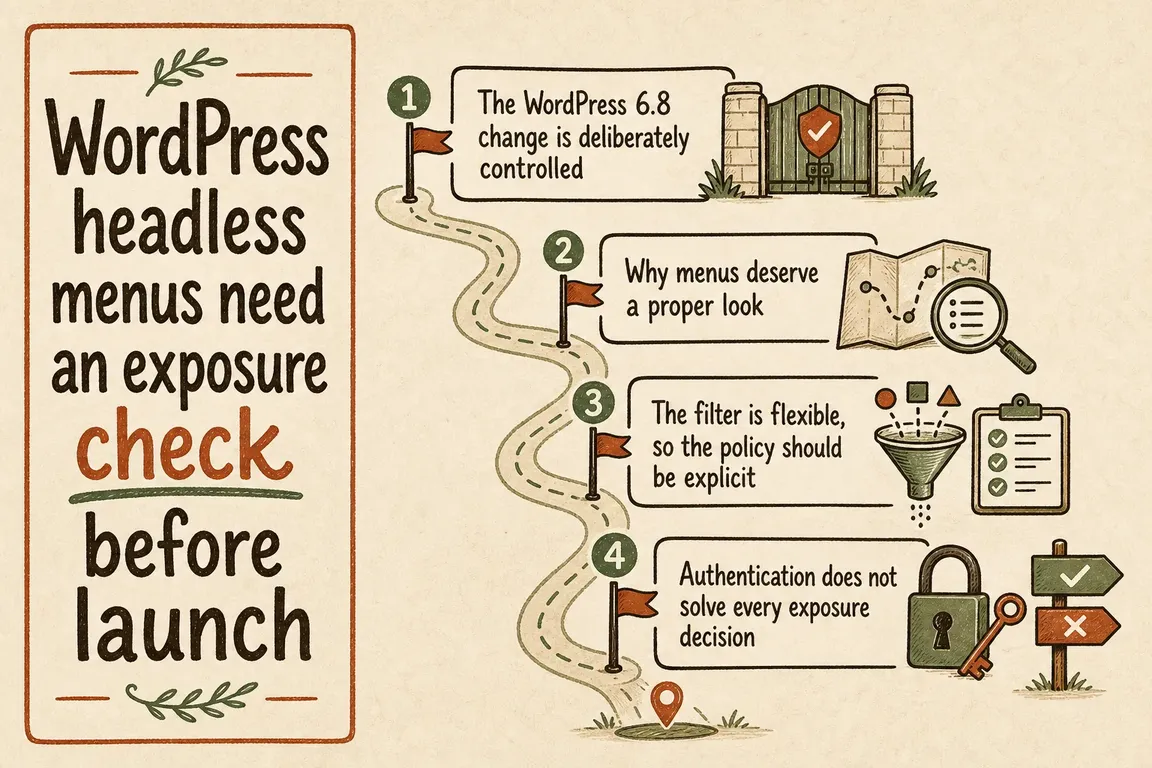
First, identify which kind of navigation you use
WordPress exposes classic menus through routes for menu locations, menus and menu items. A front end might request /wp/v2/menu-locations/primary to find the assigned menu ID, then request /wp/v2/menu-items?menus=MENU_ID. Map that sequence from the production application before changing permissions.
Navigation created with the block editor has a separate /wp/v2/navigation resource. The classic-menu access filter discussed below does not govern that route. If the site uses block navigation, a plugin endpoint or a mixture of approaches, include each route in the review rather than assuming one menu test covers the site.
Make public access an explicit decision
Since WordPress 6.8, the rest_menu_read_access filter can grant read access to classic menu locations, menus and menu items. It receives the request and the controller, so a developer can make a narrower decision than the often-copied example below:
add_filter( 'rest_menu_read_access', '__return_true' );That line grants broad anonymous read access across those three resources. Use it only if the business has reviewed all of them and intends to publish their contents. Otherwise, document the specific locations and requests the front end needs, and implement the rule in a custom or must-use plugin where a theme change will not remove it.
Be careful with rules based only on a menus= query parameter. An outside caller can change or omit parameters and request individual item IDs. Test those variations against the actual permission logic. If the public site needs only a tightly controlled navigation payload, a dedicated endpoint that returns approved fields may be easier to reason about than broad access to the core collections.
| Decision | Launch check | Evidence to keep |
|---|---|---|
| Navigation source | Classic menus, block navigation or a custom route? | The routes the front end calls |
| Anonymous access | Which locations, collections and item IDs should work? | Allowed and denied request results |
| Published data | Are every label, URL, description and custom field suitable for public release? | A reviewed full JSON response |
| Updates | How long does an edit remain in each cache? | A measured refresh time and purge method |
| Ownership | Who approves new menu fields and locations? | A named owner in the handover |
Test the site as an anonymous visitor
Run requests without browser cookies, authorization headers or preview credentials. Replace the host and menu ID with values from a production-like environment:
curl -i https://cms.example.com/wp-json/wp/v2/menu-locations/primary
curl -i 'https://cms.example.com/wp-json/wp/v2/menu-items?menus=MENU_ID&context=view'
curl -i https://cms.example.com/wp-json/wp/v2/menu-items
curl -i https://cms.example.com/wp-json/wp/v2/menus
curl -i https://cms.example.com/wp-json/wp/v2/navigation
Record the status code, headers and body for each relevant route. Also try an unapproved location, another menu ID and a direct item URL. An approved request should return only data the business is willing to publish; other requests should fail according to the access policy. Repeat the checks on the deployed configuration, where plugins, hosting rules and caches may differ from staging.
The front end can use WordPress’s _fields parameter to request a smaller response, such as only the item properties it renders. That can reduce payload size, but it is a client preference, not a privacy control. An outside caller can omit _fields, so review the complete anonymous response.
Check content and the path from edit to screen
Ask the content or operations owner to inspect the returned JSON shortly before launch. Look for staging domains, placeholder links, unpublished campaign names, obsolete routes and plugin-added metadata. A protected destination can still be hinted at by a public menu label or URL.
Then make a harmless menu edit and time how long it takes to appear on the live front end. Check the WordPress host, CDN and application or framework cache. Write down which layer to purge when a link needs an urgent correction; “the editor saved it” is not proof that visitors see it.
Keep CORS and handover in perspective
Review the browser access configuration, especially old preview or development origins. But CORS does not make a public endpoint private: direct and server-side requests can still reach it. WordPress’s REST API guidance explains that public endpoints may be accessed from any site. If navigation must remain private, keep it authenticated and fetch it through a trusted server component rather than putting a reusable credential in browser code.
Leave the next team a short, testable rule: the public routes, the approved data, the anonymous test requests, the cache purge path and the person who can approve changes. If you need an independent review before launch, talk to Greg about the navigation and API handover.
Related on GrN.dk
- Can’t Publish in WordPress? Fix the Invalid JSON Response Without Guesswork
- Search Console Can See Social Posts—Your Reports Need a New Map
- Before Your Support Bot Learns the Help Center, Make Sure It Can Forget
Need help with this kind of work?
Ask Greg to review your launch plan Get in touch with Greg.