By Greg Nowak. Updated 2 September 2026.
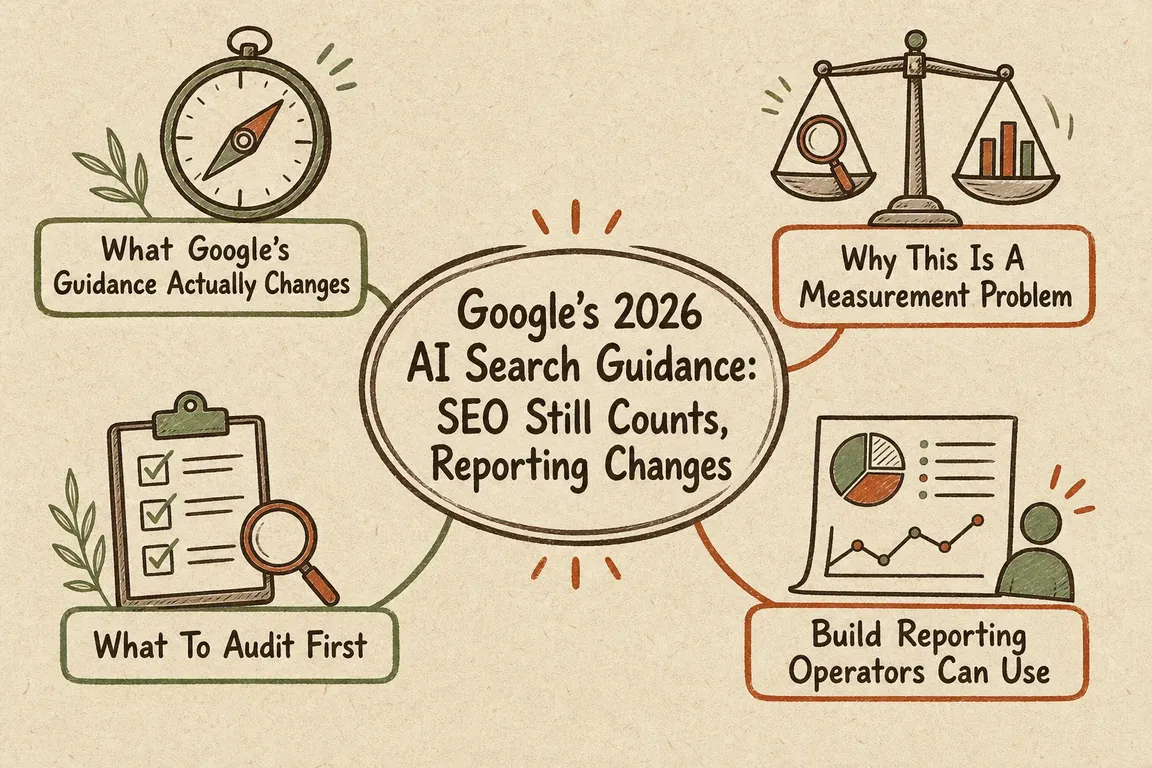
Google’s 2026 guidance gives businesses a clearer answer to the AI-search question: you do not need a separate collection of “GEO hacks” to appear in AI Overviews or AI Mode. The underlying work is still SEO—useful content, sound technical foundations and accurate business information.
What has changed is the operating environment. Google now provides dedicated generative-AI visibility reporting and a site-level participation control in Search Console. That makes AI-search activity easier to see, but it does not automatically tell you whether those impressions produce leads, sales or worthwhile visits.
What Google has actually confirmed
Google says its generative-AI features use the company’s core Search ranking and quality systems. Pages must be indexed, eligible to appear with a snippet and included in Search generative-AI features. Meeting those conditions creates eligibility, not a guarantee that a page will be selected.
The practical fundamentals remain familiar: make important pages crawlable, provide meaningful text, maintain clear internal links, consolidate unnecessary duplicates and ensure JavaScript content can be rendered. For local and ecommerce businesses, accurate Business Profile and Merchant Center information can also help Google understand what is available.
Google is equally direct about work you can deprioritise. It does not require llms.txt, special AI schema, artificial content “chunking” or pages rewritten around every possible long-tail variation. Structured data remains useful when it accurately represents visible content and supports established search features, but it is not an AI-search shortcut.
A new participation decision belongs on the risk register
As of 31 August 2026, Google says its Search generative-AI control is available worldwide. Property owners can include or exclude their site from AI Overviews, AI Mode and generative-AI features in Discover. Inclusion is the default, while child properties may inherit the setting from a parent property.
This is now something operations and marketing teams should document rather than leave to chance. Excluding a site prevents its links and content from appearing in the covered AI features, but it does not remove the site from ordinary Google Search. Google also distinguishes this control from Google-Extended, which concerns model training rather than appearance in these search features.
Reporting has improved—but it still needs interpretation
Google’s dedicated generative-AI performance reports show impressions, visible pages, countries, dates and, for Search, devices. Google says these impressions are also included in the overall Web performance data.
The important limitation is that the dedicated report is primarily a visibility view. It does not provide a neat set of AI-specific clicks, leads and revenue. A rising impression line therefore means that Google displayed links to the site more often in supported AI features; it does not, on its own, prove commercial growth.
| Business question | Evidence to use | What it can support |
|---|---|---|
| Are we appearing in AI search? | Generative-AI impressions, pages, country and device | Visibility and coverage decisions |
| Is overall Google traffic changing? | Search Console Web clicks, impressions and CTR | Demand and landing-page investigation |
| Are visits useful? | Analytics sessions, engagement and key events | Content and journey improvements |
| Is search producing business value? | Qualified leads, bookings, purchases or revenue | Investment and prioritisation |
Audit eligibility before commissioning new content
Start with the pages that matter commercially rather than auditing the entire site indiscriminately. For each priority service, product or category page, check:
- whether Google has indexed the intended canonical URL;
- whether robots rules,
noindexor snippet controls restrict it; - whether Search Console’s generative-AI setting includes the relevant property;
- whether the main explanation is present as accessible, renderable page content;
- whether internal links make the page discoverable in its proper business context;
- whether structured data agrees with what visitors can see; and
- whether the page contributes first-hand detail instead of repeating a generic summary.
That final check is often the most valuable. A buyer needs specifics: suitability, limitations, delivery process, pricing logic, implementation requirements or the evidence behind a recommendation. Adding those details usually improves the page for conventional search, AI-assisted research and human decision-making at the same time.
Build a reporting routine people can act on
A sensible monthly review begins with priority page groups, not a single sitewide traffic total. Record generative-AI impressions, then compare overall Google clicks and Analytics sessions for the same landing pages and date range. Add the outcomes the business already values: qualified enquiries, calls, bookings, transactions or another agreed conversion.
Search Console clicks and Analytics sessions will not match exactly. They are calculated by different systems, and discrepancies can come from consent choices, missing tags, time zones, attribution, canonical URLs and non-HTML files. Look for aligned trends first; investigate large or sudden gaps rather than trying to force identical totals.
Looker Studio can provide a workable monitoring view. Larger sites and multi-client agencies may benefit from Search Console and Analytics exports to BigQuery, especially when page groups and reporting rules need to remain consistent. In either case, annotate migrations, campaigns, tracking changes and updates to the AI participation control.
Turn the guidance into a useful decision
The immediate priority is not launching an “AI SEO” content factory. Confirm eligibility, record the participation setting, improve pages that lack useful business detail and connect visibility reporting to genuine outcomes.
If your team needs an independent technical review or a reporting setup that management can actually use, talk to Greg about an AI-search visibility audit. The aim is a prioritised fix list and a repeatable measurement process—not another speculative AI strategy deck.
Related on GrN.dk
- Google Review Link Generators: What Small Teams Actually Need
- Google’s AI Search Toggle Is a Publishing Decision, Not an SEO Setting
- Search Console Can See Social Posts—Your Reports Need a New Map
Need help with this kind of work?
Discuss an AI-search visibility audit Get in touch with Greg.