By Greg Nowak. Updated 12 September 2026.
Your website needs to be found by potential customers. That does not mean every crawler needs unrestricted access to everything you publish. The challenge is separating useful discovery from unwanted crawling, while keeping confidential material behind proper access controls.
For business owners, operations leads, and agency teams, a useful AI crawler policy starts with three decisions: which pages should attract visitors, which training crawlers you want to refuse, and which content should require a login. Those decisions then need to agree across your CMS, hosting, and firewall.
Start with the content that matters to the business
Review a small, representative set of URLs before changing sitewide settings: a service page, an article, a download, an internal search page, and a client or preview area. Ask the content owner what should happen to each. A public sales brochure and a client proposal may both be PDFs, but they need different treatment.
| Business goal | Recommended approach | Important limitation |
|---|---|---|
| Keep service pages discoverable | Allow relevant search crawlers; retain indexing and snippet eligibility | Access does not guarantee inclusion or referrals |
| Permit ChatGPT search, refuse OpenAI training | Allow OAI-SearchBot; disallow GPTBot | This covers OpenAI’s named crawlers, not every AI service |
| Limit Google’s use of selected page text | Consider data-nosnippet or page-level snippet controls | Restrictions can affect search presentation and AI visibility |
| Keep a public PDF out of search | Return an X-Robots-Tag: noindex header | The file remains publicly accessible |
| Protect client documents or staging | Require authentication and appropriate permissions | Protect direct file URLs as well as pages |
Separate ChatGPT search from training crawlers
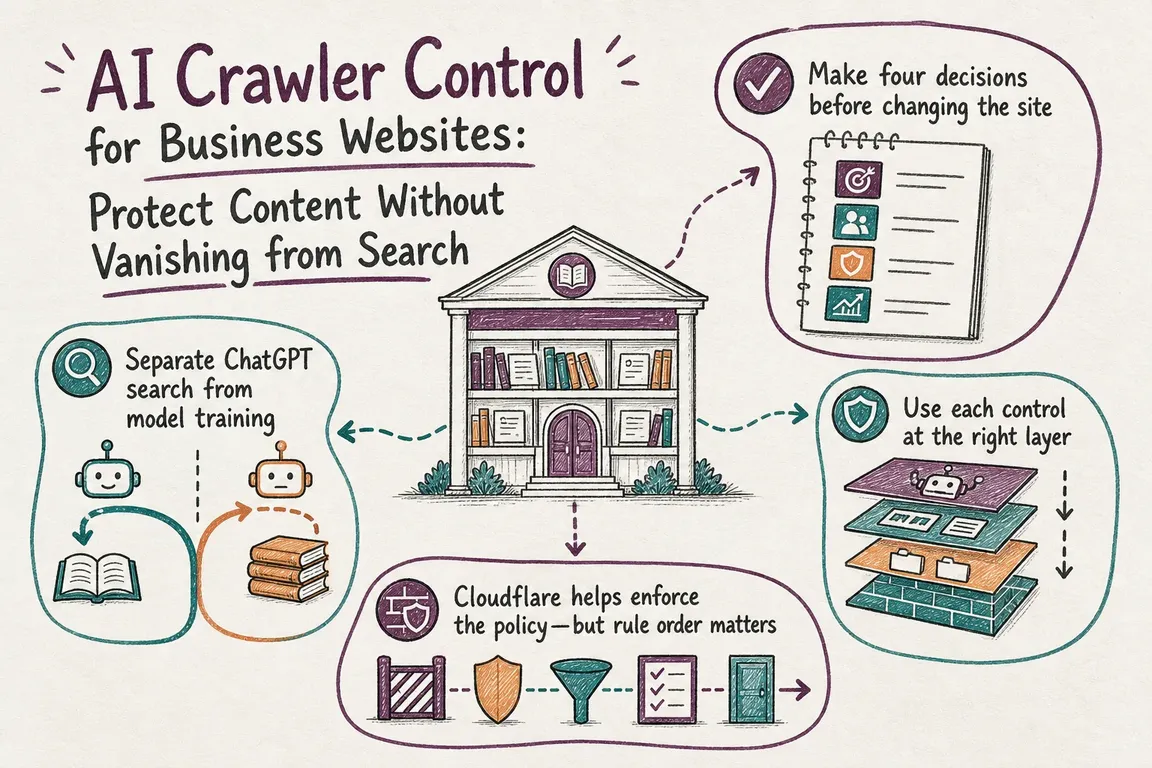
OpenAI documents independent controls for OAI-SearchBot, which supports ChatGPT search, and GPTBot, which crawls material that may be used for model training. ChatGPT-User handles certain user-triggered visits; OpenAI says robots.txt rules may not apply to those requests. See the official OpenAI crawler documentation.
For a site that wants search discovery while opting out of GPTBot crawling, this is a starting example:
User-agent: OAI-SearchBot
Allow: /
Disallow: /internal-search/
Disallow: /preview/

User-agent: GPTBot
Disallow: /

User-agent: *
Disallow: /internal-search/
Disallow: /preview/
The repeated paths are deliberate. A crawler with a matching named group does not inherit the fallback User-agent: * rules. Adding a dedicated group with only Allow: / can therefore drop restrictions you intended to retain. This follows the group-selection rules in the Robots Exclusion Protocol standard.
Merge this example into the existing policy, preserving needed CMS rules and sitemap declarations. Replace the sample paths with real routes. A preview disallow is only a crawl instruction; sensitive previews still need authentication.
OpenAI recommends permitting its published search crawler IP ranges as well as robots.txt access. It says search systems can take approximately 24 hours to adjust to a robots.txt change. Review other providers separately: a GPTBot rule is not a universal training opt-out.
Understand what Google’s snippet controls cost you
Google requires a page to be indexed and eligible for a search snippet before it can appear as a supporting link in AI Overviews or AI Mode. No special AI file or schema is required. Restricting snippets therefore involves a visibility tradeoff, as explained in Google’s guidance for AI features.
Use data-nosnippet to exclude selected text from snippets. Use max-snippet to limit snippet length, or nosnippet to prevent text snippets and direct use of the content in Google’s AI Overviews and AI Mode. These are Google presentation controls, not general protection against copying.
For a public PDF that should stay out of search, configure its response to include:
X-Robots-Tag: noindexGoogle must crawl the resource to read its indexing or snippet directives. Blocking it in robots.txt can prevent that. Keep it crawlable when you need those instructions processed, and protect genuinely private files with access controls. Google’s robots directive specifications cover both HTML tags and response headers.
Check Cloudflare’s rule order before trusting the dashboard
Cloudflare AI Crawl Control enforces crawler blocks through WAF custom rules. Selecting “Allow” does not override every other security rule. Earlier rules can still block an intended search crawler; earlier skip rules can also bypass a crawler block.
If the dashboard setting and live behaviour disagree, inspect the matching security events and rule order. Cloudflare also warns that direct changes to the underlying WAF rule are not reflected back in the AI Crawl Control dashboard. Its WAF integration documentation explains these interactions.
Assign one owner to reconcile the settings. For an agency, that means recording whether the client, hosting provider, or delivery team maintains each layer.
Test production and keep a rollback route
Save the current configuration before deployment. Then check the public responses, replacing example.com with your domain:
curl -sS -L https://example.com/robots.txt
curl -sS -L -D - -o /dev/null https://example.com/services/
curl -sS -L -D - -o /dev/null https://example.com/brochure.pdf
-L follows redirects. The header commands display each response along the way: inspect the final response for the expected status and directives. They do not show HTML robots tags; inspect the page source or use Google Search Console’s URL Inspection for those.
- Check important hostnames, including asset domains and staging.
- Confirm private pages and direct downloads deny unauthenticated access.
- Review actual crawler requests in firewall events and server logs. A normal curl request does not prove crawler access.
- Monitor indexing, referrals, and enquiries after deployment; retest after CMS, firewall, or hosting changes.
A useful handover contains the agreed policy, representative test URLs, configuration locations, and rollback steps. If ownership is split across marketing, developers, and hosting, Greg can help audit the setup and coordinate a clear rollout. See how Greg works as your digital project manager.
Related on GrN.dk
- ChatGPT Visibility Without Opening Every Door: robots.txt Is Only the Start
- Cloudflare Page Rules Debt: How Quiet Configuration Drift Breaks Business Websites
- JavaScript-Heavy Service Pages Still Lose Leads: What to Audit in 2026
Need help with this kind of work?
Discuss your website’s crawler policy with Greg Get in touch with Greg.