By Greg Nowak. Updated 27 July 2026.
Speculative loading can make the next page in a customer journey feel remarkably fast. The browser fetches—or, more aggressively, prepares—a likely destination before the visitor clicks. That is useful when someone moves from an article to a service page, a listing to a product, or a case study to a contact form.
It is also easy to treat the feature as a harmless performance switch. It is not. Rules may be generated by a CMS, injected by a CDN, or added by a developer. They can overlap, touch stateful routes, consume cache capacity, and cause scripts to run before a page is actually viewed. The right question is therefore not “Can we enable it?” but “Which journeys should we accelerate, under whose control, and how will we know it is safe?”
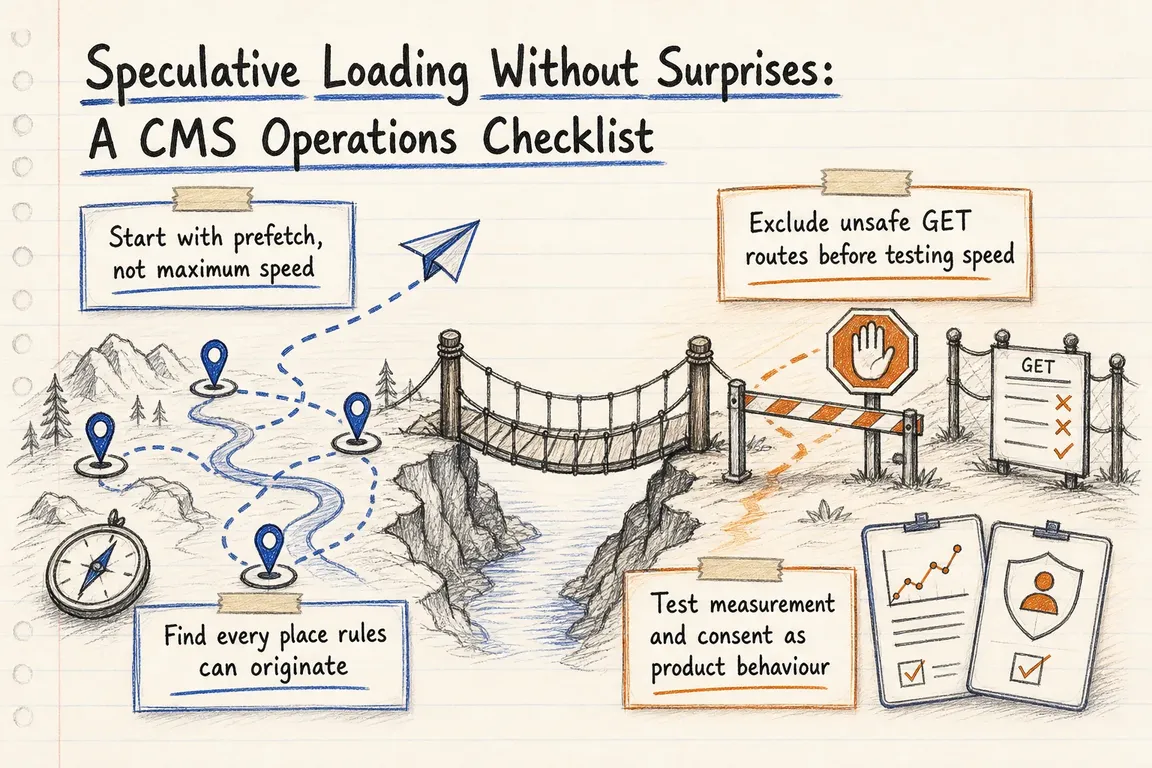
Start with prefetch, not maximum speed
Prefetch retrieves a likely next document so navigation can begin with less waiting. Prerender goes further by preparing the page and potentially running its JavaScript before activation. Prerender can deliver a larger improvement, but it also raises the stakes for analytics, consent tools, personalization and application state.
For most business websites, same-origin prefetch with conservative or interaction-led eagerness is the sensible starting point. Reserve prerender for a small number of predictable, well-tested journeys.
| Route or journey | Starting decision | What to verify |
|---|---|---|
| Public article, service or product page | Allow conservative prefetch | Cacheability and useful next-page demand |
| Homepage to a priority service page | Test targeted prefetch | Journey frequency and wasted-request rate |
| High-confidence, anonymous next step | Consider selective prerender | Analytics, consent and JavaScript activation |
| Login, logout, account, cart or checkout | Exclude by default | Personalization, stale state and side effects |
| Search, filters, previews and admin paths | Review individually | Query volume, cache pollution and access control |
Find every place rules can originate
Do not assume the feature has one owner. Inspect pages for <script type="speculationrules">, check responses for a Speculation-Rules header, and review CMS extensions, theme code, tag-manager injections and CDN settings.
WordPress introduced speculative loading in Core 6.8. Its documented baseline is conservative frontend prefetching, disabled for logged-in visitors and sites without pretty permalinks. WordPress also supplies configuration and exclusion filters plus the no-prefetch and no-prerender classes. Those defaults are a good guardrail, not a substitute for reviewing ecommerce, membership and custom-plugin routes.
Cloudflare Speed Brain can add a Speculation-Rules response header. Its current safeguards restrict prefetches to cache-eligible pages, prevent them from reaching the origin on a cache miss, and exclude routes invoking Workers. That lowers origin-side risk but does not resolve duplicate rules, cache strategy, CSP compatibility or ownership.
Drupal’s contributed Speculative Loading module offers configurable prefetch and prerender modes. As of this update, its current release is still a beta and Drupal.org lists no supported stable release. Treat adoption as a reviewed dependency: test it in your site’s Drupal and PHP versions, record who owns updates, and avoid presenting it internally as a Core default.
Exclude unsafe GET routes before testing speed
A background GET request must not log a visitor out, add an item, submit a workflow, change a record or mark something as read. Exclude any such URL immediately. The longer-term fix is to remove state-changing behaviour from GET routes, because crawlers, link scanners and other automated clients can expose the same flaw.
Also exclude personalized or rapidly changing pages where prefetched content may become stale. Cart totals, account notices, entitlement checks and search results deserve deliberate review even when they do not directly change state.
Test measurement and consent as product behaviour
Prefetch generally creates fewer problems because the destination document is not fully running. During prerender, however, client-side code may execute before the visitor sees the page. A page view, advertising impression, heatmap session, experiment assignment or CRM event should normally wait for activation.
Do not settle for “Google Analytics supports it.” Test the actual stack: tag manager, consent platform, custom events, pixels, session replay and experimentation code. Chrome exposes document.prerendering and the prerenderingchange event so activation-sensitive work can be delayed. After activation, a non-zero PerformanceNavigationTiming.activationStart identifies a prerendered navigation.
Use these implementation checks
Begin with the response headers:
curl -I https://example.com/If Speculation-Rules appears, inspect the referenced JSON as well as any inline rules. An external rules file must be served as application/speculationrules+json. Inline rules on a site with Content Security Policy need 'inline-speculation-rules', an appropriate nonce, or a hash in script-src. Check the browser console and CSP reports rather than assuming silence means success.
For WordPress, keep sensitive path exclusions in version-controlled site code:
add_filter(
    'wp_speculation_rules_href_exclude_paths',
    function ( $paths ) {
        $paths[] = '/cart/*';
        $paths[] = '/checkout/*';
        $paths[] = '/account/*';
        return $paths;
    }
);
Then use Chrome DevTools to inspect the Application panel’s speculation rules and the Network panel. Look for requests carrying Sec-Purpose: prefetch. Test as both an anonymous visitor and an authenticated user, and repeat the test after cache, CMS, theme or CDN configuration changes.
A rollout that operations can support
Start with a small group of anonymous, cacheable routes. Record the rule source, allowed paths, exclusions, expected customer journey and rollback method. Compare next-page navigation performance, cache hit rate, request volume and conversion instrumentation before expanding the scope.
Only promote a route to prerender after analytics, consent, personalization and activation behaviour pass real-browser testing. Assign one owner to review the setup after CMS releases, plugin changes, campaign launches and CDN migrations.
The useful deliverable is not merely a faster click. It is a controlled configuration that the business can explain, test and safely change. If your rules are spread across WordPress, Drupal, Cloudflare and third-party scripts, Greg can help turn them into one practical performance and operations plan.
Related on GrN.dk
- Cloudflare Page Rules Debt: How Quiet Configuration Drift Breaks Business Websites
- AI Crawler Control for Business Websites: Protect Content Without Vanishing from Search
- A stray Set-Cookie can waste your CDN: audit the cache at the edge
Need help with this kind of work?
Review your speculative-loading setup with Greg Get in touch with Greg.