By Greg Nowak. Updated 19 October 2026.
A Drupal AI demo looks straightforward until someone asks: “Can our editors try it?” Suddenly, the workflow needs to work beyond the developer’s administrator account. It may read private content, upload files, call paid models, or change records in another system.
Before putting it in front of clients or colleagues, rehearse those boundaries. The useful outcome is a clear decision: which actions the demo can perform, who can authorize them, and how the team will stop execution. For business owners and agency leads, that makes the demonstration easier to approve and the handover easier to manage.
Start with what the demo can actually do
Write down the path from the chat interface to its consequences: Drupal content, uploaded files, model providers, workflow tools, and external destinations. Mark which steps read data, spend money, publish content, or send information elsewhere.
Give the presentation account only the access it needs. Use representative, non-sensitive content and test destinations for messages or CRM updates. A staging site still needs controls if it holds working credentials or can reach production services.
Patch first, then rehearse the tested build
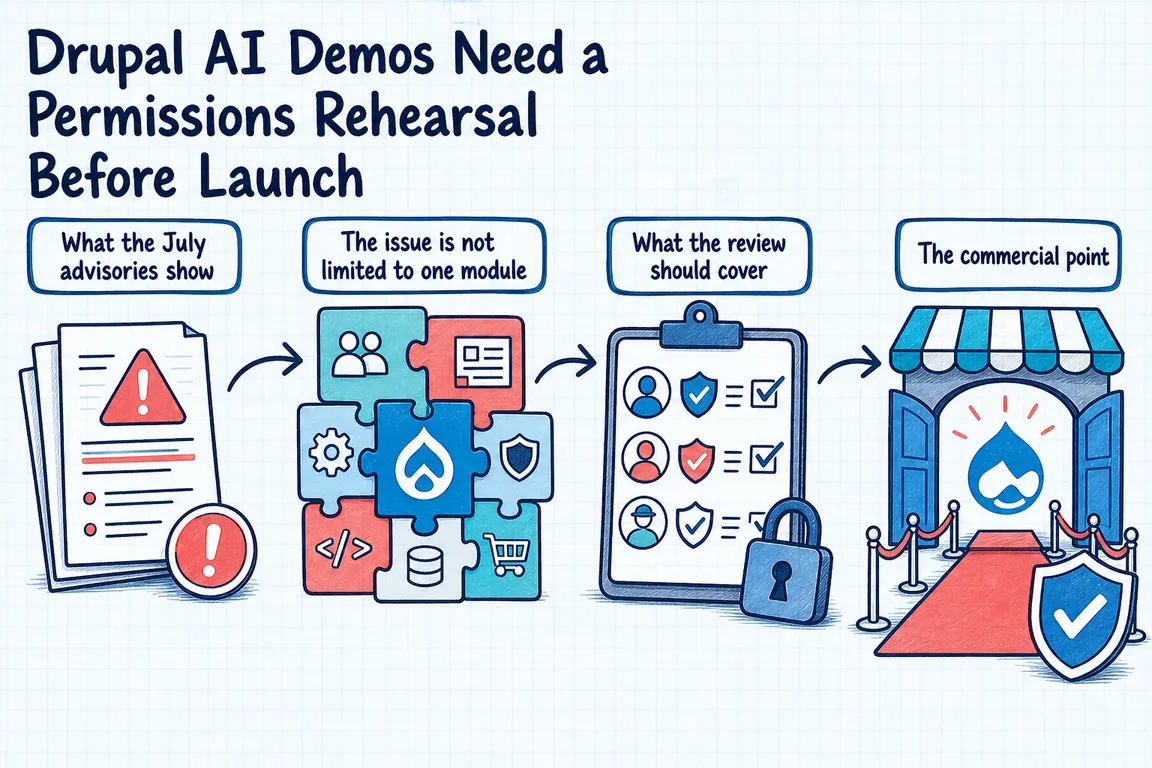
Three Drupal advisories from 1 July 2026 show why the rehearsal matters. FlowDrop’s endpoint access advisory affects versions before 1.6.0: users with View any session could potentially trigger execution or message another user’s session. The fix added an Execute session workflow requirement.
A separate FlowDrop advisory, also fixed in 1.6.0, concerns approval gates that were not sufficiently re-evaluated across workflow iterations. Exploitation required workflow administration, creation, or editing permissions.
The Canvas AI upload advisory describes insufficient image validation that could lead to cross-site scripting. Its branch-specific fixes were 1.4.2, 1.5.2, 1.6.1, and 1.7.1.
These are historical fix versions, not current upgrade targets. Check supported releases and current advisories for Drupal core, AI modules, and connectors. For Composer-managed projects, inspect the installation and preview changes outside production:
composer show drupal/flowdrop
composer show drupal/canvas
composer audit
composer outdated "drupal/*"
composer update drupal/flowdrop drupal/canvas --with-all-dependencies --dry-run
Include only installed packages. Review dependency changes, confirm backups of the database, files, and code, then follow the Drupal module update procedure in development or staging:
composer update drupal/flowdrop drupal/canvas --with-all-dependencies
drush updatedb
drush cache:rebuild
drush config:export --diff
Review configuration changes before committing them with the lock file. Promote the tested build through your deployment process. With a committed lock file, Composer install uses its recorded versions; composer install --no-dev installs production dependencies. Complete the project’s database and configuration deployment steps too.
Use a go/no-go rehearsal table
Record the account, action, expected result, actual result, and evidence for each check. An unchecked row needs an owner before the meeting.
| Boundary | Try this | Pass condition |
|---|---|---|
| Roles | Execute actions as the presenter, editor, ordinary user, and anonymous visitor where relevant. | Only explicitly authorized roles can act. |
| Sessions | Use two accounts and separate browser profiles; request each other’s session URLs. | Reading, messaging, and execution follow the intended access rules. |
| Approvals | Change a proposed action, loop, retry, reject, and resume. | Changed actions require review; rejected work stays blocked. |
| Uploads | Try valid, oversized, renamed, malformed, and MIME-mismatched files. | Only permitted files are accepted and served safely. |
| Cost and tools | Repeat requests and trigger a workflow loop. | Enforced limits stop excessive calls and unintended writes. |
| Recovery | Disable execution during a paused or running workflow. | New calls stop and queued work is accounted for. |
Test server behaviour with ordinary accounts
Map permissions for workflow creation, editing, execution, session viewing, approval, uploads, and administration. Workflow authorship deserves attention: someone who can change the workflow may change what an approval step protects.
Verify prohibited requests fail on the server, including direct requests to endpoints. A hidden button proves little about access control. Repeat session tests after refreshing, while execution is paused, and after permissions are revoked. Where supervisors intentionally have broader visibility, check that viewing access does not accidentally grant execution rights.
Make approval describe a specific action
The approver should see the destination, affected content or record, proposed change, and relevant side effects. “Approve workflow” is too vague when the next step might publish a page or update customer data.
If the destination, inputs, or consequences change, require fresh approval. Define how retries of an unchanged action behave, including how duplicate writes are prevented. Test rejection, abandonment, and resumption: none should release an unapproved queued action. Review the actual tool call as well as the approval screen.
Give someone a working stop procedure
Set limits on requests, workflow steps, execution time, and model usage. Confirm whether provider budget settings enforce a cutoff or merely send alerts. Where necessary, add application limits and restrict external credentials to the smallest useful scope.
Keep enough logging to connect the initiating account, workflow run, approval, tool action, and outcome. Avoid recording credentials or unnecessary sensitive prompt content.
Name the person who can stop the demo and practise the procedure. Include queued jobs and external calls. Restoring code will not undo an email already sent or a CRM record already changed, which is why test destinations matter.
Proceed when the team can demonstrate these controls and explain any remaining limitations. Otherwise, narrow the demonstration: remove uploads, disconnect write tools, or show a recorded path while the unresolved issue is fixed.
If your team needs help reaching that decision, I can review the permissions, workflow behaviour, and deployment plan with your developers, then turn the findings into a practical launch checklist. Talk with me about your Drupal AI demo.
Related on GrN.dk
- Locked Out of Your Apple Developer Account? Fix Access Before October 1
- Who Can Read That Answer? Permissions for Internal AI Search
- Before AI images reach clients, audit your media library
Need help with this kind of work?
Discuss your Drupal AI demo with Greg Get in touch with Greg.