By Greg Nowak. Last updated 2026-07-06.
Adding an AI chat widget to a website can look like a small front-end improvement. In practice, it quickly becomes part of sales, support, and operations. If the assistant qualifies a lead, summarizes a request, checks a knowledge base, writes to a CRM, or routes work to a team, it is no longer just answering questions. It is participating in a business process.
That is why prompt-injection controls need to be part of the rollout plan, not a hardening task after launch. A public website bot is designed to read untrusted text all day. Some of that text will be normal visitor input. Some may be hostile instructions, pasted documents, hidden page content, encoded text, or material pulled from external sources. The more autonomy the bot has, the more those inputs can influence real business outcomes.
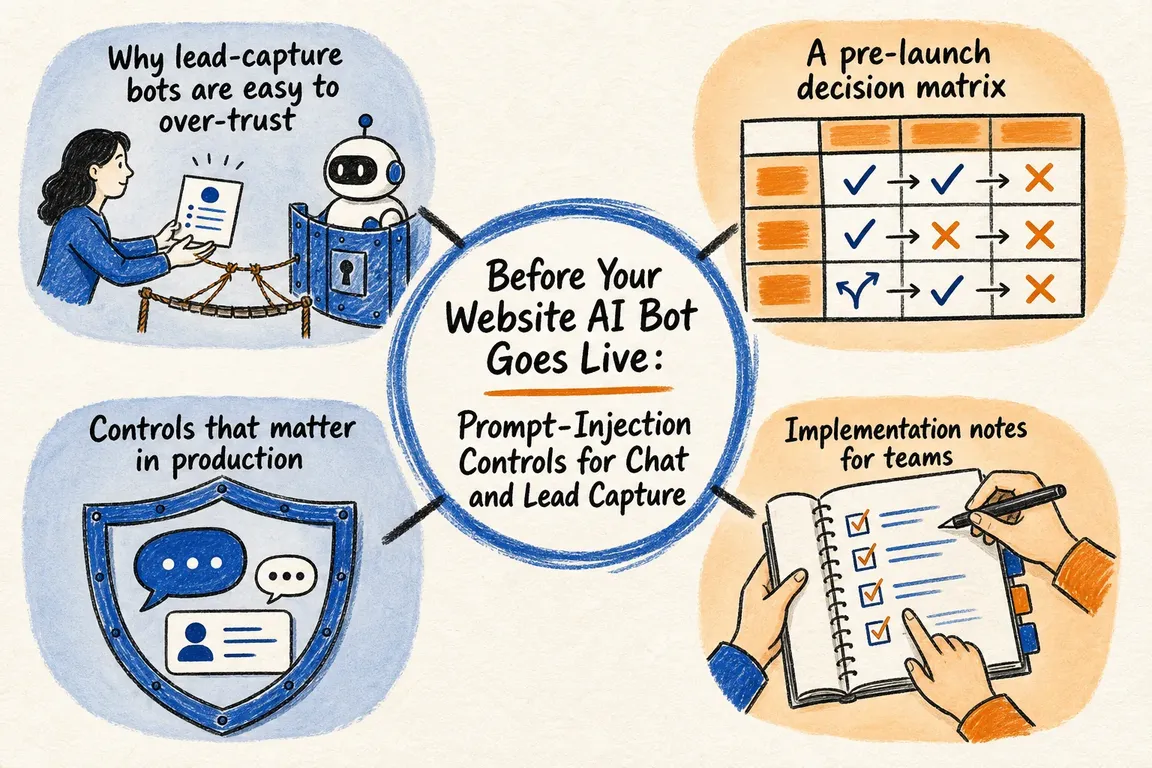
Why lead-capture bots are easy to over-trust
Most projects start with a sensible brief: answer common questions, collect contact details, and hand a lead to sales. Then the scope expands. The assistant is asked to judge fit, classify urgency, recommend a service, create a CRM note, trigger an email, or pass a request to support. Each added capability raises the cost of weak validation.
OWASP's 2025 LLM guidance treats prompt injection as both direct and indirect. A visitor can type instructions into the chat box, but an assistant can also be influenced by websites, files, RAG content, emails, or other material it processes. That matters for business websites because the bot may be exposed to exactly those inputs while trying to be helpful.
A pre-launch decision matrix
| Control | Launch decision | Practical test |
|---|---|---|
| Defined scope | The bot has a short list of approved jobs. | Can the team name what it must refuse or hand off? |
| Structured handoff | Lead data is captured as validated fields, not a loose transcript. | Are intent, urgency, consent, service interest, and next action constrained? |
| Least-privilege tools | The assistant only gets the access needed for the approved workflow. | Can it read public knowledge without broad CRM or admin permissions? |
| Layered screening | Inputs, outputs, and proposed actions are checked separately. | Are prompt extraction, hidden HTML, encoded text, and unsafe actions tested? |
| Human handoff | Higher-risk actions require review before they affect a customer or system. | Can a person see the original conversation and the model's structured summary? |
| Monitoring | Requests, tool calls, refusals, and suspicious patterns are traceable. | Can abuse be isolated by user, session, IP, or safety identifier? |
Controls that matter in production
Start with separation. Do not treat visitor text as instructions. Keep system rules, tool policies, and business constraints separate from user data, retrieved pages, uploaded files, and CRM notes. The model can inspect untrusted material, but that material should not be allowed to rewrite what the assistant is allowed to do.
Use structured outputs for the handoff. For a lead bot, a useful record is usually a set of fixed fields: contact details, consent status, company type, service interest, urgency, summary, confidence, and recommended next step. OpenAI's structured output guidance is useful here because it moves the handoff from free-form prose toward schema-backed data. The CRM should receive validated fields, not a raw model paragraph that can smuggle unexpected instructions downstream.
Keep tool access narrow. A website assistant rarely needs broad write access. It may need to search approved website content, draft a CRM note, or create an intake ticket. Those are different permissions. Separate read paths from write paths, validate tool parameters against the session, and avoid general integration tokens that can see or change more than the workflow requires.
Add layered checks. OpenAI recommends moderation, adversarial testing, and human oversight. OWASP also emphasizes input validation, output validation, action screening, least privilege, and monitoring. In plain terms: screen what the bot receives, screen what it says, and screen what it is about to do. A guardrail model can help, but it should support deterministic rules and approval gates rather than replace them.
Implementation notes for teams
Before launch, red-team the bot with the patterns that will actually hit a public website: "ignore previous instructions," system prompt extraction, hidden HTML or Markdown, Base64 or obfuscated text, pasted competitor pages, uploaded documents containing instructions, and attempts to make the assistant promise unsupported services. Test normal buyers too. A secure bot that cannot collect a clean lead is not finished.
For OpenAI-backed deployments where individual users interact with the model, use a stable safety identifier where supported and hash emails or internal IDs rather than sending personal data directly. At the request level, the pattern should be this simple:
"safety_identifier": "hash_of_user_or_session"Log enough to diagnose incidents: the original user input, retrieved context references, model output, structured lead record, guardrail decisions, tool calls, refusals, handoff destination, and session metadata. OWASP also recommends rate limiting per user or IP and alerting on suspicious patterns. These are operational controls, not just security extras.
The commercial case for restraint
A safer website bot is usually a more useful one. It asks better questions, captures cleaner records, avoids invented promises, and hands uncertain work to a person before it creates operational noise. The goal is not maximum autonomy. The goal is a constrained assistant that can answer known questions, qualify real opportunities, and support the team without opening unnecessary paths to data exposure or unsafe backend actions.
For business owners, operations leads, and agency teams, the right question is not "Can we add AI chat?" It is "What should this assistant be trusted to do, and how will we know when it stayed inside that boundary?" GrN can help review the prompt stack, tool permissions, structured handoff, moderation setup, safety identifiers, logging, and escalation rules before the bot becomes part of the live customer journey.
Planning a website AI assistant or lead-capture bot? Get in touch with Greg for a practical pre-rollout review.
Related on GrN.dk
- Cloudflare BYOIP customers need a rollback plan, not just trust
- Long-running AI automations need queues before they meet real ops
- WordPress Security Releases Still Need an Ops Runbook for Business Sites
Need help with this kind of work?
Review Your AI Bot Before Rollout Get in touch with Greg.










