By Greg Nowak. Last updated 2026-09-30.
A spike in AI spending is easier to investigate when a gateway can show which account made the requests. The same identity can help an operations lead work out whether a failed workflow belongs to an employee, an agency integration or an unattended agent. But once a log connects people to prompts and responses, it becomes a record that needs its own rules.
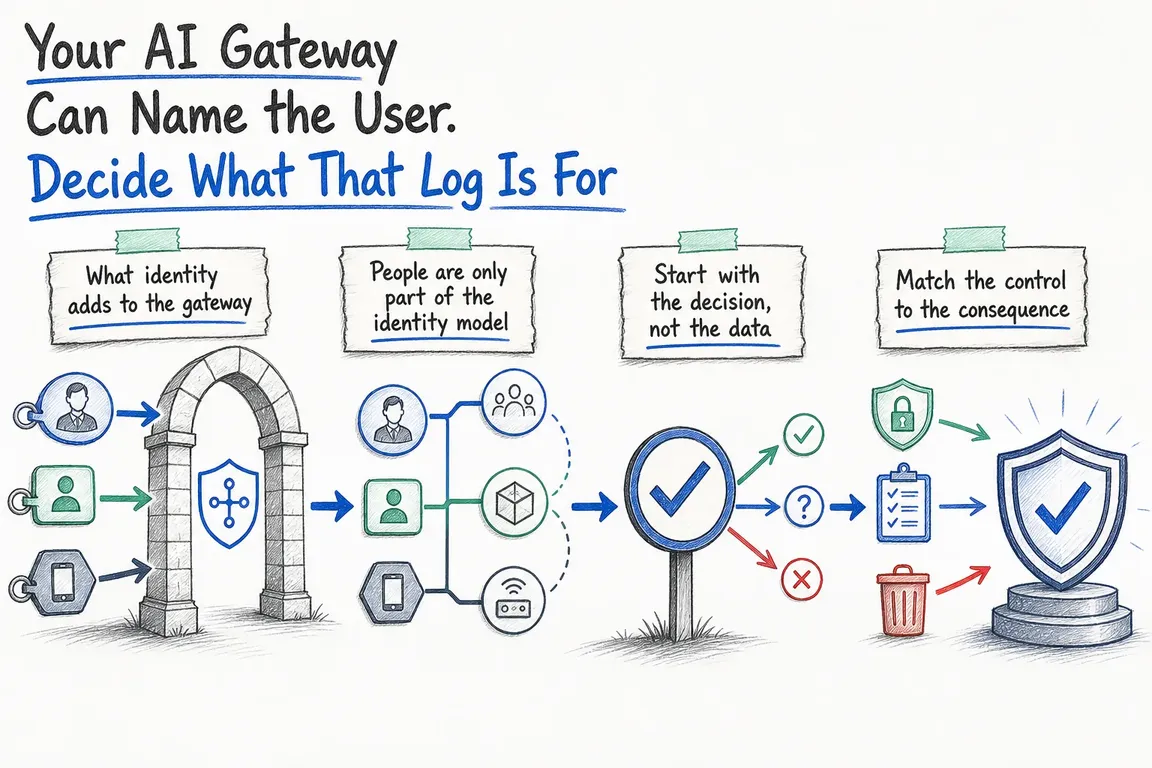
Before adding more fields or turning on alerts, decide what someone will do with the evidence. A cost report, a support investigation and a content review need different data. Giving all three teams access to every prompt is rarely a useful starting point.
Know which identity the gateway can verify
With an Access-protected custom domain, Cloudflare AI Gateway adds the authenticated Access subject to request metadata as cf.user_id. It is the subject from the Access token, not the user's email address. That lets a team filter usage and spending by a verified account, as explained in Cloudflare's Access documentation.
That field has limits. Service-token requests do not receive cf.user_id, and requests to Cloudflare's default gateway endpoint are outside the custom domain's Access policy. Map every application to its intended route before treating a dashboard as a complete picture of usage. Give each service or agent a stable identifier and an owner; emit that identifier from trusted integration code. A caller-supplied label should not be mistaken for a verified human identity.
Give each log a job
Start with a question the business needs to answer, then select the fields and readers required to answer it. This makes the logging policy easier to explain to staff and easier to maintain when applications change.
| Purpose | Useful evidence | Access and next action |
|---|---|---|
| Control spending | Account or service ID, application, model, tokens and estimated cost | Operations owner checks the workflow and adjusts a budget or model choice. |
| Resolve a failed request | Time, route, status, model and request ID | Support traces the failure; content is inspected only if needed. |
| Review a content signal | Relevant flagged interaction and surrounding request details | Authorised reviewer checks context before escalating or blocking. |
| Investigate an incident | Identity, route and timeline linked to application and tool logs | Incident owner preserves the necessary evidence and records decisions. |
For an agency running several client applications, an application or client identifier can make cost allocation useful without exposing prompts to everyone who receives a report. For an agent that can update another system, gateway logs show the model request, but the investigation may also need that system's action log.
Choose whether to keep the conversation
Cloudflare enables AI Gateway logs by default. A log can contain prompts and responses as well as usage metadata. If a workflow needs spending and error visibility without storing the conversation, send cf-aig-collect-log-payload: false on its requests. The request and response bodies are skipped while metadata such as model, status, tokens and cost remains. Use cf-aig-collect-log: false when that request should have no gateway log entry at all. Put these choices in the integration design and control who can change them.
Retention also needs checking against the account's actual logging setup. Customers creating their first gateway on or after 24 September 2026 follow Workers Logs pricing and retention; earlier customers use Legacy Logs. Cloudflare's Legacy Logs documentation says stored records persist until deleted. Its automatic deletion option removes the oldest records when a storage limit is reached, which is different from a chosen retention period. Set a schedule for each purpose, then verify that deletion works.
Where a log can be linked to a person, this is also a data protection decision. The European Data Protection Board identifies purpose limitation, data minimisation, storage limitation and confidentiality among the principles for handling personal data. A stable account ID does not remove that responsibility merely because it is not an email address.
Decide what happens when a signal appears
A spending threshold can stop further requests with a 429 response. Cloudflare's spend-limit guidance also describes a cheaper-model fallback through Dynamic Routes. Choose the behaviour by workflow: pausing an internal experiment may be acceptable, while a customer-facing service needs a planned response to either outcome.
Do not treat the threshold as an exact financial ceiling. Cloudflare records a request's cost after completion, so concurrent requests can briefly exceed a limit. Its cost figures are estimates; the provider's bill is authoritative. Give a named owner the task of reviewing repeated budget hits rather than merely raising the number.
Apply the same ownership to unusual activity or content flags. The first review should establish the route, actor, application and expected workload. If the reviewer needs prompt content, define who may open it and record why. If an agent used tools or changed records elsewhere, follow those actions in the relevant system logs before deciding what happened.
Put the policy into operation
Begin with one inventory: applications, gateway routes, providers, human groups, services, agents and their owners. Mark workflows that handle sensitive material or can change another system. Confirm which requests reach the Access-protected domain and which still use the default endpoint.
Next, write a short logging rule for each workflow: purpose, required fields, whether payloads are stored, permitted readers, retention and the person who responds to an alert. Configure budgets only after identifiers and routes are trustworthy. Test a blocked request, a budget breach, an employee departure and an agent whose owner changes. Offboarding should remove human access and separately rotate or retire service credentials.
The gateway's ability to name a user is valuable when it leads to a clear decision. If your team needs help mapping routes, owners and logging rules into a workable rollout, talk with Greg about the project.
Related on GrN.dk
- Cloudflare AI Gateway: Put LLM Budgets in the Request Path
- AI Agents Need a Spending Brake, Not Just a Billing Dashboard
- AI automations need a spend dashboard before the first runaway bill
Need help with this kind of work?
Talk with Greg about your AI gateway Get in touch with Greg.










